
延迟和终止shinyBS::bsTooltip
延迟和终止shinyBS::bsTooltip
提问于 2017-11-24 16:41:03
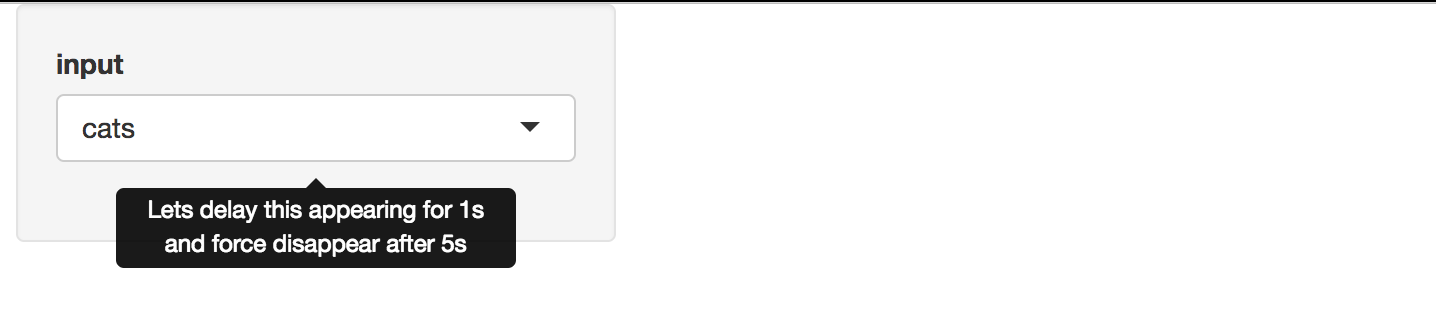
是否有可能延迟工具提示并在几秒钟后过期?
require(shiny)
require(shinyBS)

shinyApp(ui = fluidPage(
  shinyjs::useShinyjs(),
  bsTooltip(id = 'input', title = "Lets delay this appearing for 1s and force disappear after 5s",
    placement = "bottom", trigger = "hover", options = list(delay = list(show=1000, hide=3000))),

  sidebarLayout(
    sidebarPanel(
      selectInput(inputId = 'input', label = 'input', choices = c('cats','dogs'))
    ),
    mainPanel()
  )
)
, server = function(input, output){})
回答 2
Stack Overflow用户
回答已采纳
发布于 2017-11-24 18:41:47
shinyBS::bsTooltip未能正确序列化Popovers.R#L129中嵌套的options列表
options对象最后看起来像{ delay: "list(show = 1000, hide = 3000)" }
不幸的是,shinyBS似乎不再被维护,或者一个补丁是值得提交的。
我建议一个解决办法--使用shinyBS::addTooltip,它可以正确地序列化options。
require(shiny)
require(shinyBS)

shinyApp(
  ui = fluidPage(
    # shinyjs::useShinyjs(),
    shinyBS:::shinyBSDep,

    sidebarLayout(
      sidebarPanel(
        selectInput(inputId = 'input', label = 'input', choices = c('cats','dogs'))
      ),
      mainPanel()
    )
  ),
  server = function(input, output, session) {
    addTooltip(session, id = 'input', title = "Lets delay this appearing for 1s and force disappear after 5s",
               placement = "bottom", trigger = "hover", options = list(delay = list(show=1000, hide=3000)))
  }
)
或者直接用靴带。
Stack Overflow用户
发布于 2019-01-14 17:48:36
我用了tipify。所以我的代码是:
tipify(
  element,
  title = "some title",
  options = list("delay" = 1000)
)问题是:延迟确实是数字的,但是函数createTooltipOrPopoverOnUI (Popovers.R)将围绕所有参数设置商号:
options = paste0("{'", paste(names(options), options, sep = "': '", collapse = "', '"), "'}")所以我做了这件事:我不以它为荣,但它起了作用:
options = list("delay': 1000, 'it" = "sucks")页面原文内容由Stack Overflow提供。腾讯云小微IT领域专用引擎提供翻译支持
原文链接:
https://stackoverflow.com/questions/47477237
复制相关文章
相似问题
腾讯云开发者

Copyright © 2013 - 2026 Tencent Cloud. All Rights Reserved. 腾讯云 版权所有
深圳市腾讯计算机系统有限公司 ICP备案/许可证号:粤B2-20090059  粤公网安备44030502008569号
腾讯云计算(北京)有限责任公司 京ICP证150476号 | 京ICP备11018762号