
HttpListenerRequest在使用HttpClient或WebRequest时慢读HttpClient
HttpListenerRequest在使用HttpClient或WebRequest时慢读HttpClient
提问于 2017-11-22 10:23:54
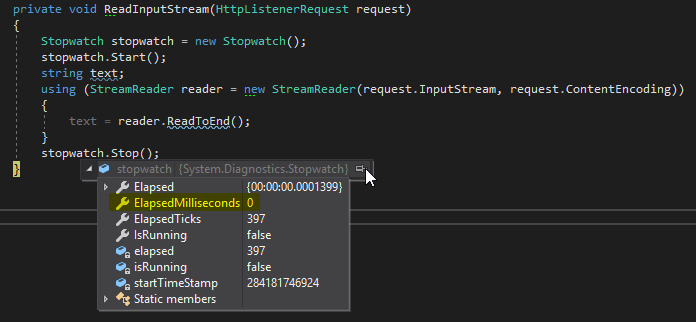
我有一个等待传入请求的HttpListener。奇怪的是,当我发送一个request和HttpClient或WebRequest类时,stream的读取/解码大约需要350 is,而发送与Insomnia (https://insomnia.rest/)相同的request只需要500秒!
谁能给我解释一下我的错在哪里?!
HttpClient
private readonly HttpClient _Client = new HttpClient();

private async void HttpClientMethod(string jsonContent)
{
    HttpRequestMessage message = new HttpRequestMessage(HttpMethod.Post, _BaseUrl);

    message.Content = new StringContent(jsonContent);

    HttpResponseMessage result = await _Client.SendAsync(message);
    string content = await result.Content.ReadAsStringAsync();

    Console.WriteLine(content);
}
WebRequest客户端
private string WebRequestMethod(string jsonContent)
{
    WebRequest request = WebRequest.Create(_BaseUrl);

    // Set the Method property of the request to POST.
    request.Method = "POST";
    // Create POST data and convert it to a byte array.
    string postData = jsonContent;
    byte[] byteArray = Encoding.UTF8.GetBytes(postData);
    // Set the ContentType property of the WebRequest.
    request.ContentType = "application/x-www-form-urlencoded";
    // Set the ContentLength property of the WebRequest.
    request.ContentLength = byteArray.Length;
    // Get the request stream.
    Stream dataStream = request.GetRequestStream();
    // Write the data to the request stream.
    dataStream.Write(byteArray, 0, byteArray.Length);
    // Close the Stream object.
    dataStream.Close();
    // Get the response.
    WebResponse response = request.GetResponse();
    // Display the status.
    Console.WriteLine(((HttpWebResponse)response).StatusDescription);
    // Get the stream containing content returned by the server.
    dataStream = response.GetResponseStream();
    // Open the stream using a StreamReader for easy access.
    StreamReader reader = new StreamReader(dataStream);
    // Read the content.
    string responseFromServer = reader.ReadToEnd();
    // Display the content.

    // Clean up the streams.
    reader.Close();
    dataStream.Close();
    response.Close();

    return responseFromServer;
}
主机
private void ReadInputStream(HttpListenerRequest request)
{
    Stopwatch stopwatch = new Stopwatch();
    stopwatch.Start();
    string text;
    using (StreamReader reader = new StreamReader(request.InputStream, request.ContentEncoding))
    {
        text = reader.ReadToEnd();
    }
    stopwatch.Stop();
}
HttpClient x- WebRequest

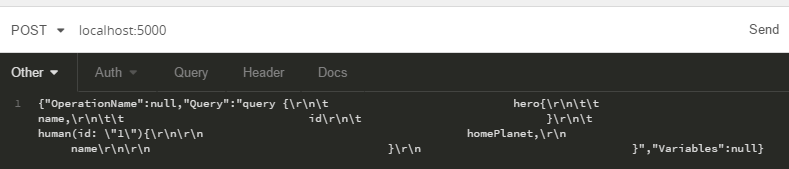
失眠
Insonmia = JSONContent
样本工程
刚刚创建了一个新的控制台应用程序
Program.cs
using System;
using System.Net.Http;
using System.Threading.Tasks;

namespace ApiTest
{
    class Program
    {
        static readonly ApiHost _ApiHost = new ApiHost();
        static readonly HttpClient _Client = new HttpClient();

        static void Main(string[] args) => MainAsync(args).GetAwaiter().GetResult();

        static async Task MainAsync(string[] args)
        {
            _ApiHost.Start();
            Console.WriteLine("Host started");
            Console.ReadKey();

            string jsonContent ="{\"OperationName\":null,\"Query\":\"query {\\r\\n\\t                            hero{\\r\\n\\t\\t                            name,\\r\\n\\t\\t                            id\\r\\n\\t                            }\\r\\n\\t                            human(id: \\\"1\\\"){\\r\\n\\r\\n                                        homePlanet,\\r\\n                                        name\\r\\n\\r\\n                                    }\\r\\n                                }\",\"Variables\":null}";

            HttpRequestMessage message = new HttpRequestMessage(HttpMethod.Post, new Uri("http://localhost:5000/"));
            message.Content = new StringContent(jsonContent);
            HttpResponseMessage result = await _Client.SendAsync(message);
            string content = await result.Content.ReadAsStringAsync();
            Console.WriteLine(content);
            Console.ReadKey();
        }
    }
}
ApiHost.cs
using System;
using System.Diagnostics;
using System.IO;
using System.Net;
using System.Threading;
using System.Threading.Tasks;

namespace ApiTest
{
    public class ApiHost
    {
        public HttpListener Listener = new HttpListener();
        private bool _Stop;

        public void Start()
        {
            Listener.Prefixes.Add("http://+:5000/");
            Listener.Start();
            Task.Run(() =>
            {
                Semaphore semaphore = new Semaphore(4, 4);
                while (!_Stop)
                {
                    semaphore.WaitOne();

                    Listener.GetContextAsync().ContinueWith(async (contextTask) =>
                    {
                        try
                        {
                            semaphore.Release();
                            HttpListenerContext context = await contextTask.ConfigureAwait(false);
                            Process(context);
                        }
                        catch (Exception ex)
                        {
                            Console.WriteLine(ex);
                            throw;
                        }
                    });
                }
            });
        }

        private void Process(HttpListenerContext ctx)
        {
            try
            {
                Stopwatch stopwatch = new Stopwatch();
                stopwatch.Start();
                string text;
                using (StreamReader reader = new StreamReader(ctx.Request.InputStream, ctx.Request.ContentEncoding))
                {
                    text = reader.ReadToEnd();
                }
                stopwatch.Stop();

                using (Stream output = ctx.Response.OutputStream)
                {
                    using (StreamWriter writer = new StreamWriter(output) { AutoFlush = true })
                    {
                        writer.Write(text);
                    }
                }
            }
            catch (Exception ex)
            {
                Console.WriteLine(ex);
            }
        }
    }
}
问题:
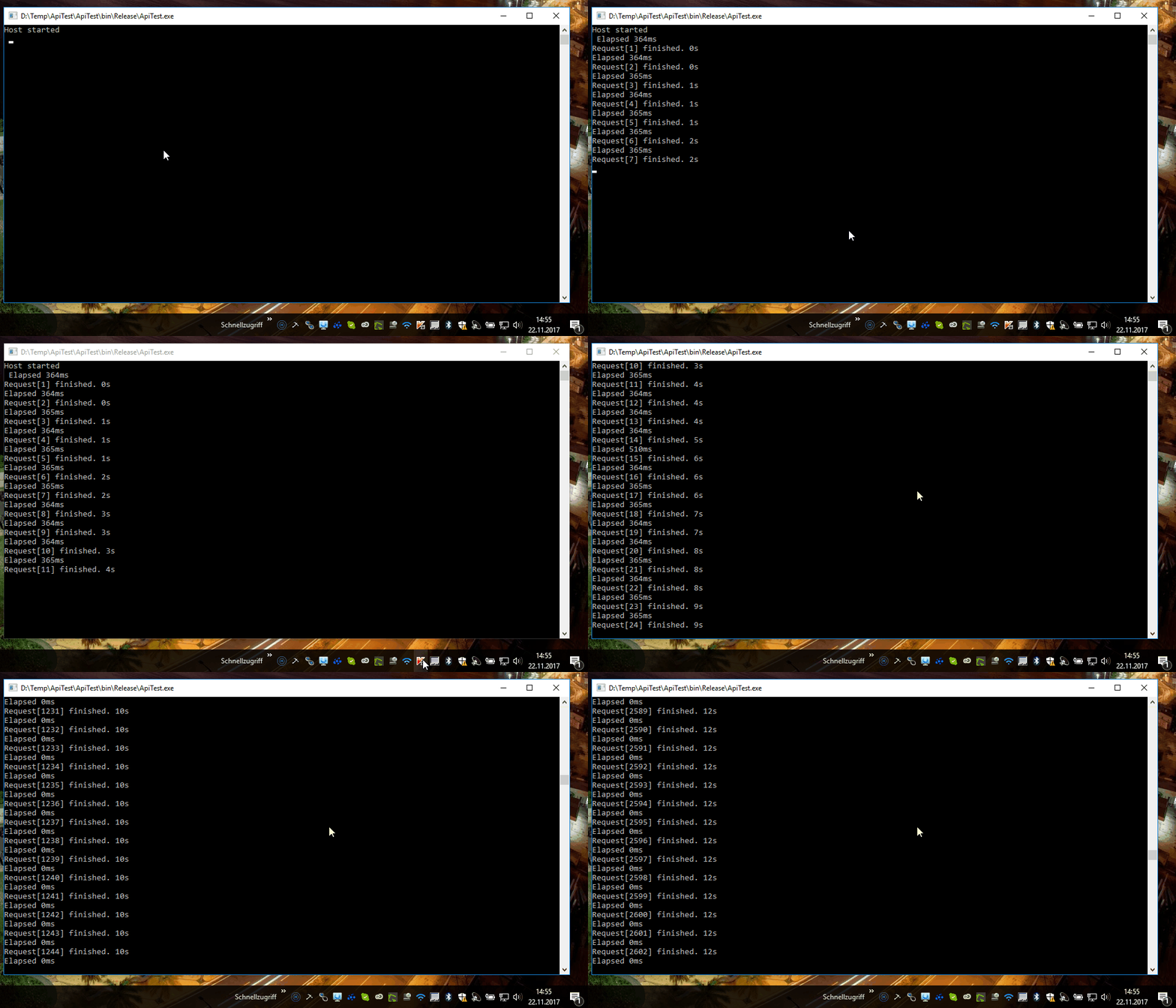
为什么我在使用内部库时有360 do。例如,当我使用Insomnia时,我没有这个延迟!
回答 1
Stack Overflow用户
回答已采纳
发布于 2017-11-22 13:57:40
Kaspersky是问题所在。在停止应用程序之后,它正在运行,没有任何问题!
页面原文内容由Stack Overflow提供。腾讯云小微IT领域专用引擎提供翻译支持
原文链接:
https://stackoverflow.com/questions/47432197
复制相关文章
相似问题
腾讯云开发者

Copyright © 2013 - 2026 Tencent Cloud. All Rights Reserved. 腾讯云 版权所有
深圳市腾讯计算机系统有限公司 ICP备案/许可证号:粤B2-20090059  粤公网安备44030502008569号
腾讯云计算(北京)有限责任公司 京ICP证150476号 | 京ICP备11018762号