
在java中使用Boxable和PDFBox将大表呈现为pdf文件
在java中使用Boxable和PDFBox将大表呈现为pdf文件
提问于 2017-11-20 07:40:43
我正试图使用PDFBox在Java中创建一个pdf文件。该文件将包含一个包含2列的大表。为了在pdf中呈现表格,我使用另一个库:可箱式。
成功创建了该文件,并呈现了该表。但是,当一行包含大量数据时,就会出现问题。在这种情况下,该表拆分并没有正确显示数据:
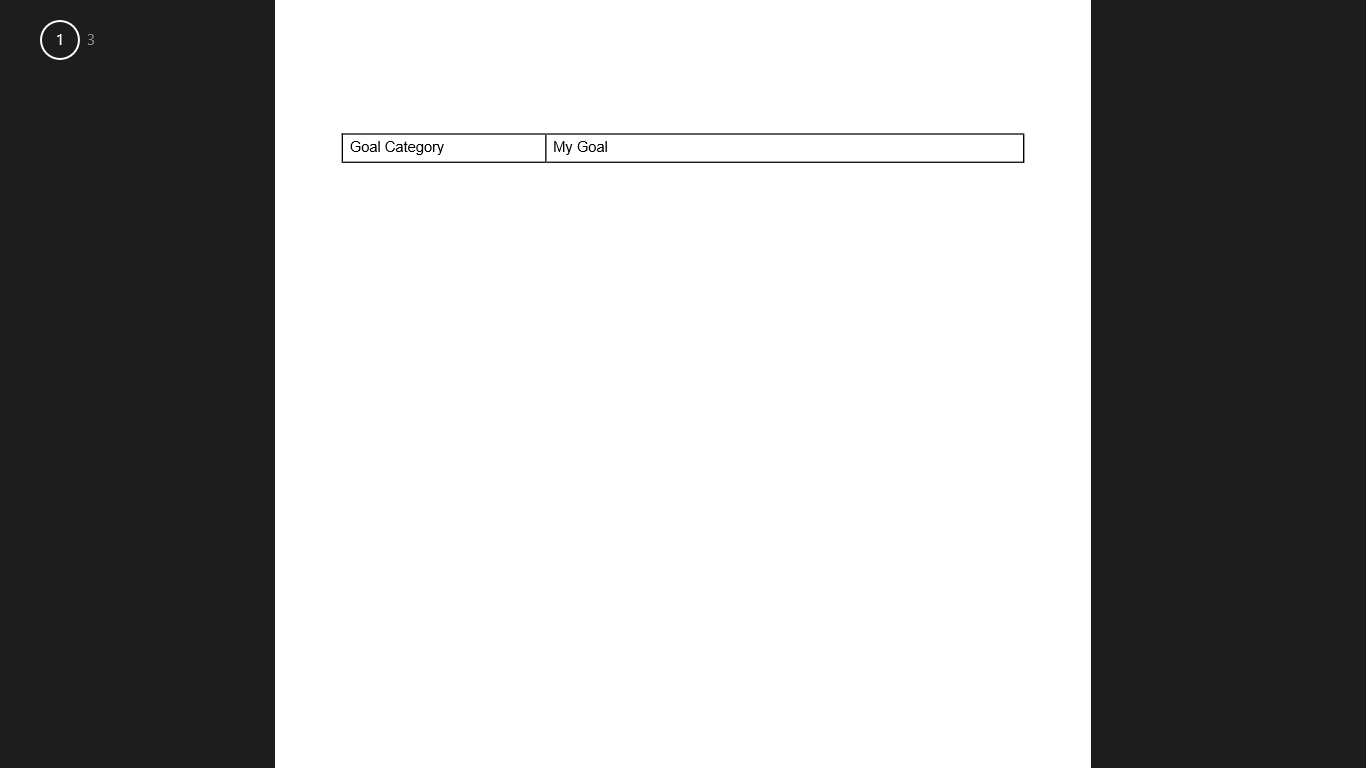
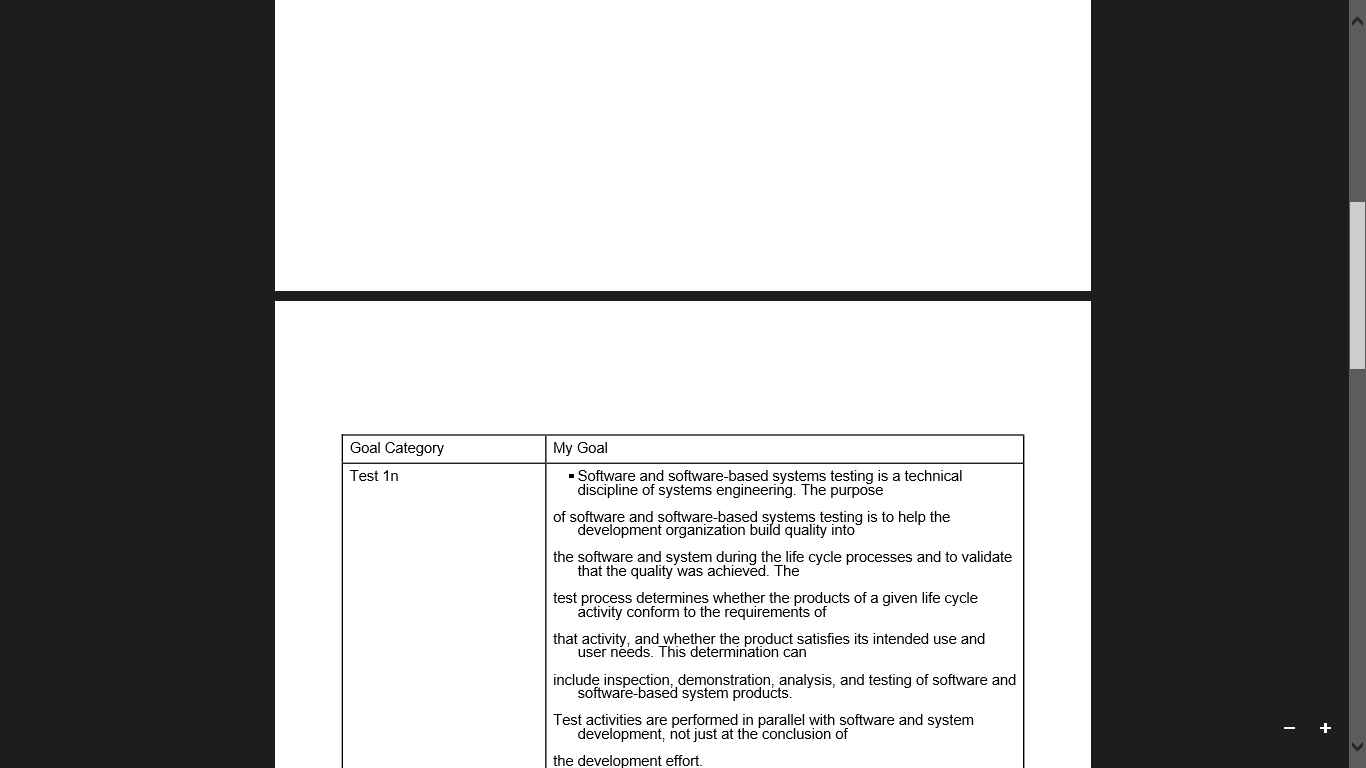
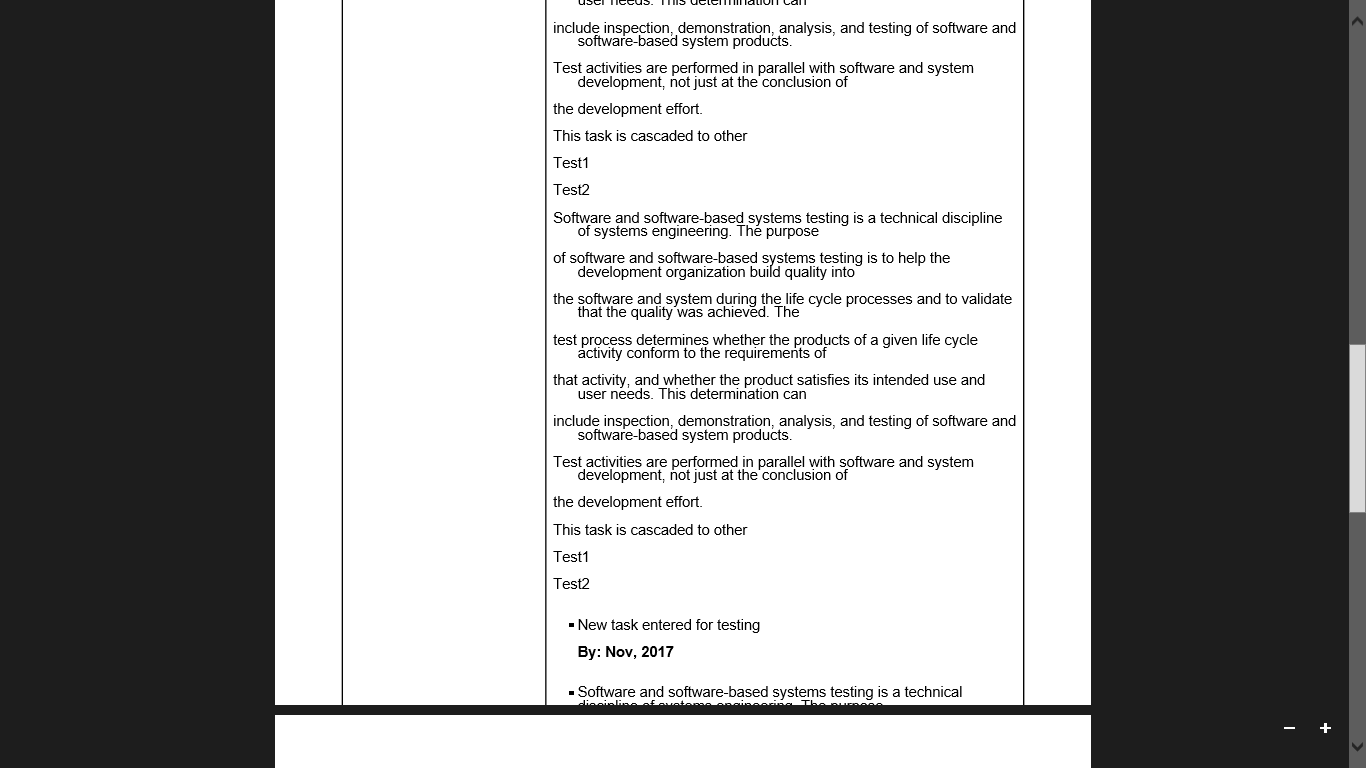
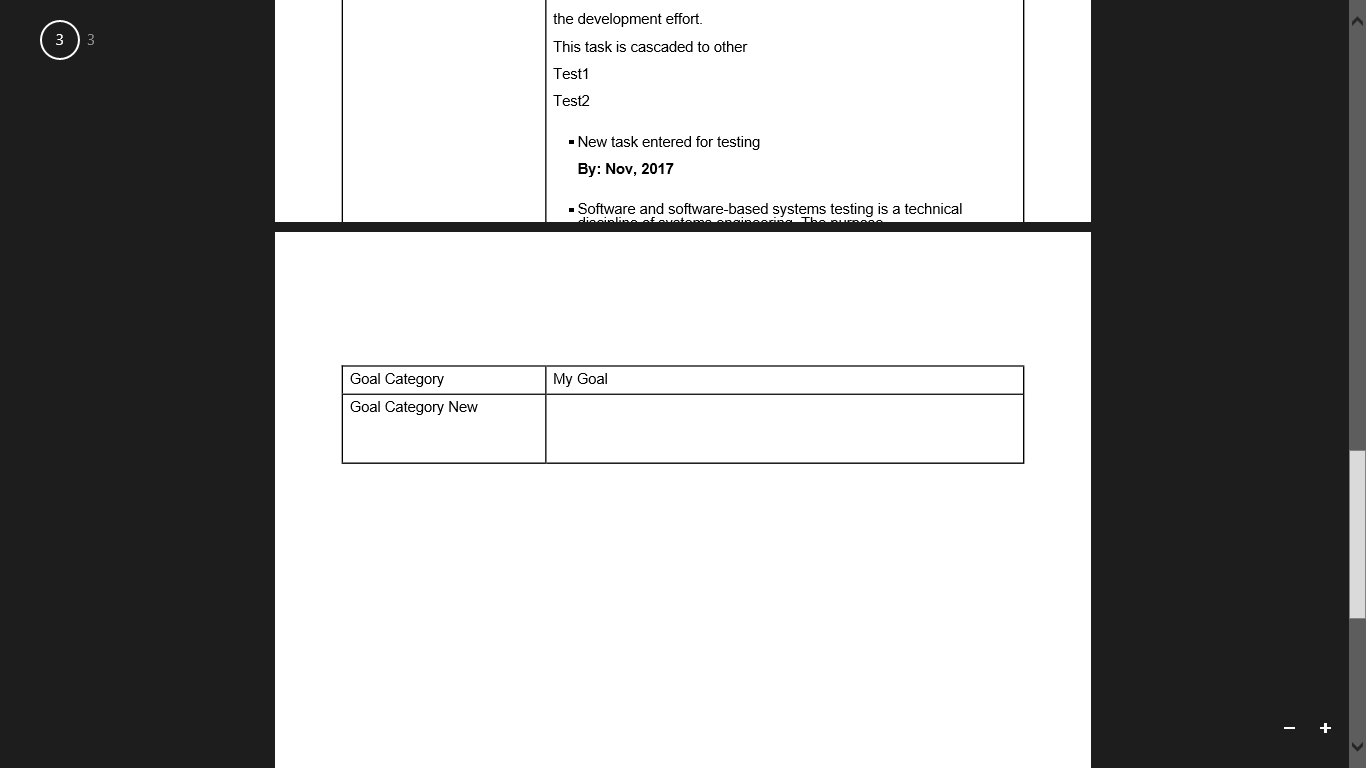
大行将自动移动到新页,而第一页仍为空。在第二页中,行在为测试而输入的新任务处突然结束,而没有在单元格中显示整个数据。这是一个反复出现的问题,不特定于这种情况。
Row<PDPage> headerRow;
Row<PDPage> row;
Cell<PDPage> cell;
int i;

headerRow = table.createRow(15f);

cell = headerRow.createCell(30, "Goal Category");
cell.setFont(PDType1Font.HELVETICA);
cell.setFontSize(11);
cell = headerRow.createCell(70, "My Goal");
cell.setFont(PDType1Font.HELVETICA);
cell.setFontSize(11);
table.addHeaderRow(headerRow);

for(i=0;i<goals.size();i++)
{
    ArrayList<String> goal=goals.get(i);
    row = table.createRow(12);
    cell = row.createCell(30, goal.get(0));
    cell.setFont(PDType1Font.HELVETICA);
    cell.setFontSize(11);
    System.out.println("My Goal="+goal.get(1));
    cell = row.createCell(70, goal.get(1));
    cell.setFont(PDType1Font.HELVETICA);
    cell.setFontSize(11);

}
table.draw();我正在寻找一种以pdf.格式呈现表的解决方案或替代方法。
回答 2
Stack Overflow用户
发布于 2020-05-14 15:13:09
您可以使用此片段将大文本拆分为适合于每个页面的块(测试):
private static final int MAX_LINES = 95;
...
String[] lignes = ch.split("\r?\n");
StringBuilder sb = new StringBuilder();
int nblignes = 0;

for (String ligne : lignes) {
    nblignes++;
    sb.append(ligne).append("\n");

    if (nblignes % MAX_LINES == 0) {
        row = table.createRow(10);
        cell = row.createCell(100, sb.toString());
        sb = new StringBuilder();
    }
}

if (sb.length() > 0) {
    row = table.createRow(10);
    cell = row.createCell(100, sb.toString());
}Stack Overflow用户
发布于 2017-11-20 11:59:51
这些库似乎无法令人满意地处理分页。在这种情况下,商业工作马itext值得一提。
为分页符准备表,在几行中先发制人地分割行可能是一种实用的解决方案。
下面的行最多限于每页的行数,依赖于这一点,然后分页符才能正常工作。
public int lineno;
public int linesPerPage = 50; // Not counting header lines.

public void splitRow(List<String> multilineRow) {
将单行单元格值拆分为多行(此处忽略的单词换行):
    List<List<String>> sublines = new ArrayList<>(multilineRow.size());
    int sublineCount = 0;
    for (String cellValue : multilineRow) {
        List<String> column = Arrays.asList(cellValue.split("\r?\n"));
        sublines.add(column);
        sublineCount = Math.max(sublineCount, column.size());
    }
然后我们有每个列的子行,并将几个子行捆绑到一行中:
    for (int sublineI = 0; sublineI < sublineCount; ) {
        int linesPerRow = Math.min(sublineCount, linesPerPage - lineno);
        if (linesPerRow <= 0) {
            break;
        }
        int sublineI2 = sublineI + linesPerRow;

        List<String> cellValues = new ArrayList<>(multilineRow.size());
        for (int j = 0; j < multilineRow.size(); ++j) {
            List<String> column = sublines.get(j);
            String value = "";
            if (sublineI < column.size()) {
                List<String> vs = column.subList(sublineI,
                                      Math.min(sublineI2, column.size()));
                value = vs.stream().collect(Collectors.joining("\n"));
            }
            cellValues.add(value);
        }
        createRow();
        ++lineno;
        .... fill with cellValues.get(0) and get(1)
        sublineI = sublineI2;
        if (lineno >= linesPerPage) {
            lineno = 0
        }
        //if (sublineI < sublineCount) {
        //    Page break / createHeader;
        //}
    }
}--这不是一个非常可靠的解决方案。,但是它可能会提供一个补丁,直到库错误被删除。
页面原文内容由Stack Overflow提供。腾讯云小微IT领域专用引擎提供翻译支持
原文链接:
https://stackoverflow.com/questions/47387129
复制相关文章
相似问题
腾讯云开发者

Copyright © 2013 - 2026 Tencent Cloud. All Rights Reserved. 腾讯云 版权所有
深圳市腾讯计算机系统有限公司 ICP备案/许可证号:粤B2-20090059  粤公网安备44030502008569号
腾讯云计算(北京)有限责任公司 京ICP证150476号 | 京ICP备11018762号