
印刷画布?
印刷画布?
提问于 2017-11-13 19:50:59
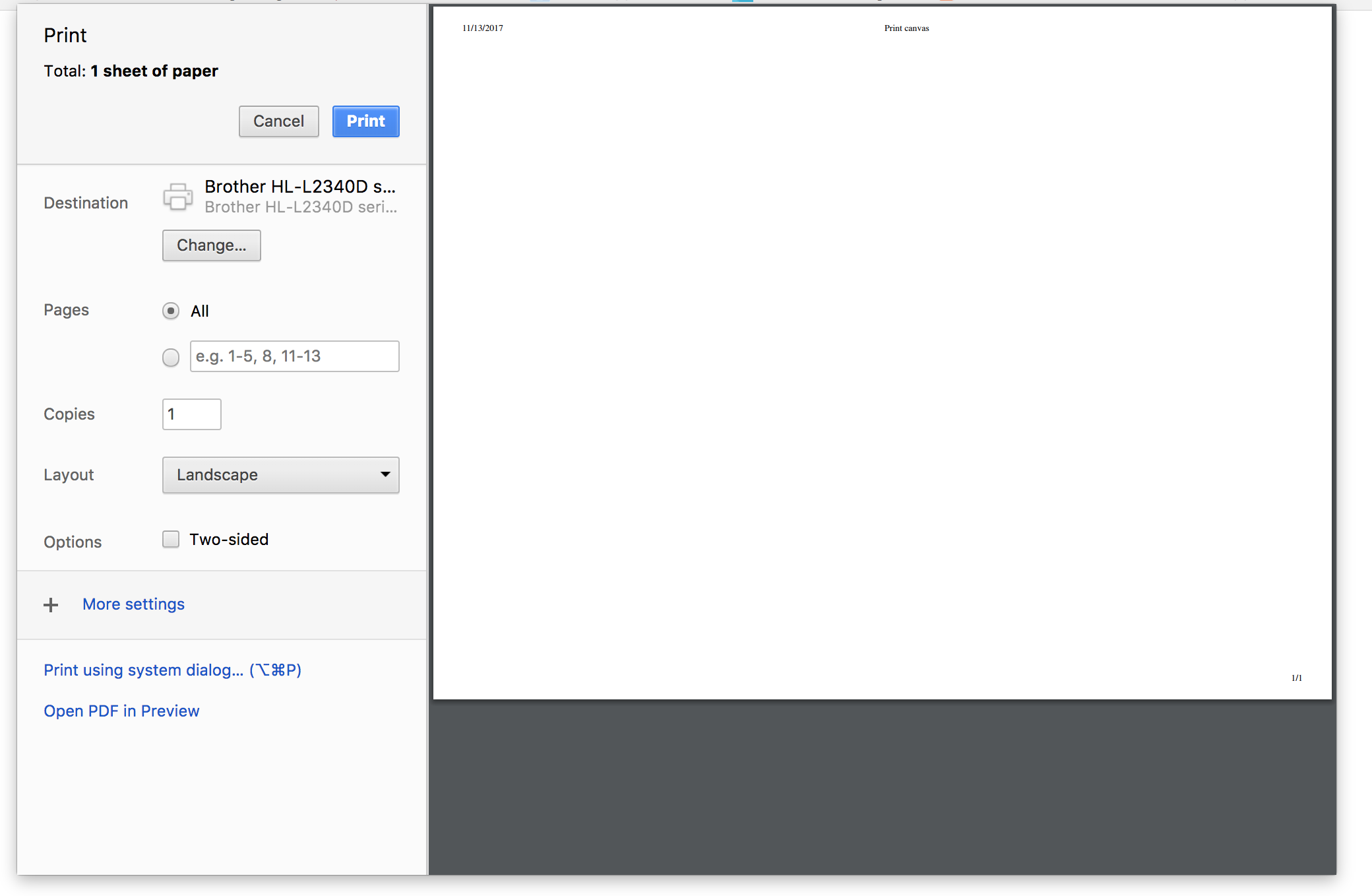
几个星期以来,我一直在努力创建功能,以使我能够打印我的制作画布。我试过的方法mentioned here没有运气。我可以进入打印对话框,然而,它是空白的标题和页面信息。谁能给我指明正确的方向?
我目前正在使用:
// Trying to print
function printCanvas()
{
    var dataUrl = document.getElementById('c').toDataURL(); //attempt to save base64 string to server using this var
    var windowContent = '<!DOCTYPE html>';
    windowContent += '<html>'
    windowContent += '<head><title>Print canvas</title></head>';
    windowContent += '<body>'
    windowContent += '<img src="' + dataUrl + '">';
    windowContent += '</body>';
    windowContent += '</html>';
    var printWin = window.open('','','width=340,height=260');
    printWin.document.open();
    printWin.document.write(windowContent);
    printWin.document.close();
    printWin.focus();
    printWin.print();
    printWin.close();
}<button onclick="printCanvas()">Print</button>
回答 1
Stack Overflow用户
回答已采纳
发布于 2017-11-14 05:27:13
您需要在内容加载后执行打印操作。下面的代码应该可以工作
function printCanvas() {
    var dataUrl = document.getElementById('c').toDataURL(); //attempt to save base64 string to server using this var
    var windowContent = '<!DOCTYPE html>';
    windowContent += '<html>'
    windowContent += '<head><title>Print canvas</title></head>';
    windowContent += '<body>'
    windowContent += '<img src="' + dataUrl + '" onload=window.print();window.close();>';
    windowContent += '</body>';
    windowContent += '</html>';
    var printWin = window.open('', '', 'width=340,height=260');
    printWin.document.open();
    printWin.document.write(windowContent);
}页面原文内容由Stack Overflow提供。腾讯云小微IT领域专用引擎提供翻译支持
原文链接:
https://stackoverflow.com/questions/47272407
复制相关文章
相似问题
腾讯云开发者

Copyright © 2013 - 2026 Tencent Cloud. All Rights Reserved. 腾讯云 版权所有
深圳市腾讯计算机系统有限公司 ICP备案/许可证号:粤B2-20090059  粤公网安备44030502008569号
腾讯云计算(北京)有限责任公司 京ICP证150476号 | 京ICP备11018762号