
Pythonocc/Opencascade x沿直线创建管道,轮廓不会改变正常
我的最终目标是:
我有一个巨大的数据集点,代表一个部分将如何被逐层打印的3D。我需要通过这些点创建一条线,并沿着这条线挤出一个圆(因此,重建部分,因为它将在以后打印)。
我最初尝试做样条,但这试图创建一条平滑的线,根本不遵循点。我试图更改minDeg和maxDeg选项,但这仍然无助于创建我需要的实际曲线。


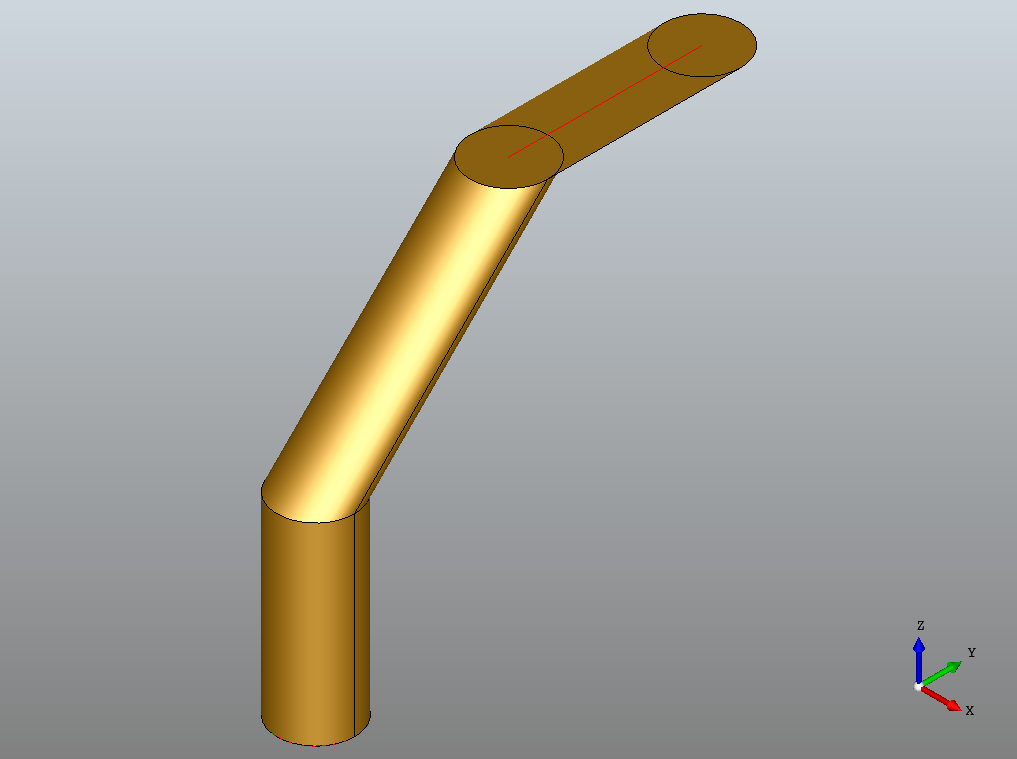
所以我试着在两个点之间一次创建一个样条,然后在创建电线的时候把它们加在一起。这看起来很有希望,因为现在我确实得到了实际的锐角和通过精确点的直线。然而,现在,当我试图沿它挤压时,挤压型材的法线不随金属丝的角度而改变。

我花了我的最后4天在这个问题上,尝试了许多论坛和问题,但感到完全迷失在世界的pythonocc (开放)。
我的代码如下:
from __future__ import print_function

from OCC.gp import gp_Pnt, gp_Ax2, gp_Dir, gp_Circ
from OCC.GeomAPI import GeomAPI_PointsToBSpline
from OCC.TColgp import TColgp_Array1OfPnt
from OCC.BRepBuilderAPI import BRepBuilderAPI_MakeEdge,
BRepBuilderAPI_MakeWire, BRepBuilderAPI_MakeFace
from OCC.BRepOffsetAPI import BRepOffsetAPI_MakePipe

from OCC.Display.SimpleGui import init_display
display, start_display, add_menu, add_function_to_menu = init_display()

def pipe():
# the bspline path, must be a wire
# This will later be in a for loop but this is merely to validate the method
using three different points.

array = TColgp_Array1OfPnt(1,2)
makeWire = BRepBuilderAPI_MakeWire()

point1 = gp_Pnt(0,0,0)
point2 = gp_Pnt(0,0,1)
array.SetValue(1, point1)
array.SetValue(2, point2)
spline = GeomAPI_PointsToBSpline(array).Curve()
edge = BRepBuilderAPI_MakeEdge(spline).Edge()

makeWire.Add(edge)

point1 = gp_Pnt(0, 0, 1)
point2 = gp_Pnt(0, 1, 2)
array.SetValue(1, point1)
array.SetValue(2, point2)
spline = GeomAPI_PointsToBSpline(array).Curve()
edge = BRepBuilderAPI_MakeEdge(spline).Edge()

makeWire.Add(edge)

point1 = gp_Pnt(0, 1, 2)
point2 = gp_Pnt(0, 2, 2)
array.SetValue(1, point1)
array.SetValue(2, point2)
spline = GeomAPI_PointsToBSpline(array).Curve()
edge = BRepBuilderAPI_MakeEdge(spline).Edge()

makeWire.Add(edge)

makeWire.Build()
wire = makeWire.Wire()

# the bspline profile. Profile mist be a wire/face
point = gp_Pnt(0,0,0)
dir = gp_Dir(0,0,1)
circle = gp_Circ(gp_Ax2(point,dir), 0.2)
profile_edge = BRepBuilderAPI_MakeEdge(circle).Edge()
profile_wire = BRepBuilderAPI_MakeWire(profile_edge).Wire()
profile_face = BRepBuilderAPI_MakeFace(profile_wire).Face()

# pipe
pipe = BRepOffsetAPI_MakePipe(wire, profile_face).Shape()

display.DisplayShape(profile_edge, update=False)
display.DisplayShape(wire, update=True)
display.DisplayShape(pipe, update=True)

if __name__ == '__main__':
pipe()
start_display()回答 1
Stack Overflow用户
发布于 2018-01-28 22:23:31
虽然电线的边缘连接,但它们的过渡并不顺利。MakePipe
通过沿铁丝脊线扫描形状轮廓来构造管道。脊柱与型材形成的角度沿管道的长度保持。警告脊柱必须是G1连续的;也就是说,在线的两个边的连接顶点上,左边和右边的切线向量必须有相同的方向,虽然不一定是相同的大小。
另一个连续性描述可以找到这里,我们需要切线(G1)。如果两个相邻的曲线在两端不相切,扫描将无法保持相同的角度(由脊柱与轮廓)。
最简单的解决办法是切断管道。
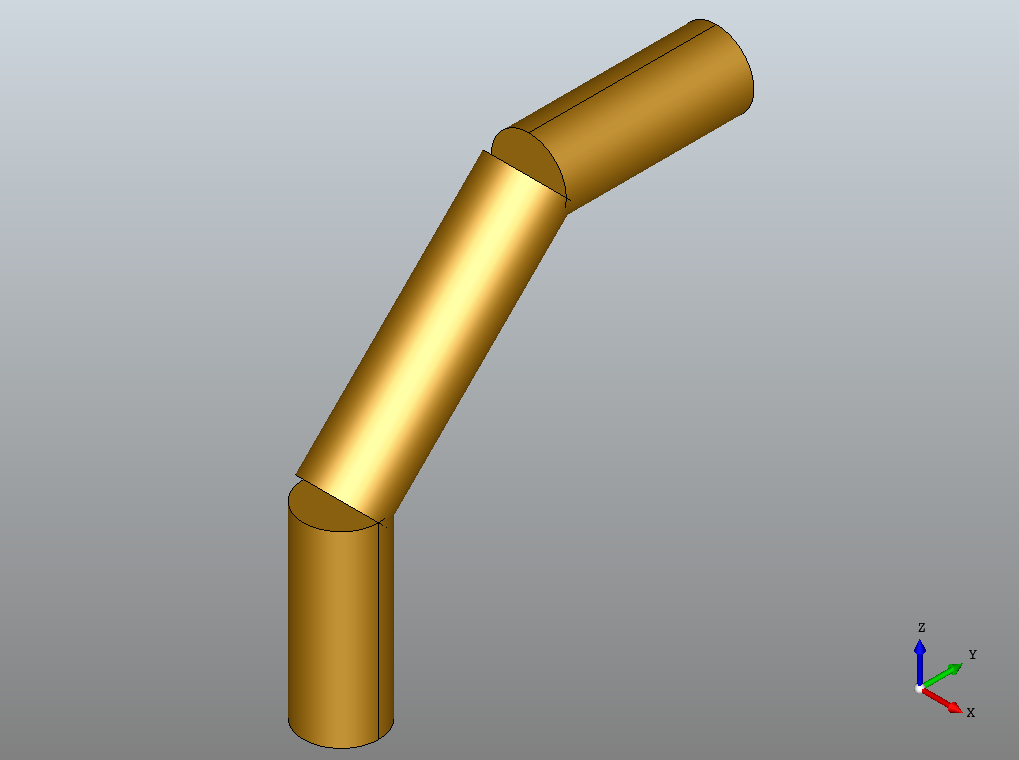
def pipe(point1, point2):
    makeWire = BRepBuilderAPI_MakeWire()
    edge = BRepBuilderAPI_MakeEdge(point1, point2).Edge()
    makeWire.Add(edge)
    makeWire.Build()
    wire = makeWire.Wire()

    dir = gp_Dir(point2.X() - point1.X(), point2.Y() - point1.Y(), point2.Z() - point1.Z())
    circle = gp_Circ(gp_Ax2(point1,dir), 0.2)
    profile_edge = BRepBuilderAPI_MakeEdge(circle).Edge()
    profile_wire = BRepBuilderAPI_MakeWire(profile_edge).Wire()
    profile_face = BRepBuilderAPI_MakeFace(profile_wire).Face()
    pipe = BRepOffsetAPI_MakePipe(wire, profile_face).Shape()
    display.DisplayShape(pipe, update=True)

if __name__ == '__main__':
    pipe(gp_Pnt(0,0,0), gp_Pnt(0,0,1))
    pipe(gp_Pnt(0,0,1), gp_Pnt(0,1,2))
    pipe(gp_Pnt(0,1,2), gp_Pnt(0,2,2))
    start_display()
我们可以增加球体来填补缺口。
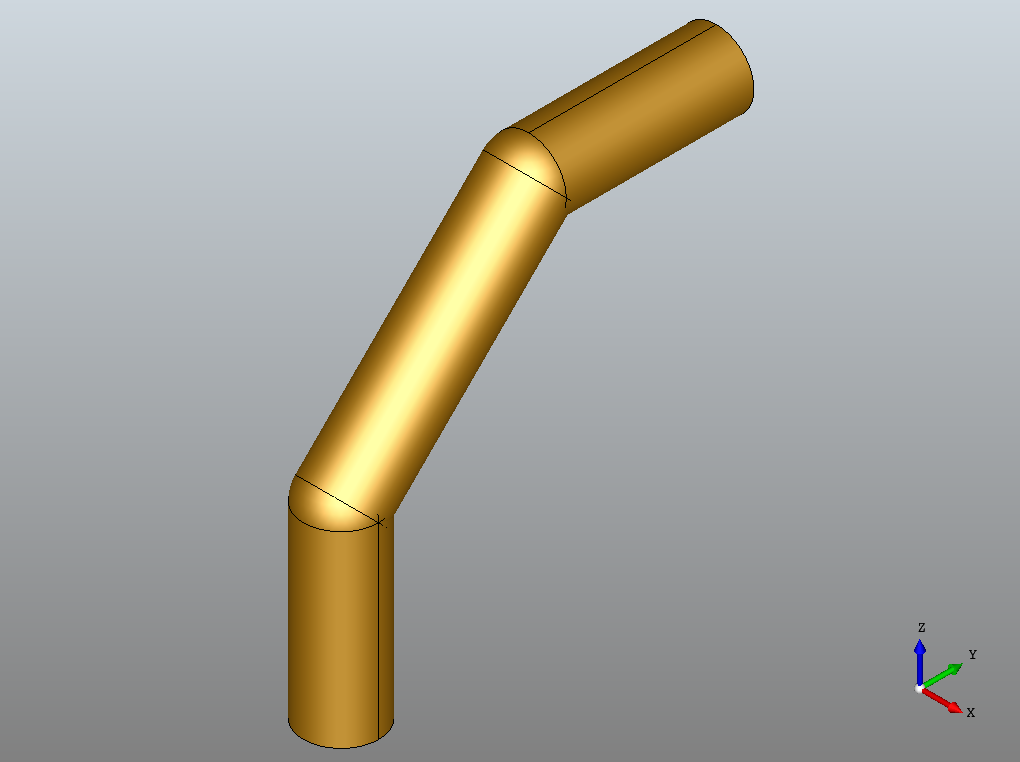
from OCC.BRepPrimAPI import BRepPrimAPI_MakeSphere

def sphere(centre, radius):
    sphere = BRepPrimAPI_MakeSphere (centre, radius).Shape()
    display.DisplayShape(sphere, update=True)

def pipe(point1, point2):
    ...

if __name__ == '__main__':
    pipe(gp_Pnt(0,0,0), gp_Pnt(0,0,1))
    sphere(gp_Pnt(0,0,1), 0.2)
    pipe(gp_Pnt(0,0,1), gp_Pnt(0,1,2))
    sphere(gp_Pnt(0,1,2), 0.2)
    pipe(gp_Pnt(0,1,2), gp_Pnt(0,2,2))
start_display()或者,您可以实现一个fillet算法,比如ChFi2d类提供的那些。考虑到激光打印的背景和算法的平面特性,我将点映射到xy平面上。
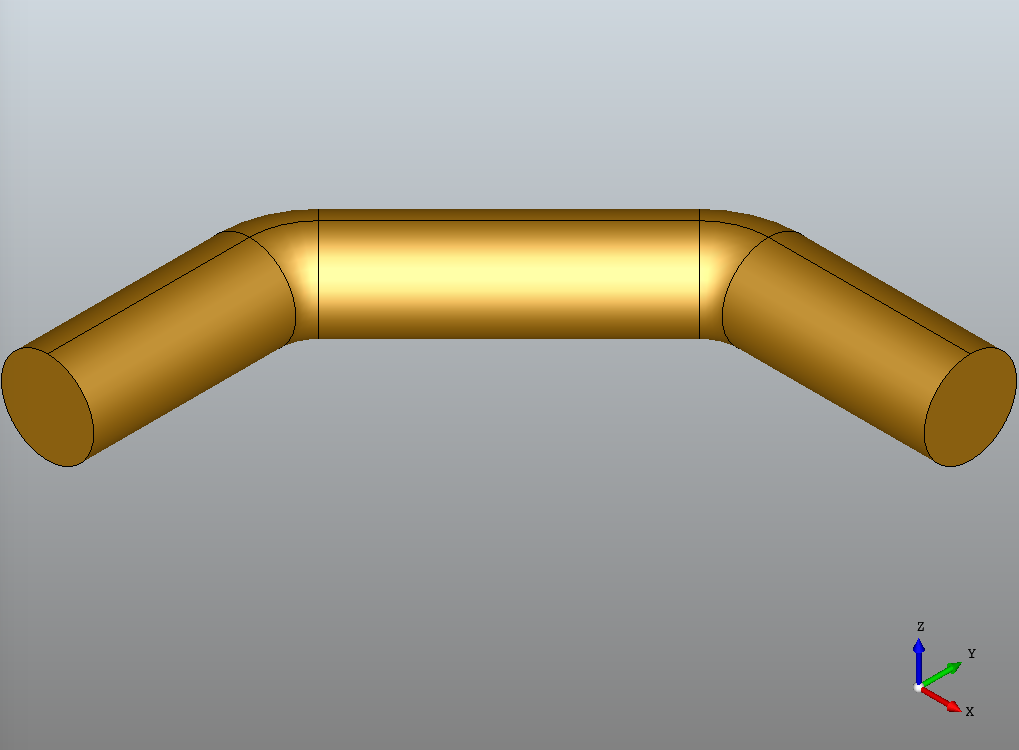
from OCC.ChFi2d import ChFi2d_AnaFilletAlgo

def filletEdges(ed1, ed2):
    radius = 0.3
    f = ChFi2d_AnaFilletAlgo()
    f.Init(ed1,ed2,gp_Pln())
    f.Perform(radius)
    return f.Result(ed1, ed2)

def pipe():
    # the points
    p1 = gp_Pnt(0,0,0)
    p2 = gp_Pnt(0,1,0)
    p3 = gp_Pnt(1,2,0)
    p4 = gp_Pnt(2,2,0)
    # the edges
    ed1 = BRepBuilderAPI_MakeEdge(p1,p2).Edge()
    ed2 = BRepBuilderAPI_MakeEdge(p2,p3).Edge()
    ed3 = BRepBuilderAPI_MakeEdge(p3,p4).Edge()
    # inbetween
    fillet12 = filletEdges(ed1, ed2)
    fillet23 = filletEdges(ed2, ed3)
    # the wire
    makeWire = BRepBuilderAPI_MakeWire()
    makeWire.Add(ed1)
    makeWire.Add(fillet12)
    makeWire.Add(ed2)
    makeWire.Add(fillet23)
    makeWire.Add(ed3)
    makeWire.Build()
    wire = makeWire.Wire()
    # the pipe
    dir = gp_Dir(0,1,0)
    circle = gp_Circ(gp_Ax2(p1,dir), 0.2)
    profile_edge = BRepBuilderAPI_MakeEdge(circle).Edge()
    profile_wire = BRepBuilderAPI_MakeWire(profile_edge).Wire()
    profile_face = BRepBuilderAPI_MakeFace(profile_wire).Face()
    pipe = BRepOffsetAPI_MakePipe(wire, profile_face).Shape()
    display.DisplayShape(pipe, update=True)

if __name__ == '__main__':
    pipe()
start_display()https://stackoverflow.com/questions/47163841
复制相似问题
腾讯云开发者

Copyright © 2013 - 2026 Tencent Cloud. All Rights Reserved. 腾讯云 版权所有
深圳市腾讯计算机系统有限公司 ICP备案/许可证号:粤B2-20090059  粤公网安备44030502008569号
腾讯云计算(北京)有限责任公司 京ICP证150476号 | 京ICP备11018762号