
如何生成SVG格式的QR?
如何生成SVG格式的QR?
提问于 2017-11-04 11:26:02
我正在尝试生成SVG格式的QR代码。不幸的是,R qrencoder包只生成栅格图像,如PNG等。因此,这是我第一次尝试生成它,在屏幕中绘制它,捕获屏幕,最后将屏幕写成SVG。也许有更简单的方法来实现这一点?
library(rsvg)
library(raster)
library(qrencoder)
library(svglite)

tmp <- tempfile()
svglite::svglite(tmp, width = 10, height = 7)
#==============================================
old_mar <- par()$mar
par(mar=c(0,0,0,0))
image(qrencoder::qrencode_raster("http://rud.is/b"), asp=1, col=c("white", "black"),
  axes=FALSE, xlab="", ylab="")
par(mar=old_mar)
#==============================================
dev.off()
rsvg::rsvg_svg(tmp, "out.svg") 输出文件将是包含QR代码的out.svg。但是,执行最后一行rsvg_svg会导致以下错误:
(process:733): GdkPixbuf-WARNING **: Cannot open pixbuf loader module file '/usr/local/lib/gdk-pixbuf-2.0/2.10.0/loaders.cache': No such file or directory

This likely means that your installation is broken.
Try running the command
  gdk-pixbuf-query-loaders > /usr/local/lib/gdk-pixbuf-2.0/2.10.0/loaders.cache
to make things work again for the time being.

(process:733): GdkPixbuf-WARNING **: Cannot open pixbuf loader module file '/usr/local/lib/gdk-pixbuf-2.0/2.10.0/loaders.cache': No such file or directory

This likely means that your installation is broken.
Try running the command
  gdk-pixbuf-query-loaders > /usr/local/lib/gdk-pixbuf-2.0/2.10.0/loaders.cache
to make things work again for the time being.

(process:733): GdkPixbuf-WARNING **: Cannot open pixbuf loader module file '/usr/local/lib/gdk-pixbuf-2.0/2.10.0/loaders.cache': No such file or directory

This likely means that your installation is broken.
Try running the command
  gdk-pixbuf-query-loaders > /usr/local/lib/gdk-pixbuf-2.0/2.10.0/loaders.cache
to make things work again for the time being.
我看到Pixbuf正确地安装在macport中:
/var/root$ port installed | grep pixbuf
gdk-pixbuf2 @2.36.9_0+x11
gdk-pixbuf2 @2.36.11_0+x11 (active)
我不知道真正的问题是..。是否有更简单的方法生成SVG格式的QR?也许一个更简单的API最好不需要绘制到屏幕上,捕获屏幕,保存文件并重新加载它?
否则,有人可以建议修复此错误吗?
回答 1
Stack Overflow用户
回答已采纳
发布于 2017-11-05 12:47:41
qrencoder的0.2.0版本现在有了初步的SVG支持(针对这个问题)。它在C中进行SVG构建:
# devtools::install_github("hrbrmstr/qrencoder")

library(qrencoder)

cat(qrencode_svg("https://rud.is/b"))
#> <?xml version="1.0" encoding="UTF-8" standalone="yes"?>
#> <!-- Created with qrencode 3.9.0 (http://fukuchi.org/works/qrencode/index.html.en) -->
#> <svg width="3.07cm" height="3.07cm" viewBox="0 0 29 29" preserveAspectRatio="none" version="1.1" xmlns="http://www.w3.org/2000/svg">
#>  <g id="QRcode">
#>      <rect x="0" y="0" width="29" height="29" fill="#ffffff" />
#>      <g id="Pattern">
#>          <rect x="4" y="4" width="7" height="1" fill="#000000" />
#>          <rect x="13" y="4" width="1" height="1" fill="#000000" />
#>          <rect x="16" y="4" width="1" height="1" fill="#000000" />
#>          <rect x="18" y="4" width="7" height="1" fill="#000000" />
#>          <rect x="4" y="5" width="1" height="1" fill="#000000" />
...
活动示例(将^^写入文件):
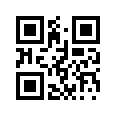
让我知道您想要的API更改。还有一些额外的参数(如边距、- hence、下面的空格以及其他参数),我可能会添加到其他函数中。我在输出上有很大的灵活性,只有当我看到GH问题时,我才会调整pkg。
我很想让"Created“注释出现在里面,因为我使用的是(广义的) qrencode库,作者的工作值得称赞。但我也可以选择关掉它。
页面原文内容由Stack Overflow提供。腾讯云小微IT领域专用引擎提供翻译支持
原文链接:
https://stackoverflow.com/questions/47110197
复制相关文章
相似问题
腾讯云开发者

Copyright © 2013 - 2026 Tencent Cloud. All Rights Reserved. 腾讯云 版权所有
深圳市腾讯计算机系统有限公司 ICP备案/许可证号:粤B2-20090059  粤公网安备44030502008569号
腾讯云计算(北京)有限责任公司 京ICP证150476号 | 京ICP备11018762号