
ZingChart中的饼图选项
现在,我正在用jQuery创建图表。
首先,我使用HighCharts制作图表,但它的许可证不允许在非个人项目中使用它。
因此,寻找替代方案,我决定使用ZingChart,但我有一些问题。
首先,当我单击另一个切片时,我希望我的图表的切片“自动关闭”。
对于HighCharts,这就是行为
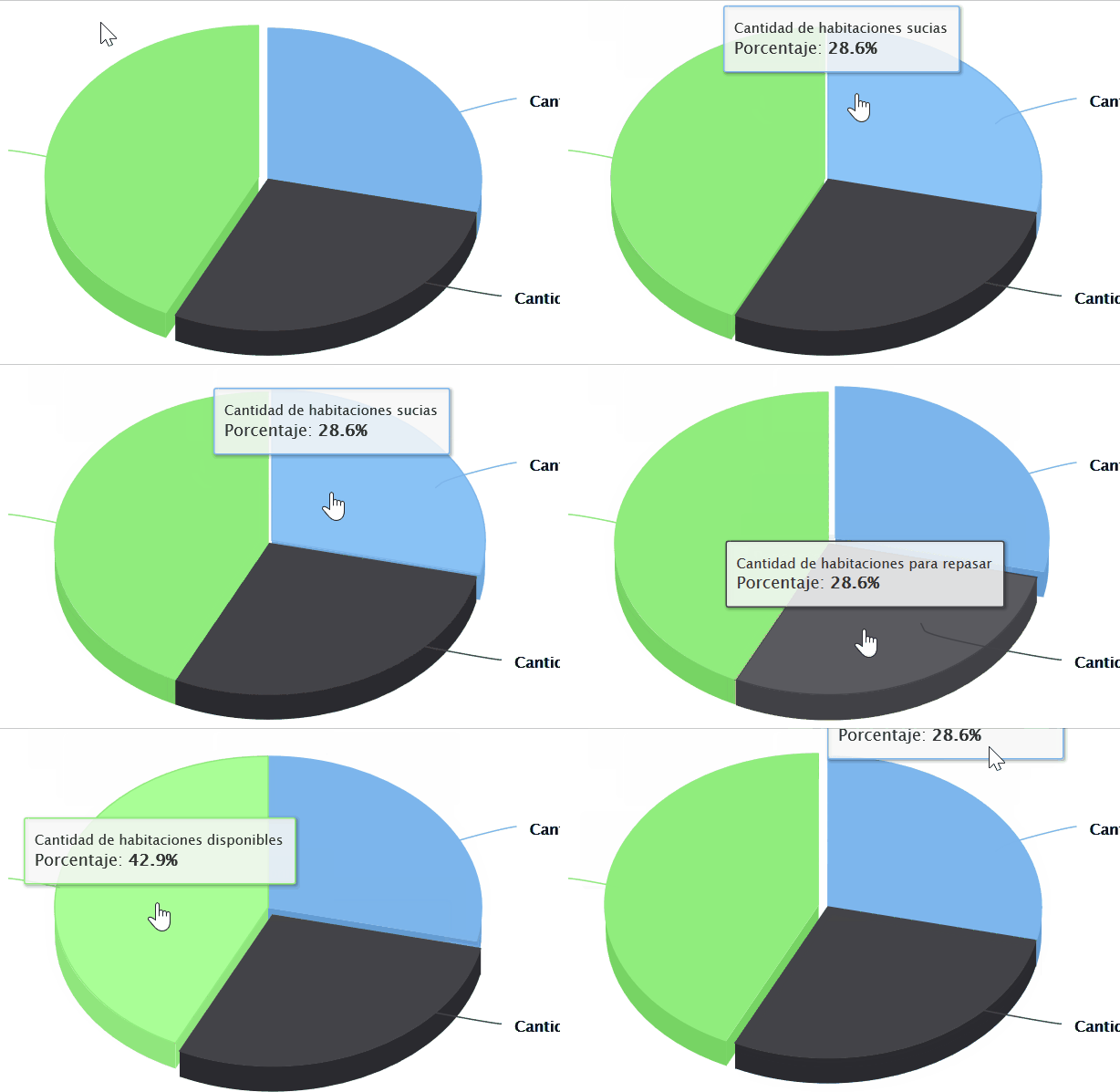
。似乎是开箱即用的功能。
对于ZingChart,如下所示:
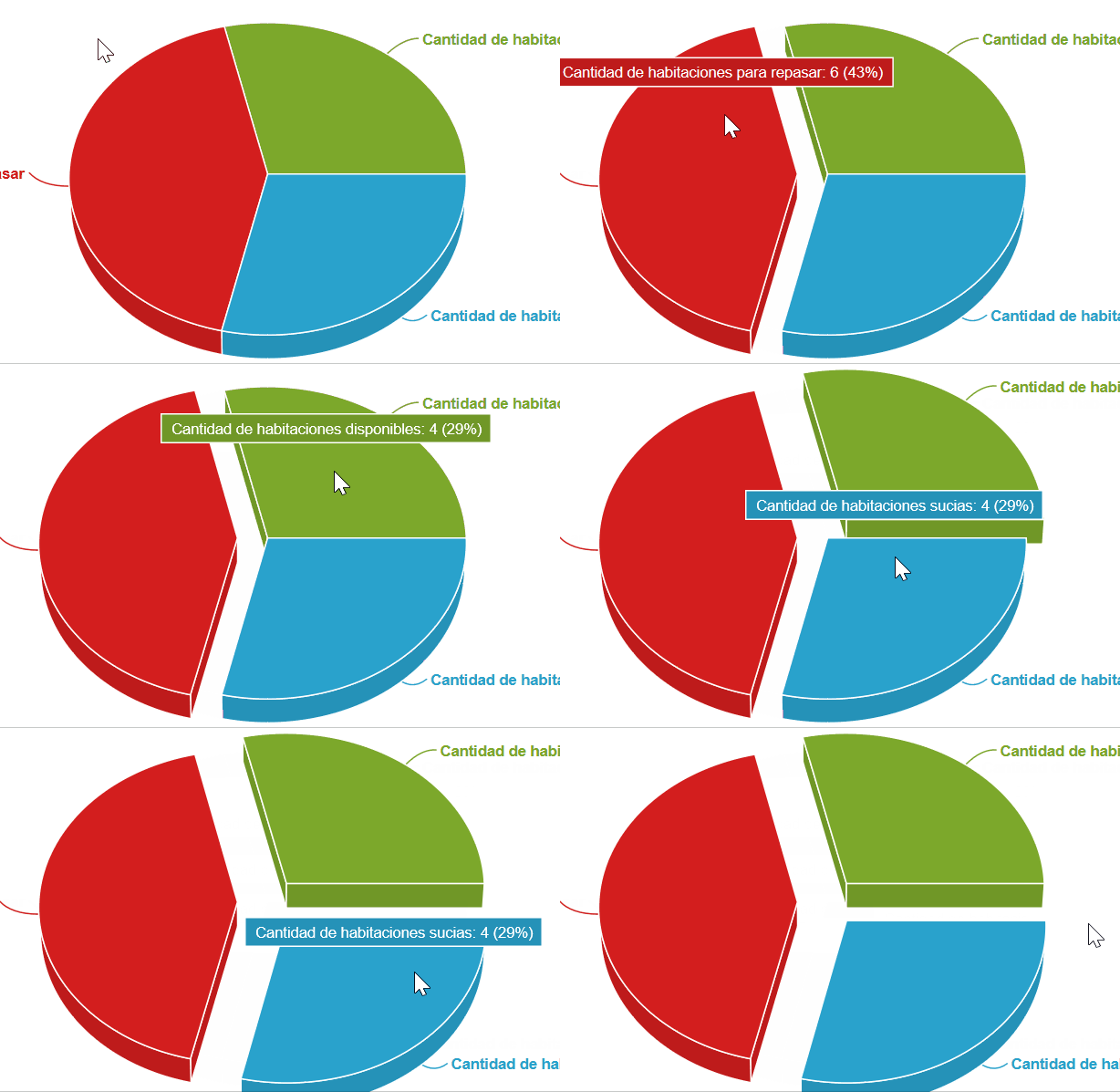
。我搜索了它的文档,但没有找到如何使它工作。
使用HighCharts,我可以单击每个切片,它会触发一个事件,用于显示一个表,其中包含我单击的切片中的数据。使用ZingChart,我找到了一种方法,但我认为它并不聪明和干净。
这是我的ZingChart代码。
var dataSeries = [
    {
        text: 'Cantidad de habitaciones sucias',
        values:[Object.keys(${listaDeHabitacionesSucias}).length]
    },

    {
        text: 'Cantidad de habitaciones para repasar',
        values:[Object.keys(${listaDeHabitacionesParaRepasar}).length]
    },

    {
        text: 'Cantidad de habitaciones disponibles',
        values:[Object.keys(${listaDeHabitacionesDisponibles}).length]
    }
];

var configuracion = {
    type:"pie3d",
    title:{
        text:"Estado de las habitaciones"
    },
    plot: {
        tooltip: {
            "text":"%t: %v (%npv%)"
        }
      },
    series: dataSeries
};

zingchart.render({
    id : 'chart-container',
    data : configuracion,
    height: 400,
    width: "100%"
});
这就是我如何“解决”onClick事件,但我不确定这是否是最好的方式(实际上,我不喜欢)。
zingchart.plot_click = function(e) {
    var estadoHabitacion = null;
    switch(e.plotindex) {
        case 0:
            estadoHabitacion = "Sucia";
            break;
        case 1:
            estadoHabitacion = "Para repasar";
            break;
        case 2:
            estadoHabitacion = "Disponible";
            break;
        default:
            break;
     }

    $(".table").show();

    crearTabla(estadoHabitacion);
}
在这里,我放置了HighCharts代码。在plotOptions中,我可以以我认为是干净的方式管理onClick事件。注意,我在后来用于绘制表的数据数组中添加了一个字段("estado")。
Highcharts.chart('chart-container', {
    chart: {
        type: 'pie',
        options3d: {
            enabled: true,
            alpha: 45,
            beta: 0
        }
    },
    title: {
        text: 'Estado de las habitaciones'
    },
    tooltip: {
        pointFormat: '{series.name}: <b>{point.percentage:.1f}%</b>'
    },
    plotOptions: {
        pie: {
            allowPointSelect: true,
            cursor: 'pointer',
            point: {
                events: {
                    click: function () {
                        $(".table").show();
                        crearTabla(this.options.estado);
                    }
                }
            },
            depth: 35,
            dataLabels: {
                enabled: true,
                format: '{point.name}'
            }
        }
    },
    series: [{
        type: 'pie',
        name: 'Porcentaje',
        data: [
            { name: 'Cantidad de habitaciones sucias', y: ${cantidadDeHabitacionesSucias}, estado: 'Sucia'},
            { name: 'Cantidad de habitaciones para repasar', y: ${cantidadDeHabitacionesParaRepasar}, estado: 'Para repasar'},
            {
                name: 'Cantidad de habitaciones disponibles',
                y: ${cantidadDeHabitacionesDisponibles},
                estado: 'Disponible',
                sliced: true,
                selected: true
            }
        ]
    }]
});
你能帮帮我吗?提前谢谢。
欢迎光临!
回答 1
Stack Overflow用户
发布于 2017-10-20 12:14:19
最后,我找到了如何动画切片。守则如下:
zingchart.plot_click = function(e) {
    var dataSlice = dataSeries[p.plotindex];

    isOpen = (dataSlice.hasOwnProperty('offset-r')) ? (dataSlice['offset-r'] !== 0) : false;

    if(dataSlice) {
        dataSlice['offset-r'] = 0;
    }

    else {
        for(var i = 0 ; i< dataSeries.length; i++) {
            dataSeries[i]['offset-r'] = 0;
        }
        dataSlice['offset-r'] = 20;
    }

    zingchart.exec('chart-container', 'setdata', {
        data : configuration
    });
};
对于片onClick事件,我没有找到更好的方法。我认为这个问题已经结束。
https://stackoverflow.com/questions/46776315
复制相似问题
腾讯云开发者

Copyright © 2013 - 2026 Tencent Cloud. All Rights Reserved. 腾讯云 版权所有
深圳市腾讯计算机系统有限公司 ICP备案/许可证号:粤B2-20090059  粤公网安备44030502008569号
腾讯云计算(北京)有限责任公司 京ICP证150476号 | 京ICP备11018762号