
变绿为再生
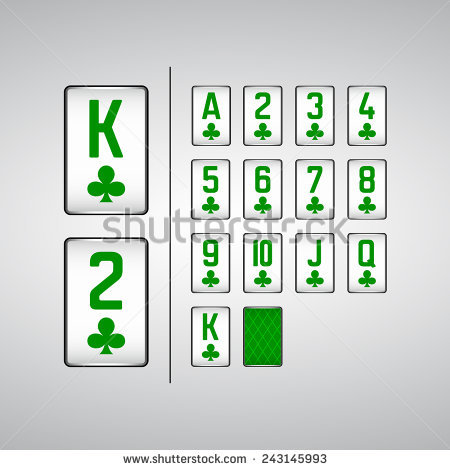
我有52号扑克牌的图片。有的是黑色的,有的是红色的。一个神经网络已被训练,以正确地识别他们。现在发现,有时用绿色代替红色。这就是为什么我想把所有绿色(Ish)的图像转换成红色(Ish)。如果他们是黑色或重装,他们不应该有太多的改变,如果可能的话。
实现这一目标的最佳方法是什么?
回答 2
Stack Overflow用户
发布于 2017-10-12 13:38:02
这里有一种方法,使用公差值来确定-ish因子,为其设置一个数学符号-
def set_image(a, tol=100): #tol - tolerance to decides on the "-ish" factor

    # define colors to be worked upon
    colors = np.array([[255,0,0],[0,255,0],[0,0,0],[255,255,255]])

    # Mask of all elements that are closest to one of the colors
    mask0 = np.isclose(a, colors[:,None,None,:], atol=tol).all(-1)

    # Select the valid elements for edit. Sets all nearish colors to exact ones
    out = np.where(mask0.any(0)[...,None], colors[mask0.argmax(0)], a)

    # Finally set all green to red
    out[(out == colors[1]).all(-1)] = colors[0]
    return out.astype(np.uint8)
一种更节省记忆的方法是循环那些选择性的颜色,就像这样-
def set_image_v2(a, tol=100): #tol - tolerance to decides on the "-ish" factor

    # define colors to be worked upon
    colors = np.array([[255,0,0],[0,255,0],[0,0,0],[255,255,255]])

    out = a.copy()
    for c in colors:
        out[np.isclose(out, c, atol=tol).all(-1)] = c

    # Finally set all green to red
    out[(out == colors[1]).all(-1)] = colors[0]
    return out
样本运行-
输入图像:
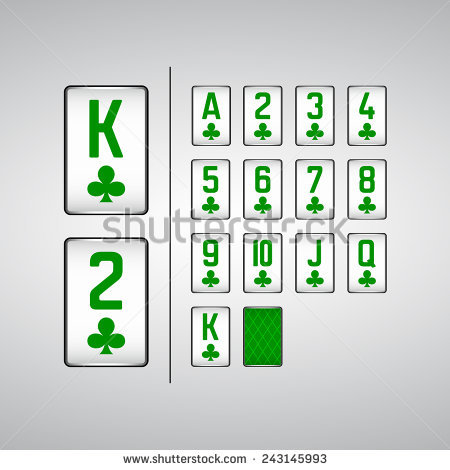
from PIL import Image
img = Image.open('green.png').convert('RGB')
x = np.array(img)
y = set_image(x)
z = Image.fromarray(y, 'RGB')
z.save("tmp.png")
产出-
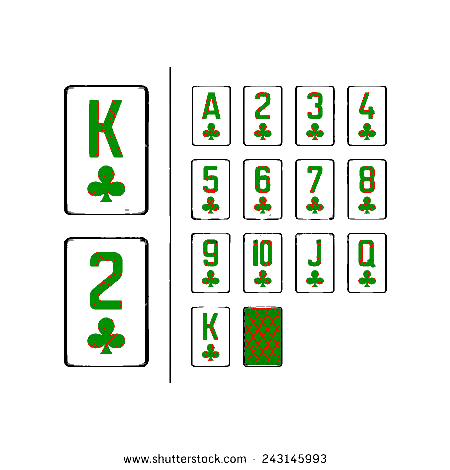
Stack Overflow用户
发布于 2020-03-20 16:20:42
最简单的方法,IMHO,是将图像分成R、G和B通道,然后按照“错误”顺序重新组合它们:
#!/usr/bin/env python3

from PIL import Image

# Open image
im = Image.open('cards.jpg')

# Split into component channels
R, G, B = im.split()

# Recombine, but swapping order of red and green
result = Image.merge('RGB',[G,R,B])

# Save result
result.save('result.jpg')
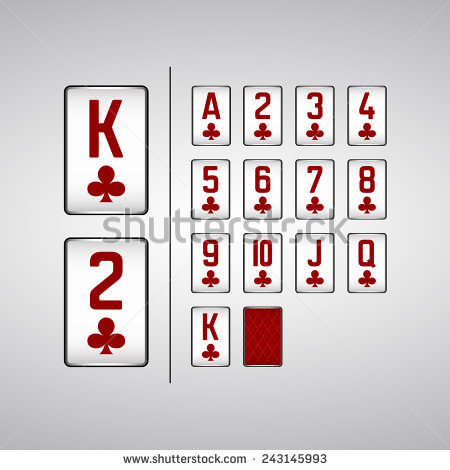
或者,您也可以通过颜色矩阵乘法来做同样的事情:
#!/usr/bin/env python3

from PIL import Image

# Open image
im = Image.open('cards.jpg')

# Define color matrix to swap the green and red channels
# This says:
# New red   = 0*old red + 1*old green + 0*old blue + 0offset
# New green = 1*old red + 0*old green + 0*old blue + 0offset
# New blue  = 1*old red + 0*old green + 1*old blue + 0offset
Matrix = ( 0, 1, 0, 0,
           1, 0, 0, 0,
           0, 0, 1, 0)

# Apply matrix
result = im.convert("RGB", Matrix)
result.save('result.jpg')或者,您可以使用终端中的ImageMagick将图像分成R、G和B通道,交换红和绿通道,然后像这样重新组合:
magick cards.jpg -separate -swap 0,1 -combine result.png或者,您可以使用ImageMagick来执行“色调旋转”。基本上,您将图像转换为HSL着色空间,并旋转色调,使饱和度和亮度不受影响。这给了你制作几乎任何你想要的颜色的灵活性。你可以在终点站做这件事:
magick cards.jpg -modulate 100,100,200 result.jpg上面的200是一个有趣的参数--参见Documents这里。下面是各种可能性的动画:
如果仍然使用ImageMagick,,则在所有命令中将magick替换为convert。
关键字:Python,图像处理,色调旋转,通道交换,卡片,素数,交换通道,PIL,枕头,ImageMagick。
https://stackoverflow.com/questions/46710213
复制相似问题
腾讯云开发者

Copyright © 2013 - 2026 Tencent Cloud. All Rights Reserved. 腾讯云 版权所有
深圳市腾讯计算机系统有限公司 ICP备案/许可证号:粤B2-20090059  粤公网安备44030502008569号
腾讯云计算(北京)有限责任公司 京ICP证150476号 | 京ICP备11018762号