
php-di中的多构造函数参数注入
我正在尝试使用PHP-DI,但我没有完全成功。在我的简单扫描中,在Wordpress主题中的控制器需要在构造函数中注入一个PostService和一个CategoryService:
class IndexController extends ChesterBaseController {
    private $_postservice;
    private $_categoryService;
    public function __construct(PostService $postservice, CategoryService $categoryService){
        var_dump($postservice);
        var_dump($categoryService);
        parent::__CONSTRUCT();
        $this->$_categoryService = $categoryService;
        $this->$_postservice = $postservice;
        var_dump($this->$_postservice);
        var_dump($this->$_categoryService);

    }
    public function Index(){
        $firstRowPost = $this->$_postservice->GetLastPostByCategory('video');
        // ...
        echo $this->renderPage('index', $vm);
    }
}
这是Index.php中容器的入口点:
require_once 'vendor/autoload.php';
require_once dirname(__FILE__).'/mvc/controllers/index_controller.php';
require_once dirname(__FILE__).'/mvc/services/categoryService.php';
require_once dirname(__FILE__).'/mvc/services/postService.php';
use DI\Container;
use DI\ContainerBuilder;

$builder = new DI\ContainerBuilder();
$builder->addDefinitions(['config.php']);
$container = $builder->build();
$indexController = $container->get('IndexController');
$indexController->Index();
以及包含定义的“config.php”:
return [
    'PostService' => \DI\object('PostService'),
    'CategoryService' => \DI\object('CategoryService'),
    'IndexController' => \DI\object()->constructor(DI\get('PostService'),DI\get('CategoryService'))
];
这是执行结果:
C:\xampp\apps\wordpress\htdocs\wp-content\themes\chester-nanalab\mvc\controllers\index_controller.php:10:对象(PostService)3005 C:\xampp\apps\wordpress\htdocs\wp-content\themes\chester-nanalab\mvc\controllers\index_controller.php:11: object(CategoryService)3006 C:\xampp\apps\wordpress\htdocs\wp-content\themes\chester-nanalab\mvc\controllers\index_controller.php:15: object(CategoryService)3006C:\xampp\apps\wordpress\htdocs\wp-content\themes\chester-nanalab\mvc\controllers\index_controller.php:16: object(CategoryService)3006
因此:
致命错误:未定义的错误:调用第19行C:\xampp\apps\wordpress\htdocs\wp-content\themes\chester-nanalab\mvc\controllers\index_controller.php中的未定义方法CategoryService::GetLastPostByCategory()
但是,如果我改变任务的顺序:
public function __construct(PostService $postservice,CategoryService $categoryService){
    var_dump($postservice);
    var_dump($categoryService);
    parent::__CONSTRUCT();
    $this->$_categoryService = $categoryService;
    $this->$_postservice = $postservice;
    var_dump($this->$_postservice);
    var_dump($this->$_categoryService);
}
我能读到:
C:\xampp\apps\wordpress\htdocs\wp-content\themes\chester-nanalab\mvc\controllers\index_controller.php:10:对象(PostService)3005 C:\xampp\apps\wordpress\htdocs\wp-content\themes\chester-nanalab\mvc\controllers\index_controller.php:11: object(CategoryService)3006 C:\xampp\apps\wordpress\htdocs\wp-content\themes\chester-nanalab\mvc\controllers\index_controller.php:17: object(PostService)3005C:\xampp\apps\wordpress\htdocs\wp-content\themes\chester-nanalab\mvc\controllers\index_controller.php:18: object(PostService)3005
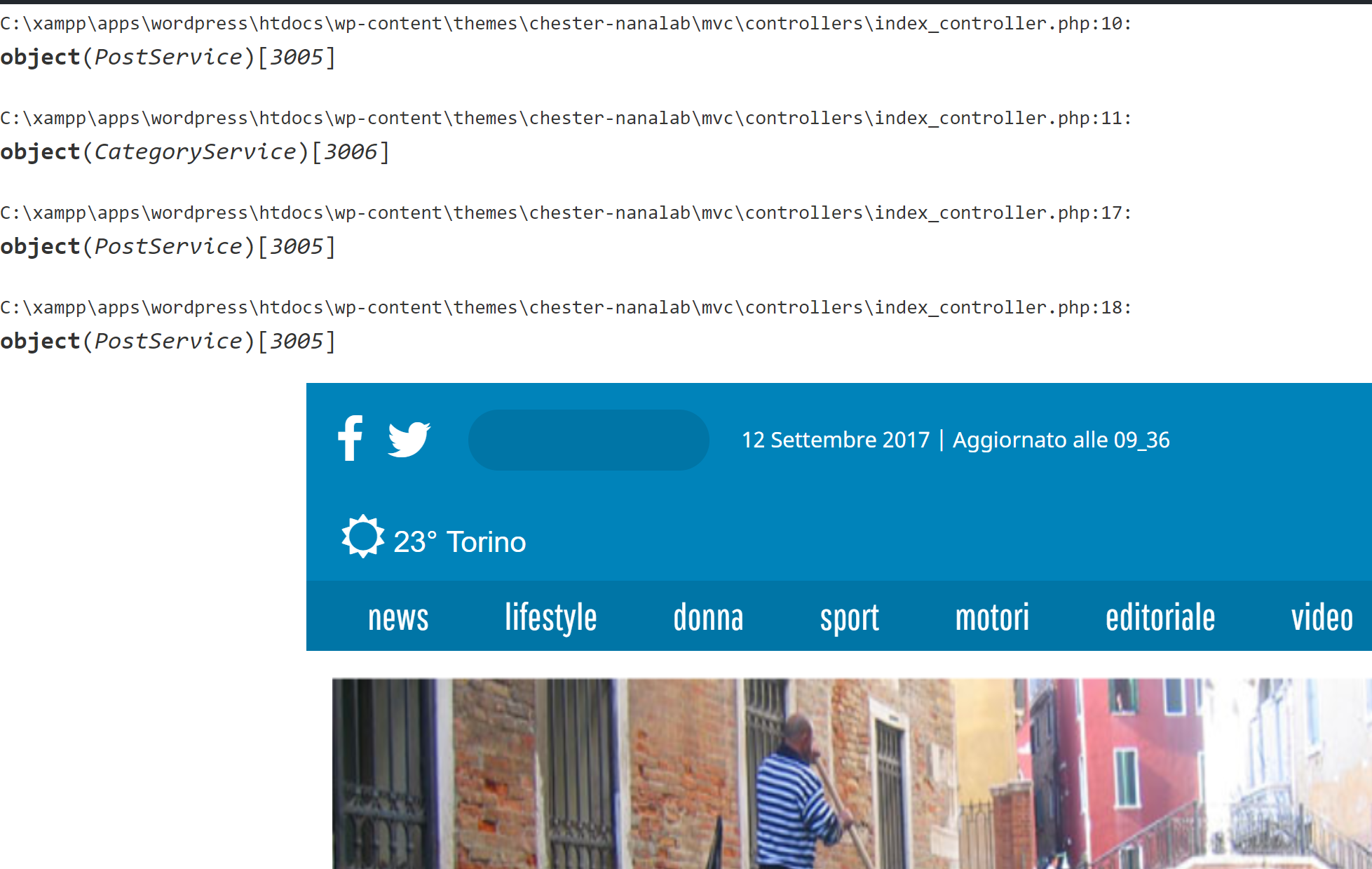
(╯°-°)╯︵┻━┻?它起作用了!有人能向我解释一下发生了什么吗?
提前谢谢。
回答 1
Stack Overflow用户
发布于 2017-10-08 19:03:24
问题是,您将对象属性调用为$this->$property。属性的访问方式类似于此$this->property,但定义了VISIBILITY $property;
因此,您应该将代码更改为
class IndexController extends ChesterBaseController {
    private $_postservice;
    private $_categoryService;
    public function __construct(PostService $postservice, CategoryService $categoryService){
      var_dump($postservice);
      var_dump($categoryService);
      parent::__construct();
      $this->_categoryService = $categoryService;
      $this->_postservice = $postservice;
      var_dump($this->_postservice);
      var_dump($this->_categoryService);

    }
    public function Index(){
        $firstRowPost = $this->_postservice->GetLastPostByCategory('video');
       // ...
        echo $this->renderPage('index', $vm);
    }
}对于parent,它是不同的,因为您使用的是static访问器(您不是以静态的方式获取属性,但它是实现它的方法) parent::$property。
请记住,对于任何__construct,它都是小写的魔术法。
您可以获得更多关于类和对象这里的信息。
https://stackoverflow.com/questions/46626006
复制相似问题
腾讯云开发者

Copyright © 2013 - 2026 Tencent Cloud. All Rights Reserved. 腾讯云 版权所有
深圳市腾讯计算机系统有限公司 ICP备案/许可证号:粤B2-20090059  粤公网安备44030502008569号
腾讯云计算(北京)有限责任公司 京ICP证150476号 | 京ICP备11018762号