
无平面ARCore目标跟踪
我对这个ARCore非常陌生,我一直在研究SDK中提供的HelloAR项目。
一切正常,很酷,然而,当我触摸屏幕时,我想放置/丢弃一个物体,即使没有探测到任何飞机。让我解释清楚一点..。
正如我所理解的ARCore,它将检测水平平面,只有在那些水平平面上,我才能放置三维物体进行运动跟踪。
是否有任何方法(也许使用PointCloud信息)能够将对象放置在场景中,即使没有检测到水平平面?有点像这些例子?https://experiments.withgoogle.com/ar/flight-paths https://experiments.withgoogle.com/ar/arcore-drawing
我知道他们正在使用统一和openFrameworks,但这能用Java实现吗?
此外,我还看过如何将物体放置在空中?和如何在ARCore中检查光线与对象的交集
但我不认为我理解Ancor的概念(我设法将该对象丢弃在场景中,但它要么立即消失,要么它只是一个普通的OpenGL对象,不了解真实世界。
我想要了解的是:-如何创建自定义/用户定义的平面,即ARCore无法自动检测到的平面?-如何创建不链接到与某个PointCloud点链接的平面或平面的Ancor (我认为该示例在PlaneAttachment类中进行)?-如何绘制对象并将其放置在以前创建的Ancor中?
我认为这要求太高了,但是查看API文档对我一点帮助都没有。
谢谢!
编辑
下面是我添加到HelloArActivity.java中的代码(除了// *和之前的行外,所有内容都与原始文件相同。)
@Override
public void onDrawFrame(GL10 gl) {
...
        MotionEvent tap = mQueuedSingleTaps.poll();

        // I added this to use screenPointToWorldRay function in the second link I posted... I am probably using this wrong
        float[] worldXY = new float[6];
...
        if (tap != null && frame.getTrackingState() == TrackingState.TRACKING) {

            // ***** I added this to use screenPointToWorldRay function
            worldXY = screenPointToWorldRay(tap.getX(), tap.getY(), frame);
...

        }
...

        // Visualize anchors created by touch.
        float scaleFactor = 1.0f;
        for (PlaneAttachment planeAttachment : mTouches) {
...
        }

        // ***** This places the object momentarily in the scene (it disappears immediately)
        frame.getPose().compose(Pose.makeTranslation(worldXY[3], worldXY[4], worldXY[5])).toMatrix(mAnchorMatrix, 0);

        // ***** This places the object in the middle of the scene but since it is not attached to anything, there is no tracking, it is always in the middle of the screen (pretty much expected behaviour)
        // frame.getPose().compose(Pose.makeTranslation(0, 0, -1.0f)).toMatrix(mAnchorMatrix, 0);

        // *****I duplicated this code which gets executed ONLY when touching a detected plane/surface.
        mVirtualObject.updateModelMatrix(mAnchorMatrix, scaleFactor);
        mVirtualObjectShadow.updateModelMatrix(mAnchorMatrix, scaleFactor);
        mVirtualObject.draw(viewmtx, projmtx, lightIntensity);
        mVirtualObjectShadow.draw(viewmtx, projmtx, lightIntensity);
...
}回答 1
Stack Overflow用户
发布于 2019-07-05 22:58:16
首先必须通过 Frame.hitTest 执行命中测试,然后遍历HitResult对象,直到命中点类型可跟踪。然后,您可以通过 HitResult.getHitPose检索该命中结果的姿态,或者在该点上附加一个锚,然后通过(最佳方法).**获取该位置的姿态。
但是,如果您想自己从使用ArPointCloud.getPoints检索的任意点执行此操作,则需要做更多的工作。在这种方法中,问题有效地归结为“我如何从一个点推导出一个姿态/坐标基础?”。
当从一个平面上工作时,可以相对容易地推导出一个姿态,因为您可以使用平面法线作为模型的up (y)向量,并且可以选择x和y向量来配置您希望模型“面向”该平面的位置。(其中每个向量与其他向量垂直)
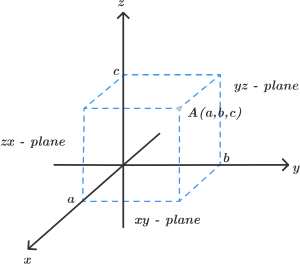
当试图从一个点导出一个基时,你必须选择相对于原点的所有三个向量(x,y和z)。您可以通过使用ArCamera.getViewMatrix将矢量(0,1,0)通过摄像机视图矩阵(假设您希望模型的顶部面向屏幕顶部)来导出up向量。然后,你可以选择x和z向量作为两个相互垂直的向量,使模型朝着你想要的方向定向。
https://stackoverflow.com/questions/46567257
复制相似问题
腾讯云开发者

Copyright © 2013 - 2026 Tencent Cloud. All Rights Reserved. 腾讯云 版权所有
深圳市腾讯计算机系统有限公司 ICP备案/许可证号:粤B2-20090059  粤公网安备44030502008569号
腾讯云计算(北京)有限责任公司 京ICP证150476号 | 京ICP备11018762号