
标签打印模糊- wpf
我试图在argox 214上打印一个条形码,这是我用这个框架http://barcoderender.codeplex.com/创建的,但是总是很模糊,不能用扫描仪读取。
我已经尝试了一些其他的解决方案,但我仍然没有得到它,如果使用“酒保”打印机软件,工作就很好。标签大小为40毫米X60毫米,并设置在窗口打印。遵循原型代码:
    public MainWindow()
    {
      InitializeComponent();
      Code39BarcodeDraw code39 = BarcodeDrawFactory.Code39WithChecksum;
      pcImage.Source = GetImageStream(code39.Draw("1234567", 13));
    }

    public static BitmapSource GetImageStream(System.Drawing.Image myImage)
    {
      var bitmap = new Bitmap(myImage);
      IntPtr bmpPt = bitmap.GetHbitmap();
      BitmapSource bitmapSource =
       System.Windows.Interop.Imaging.CreateBitmapSourceFromHBitmap(
             bmpPt,
             IntPtr.Zero,
             Int32Rect.Empty,
             BitmapSizeOptions.FromEmptyOptions());

      bitmapSource.Freeze();

      return bitmapSource;
    }

    private void btnPrint_Click(object sender, RoutedEventArgs e)
    {
      PrintDialog dlg = new PrintDialog();
      bool? result = dlg.ShowDialog();

      if (result.HasValue && result.Value) {
        pcImage.Measure(new System.Windows.Size(dlg.PrintableAreaWidth, dlg.PrintableAreaHeight));
        pcImage.Arrange(new Rect(new System.Windows.Point(0, 0), pcImage.DesiredSize));

        dlg.PrintVisual(pcImage, "Print a Large Image");
      }
    }
  }
这只是一个图像组件..。好吧,任何帮助都会很感激。提前谢谢。打印机有203 wpf,是wpf。带有模糊代码的标签

回答 1
Stack Overflow用户
发布于 2017-11-21 20:45:05
我忘了这事..。但如果这能帮到某人..。要打印到argox214-os或其他海鸥条形码打印机,您需要一些默认的布局,比如这个文件(.prn):barcode.prn。
n
M0500
O0220
V0
f220
D
L
D11
A2
1a52050007900551063
121100000280089Preco R$ 39,9
121100000490068REGM OGB T-M
Q0001
E
前七行
n
M0500
O0220
V0
f220
D
L
D11
A2
总是一样的-
我在用这个布局
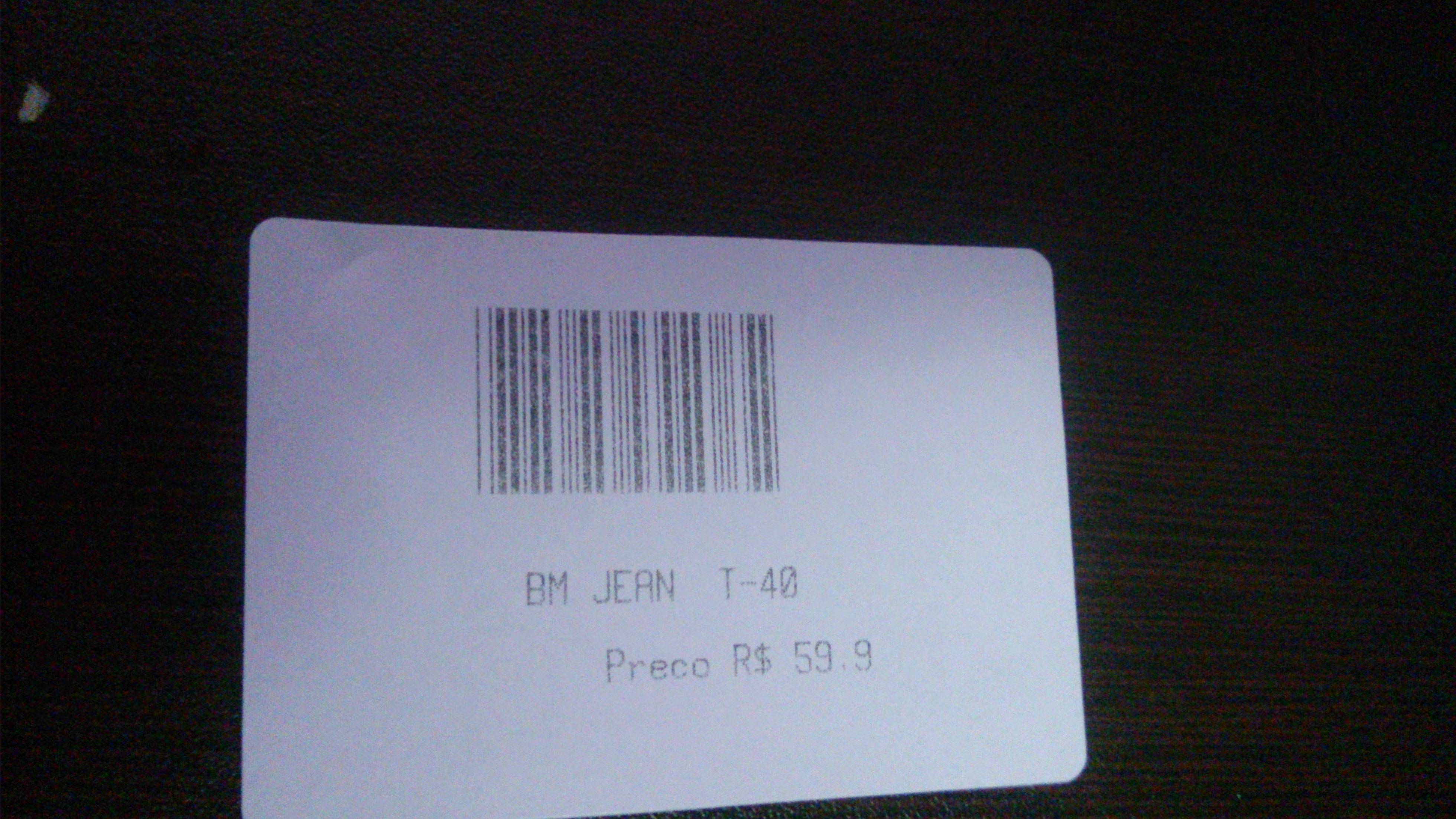
(这是一台旧打印机,只是为了测试,所以我知道它似乎“模糊”.)然后你可以看到下一行
这是如果条形码1a5205000790055 +我的代码(1063)
这个标签的标价是121100000280089 +我的字符串加上价格(Preco R$ 39,9)
等等..。
我就像这样印刷
  Printer printer = new Printer(); (RawPrinter library)

  printer.PrintRawFile(dlg.PrintQueue.FullName, Directory.GetCurrentDirectory() + "\\code39.prn", false);
哦,你可以在nuget上找到RawPrint .安装包RawPrint -Version 0.2.0
或者忘记了这一切,尝试调酒师设计器只需创建标签设计并导出到prn文件,但请记住使用打印机字体,如果使用windows字体,则会创建包含大量不需要的字符的prn文件。
https://stackoverflow.com/questions/46504105
复制相似问题
腾讯云开发者

Copyright © 2013 - 2026 Tencent Cloud. All Rights Reserved. 腾讯云 版权所有
深圳市腾讯计算机系统有限公司 ICP备案/许可证号:粤B2-20090059  粤公网安备44030502008569号
腾讯云计算(北京)有限责任公司 京ICP证150476号 | 京ICP备11018762号