
集群时显示MKAnnotation标注
我有一个TableView,用于在单元格被点击时显示MapView注释标注。
在iOS 10中,我可以将MapView集中在一个注释上,然后使用以下方法显示它的标注:
func tableView(_ tableView: UITableView, didSelectRowAt indexPath: IndexPath) {
    let location = locations[indexPath.item]
    mapView.setCenter(location.coordinate, animated: true)
    mapView.selectAnnotation(location, animated: true)
}locations是MKAnnotation的数组,在iOS 10上使用MKPinAnnotationViews,在iOS 11上使用MKMarkerAnnotationViews。
iOS 11在缩放地图时会自动隐藏和显示MKMarkerAnnotationViews。
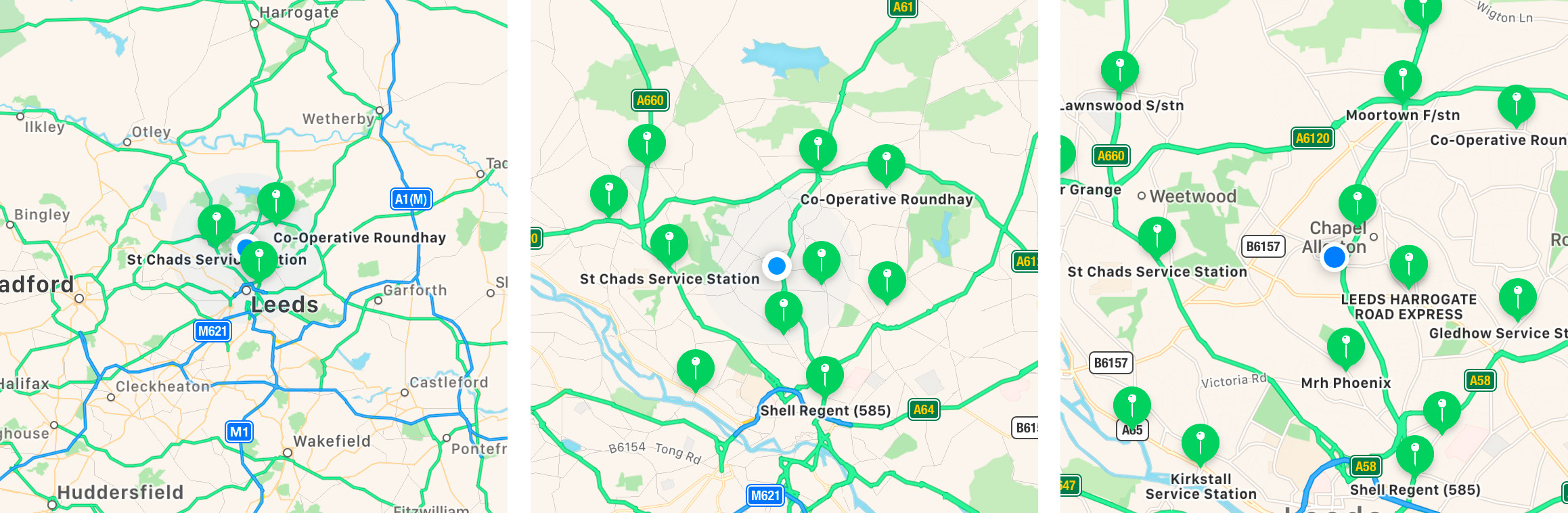
这有一个不幸的副作用,阻止.selectAnnotation()可靠地工作,因为标记仍然可以隐藏在地图的中心。
我见过医生也明白为什么:
如果指定的注释不在屏幕上,因此没有关联的注释视图,则此方法没有任何效果。
是否有一种禁用注释群集/隐藏的方法?还是以某种方式强制所选注释可见?
回答 1
Stack Overflow用户
发布于 2017-09-20 22:30:28
您可以将displayPriority of a MKMarkerAnnotationView设置为rawValue of 1000,将不那么有趣的MKMarkerAnnotationView's displayPriority设置为更低的值,这将导致标记注释优先于其他注释。
在您的示例中,您希望保存对要选择的注释的引用,从map视图中删除该注释并再次添加它。这将导致map视图再次请求注释的视图,您可以调整优先级,使其高于其周围的注释。例如:
    func showAnnotation()
    {
        self.specialAnnotation = annotations.last
        self.mapView.removeAnnotation(self.specialAnnotation)
        self.mapView.addAnnotation(self.specialAnnotation)
        self.mapView.setCenter(self.specialAnnotation.coordinate, animated: true)
        self.mapView.selectAnnotation(self.specialAnnotation, animated: true)
    }

    func mapView(_ mapView: MKMapView, viewFor annotation: MKAnnotation) -> MKAnnotationView?
    {
        let markerView = mapView.dequeueReusableAnnotationView(withIdentifier: "Marker", for: annotation) as? MKMarkerAnnotationView
        let priority = (annotation as? Annotation) == self.specialAnnotation ? 1000 : 500
        markerView?.displayPriority = MKFeatureDisplayPriority(rawValue: priority)
        // optionally change the tint color for the selected annotation
        markerView?.markerTintColor = priority == 1000 ? .blue : .red
        return markerView
}其中specialAnnotation是一个符合MKAnnotation的对象。
https://stackoverflow.com/questions/46330639
复制相似问题
腾讯云开发者

Copyright © 2013 - 2026 Tencent Cloud. All Rights Reserved. 腾讯云 版权所有
深圳市腾讯计算机系统有限公司 ICP备案/许可证号:粤B2-20090059  粤公网安备44030502008569号
腾讯云计算(北京)有限责任公司 京ICP证150476号 | 京ICP备11018762号