
在eclipse中执行脚本时出现TestNG错误
在eclipse中执行脚本时出现TestNG错误
提问于 2017-09-13 09:57:55
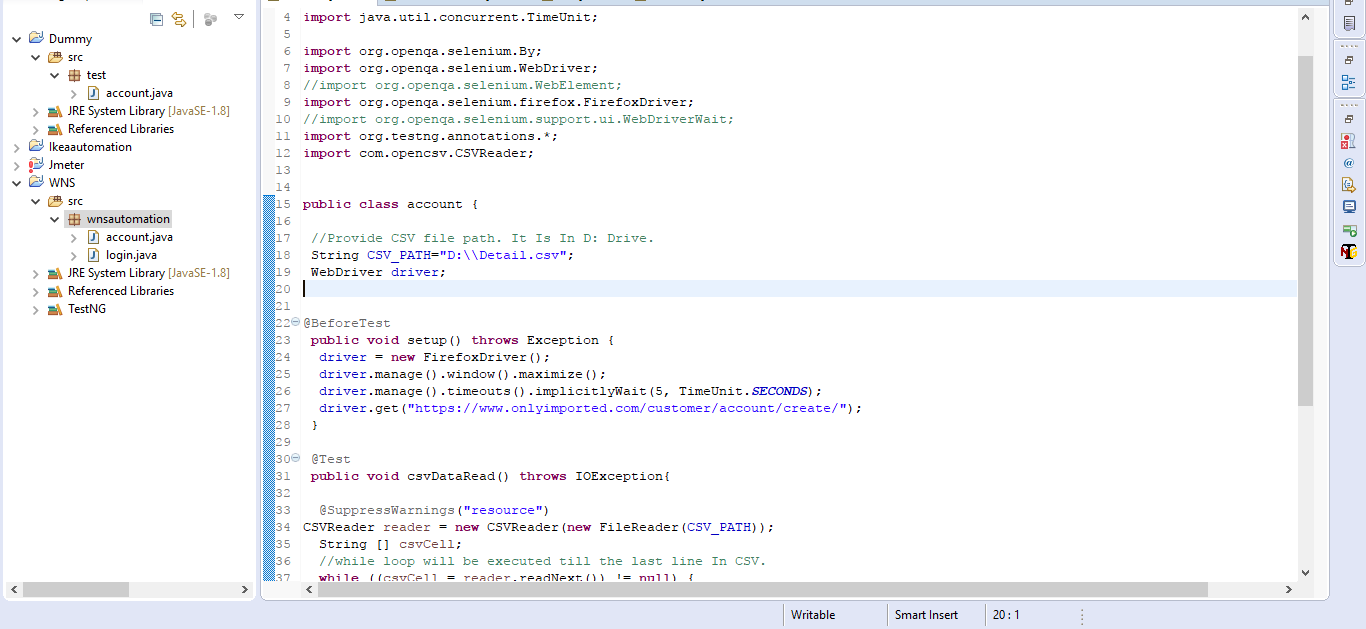
当我试图使用testNG在selenium ide中执行脚本时,这就是错误。
[RemoteTestNG] detected TestNG version 6.12.0
java.lang.NoSuchMethodError: org.testng.remote.support.RemoteTestNG6_12.initializeEverything()V
    at org.testng.remote.support.RemoteTestNG6_12.initialize(RemoteTestNG6_12.java:22)
    at org.testng.remote.AbstractRemoteTestNG.run(AbstractRemoteTestNG.java:97)
    at org.testng.remote.RemoteTestNG.initAndRun(RemoteTestNG.java:251)
at org.testng.remote.RemoteTestNG.main(RemoteTestNG.java:77)回答 1
Stack Overflow用户
发布于 2017-09-14 03:09:14
检测到6.12版本但与另一个版本一起运行看起来非常奇怪。AFAIK,selenium有一个嵌入式TestNG,它肯定比6.12更老。从屏幕截图中,您能否调整库的顺序,以移动“参考库”的"TestNG“:右键单击项目-> Build Path ->配置生成路径.在“->和导出”选项卡上,选择"TestNG",然后单击“向上”按钮将其向上移动。另外,您能否在这里共享示例项目:https://github.com/cbeust/testng-eclipse/issues/355,这样就可以在TestNG插件上执行一个正确的修复。
编辑:这是类路径问题,您需要删除冗余的和旧的testng-6.0.jar
<?xml version="1.0" encoding="UTF-8"?>
<classpath>
    <classpathentry kind="src" path="src"/>
    <classpathentry kind="con" path="org.eclipse.jdt.launching.JRE_CONTAINER/org.eclipse.jdt.internal.debug.ui.launcher.StandardVMType/JavaSE-1.8"/>
    <classpathentry kind="lib" path="D:/Softwares/selenium-java-3.4.0/lib/cglib-nodep-3.2.4.jar"/>
...
    <classpathentry kind="lib" path="D:/Softwares/selenium-java-3.4.0/client-combined-3.4.0-nodeps.jar"/>
<!-- Nick: you need to remove this entry: testng-6.0.jar, it's recommended to use TESTNG_CONTAINER  -->
    <classpathentry kind="lib" path="C:/Users/orange/Downloads/testng-6.0.jar"/>
    <classpathentry kind="con" path="org.testng.TESTNG_CONTAINER"/>
    <classpathentry kind="output" path="bin"/>
</classpath>页面原文内容由Stack Overflow提供。腾讯云小微IT领域专用引擎提供翻译支持
原文链接:
https://stackoverflow.com/questions/46194454
复制相关文章
相似问题
腾讯云开发者

Copyright © 2013 - 2026 Tencent Cloud. All Rights Reserved. 腾讯云 版权所有
深圳市腾讯计算机系统有限公司 ICP备案/许可证号:粤B2-20090059  粤公网安备44030502008569号
腾讯云计算(北京)有限责任公司 京ICP证150476号 | 京ICP备11018762号