
更快的方法分散多个图像项目html
更快的方法分散多个图像项目html
提问于 2017-08-25 05:50:59
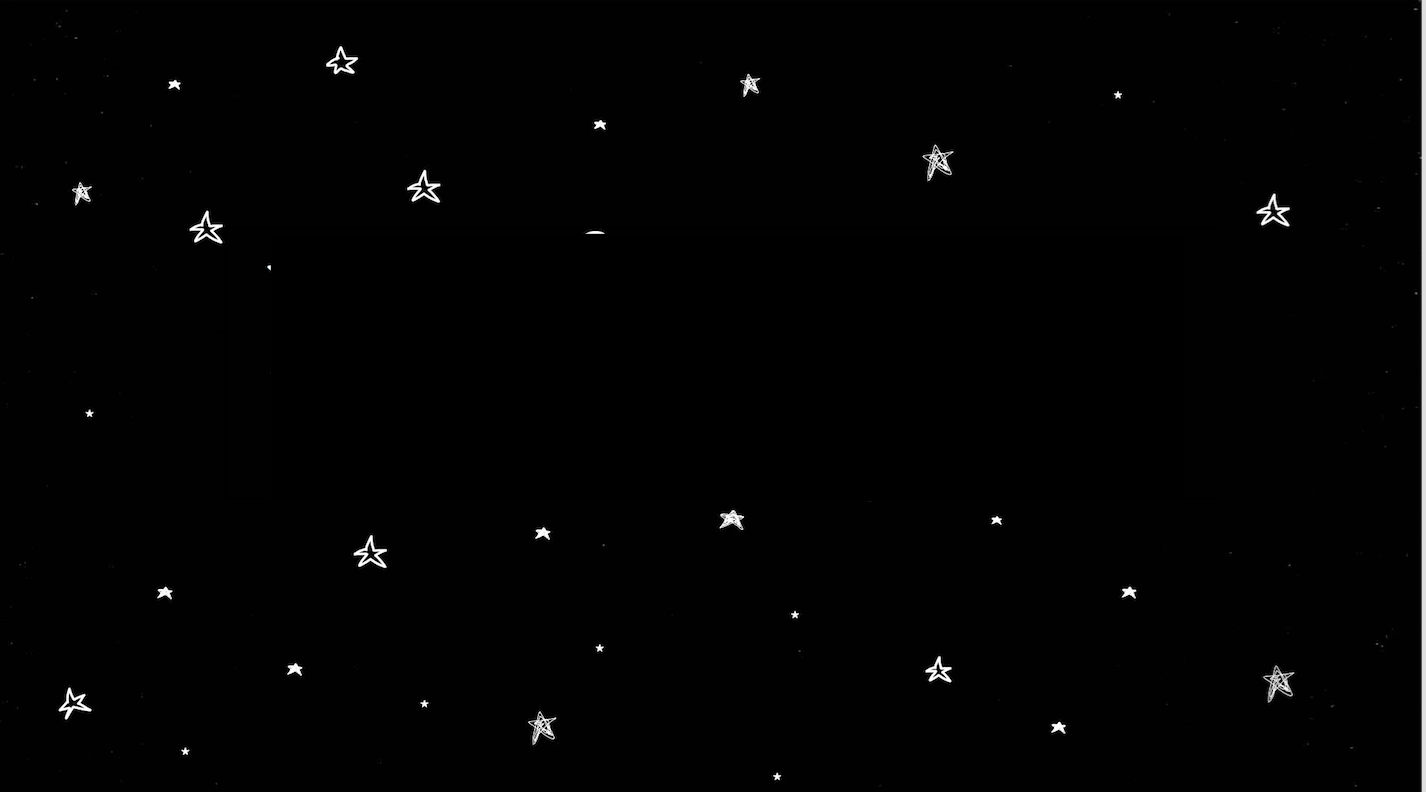
我对动画很陌生,我目前正在努力实现以下的目标:然而,因为我想让这些星星在你盘旋的时候摆动,我发现我需要手动插入每一颗星星,而不仅仅是插入这张图片。是否有更快/更有效的方法来解决这个问题?我应该为此编写一个插入js函数吗?谢谢!
回答 2
Stack Overflow用户
回答已采纳
发布于 2017-08-25 05:54:43
您可以使用2张图片与同一位置的恒星。第一张图片是这一张,第二张图片是明亮的恒星,然后在短时间内替换它们。
setInterval(function(){
	$('img').prop('src', 'https://preview.ibb.co/kfbsWk/kpme4_brighter.png');
}, 200);

setTimeout(function(){
	setInterval(function(){
		$('img').prop('src', 'https://preview.ibb.co/fSHzBk/kpme4.png');
	}, 200);
	}, 100
);<script src="https://ajax.googleapis.com/ajax/libs/jquery/2.1.1/jquery.min.js"></script>
<a href="https://ibb.co/evgRrk"><img src="https://preview.ibb.co/fSHzBk/kpme4.png" alt="kpme4" border="0"></a><br /><a target='_blank' href='https://vi.imgbb.com/'>image host</a><br />
Stack Overflow用户
发布于 2017-08-25 06:18:38
你可能需要Particles.js
用于创建粒子的轻量级JavaScript库。
用法很简单。
- 从CDN或本地加载库。我用过
<script src="https://cdnjs.cloudflare.com/ajax/libs/particles.js/2.0.0/particles.min.js"></script> - 用
id="particles-js"为粒子创建容器 - 它的风格如下:
#particles-js { width: 100vw; height: 100vh; overflow: hidden; } - 转到官方网页,设置您想要的任何设置
- 导出设置为json
- 在文档中的
<script>标记中添加json内容。
响应互动演示:
particlesJS("particles-js", {
  "particles": {
    "number": {
      "value": 200,
      "density": {
        "enable": true,
        "value_area": 800
      }
    },
    "color": {
      "value": "#ffffff"
    },
    "shape": {
      "type": "star",
      "stroke": {
        "width": 0,
        "color": "#000000"
      },
      "polygon": {
        "nb_sides": 5
      },
      "image": {
        "src": "img/github.svg",
        "width": 35,
        "height": 35
      }
    },
    "opacity": {
      "value": 0.35,
      "random": true,
      "anim": {
        "enable": true,
        "speed": .5,
        "opacity_min": 0.1,
        "sync": false
      }
    },
    "size": {
      "value": 4,
      "random": true,
      "anim": {
        "enable": false,
        "speed": 40,
        "size_min": 0.1,
        "sync": false
      }
    },
    "line_linked": {
      "enable": false,
      "distance": 150,
      "color": "#ffffff",
      "opacity": 0.1,
      "width": 1
    },
    "move": {
      "enable": true,
      "speed": .5,
      "direction": "none",
      "random": true,
      "straight": false,
      "out_mode": "out",
      "bounce": false,
      "attract": {
        "enable": true,
        "rotateX": 4024.6529723245903,
        "rotateY": 1200
      }
    }
  },
  "interactivity": {
    "detect_on": "canvas",
    "events": {
      "onhover": {
        "enable": true,
        "mode": "bubble"
      },
      "onclick": {
        "enable": true,
        "mode": "repulse"
      },
      "resize": true
    },
    "modes": {
      "grab": {
        "distance": 400,
        "line_linked": {
          "opacity": 1
        }
      },
      "bubble": {
        "distance": 150,
        "size": 5,
        "duration": 8,
        "opacity": .2,
        "speed": 3
      },
      "repulse": {
        "distance": 100,
        "duration": 5
      },
      "push": {
        "particles_nb": 2
      },
      "remove": {
        "particles_nb": 2
      }
    }
  },
  "retina_detect": true

});* {
margin: 0;
padding: 0;
}
#particles-js {
width: 100vw;
height: 100vh;
overflow: hidden;
}
.stars,
.twinkle {
position: absolute;
top: 0;
left: 0;
width: 100%;
height: 100%;
display: block;
z-index: -10;
}
.stars {
background: #000 url(https://i.stack.imgur.com/SyeSl.png) repeat top center;
z-index: -1;
}
.twinkle {
background: transparent url(https://i.stack.imgur.com/q9Sz6.png) repeat top center;
z-index: -1;
animation: stars 1000s linear infinite;
}
@keyframes stars {
from {
background-position: 0 0;
}
to {
background-position: -10000px 5000px;
}
}<script src="https://cdnjs.cloudflare.com/ajax/libs/particles.js/2.0.0/particles.min.js"></script>
<div id="particles-js"></div>
<div class="stars"></div>
<div class="twinkle"></div>
如果喜欢一些非交互式的东西,因为这样可能有更好的整体性能,那么可以实现这样一个简单得多的版本:
* {
  margin: 0;
  padding: 0;
}

.stars,
.twinkle {
  position: absolute;
  top: 0;
  left: 0;
  width: 100%;
  height: 100%;
  display: block;
  z-index: -10;
}

.stars {
  background: #000 url(https://i.stack.imgur.com/SyeSl.png) repeat top center;
  z-index: -1;
}

.twinkle {
  background: transparent url(https://i.stack.imgur.com/q9Sz6.png) repeat top center;
  z-index: -1;
  animation: stars 1000s linear infinite;
}

@keyframes stars {
  from {
    background-position: 0 0;
  }
  to {
    background-position: -10000px 5000px;
  }
}<div class="stars"></div>
<div class="twinkle"></div>
注:背景中的小星星无耻地从安娜莉莎·托雷斯的笔被盗
页面原文内容由Stack Overflow提供。腾讯云小微IT领域专用引擎提供翻译支持
原文链接:
https://stackoverflow.com/questions/45875168
复制相关文章
相似问题
腾讯云开发者

Copyright © 2013 - 2026 Tencent Cloud. All Rights Reserved. 腾讯云 版权所有
深圳市腾讯计算机系统有限公司 ICP备案/许可证号:粤B2-20090059  粤公网安备44030502008569号
腾讯云计算(北京)有限责任公司 京ICP证150476号 | 京ICP备11018762号