
Terraform vSphere慢启动
这是我第一次尝试使用terraform创建vSphere VM。VM确实成功地创建了,但是需要7分钟才能完成。以下是我所采取的步骤。
- 手动上传一个Ubuntu16.04 ova。
- 手动将图像转换为模板。
- 通过GUI从模板手动创建VM。VM大约需要20秒才能启动。
- 使用指向模板的terraform创建VM。这需要7分钟。
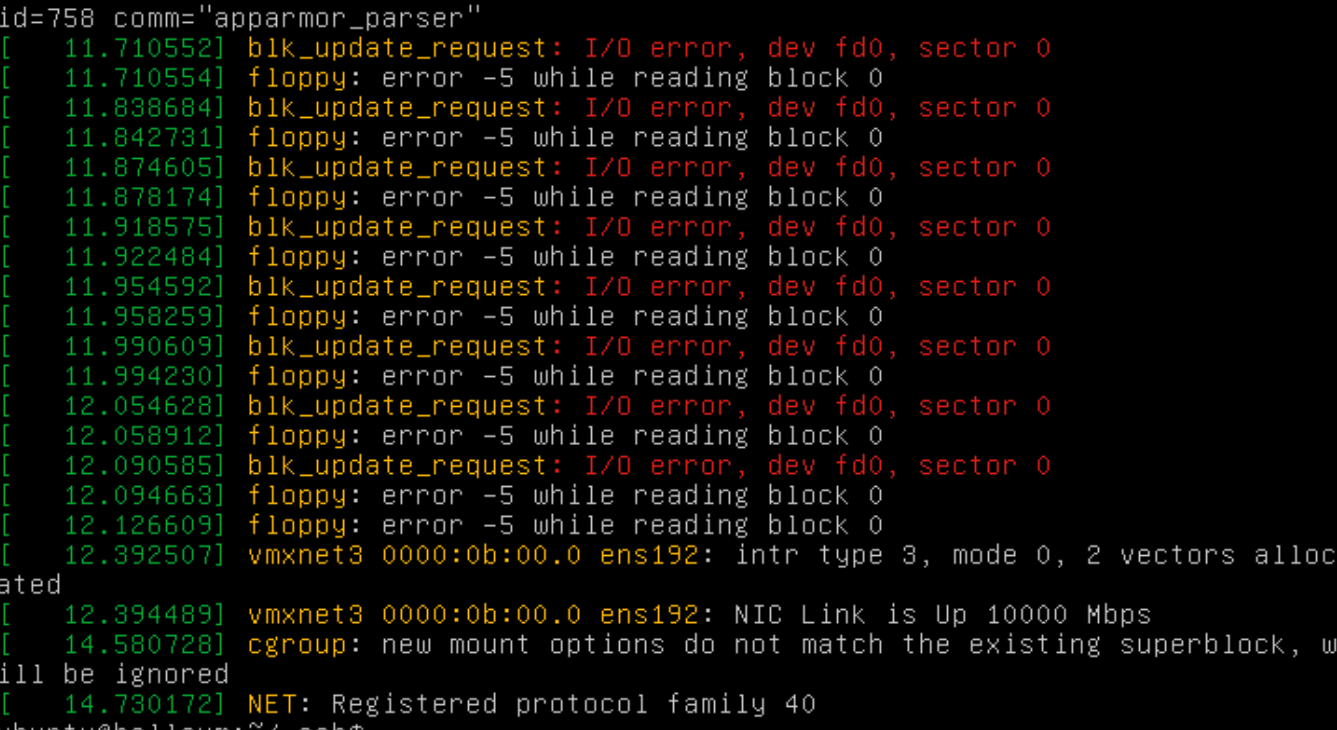
使用terraform,VM引导序列与手动创建的VM相同,然后挂在下面的消息上大约6分钟半。
[ 12.109016] blk_update_request: I/O error, dev fd0, sector 0对于手册和地形VM的创建,错误消息重复了大约6次。但是在手动创建过程中,它几乎立即移动到登录提示符。在terraform创建过程中,它将此消息挂起大约6分钟半,然后移动到登录提示。你知道为什么它会挂在地形上吗?
intance.tf
resource "vsphere_virtual_machine" "hellovm" {
  name = "hellovm2"
  vcpu = 1
  memory = 1024
  datacenter = "Lab09-Datacenter01"

  network_interface {
    label = "Lab09-NetA"
  }

  disk {
    template = "${var.vmtemp}"
    type = "thin"
    datastore = "${var.vmdatastore}"
  }
}
地形应用标准
Macbook12:concoursebootstrap steve$ terraform apply
vsphere_folder.concourse-base: Refreshing state... (ID: Lab09-Datacenter01/VirtualMachines)
 vsphere_virtual_machine.hellovm: Refreshing state... (ID: hellovm)
vsphere_virtual_machine.hellovm: Creating...
  datacenter:                             "" => "Lab09-Datacenter01"
  detach_unknown_disks_on_delete:         "" => "false"
  disk.#:                                 "" => "1"
  disk.3867083049.bootable:               "" => ""
  disk.3867083049.controller_type:        "" => "scsi"
  disk.3867083049.datastore:              "" => "nfs-lab09-vol1"
  disk.3867083049.iops:                   "" => ""
  disk.3867083049.keep_on_remove:         "" => ""
  disk.3867083049.key:                    "" => "<computed>"
  disk.3867083049.name:                   "" => ""
  disk.3867083049.size:                   "" => ""
  disk.3867083049.template:               "" => "ubuntu-16.04-server-cloudimg-amd64"
  disk.3867083049.type:                   "" => "thin"
  disk.3867083049.uuid:                   "" => "<computed>"
  disk.3867083049.vmdk:                   "" => ""
  domain:                                 "" => "vsphere.local"
  enable_disk_uuid:                       "" => "false"
  linked_clone:                           "" => "false"
  memory:                                 "" => "1024"
  memory_reservation:                     "" => "0"
  moid:                                   "" => "<computed>"
  name:                                   "" => "hellovm"
  network_interface.#:                    "" => "1"
  network_interface.0.ip_address:         "" => "<computed>"
  network_interface.0.ipv4_address:       "" => "<computed>"
  network_interface.0.ipv4_gateway:       "" => "<computed>"
  network_interface.0.ipv4_prefix_length: "" => "<computed>"
  network_interface.0.ipv6_address:       "" => "<computed>"
  network_interface.0.ipv6_gateway:       "" => "<computed>"
  network_interface.0.ipv6_prefix_length: "" => "<computed>"
  network_interface.0.label:              "" => "Lab09-NetA"
  network_interface.0.mac_address:        "" => "<computed>"
  network_interface.0.subnet_mask:        "" => "<computed>"
  skip_customization:                     "" => "false"
  time_zone:                              "" => "Etc/UTC"
  uuid:                                   "" => "<computed>"
  vcpu:                                   "" => "1"
vsphere_virtual_machine.hellovm: Still creating... (10s elapsed)
vsphere_virtual_machine.hellovm: Still creating... (20s elapsed)
vsphere_virtual_machine.hellovm: Still creating... (30s elapsed)
vsphere_virtual_machine.hellovm: Still creating... (40s elapsed)
vsphere_virtual_machine.hellovm: Still creating... (50s elapsed)
vsphere_virtual_machine.hellovm: Still creating... (1m0s elapsed)
vsphere_virtual_machine.hellovm: Still creating... (1m10s elapsed)
vsphere_virtual_machine.hellovm: Still creating... (1m20s elapsed)
vsphere_virtual_machine.hellovm: Still creating... (1m30s elapsed)
vsphere_virtual_machine.hellovm: Still creating... (1m40s elapsed)
vsphere_virtual_machine.hellovm: Still creating... (1m50s elapsed)
vsphere_virtual_machine.hellovm: Still creating... (2m0s elapsed)
vsphere_virtual_machine.hellovm: Still creating... (2m10s elapsed)
vsphere_virtual_machine.hellovm: Still creating... (2m20s elapsed)
vsphere_virtual_machine.hellovm: Still creating... (2m30s elapsed)
vsphere_virtual_machine.hellovm: Still creating... (2m40s elapsed)
vsphere_virtual_machine.hellovm: Still creating... (2m50s elapsed)
vsphere_virtual_machine.hellovm: Still creating... (3m0s elapsed)
vsphere_virtual_machine.hellovm: Still creating... (3m10s elapsed)
vsphere_virtual_machine.hellovm: Still creating... (3m20s elapsed)
vsphere_virtual_machine.hellovm: Still creating... (3m30s elapsed)
vsphere_virtual_machine.hellovm: Still creating... (3m40s elapsed)
vsphere_virtual_machine.hellovm: Still creating... (3m50s elapsed)
vsphere_virtual_machine.hellovm: Still creating... (4m0s elapsed)
vsphere_virtual_machine.hellovm: Still creating... (4m10s elapsed)
vsphere_virtual_machine.hellovm: Still creating... (4m20s elapsed)
vsphere_virtual_machine.hellovm: Still creating... (4m30s elapsed)
vsphere_virtual_machine.hellovm: Still creating... (4m40s elapsed)
vsphere_virtual_machine.hellovm: Still creating... (4m50s elapsed)
vsphere_virtual_machine.hellovm: Still creating... (5m0s elapsed)
vsphere_virtual_machine.hellovm: Still creating... (5m10s elapsed)
vsphere_virtual_machine.hellovm: Still creating... (5m20s elapsed)
vsphere_virtual_machine.hellovm: Still creating... (5m30s elapsed)
vsphere_virtual_machine.hellovm: Still creating... (5m40s elapsed)
vsphere_virtual_machine.hellovm: Still creating... (5m50s elapsed)
vsphere_virtual_machine.hellovm: Still creating... (6m0s elapsed)
vsphere_virtual_machine.hellovm: Still creating... (6m10s elapsed)
vsphere_virtual_machine.hellovm: Still creating... (6m20s elapsed)
vsphere_virtual_machine.hellovm: Still creating... (6m30s elapsed)
vsphere_virtual_machine.hellovm: Still creating... (6m40s elapsed)
vsphere_virtual_machine.hellovm: Still creating... (6m50s elapsed)
vsphere_virtual_machine.hellovm: Still creating... (7m0s elapsed)
vsphere_virtual_machine.hellovm: Still creating... (7m10s elapsed)
vsphere_virtual_machine.hellovm: Still creating... (7m20s elapsed)
vsphere_virtual_machine.hellovm: Still creating... (7m30s elapsed)
vsphere_virtual_machine.hellovm: Still creating... (7m40s elapsed)
vsphere_virtual_machine.hellovm: Creation complete (ID: hellovm)

Apply complete! Resources: 1 added, 0 changed, 0 destroyed.
ubuntu dmesg
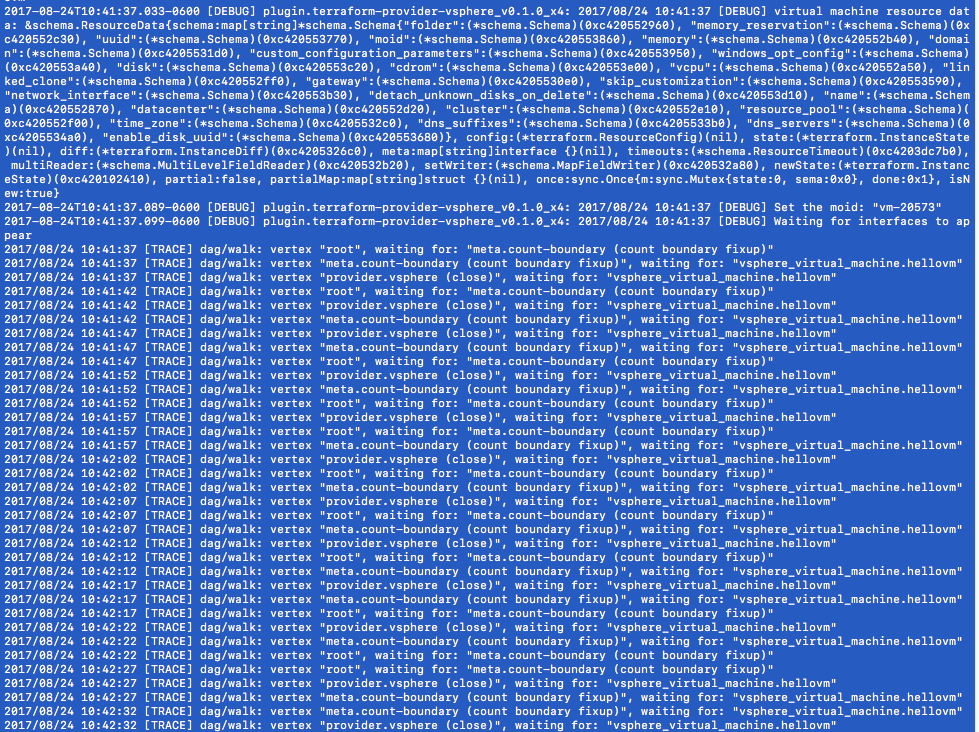
创建VM之后,terraform跟踪输出,并等待启动
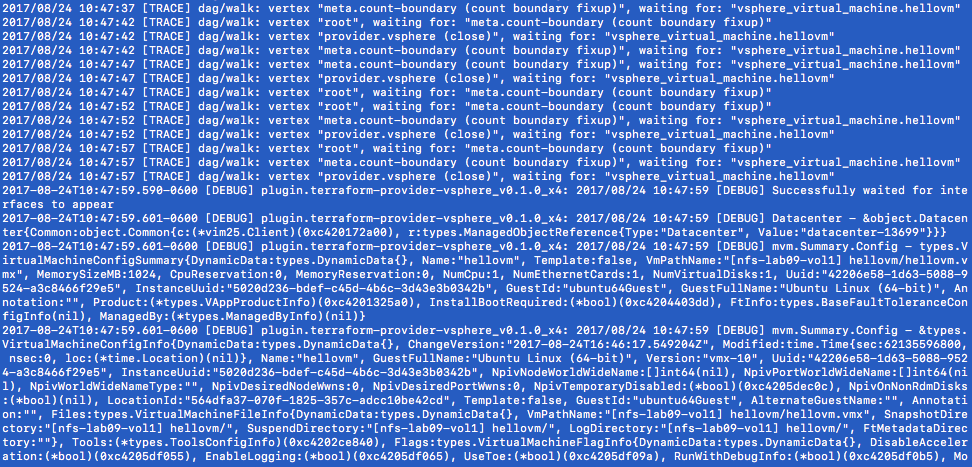
其余的地形输出。重复几分钟日志,然后使用下面的
回答 1
Stack Overflow用户
发布于 2017-08-28 18:36:06
对不起,您与vSphere提供程序的工作有问题!
从日志中可以看到,通过查看您的配置,可能是因为VM启动时不一定有IP地址。Terraform vSphere提供程序目前正在等待所有接口具有网络连接(通过VMware工具报告),然后才开始读取虚拟机的状态。在VM创建方面也是如此,所以这很可能是问题的原因(特别是从日志中显示waiting for interfaces to appear消息之后的漫长等待来看)。
查看您的配置,我发现TF代码中没有分配ipv4_address,这意味着Terraform将发送VM自定义规范,通知接口使用DHCP。如果您的网络上没有DHCP,这可能是问题的一部分。
我要建议的是:
- 如果您正在使用的网络上没有DHCP,请使用
ipv4_address和相关选项将一个IP地址分配给虚拟机,然后再尝试应用。您还可以在所讨论的网络上安装DHCP,以避免在TF代码中分配IP地址。 - 确保VM安装了VMware工具。您也可以在Ubuntu上安装
open-vm-tools包。 - 最后,如果仍然存在问题,可以检查VM的自定义日志--这些日志可以在
/var/log/vmware-imc/toolsDeployPkg.log的操作系统上找到。关于Linux定制的更多信息。
如果这能帮你解决这个问题,请告诉我!
https://stackoverflow.com/questions/45865958
复制相似问题
腾讯云开发者

Copyright © 2013 - 2026 Tencent Cloud. All Rights Reserved. 腾讯云 版权所有
深圳市腾讯计算机系统有限公司 ICP备案/许可证号:粤B2-20090059  粤公网安备44030502008569号
腾讯云计算(北京)有限责任公司 京ICP证150476号 | 京ICP备11018762号