
无法从火花主启动工作人员:使用代码1 exitStatus 1退出
我正在经历我在标题中提到的问题,我真的不知道如何解决它。我尝试了许多相关的答案,提供了解决方案,论坛等,但我无法沉默它。
我有一个EC2 Ubuntu 16机器(RAM ~32 16,ROM ~70 16,8核)运行一个独立的Spark。下面我展示了我的总体配置。
星星之火-env.sh
. . .
SPARK_PUBLIC_DNS=xx.xxx.xxx.xxx
SPARK_MASTER_PORT=7077
. . .
/etc/主机
127.0.0.1 locahost localhost.domain ubuntu
::1 locahost localhost.domain ubuntu
localhost  master # master and slave have same ip
localhost  slave  # master and slave have same ip
我试图使用以下Scala代码通过Intellij连接到它:
new SparkConf()
    .setAppName("my-app")
    .setMaster("spark://xx.xxx.xxx.xxx:7077")
    .set("spark.executor.host", "xx.xxx.xxx.xxx")
    .set("spark.executor.cores", "8")
.set("spark.executor.memory","20g")此配置将导致以下日志。master.log包含许多行,如:
. . .
xx/xx/xx xx:xx:xx INFO Master: Removing executor app-xxxxxxxxxxxxxx-xxxx/xx because it is EXITED
xx/xx/xx xx:xx:xx INFO Master: Launching executor app-xxxxxxxxxxxxxx-xxxx/xx on worker worker-xxxxxxxxxxxxxx-127.0.0.1-42524worker.log包含许多行,如:
. . .
xx/xx/xx xx:xx:xx INFO Worker: Executor app-xxxxxxxxxxxxxx-xxxx/xxx finished with state EXITED message Command exited with code 1 exitStatus 1
xx/xx/xx xx:xx:xx INFO Worker: Asked to launch executor app-xxxxxxxxxxxxxx-xxxx/xxx for my-app
xx/xx/xx xx:xx:xx INFO SecurityManager: Changing view acls to: ubuntu
xx/xx/xx xx:xx:xx INFO SecurityManager: Changing modify acls to: ubuntu
xx/xx/xx xx:xx:xx INFO SecurityManager: Changing view acls groups to:
xx/xx/xx xx:xx:xx INFO SecurityManager: Changing modify acls groups to:
xx/xx/xx xx:xx:xx INFO SecurityManager: SecurityManager: authentication disabled; ui acls disabled; users  with view permissions: Set(ubuntu); groups with view permissions: Set(); users  with modify permissions: Set(ubuntu); groups with modify permissions: Set()
xx/xx/xx xx:xx:xx INFO ExecutorRunner: Launch command: "/usr/lib/jvm/java-8-openjdk-amd64/jre//bin/java" "-cp" "/usr/local/share/spark/spark-2.1.1-bin-hadoop2.7/conf/:/usr/local/share/spark/spark-2.1.1-bin-hadoop2.7/jars/*" "-Xmx4096M" "-Dspark.driver.port=34889" "-Dspark.cassandra.connection.port=9042" "org.apache.spark.executor.CoarseGrainedExecutorBackend" "--driver-url" "spark://CoarseGrainedScheduler@127.0.0.1:34889" "--executor-id" "476" "--hostname" "127.0.0.1" "--cores" "1" "--app-id" "app-xxxxxxxxxxxxxx-xxxx" "--worker-url" "spark://Worker@127.0.0.1:42524"如果您想要的话,请使用这是个吉斯特,其中包含我在上面放置的日志行。
如果我尝试下面的基本配置,我有0错误,但我的应用程序只是挂起,服务器实际上什么也不做。没有CPU/RAM利用率。
new SparkConf()
              .setAppName("my-app")
              .setMaster("spark://xx.xxx.xxx.xxx:7077")
在
/etc/hosts上,我将主从都设置为同一个ip。服务器和2.11.6上的Scala版本都是build.sbt。无论是在服务器上还是在build.sbt上,都会触发版本的build.sbt。
下面是一些Spark屏幕:
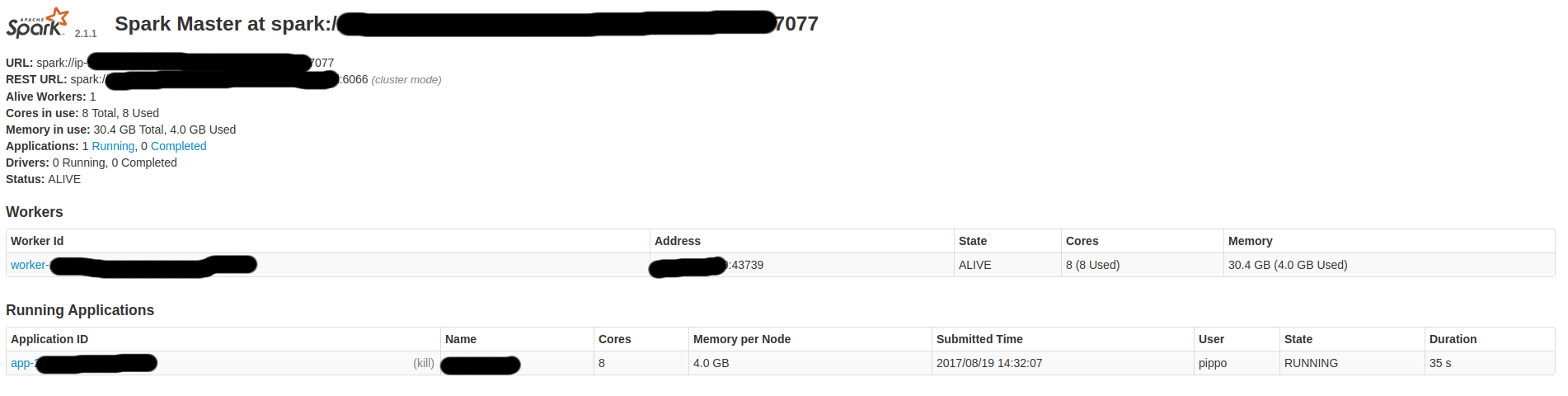
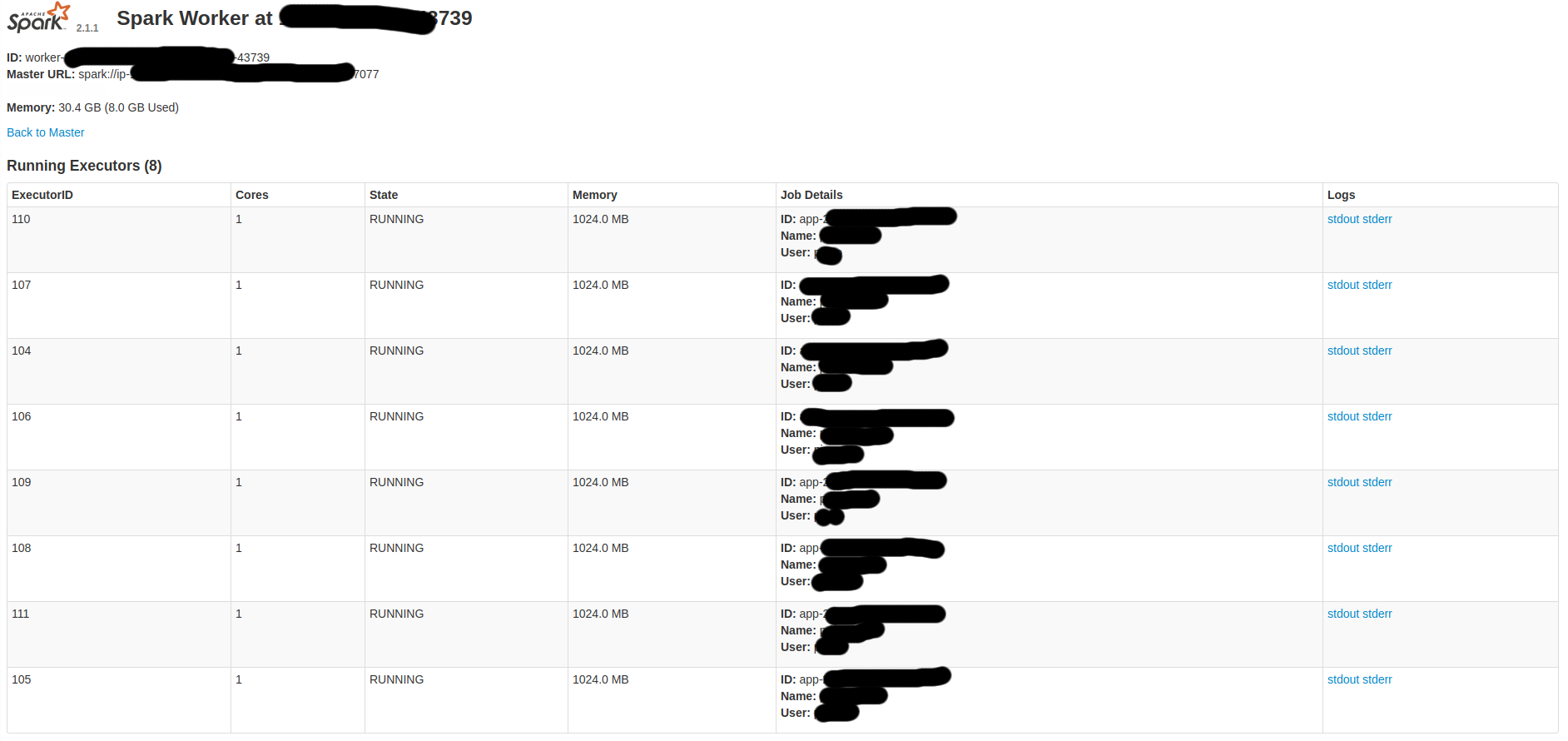

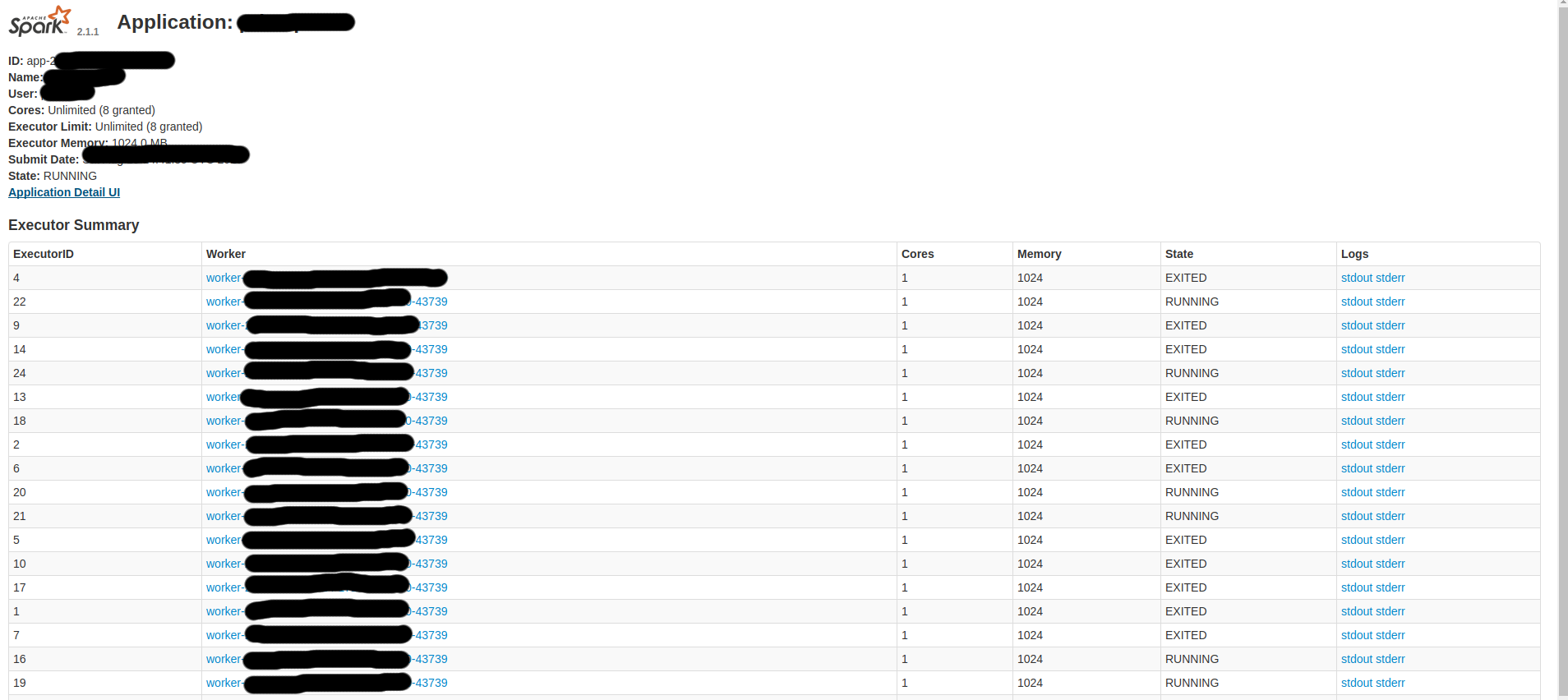
因此,我想:
- 从我的电脑上启动一个任务
- 在服务器上完成该任务。
- 在我的电脑上得到结果
我猜,会不会是一个糟糕的资源配置?如果没有,是什么原因造成了这种情况?我应该如何调整我的配置以避免这样的问题?。
如果你需要更多的细节,就问吧。
回答 1
Stack Overflow用户
发布于 2017-08-19 16:01:17
由于我希望我的个人计算机编排,我更改了我的配置设置为主机和服务器作为执行器。
所以,我的conf/spark-env.sh应该是:
# Options read by executors and drivers running inside the cluster
SPARK_LOCAL_IP=localhost #o set the IP address Spark binds to on this node
SPARK_PUBLIC_DNS=xx.xxx.xxx.xxx #PUBLIC SERVER IP
conf/
# A Spark Worker will be started on each of the machines listed below.
xx.xxx.xxx.xxx #PUBLIC SERVER IP
/etc/主机
xx.xxx.xxx.xxx master #PUBLIC SERVER IP
xx.xxx.xxx.xxx slave  #PUBLIC SERVER IP
最后,Scala的配置应该是:
.setMaster("local[*]")
.set("spark.executor.host", "xx.xxx.xxx.xxx") //Public Server IP
.set("spark.executor.memory","16g")https://stackoverflow.com/questions/45772384
复制相似问题
腾讯云开发者

Copyright © 2013 - 2026 Tencent Cloud. All Rights Reserved. 腾讯云 版权所有
深圳市腾讯计算机系统有限公司 ICP备案/许可证号:粤B2-20090059  粤公网安备44030502008569号
腾讯云计算(北京)有限责任公司 京ICP证150476号 | 京ICP备11018762号