
NetBeans上的PHP不工作
我做了3天的研究,但没能真正解决我的问题。
以下是我在php.ini中的x调试设置
xdebug.idekey="netbeans-xdebug"
xdebug.remote_enable=1
xdebug.remote_host=127.0.0.1
xdebug.remote_connect_back=1    # Not safe for production servers
xdebug.remote_port=9000
xdebug.remote_handler=dbgp
xdebug.remote_mode=req
xdebug.remote_autostart=true
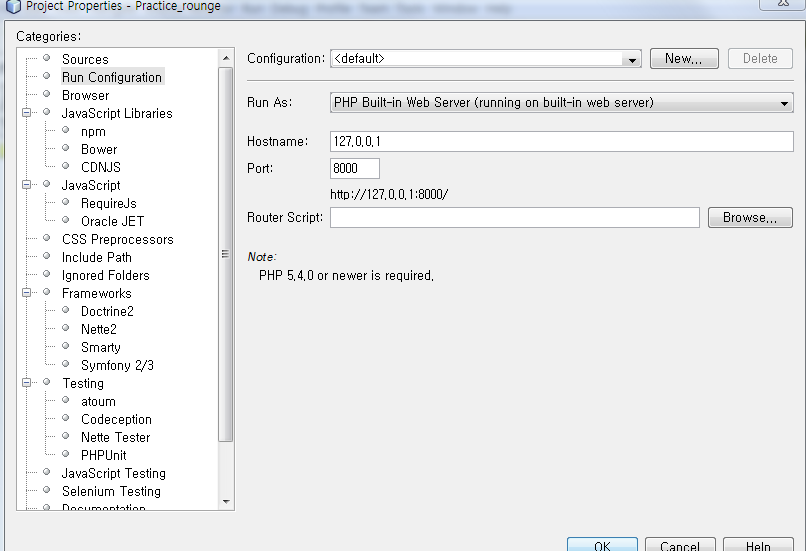
我注意到写这个问题的一件事是,即使在调试时,当我将端口设置为9000时,端口总是被设置为9000

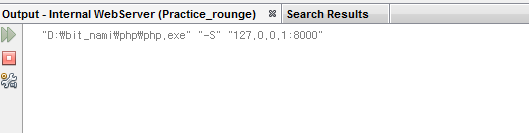
所以我想也许NetBeans指错了php.ini?我在我的test.php中运行了test.php,它给了我以下内容:
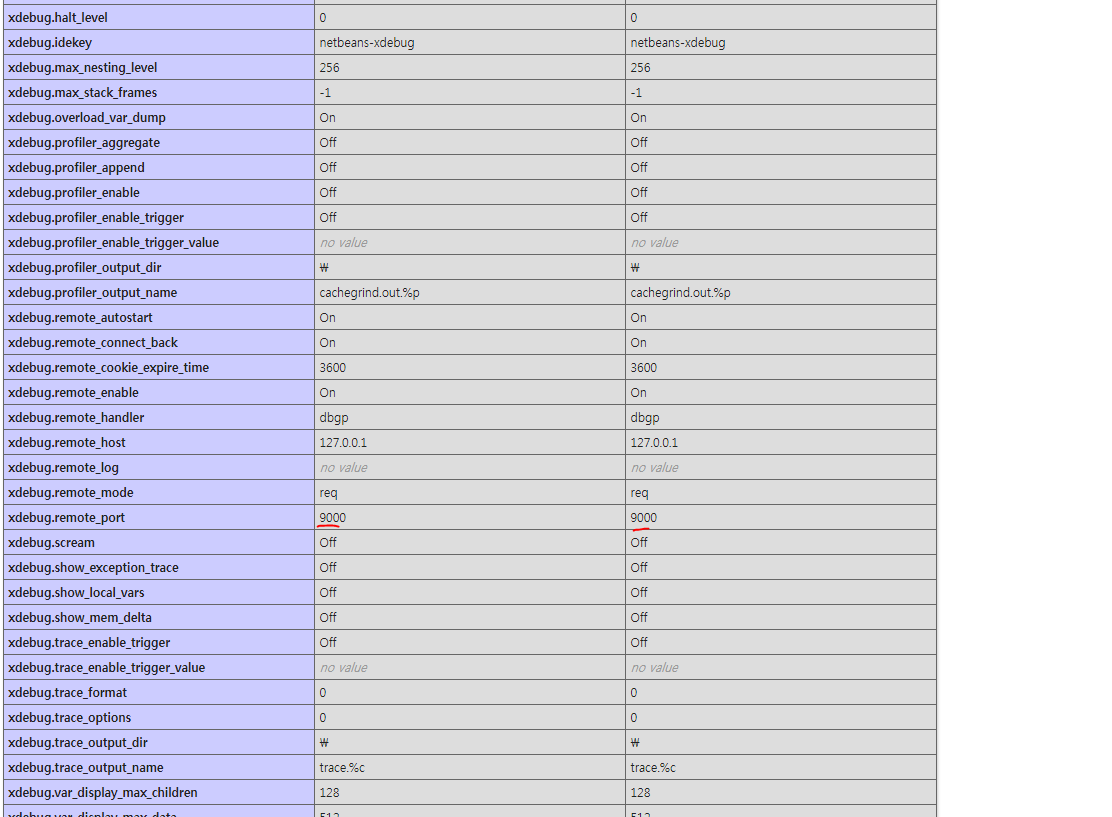
现在我完全迷路了。我应该做些什么来使x调试在NetBeans上工作呢?
编辑:我在NetBeans上使用内部web服务器
编辑:开始进展,但是现在NetBeans给了我这个奇怪的输出:
"D:\bit_nami\php\php.exe" "-S" "localhost:9001"
[Tue Aug 08 02:42:38 2017] PHP Warning:  PHP Startup: Unable to load dynamic library 'D:\bit_nami\php\ext\php_pdo_firebird.dll' - 占쏙옙占쏙옙占쏙옙 占쏙옙占� 찾占쏙옙 占쏙옙 占쏙옙占쏙옙占싹댐옙.
 in Unknown on line 0
[Tue Aug 08 02:42:38 2017] PHP Warning:  PHP Startup: Unable to load dynamic library 'D:\bit_nami\php\ext\php_pdo_oci.dll' - 占쏙옙占쏙옙占쏙옙 占쏙옙占� 찾占쏙옙 占쏙옙 占쏙옙占쏙옙占싹댐옙.
 in Unknown on line 0
[Tue Aug 08 02:42:38 2017] PHP Warning:  Xdebug MUST be loaded as a Zend extension in Unknown on line 0
[Tue Aug 08 02:42:38 2017] PHP Warning:  Module 'xdebug' already loaded in Unknown on line 0
[Tue Aug 08 02:42:38 2017] Failed to listen on localhost:9001 (reason: 액세스 권한에 의해 숨겨진 소켓에 액세스를 시도했습니다.
)
<br />
<b>Warning</b>:  PHP Startup: Unable to load dynamic library 'D:\bit_nami\php\ext\php_pdo_firebird.dll' - 占쏙옙占쏙옙占쏙옙 占쏙옙占� 찾占쏙옙 占쏙옙 占쏙옙占쏙옙占싹댐옙.
 in <b>Unknown</b> on line <b>0</b><br />
<br />
<b>Warning</b>:  PHP Startup: Unable to load dynamic library 'D:\bit_nami\php\ext\php_pdo_oci.dll' - 占쏙옙占쏙옙占쏙옙 占쏙옙占� 찾占쏙옙 占쏙옙 占쏙옙占쏙옙占싹댐옙.
 in <b>Unknown</b> on line <b>0</b><br />
<br />
<b>Warning</b>:  Xdebug MUST be loaded as a Zend extension in <b>Unknown</b> on line <b>0</b><br />
<br />
<b>Warning</b>:  Module 'xdebug' already loaded in <b>Unknown</b> on line <b>0</b><br />
Done.回答 2
Stack Overflow用户
发布于 2017-08-08 05:29:40
您需要匹配端口三个不同的位置:
- php.ini文件
- Netbeans > Options > php > Debugger端口
- Netbeans > Properties > running >> Debugger代理端口(假设您正在运行Local站点(运行在本地Web服务器上))。
然后确保设置xdebug.remote_host或xdebug.remote_connect_back=1。将两者都设置为无效。
建议为php.ini设置以下设置
[xdebug]
zend_extension=xdebug.so
xdebug.remote_enable=on
xdebug.default_enable=on
xdebug.idekey="netbeans-xdebug"
xdebug.remote_handler=dbgp
xdebug.remote_autostart=off
xdebug.remote_port=9001
xdebug.remote_host=localhost
xdebug.profiler_enable_trigger=1
xdebug.profiler_output_name=xdebug-profile-cachegrind.out-%H-%R
xdebug.var_display_max_children = 128
xdebug.var_display_max_data = 2048
xdebug.var_display_max_depth = 128
xdebug.max_nesting_level=200欲了解更多信息,请访问如何配置XDebug
Stack Overflow用户
发布于 2017-08-08 06:56:25
我正在使用php和XDebug (在Windows/Apache上)运行Netbeans。它很好用。(我也用Netbeans内置的Web服务器检查了它)
我的php.ini的相关部分:
zend_extension=C:\Bitnami\wampstack-5.4.35-0\php\ext\php_xdebug-2.2.6-5.4-vc9.dll
xdebug.remote_enable=1
xdebug.remote_handler=dbgp
xdebug.remote_mode=req
xdebug.remote_host=127.0.0.1
xdebug.remote_port=9000
在默认设置中(使用内置服务器),浏览器通过端口8000与PHP内建服务器对话,PHP内建服务器通过端口9000与Netbeans调试器部分对话。
因此,在某些Windows系统上,您必须在防火墙设置中为php可执行文件打开/允许这两个端口。
https://stackoverflow.com/questions/45559755
复制相似问题
腾讯云开发者

Copyright © 2013 - 2026 Tencent Cloud. All Rights Reserved. 腾讯云 版权所有
深圳市腾讯计算机系统有限公司 ICP备案/许可证号:粤B2-20090059  粤公网安备44030502008569号
腾讯云计算(北京)有限责任公司 京ICP证150476号 | 京ICP备11018762号