
WooCommerce短代码产品列表
我必须制作一个Wordpress插件,它为WooCommerce添加了短代码。我想从一个特定的产品类别和产品的最大数量来展示产品。短代码参数应该是类别ID和产品限制。我想我应该使用WP_Query对象。
我要让它看起来像这样:
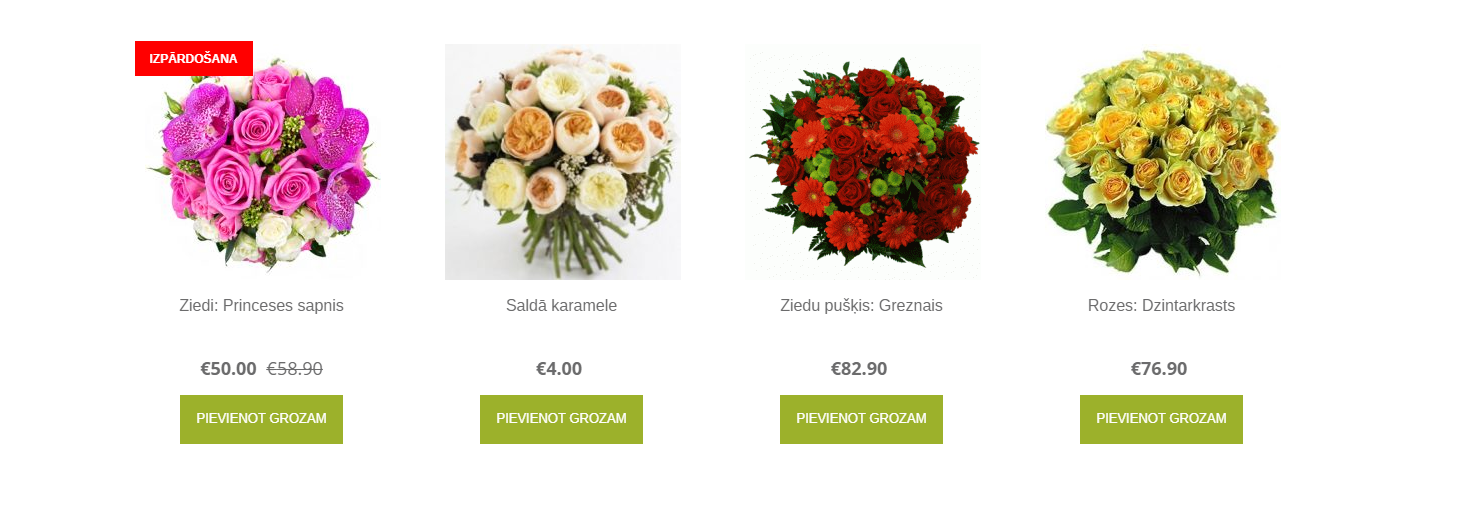
短代码如下所示:[productslist_category="[category_ID]" limit="[product_limit]"]
我使用了from this answer下面的代码(多亏了https://stackoverflow.com/users/3730754/loictheaztec)
if( !function_exists('products_list_in_a_product_category') ) {

function products_list_in_a_product_category( $atts ) {

    // Shortcode Attributes
    $atts = shortcode_atts(
        array(
            'cat'       => '',
            'limit'     => '4', // default product per page
            'column'    => '4', // default columns
        ),
        $atts, 'productslist'
    );

    // The query
    $posts = get_posts( array(
        'post_type'      => 'product',
        'posts_per_page' => intval($atts['limit'])+1,
        'product_cat'    => $atts['cat'],
    ) );

    $output = '<div class="products-in-'.$atts['cat'].'">';

    // The loop
    foreach($posts as $post_obj)
        $ids_array[] = $post_obj->ID;

    $ids = implode( ',', $ids_array );

    $columns = $atts['column'];

    $output .= do_shortcode ( "[products ids=$ids columns=$columns ]" ) . '</div>';

    return $output;
}
add_shortcode( 'productslist', 'products_list_in_a_product_category' );}
但我犯了个错误。它说,内爆函数有问题。
回答 2
Stack Overflow用户
发布于 2017-07-24 12:02:59
这是我对你之前的问题的最初回答,你删除了,你在哪里使用:Display WooCommerce products with a custom shortcode based on a category
代码在woocommerce版本2.6.x和3+.中工作得很好
--这是你(删除之前的问题):的原始答案代码。
下面是一个基于您的短代码与现有的[product] WooCommerce短代码混合的解决方案。如您所见,您将得到您所期望的…
这是代码:
if( !function_exists('products_list_in_a_product_category') ) {

    function products_list_in_a_product_category( $atts ) {

        // Shortcode Attributes
        $atts = shortcode_atts(
            array(
                'cat'       => '',
                'limit'     => '5', // default product per page
                'column'    => '4', // default columns
            ),
            $atts, 'productslist'
        );

        // The query
        $posts = get_posts( array(
            'post_type'      => 'product',
            'posts_per_page' => intval($atts['limit'])+1,
            'product_cat'    => $atts['cat'],
        ) );

        $output = '<div class="products-in-'.$atts['cat'].'">';

        // The loop
        foreach($posts as $post_obj)
            $ids_array[] = $post_obj->ID;

        $ids = implode( ',', $ids_array );

        $columns = $atts['column'];

        $output .= do_shortcode ( "[products ids=$ids columns=$columns ]" ) . '</div>';

        return $output;
    }
    add_shortcode( 'productslist', 'products_list_in_a_product_category' );
}
代码在您的活动子主题(或主题)的function.php文件中,或者在任何插件文件中。
这段代码在WooCommerce 3+上进行了测试并运行。
使用(示例)
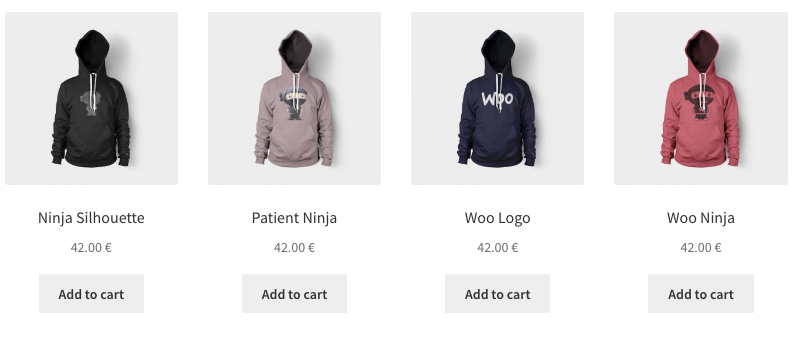
[productslist cat="clothing" limit="4"]你会得到这个:
-
Stack Overflow用户
发布于 2017-07-24 10:23:08
$args =数组( 'post_type‘=>’乘积‘、'post_status’=>‘发布’、'ignore_sticky_posts‘=> 1、'posts_per_page’=> '12‘、'meta_query’=>数组(数组( 'key‘=> '_visibility’)、'value‘=>数组(’catalog‘、'visible')、’比较‘=> 'IN’)、'tax_query‘=>数组(数组(’分类学‘=> 'product_cat’),字段‘=> 'term_id',//这是可选的,因为它默认为'term_id’术语‘=> 26,’运算符‘=> 'IN’//可能的值是'IN',‘不是IN',和’‘。$products= new WP_Query($args);var_dump($products);
https://stackoverflow.com/questions/45276742
复制相似问题
腾讯云开发者

Copyright © 2013 - 2026 Tencent Cloud. All Rights Reserved. 腾讯云 版权所有
深圳市腾讯计算机系统有限公司 ICP备案/许可证号:粤B2-20090059  粤公网安备44030502008569号
腾讯云计算(北京)有限责任公司 京ICP证150476号 | 京ICP备11018762号