
是否可以使用iOS 11拖放一次在UITableView中重新排序多个项/单元格?
我知道,在使用新的UITableViewDropDelegate和UITableViewDragDelegate委托时,可以一次重新排序单个项/单元,但是否有可能支持处理多个项/单元。
例如,在这个截图中,我持有一个项目:
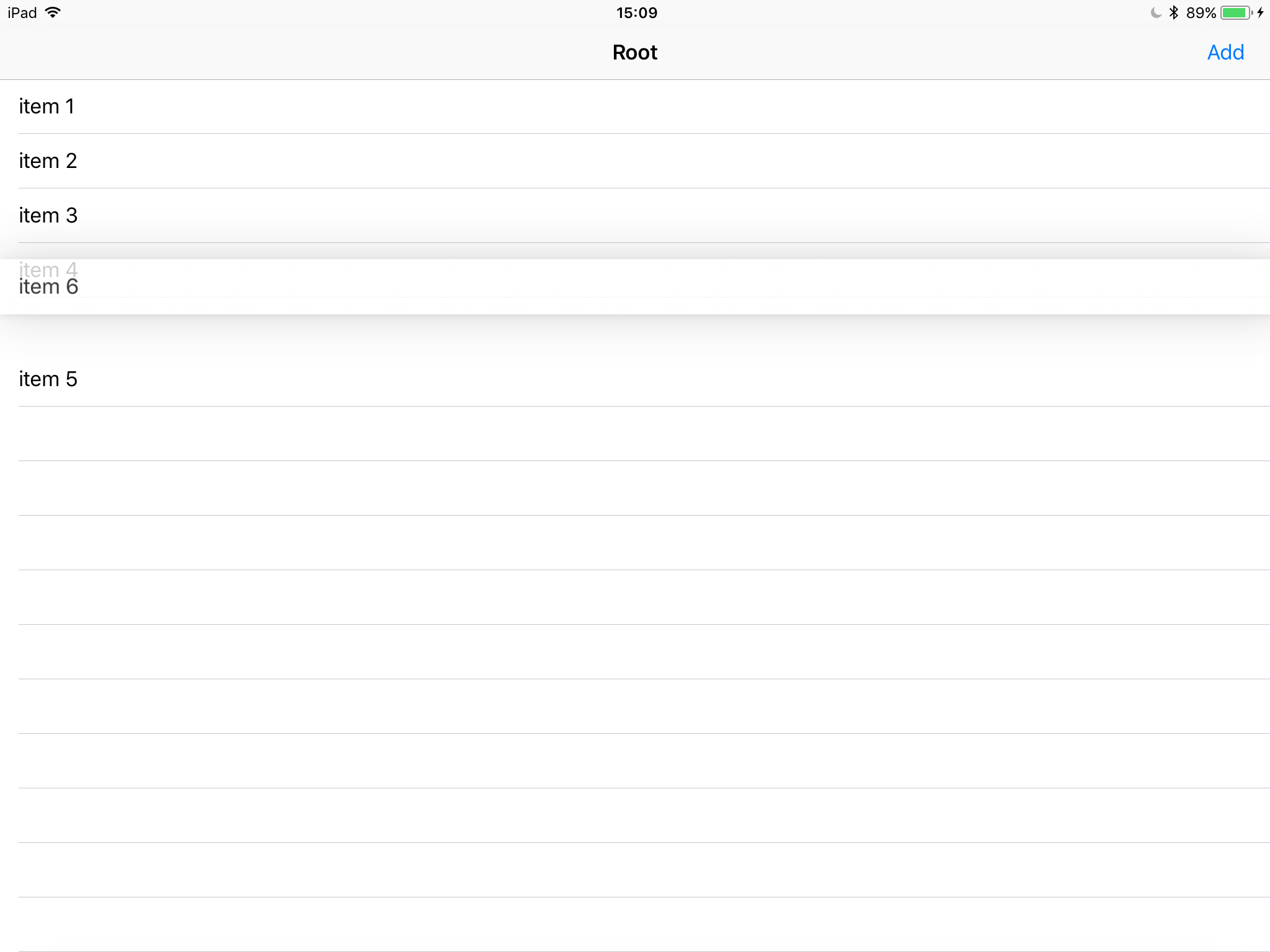
把它放进牢房里。
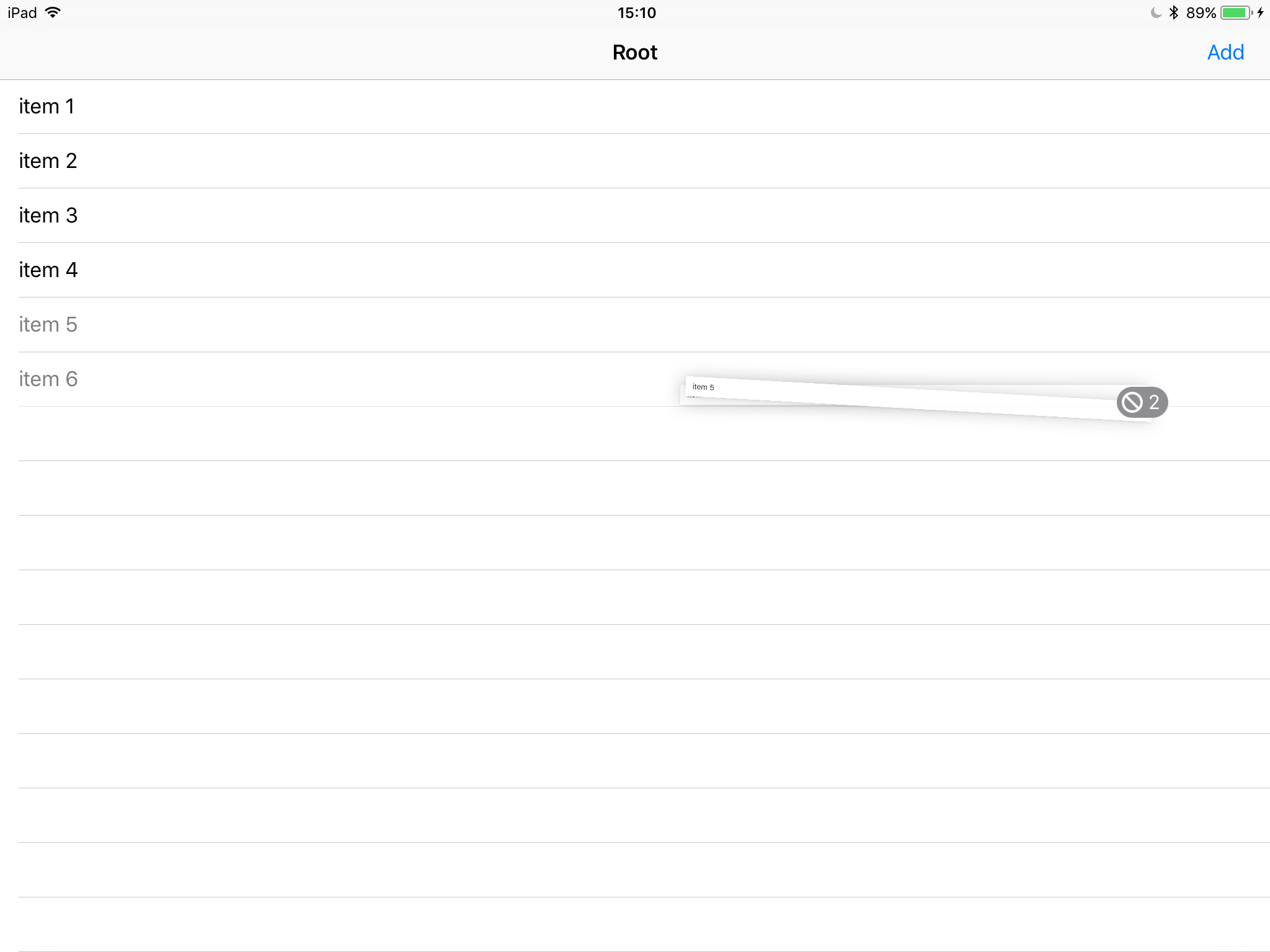
然而,当我抓取多个单元格时,我会得到无入口标记,并且单元格不会重新排序:
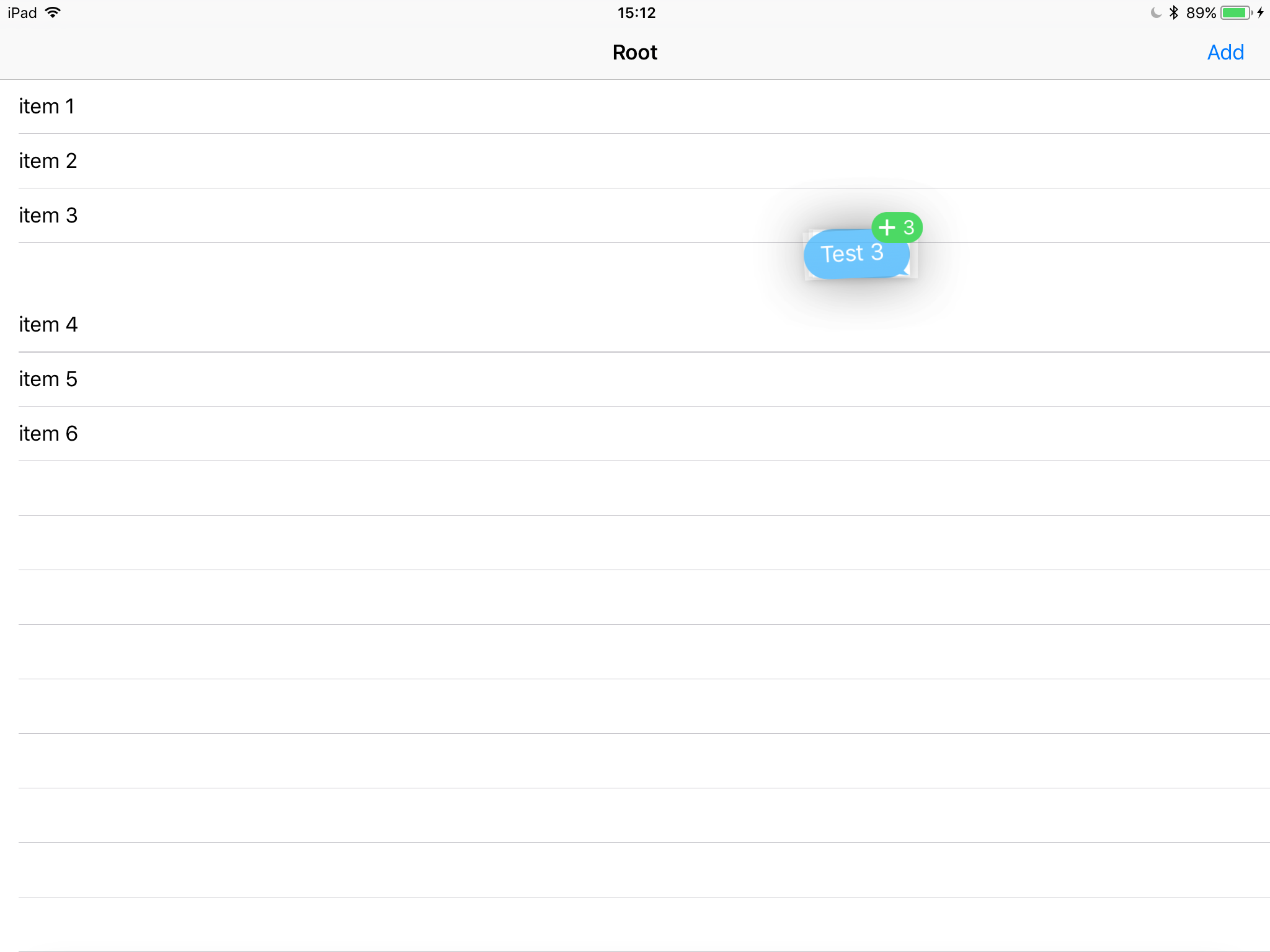
如果我从另一个应用程序中获取了多个条目,它就可以正常工作,例如从iMessage中拖出多条消息:
如果只使用本地项对表视图进行重新排序,以便您可以更快地重新排序,是否可以做到这一点?
这是我的代码:
UITableViewDragDelegate
extension DotViewController: UITableViewDragDelegate {
    func tableView(_ tableView: UITableView, itemsForBeginning session: UIDragSession, at indexPath: IndexPath) -> [UIDragItem] {
        return [getDragItem(forIndexPath: indexPath)]
    }

    func tableView(_ tableView: UITableView, itemsForAddingTo session: UIDragSession, at indexPath: IndexPath, point: CGPoint) -> [UIDragItem] {
        return [getDragItem(forIndexPath: indexPath)]
    }

    func getDragItem(forIndexPath indexPath: IndexPath) -> UIDragItem {
        // gets the item
    }
}
UITableViewDropDelegate
extension DotViewController: UITableViewDropDelegate {
    func tableView(_ tableView: UITableView, canHandle session: UIDropSession) -> Bool {
        return true
    }

    func tableView(_ tableView: UITableView, dropSessionDidUpdate session: UIDropSession, withDestinationIndexPath destinationIndexPath: IndexPath?) -> UITableViewDropProposal {
        return UITableViewDropProposal(operation: .move, intent: .insertAtDestinationIndexPath)
    }

    func tableView(_ tableView: UITableView, performDropWith coordinator: UITableViewDropCoordinator) {
        // Handles Drop
    }
}
viewDidLoad
override func viewDidLoad() {
    super.viewDidLoad()

    tableView.dataSource = self
    tableView.delegate = self
    tableView.dragDelegate = self
    tableView.dropDelegate = self

    tableView.dragInteractionEnabled = true
}回答 3
Stack Overflow用户
发布于 2017-09-04 15:20:22
可以通过拖动委托提供对所有选定单元格的引用(例如,扇区.row的数组),然后实现tableView:性能providing : array重新排序,从而实现多行重新排序。(我怀疑你知道这个)
如果您希望通过返回UITableViewDropProposal的删除建议(操作:.move,意图:.insertAtDestinationIndexPath)来支持重新排序,那么UIKit就会使用预iOS 11 tableView:moveRowAt:to function,那么这只支持一行。
表视图moveRowAt IndexPath到IndexPath。如果您愿意,可以继续实现这一点,以支持重新排序,使用拖放。因为表视图实际上将调用它,而不是通过执行drop和协调器调用,如果您已经返回了这个神奇的drop建议,并且实际上正在重新排序单个行。
来源:https://developer.apple.com/videos/play/wwdc2017/223/?time=1836
Stack Overflow用户
发布于 2020-11-24 14:26:12
我也对UICollectionView做过同样的尝试,然后我发现了这个:
链接到tweet由泰勒·福克斯( Tyler )发布,他是拖放开发的积极参与者,你也可以在2017至2018年的WWDC相关视频中看到他。
推特的内容:
表和集合视图不支持多项重新排序的UI,正确实现是相当棘手的。 不过,您可以使用
.unspecified的意图,并在会话期间为其提供自己的UI,而删除将被接受。 如果您想看到API支持它,请提交一个增强请求。任何关于您的具体用例的详细信息都将不胜感激!
Stack Overflow用户
发布于 2018-04-22 05:49:49
恐怕我不能在这里详细介绍,但基本上我是如何让它开始工作的:
- 我扩展了在StackOverflow上找到的一个算法,以获得一个可以用来重新排序我的数据源的函数。以下是我可能非常低效/不准确的代码:
数组中的多个元素重新排序(例如,对于in,但可以修改为使用索引路径和数据源类型:
// Multiple element reordering in array
func reorderList(list: Array<Int>, draggedIndices: Array<Int>, targetIndex: Int) -> Array<Int> {

    // Defining the offsets that occur in destination and source indexes when we iterate over them one by one
    var array = list
    var draggedItemOffset = 0
    var targetIndexOffset = 0

    // Items being dragged ordered by their indexPaths
    let orderedDragIndices = draggedIndices.sorted() // Add {$0.row < $1.row for sorting IndexPaths}

    // Items being dragged ordered by their selection order
    var selectionOrderDragItems = [Int]()

    draggedIndices.forEach { (index) in
        selectionOrderDragItems.append(array[index])
    }

    // Reordering the list
    for i in (0...(orderedDragIndices.count - 1)).reversed()  {
        let removedItem = array.remove(at: orderedDragIndices[i] + draggedItemOffset)

        array.insert(removedItem, at: targetIndex + targetIndexOffset)

        if (i - 1 >= 0) && orderedDragIndices[i - 1] >= targetIndex {
            draggedItemOffset += 1
        } else {
            draggedItemOffset = 0
            targetIndexOffset -= 1
        }
    }

    // Right now the dropped items are in the order of their source indexPaths. Returning them back to the order of selection
    for index in Array(targetIndex + targetIndexOffset + 1...targetIndexOffset).sorted(by: >) {
        array.remove(at: index)
    }
    array.insert(contentsOf: selectionOrderDragItems, at: targetIndex + targetIndexOffset + 1)

    return array
}- 在dragDelegate和dropDelegate方法中,我使用了单个项重新排序(UITableViewDropProposal(操作:.move,意图:.insertAtDestinationIndexPath))来获得免费动画,其他单元格在其中腾出空间进行删除。但是,当用户点击其他行时,当拖动会话处于活动状态时,我使用didSelectRow收集了这些附加的didSelectRow。
- 使用上面所选的行数组,在performDrop委托方法中,我使用了(1)中描述的算法来重构我的数据源,并用动画重新加载tableview部分。
- 我还做了一些额外的动画,以显示用户正在使用panGestureRecognizer收集行,并在选择时对单元格进行快照。
- 请注意,在此过程中,我没有使用canMoveRowAt、canEditRowAt或moveRowAt或其他传统方法。我使用了来自performDrop 11 API的iOS方法。
希望它能有所帮助,如果你发现算法有一些失败的情况,请回答。谢谢,祝你好运!
https://stackoverflow.com/questions/45169912
复制相似问题
腾讯云开发者

Copyright © 2013 - 2026 Tencent Cloud. All Rights Reserved. 腾讯云 版权所有
深圳市腾讯计算机系统有限公司 ICP备案/许可证号:粤B2-20090059  粤公网安备44030502008569号
腾讯云计算(北京)有限责任公司 京ICP证150476号 | 京ICP备11018762号