
如何使用Swift 3在BWWalkthrough视图控制器中添加标签?
如何使用Swift 3在BWWalkthrough视图控制器中添加标签?
提问于 2017-07-10 05:21:14
我在我的应用程序中使用BWWalkthrough库来获取幻灯片图像。我在每张幻灯片中添加标题和消息标签。
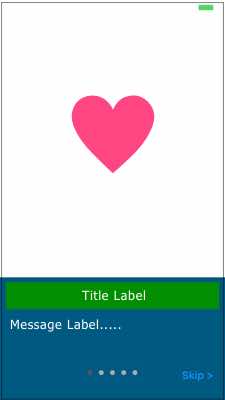
我想把翻译成每个标签。
因此,我将标签拖到IBOutlet中,并在ViewDidLoad中添加NStranslation文本。
但是,当我运行代码时,我得到了致命的错误。
这是我的密码。
在BWWalkthroughPageViewController.swift中,
@IBOutlet weak var lblTitle1: UILabel!override open func viewDidLoad() {
super.viewDidLoad()
lblTitle1.text = NSLocalizedString("Date:", comment: "")
self.view.layer.masksToBounds = true
subviewsSpeed = Array()
for v in view.subviews{
speed.x += speedVariance.x
speed.y += speedVariance.y
if !notAnimatableViews.contains(v.tag) {
subviewsSpeed.append(speed)
}
}
}我在以下代码(BWWalkthroughViewController.swift).中出错
viewController.view.translatesAutoresizingMaskIntoConstraints = false和lblTitle1.text =NSLocalizedString(“日期:”,注释:"")
有人能帮帮我吗?
回答 1
Stack Overflow用户
回答已采纳
发布于 2017-07-10 06:00:57
这样做如下,这将添加一个标签在所有页面,您可以添加更多的标签类似的方式。
override open func viewDidLoad() {
    super.viewDidLoad()
    self.view.layer.masksToBounds = true

    let sampleLabel:UILabel = UILabel()
    sampleLabel.frame = CGRect(x: 100, y: 100, width: 200, height: 200)
    sampleLabel.textAlignment = .center
    sampleLabel.text = "Hello this is iOS dev"
    sampleLabel.numberOfLines = 1
    sampleLabel.textColor = .red
    sampleLabel.font=UIFont.systemFont(ofSize: 22)
    sampleLabel.backgroundColor = .yellow

    view.addSubview(sampleLabel)
    sampleLabel.translatesAutoresizingMaskIntoConstraints = false
    sampleLabel.heightAnchor.constraint(equalToConstant: 200).isActive = true
    sampleLabel.widthAnchor.constraint(equalToConstant: 200).isActive = true
    sampleLabel.centerXAnchor.constraint(equalTo: sampleLabel.superview!.centerXAnchor).isActive = true
    sampleLabel.centerYAnchor.constraint(equalTo: sampleLabel.superview!.centerYAnchor).isActive = true

    subviewsSpeed = Array()

    for v in view.subviews{
        speed.x += speedVariance.x
        speed.y += speedVariance.y
        if !notAnimatableViews.contains(v.tag) {
            subviewsSpeed.append(speed)
        }
    }
}
更新
您可以通过下面的安全展开lblTitle1检查来防止崩溃发生。
override open func viewDidLoad() {
    super.viewDidLoad()

    if (lblTitle1) != nil {
        lblTitle1.text = NSLocalizedString("Date:", comment: "")
    }

    self.view.layer.masksToBounds = true

    subviewsSpeed = Array()

    for v in view.subviews{
        speed.x += speedVariance.x
        speed.y += speedVariance.y
        if !notAnimatableViews.contains(v.tag) {
            subviewsSpeed.append(speed)
        }
    }
}页面原文内容由Stack Overflow提供。腾讯云小微IT领域专用引擎提供翻译支持
原文链接:
https://stackoverflow.com/questions/45004255
复制相关文章
相似问题
腾讯云开发者

Copyright © 2013 - 2026 Tencent Cloud. All Rights Reserved. 腾讯云 版权所有
深圳市腾讯计算机系统有限公司 ICP备案/许可证号:粤B2-20090059  粤公网安备44030502008569号
腾讯云计算(北京)有限责任公司 京ICP证150476号 | 京ICP备11018762号