
Swift:如何根据设备垂直对视图/标签进行中心设置?
Swift:如何根据设备垂直对视图/标签进行中心设置?
提问于 2017-06-19 13:01:34
当键盘在所有设备(iPhone 5-7 Plus)上可见时,我正试图垂直地将标签居中。
目前,标签仅垂直集中在iPhone 5屏幕上,但这只是因为我使用以下代码手动设置了标签:
    func keyboardWillShow(_ notification:Notification) {

    let userInfo:NSDictionary = (notification as NSNotification).userInfo! as NSDictionary
    let keyboardFrame:NSValue = userInfo.value(forKey: UIKeyboardFrameEndUserInfoKey) as! NSValue
    let keyboardRectangle = keyboardFrame.cgRectValue
    let keyboardHeight = keyboardRectangle.height

    UIView.animate(withDuration: 0.3) {
        self.emptyStateMessageTopConstraint.constant = keyboardHeight - 145
        self.updateViewConstraints()
        self.emptyDataInfoView.layoutIfNeeded()
    }
我的猜测是,当键盘可见时,根据设备,调整自动布局约束,可以找到UIView的大小。
我不知道这是否正确,但我很难找到这个方法。
使用上面的函数执行以下操作:
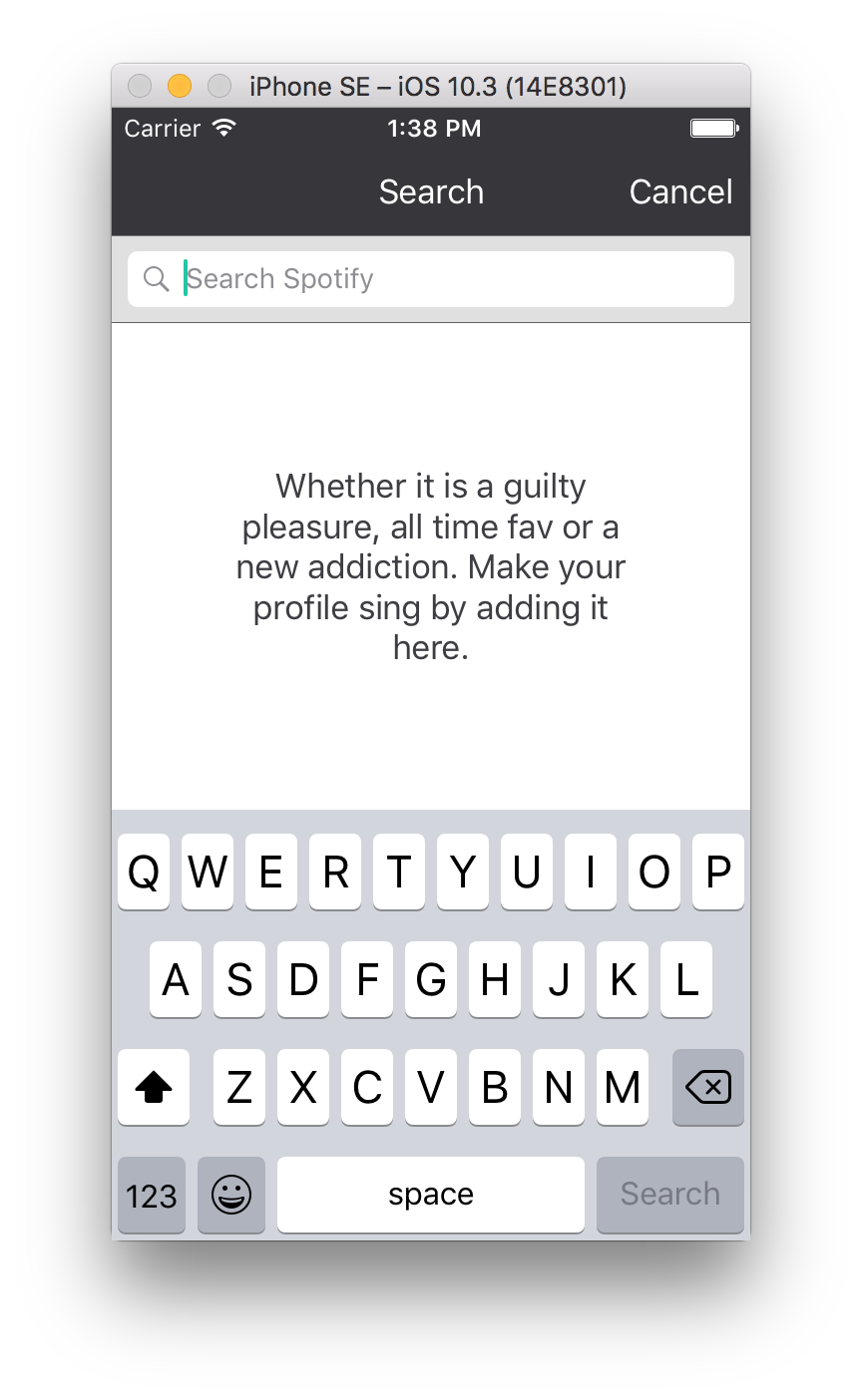
iPhone 5/SE:
下面的图片,你可以看到描述是中心的。
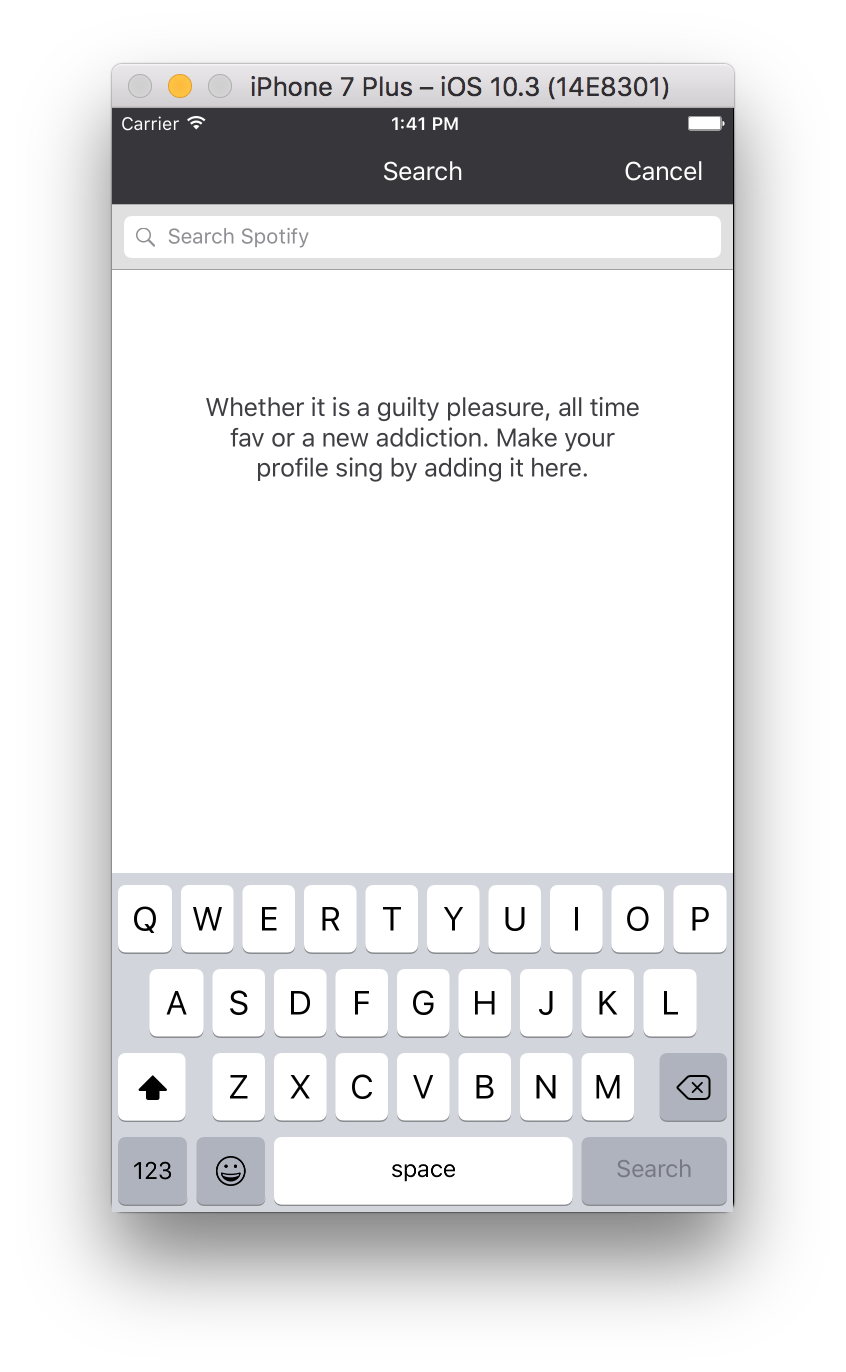
iPhone 7 Plus:
下面的图片,你可以看到描述不是中心的。
回答 2
Stack Overflow用户
回答已采纳
发布于 2017-06-19 13:06:59
将此行更改为
self.emptyStateMessageTopConstraint.constant = keyboardHeight - 145这
self.emptyStateMessageTopConstraint.constant = (self.view.frame.size.height - keyboardHeight)/2 - yourlabelheight/2Stack Overflow用户
发布于 2017-06-19 13:08:48
将标签的约束(中间y)添加到视图的中心,键盘上将显示更改视图+=键盘高度的底部约束。在缩小键盘显示上的视图大小后,视图中心的标签将中继到中心。注意,视图没有高度约束,只有顶部和底部约束。
或如果背景中没有要更改底部约束的任何视图,则可以更改标签+= keyboardHeight的centerConstraint。在键盘秀上再高一点。
页面原文内容由Stack Overflow提供。腾讯云小微IT领域专用引擎提供翻译支持
原文链接:
https://stackoverflow.com/questions/44631322
复制相关文章
相似问题
腾讯云开发者

Copyright © 2013 - 2026 Tencent Cloud. All Rights Reserved. 腾讯云 版权所有
深圳市腾讯计算机系统有限公司 ICP备案/许可证号:粤B2-20090059  粤公网安备44030502008569号
腾讯云计算(北京)有限责任公司 京ICP证150476号 | 京ICP备11018762号