
使用AVPlayer和AVPlayerLayer在UICollectionView上显示多个视频
我正在使用AVPlayer & AVPlayerLayer类在UICollectionView单元上使用水平滚动显示"n“数量的全屏视频。我被设置为在UIScrollView上启用分页。因为我只需要玩当前位置播放器,否则“前一个和下一个”单元格播放器应该处于“暂停”状态。
我得到的是url格式的视频。因此,最初我需要下载,然后它将开始播放。所以每个人都不需要从URL下载视频。所以我决定把下载的视频缓存到本地。所以我下载并存储在本地文件中。然后,如果视频存在于本地文件中,则从本地加载视频。
问题:
(a)。“播放与暂停”在它们的相关索引上没有正常工作。最初,"0“的索引被播放。当我滚动到下一个索引时,当前的索引播放器应该正在播放,下一个索引播放器应该处于“暂停”状态。它没有正确同步。
(b)。我可以看到之前的播放器视频剪辑,直到下一个玩家开始播放。
(c)。所有观看的音频播放同时在背景以及释放时,播放器也。(我的意思是,我可以在驳回一些观点或viewControllers后听到)
(d)需要保持内存泄漏问题。
下面是我试过的来源,
- (void)setVideoLoading:(NSString *)videoUrl{

    NSString *urlString = videoUrl;

    SHAREDATA.videoUrl = [NSURL URLWithString:urlString];

    AVURLAsset *asset = [AVURLAsset URLAssetWithURL:SHAREDATA.videoUrl options:nil];

    NSArray *requestedKeys = @[@"playable"];

    //Tells the asset to load the values of any of the specified keys that are not already loaded.
    [asset loadValuesAsynchronouslyForKeys:requestedKeys completionHandler:^{

        dispatch_async(dispatch_get_main_queue(), ^{

            AVPlayerItem *item = [AVPlayerItem playerItemWithAsset: asset];

            if (self.avPlayer)
            {
                /* Remove existing player item key value observers and notifications. */

                [self.avPlayer removeObserver:self forKeyPath:@"status" context:nil];

                [[NSNotificationCenter defaultCenter] removeObserver:self
                                                                name:AVPlayerItemDidPlayToEndTimeNotification
                                                              object:self.avPlayer.currentItem];
            }

            self.avPlayer = [AVPlayer playerWithPlayerItem:item];

            self.avPlayerLayer = [AVPlayerLayer playerLayerWithPlayer:self.avPlayer];

            if (_typeOfContentMode == UIViewContentModeScaleAspectFit) {

                self.avPlayerLayer.videoGravity = AVLayerVideoGravityResizeAspect;
            }
            else if (_typeOfContentMode == UIViewContentModeScaleAspectFill)
            {
                self.avPlayerLayer.videoGravity = AVLayerVideoGravityResizeAspectFill;
            }


            self.avPlayerLayer.frame = CGRectMake(0, 0, _videoBackgroundView.frame.size.width, _videoBackgroundView.frame.size.height);

            [_videoBackgroundView.layer addSublayer:self.avPlayerLayer];

            self.avPlayer.actionAtItemEnd = AVPlayerActionAtItemEndNone;

            self.avPlayer.muted = NO;

            [self.avPlayer addObserver:self
                                forKeyPath:@"status"
                                   options:NSKeyValueObservingOptionInitial | NSKeyValueObservingOptionNew
                                   context:nil];
        });
    }];
下面是KVO方法。
- (void)observeValueForKeyPath:(NSString *)keyPath
                      ofObject:(id)object
                        change:(NSDictionary *)change
                       context:(void *)context {

    if (object == self.avPlayer && [keyPath isEqualToString:@"status"]) {

        if (self.avPlayer.status == AVPlayerStatusReadyToPlay) {

            [_videoProgressView setProgress:0 animated:NO];

            [self setVideoPlayEnabled];

            [self setAutoUpdateTimer];

            [[NSNotificationCenter defaultCenter] removeObserver:self name:AVPlayerItemDidPlayToEndTimeNotification object:[self.avPlayer currentItem]];

            [[NSNotificationCenter defaultCenter] addObserver:self
                                                     selector:@selector(playerItemDidReachEnd:)
                                                         name:AVPlayerItemDidPlayToEndTimeNotification
                                                       object:[self.avPlayer currentItem]];
        }
        else if (self.avPlayer.status == AVPlayerStatusFailed ||
                 self.avPlayer.status == AVPlayerStatusUnknown) {

            [SVProgressHUD dismiss];

            if (self.avPlayer.rate>0 && !self.avPlayer.error)
            {
                [self.avPlayer setRate:0.0];

                [self.avPlayer pause];
            }
        }
    }
}

- (void)playerItemDidReachEnd:(NSNotification *)notification {

    [SVProgressHUD dismiss];

    AVPlayerItem *p = [notification object];

    [p seekToTime:kCMTimeZero completionHandler:^(BOOL finished)
     {
         [self.avPlayer play];
     }];
}
我从"cellForItemAtIndexPath“传递url,在"didEndDisplayingCell”上暂停当前播放器。
然后,在"scrollViewDidEndDecelerating“中,我只检查了customCell类的其他全局实例(在全局变量上声明),并暂停该单元格当前播放器。
但是scrollViewDidEndDecelerating的主要目的是,我得到了当前可见的细胞。
- (void)scrollViewDidEndDecelerating:(UIScrollView *)scrollView
{
    if (self.lastPlayingCell) {

        [self.lastPlayingCell.avPlayer pause];
    }

    // Play/Pause Video
    CGRect visibleRect = (CGRect){.origin = self.videoCollectionView.contentOffset, .size = self.videoCollectionView.bounds.size};

    CGPoint visiblePoint = CGPointMake(CGRectGetMidX(visibleRect), CGRectGetMidY(visibleRect));

    _visibleIndexPath = [self.videoCollectionView indexPathForItemAtPoint:visiblePoint];

    DetailsCollectionCell *cell = (DetailsCollectionCell *)[self.videoCollectionView cellForItemAtIndexPath:_visibleIndexPath];

    if (![cell isEqual: self.lastPlayingCell]) {

        [self.avPlayer play];

        self.lastPlayingCell = cell;//assigned to current visible cell to lastplayingcell instance.
    }
}
我告诉您的一件事是,我只是将AVPlayer显示为UIView类的一个子视图。当我点击视频拇指图像(在UITableView上发布的视频信息列表,在它的前一个视图),我指的是UITable的选择功能,我只是显示移动它的"Y“位置值的UIView (就像一个视图控制器的礼物)。
因此,我可以移动“自上而下”的视图,就像在"Facebook混乱应用程序摄像头访问视图“中那样。
因此,当我拒绝视图时,我需要释放AVPlayer,停止所有观看视频背景上的音频,并删除注册的观察者类,如下所示。
- (void)setRemoveRegisteredObserversAndPlayerRelatedElements
{
    [self.avPlayer removeObserver:self forKeyPath:@"status" context:nil];

    [[NSNotificationCenter defaultCenter] removeObserver:self name:AVPlayerItemDidPlayToEndTimeNotification object:[self.avPlayer currentItem]];

    [self.avPlayerLayer.player pause];

    [self.avPlayer pause];

    self.avPlayer = [AVPlayer playerWithURL:[NSURL URLWithString:@""]];

    [self.avPlayerLayer removeFromSuperlayer];

    self.avPlayerLayer.player = nil;

    self.avPlayerLayer = nil;

    self.avPlayer = nil;
}
任何解决这些问题的想法,以及在当前索引上顺利播放视频,停止音频和处理内存泄漏。
任何一份股票或给出一些建议来实现这一目标。
cellForItemAtIndexPath
- (UICollectionViewCell *) collectionView: (UICollectionView *) collectionView cellForItemAtIndexPath: (NSIndexPath *) indexPath
{
    videoDetailsCollectionCell *videoDetailCell = [collectionView dequeueReusableCellWithReuseIdentifier:kVideoDetailsCollectionCell forIndexPath:indexPath];

    NSDictionary *publishedVideoObject = [self.videoDetailArray objectAtIndex:indexPath.row];

    [videoDetailCell loadVideoURL:publishedVideoObject];

    return videoDetailCell;
}
我从ZOWVideoPlayer库文件中添加了所有的类文件。
最新编辑:
#pragma mark - Load video url for their current index cell
- (videoDetailsCollectionCell *)videoCellFor:(UICollectionView *)collectionView withIndex:(NSIndexPath *)indexPath
{
    videoDetailsCollectionCell * videoCell = [collectionView dequeueReusableCellWithReuseIdentifier:kCustomVideoCell forIndexPath:indexPath];

    //[videoCell.videoView.videoPlayer resume];

    return videoCell;
}
**在CellForItemAtIndexPath方法中**
 NSDictionary *publicationObject = [videoDetailArray objectAtIndex:indexPath.row];

    videoDetailsCollectionCell * cell = [self videoCellFor:collectionView withIndex:indexPath];

    cell.mediaUrl = [NSString replaceEmptyStringInsteadOfNull:[NSString stringWithFormat:@"%@",publicationObject.video]];

return cell;然后,在scrollViewDidScroll,我是,暂停,最后播放视频,,就像你前面提到的。
然后,在scrollViewDidEndDecelerating中,除了使用UICollectionView而不是IndexedCollectionView类来检索页面计数信息外,我遵循了下面的应答部分。
最后我被阻止了,所有的视频都在下面播放,
  - (void)setPauseTheLastViewedPlayerAudio {

        // Pause last played videos
        if (self.lastPlayedVideo) {

            [self.lastPlayedVideo mute];

            [self.lastPlayedVideo stopVideoPlay];
        }

        _videoDetailArray = nil;

        [_videoCollectionView reloadData];
}因为我应该取消使用UIPanGestureRecognizer.从上到下移动手指的播放器视图
回答 1
Stack Overflow用户
发布于 2017-06-17 12:16:08
不久前,我也在为同样的问题而挣扎。我解决这个问题的方法和你的没有什么不同。
让我分几步解释
- 我已经在视图控制器中声明了一个包含当前视频单元播放器实例的播放器的全局实例。 @property (非原子,强) InstagramVideoView *sharedVideoPlayer;//共享视频播放器实例
- 为每个单元创建视频播放器对象&它们还保存每个视频播放器的视频URL。
- (CommonVideoCollectionViewCell *)videoCellFor:(UICollectionView *)collectionView withIndex:(NSIndexPath *)indexPath { CommonVideoCollectionViewCell *视频单元= collectionView collectionView forIndexPath:索引路径;返回videoCell;} -(UICollectionViewCell *)collectionView:(UICollectionView *)collectionView cellForItemAtIndexPath:(NSIndexPath *)indexPath {collectionView *cell = self视频cell:indexPath;=#en19 20;返回单元格;}
- 每次用户试图滚动收集单元格时,请暂停视频播放器全局实例中的视频。这解决了单元格闪烁的问题。
// Pause last played videos if (self.sharedVideoPlayer) { [self.sharedVideoPlayer pause]; [self.sharedVideoPlayer mute]; } - 最后一步是在水平收集视图的中心找到当前的视频单元&从当前视频单元中保存的URL中播放视频。 -(void)scrollViewDidEndDecelerating:(UIScrollView *){scrollView{ if ([scrollView isKindOfClass:UITableView类]){scrollView;} IndexedCollectionView *pageContentCollectionView = (IndexedCollectionView *)scrollView;CGPoint centerPoint = pageContentCollectionView View.contentOffset.x,pageContentCollectionView View.cent.y+ pageContentCollectionView .ViewentOffset.y);NSIndexPath *centerCellIndexPath =pageContentCollectionView indexPathForItemAtPoint:centerPoint;NSArray *visibleCells =pageContentCollectionView visibleCells;// Get单元用于索引和暂停视频UICollectionViewCell *cell =pageContentCollectionView cellForItemAtIndexPath:centerCellIndexPath;对于(UICollectionViewCell * visibleCells) { if ([tempCell isKindOfClass:CommonVideoCollectionViewCell类]){ CommonVideoCollectionViewCell *视频单元= (CommonVideoCollectionViewCell *)tempCell;InstagramVideoView *视频player = videoCell videoView;//暂停&静音所有视频播放器实例videoCell.videoView setHidden:YES;videoCell.placeholderImageView setHidden:NO;videoPlayer cell;videoPlayer静音;//检查中央单元格是否存在(tempCell == cell) { self.sharedVideoPlayer = videoPlayer;//保存播放的视频播放器实例[self.sharedVideoPlayer playVideoWithURL:[NSURL URLWithString:(CommonVideoCollectionViewCell *)tempCell mediaUrl];videoCell.videoView setHidden:NO;videoCell.placeholderImageView setHidden:YES;videoPlayer简历;//恢复视频播放videoPlayer静音;} CommonVideoCollectionViewCell @ CommonVideoCollectionViewCell @ UICollectionViewCell @property (弱的,非原子的) IBOutlet InstagramVideoView * IBOutlet UIImageView *placeholderImageView;// Set media url @property (强的,非原子的) NSString *mediaUrl;@end
最终结果-
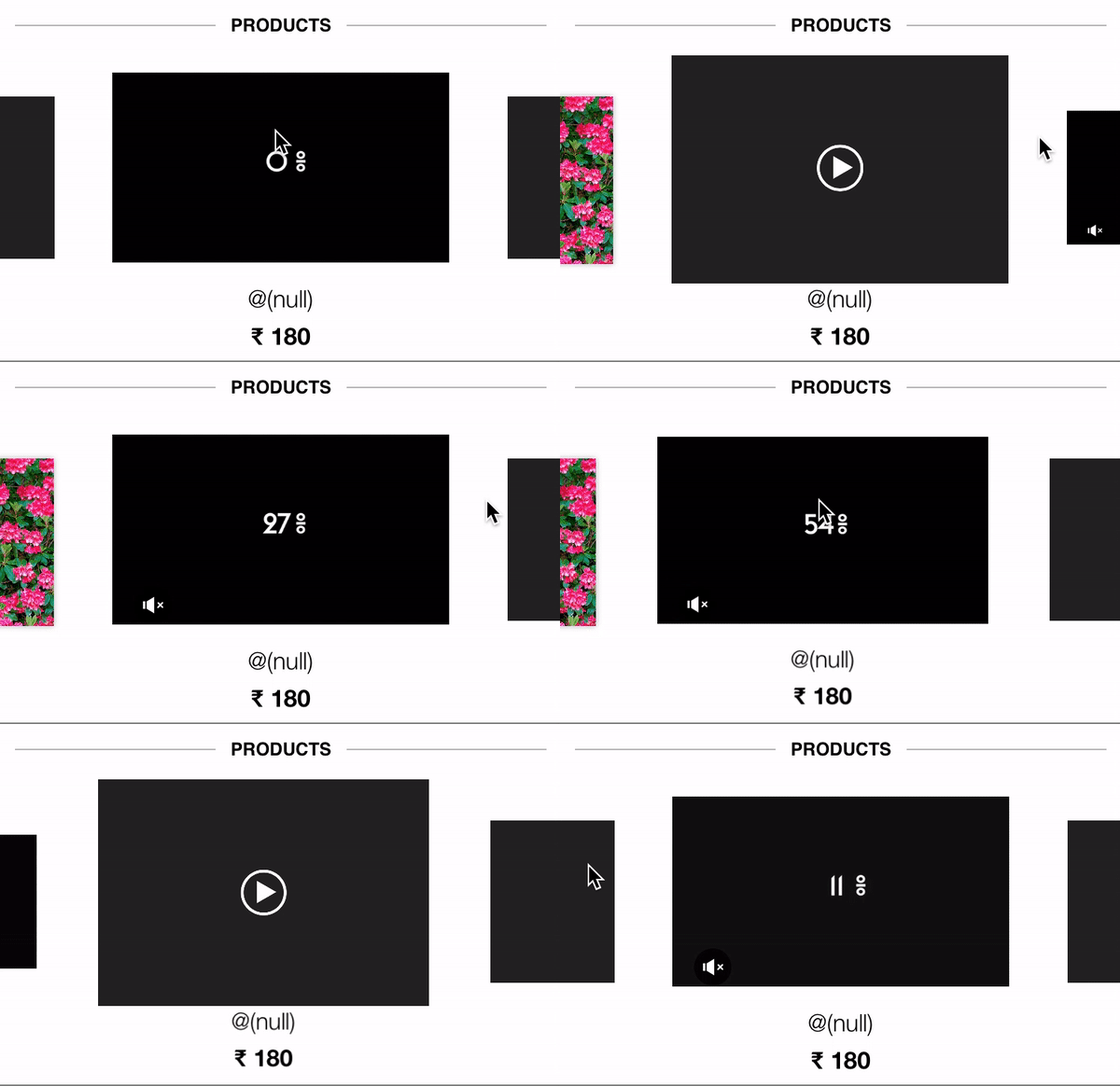
备注-为了播放流畅的视频,播放器将视频缓存在临时内存中。如果您有以下任何一个步骤中的问题,请告诉我。
https://stackoverflow.com/questions/44603210
复制相似问题
腾讯云开发者

Copyright © 2013 - 2026 Tencent Cloud. All Rights Reserved. 腾讯云 版权所有
深圳市腾讯计算机系统有限公司 ICP备案/许可证号:粤B2-20090059  粤公网安备44030502008569号
腾讯云计算(北京)有限责任公司 京ICP证150476号 | 京ICP备11018762号