
如何使用jquery和selenium访问“影子-根”中的“chrome://downloads”下的元素?
我正试图在selenium javascript应用程序中获取上一次下载文件的名称。
我的selenium驱动程序使用:driver.get('chrome://downloads');导航到chrome下载页面,但是当我到达该页面时,selenium无法在下载页面中找到任何元素。
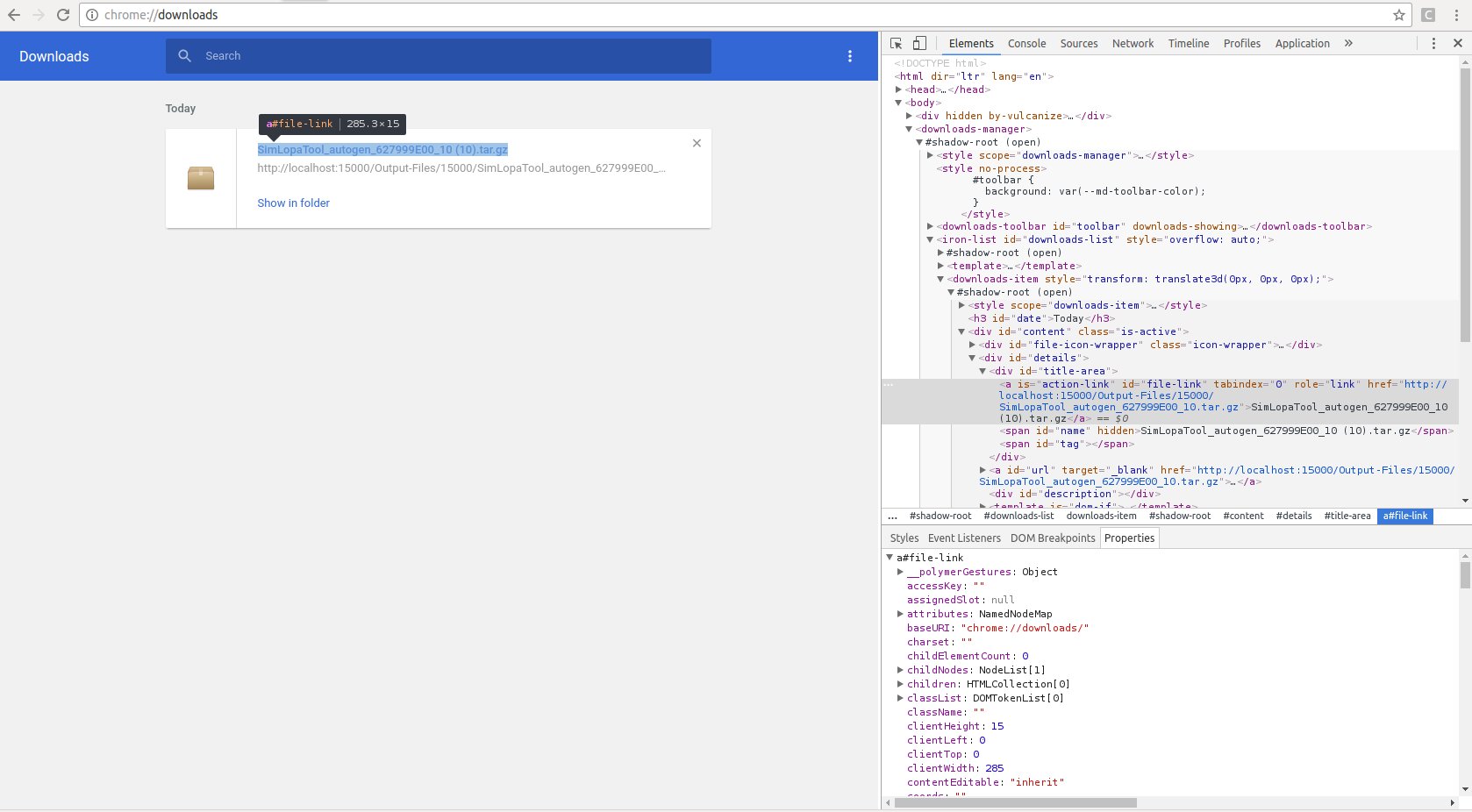
chrome下载页面“chrome:// shadow-root”中有一堆我不知道如何获得的元素,以便访问我想要的id。如何访问shadow-root 项下的标识符?
我想得到$("#file-link"),如下所示:
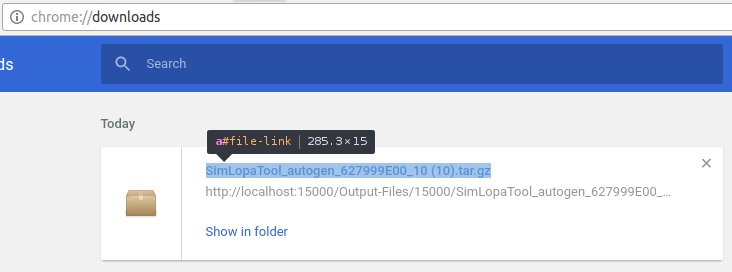
但是,当我使用jquery查找它时,一切都返回null (可能是因为它在shadow-root后面)。
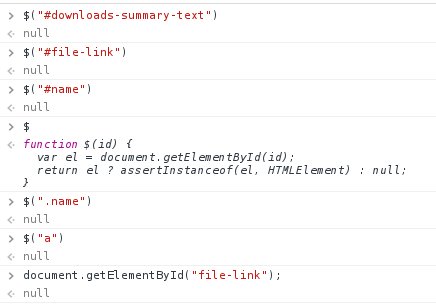
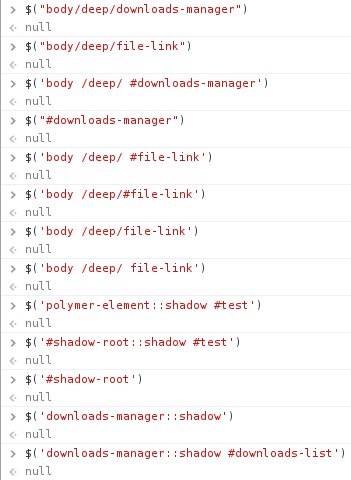
以下是我所掌握的所有信息的全貌,包括显示"#file-link“完全存在:
我用来等待元素存在的代码与我的应用程序中所有元素使用的代码相同,因此我认为这已经起作用了:
driver.wait(until.elementLocated(By.id('downloads-manager')), 120000).then(function(){
    console.log("#downloads-manager shows");
    driver.findElement(By.id('downloads-manager')).then(function(dwMan){
        //How do I "open" #shadow-root now? :(
    });
});
这里是我的版本信息:
- 铬v54.0.2840.71
- 节点v6.5.0
- ChromeDriver v2.27.440175
- selenium-WebDriverv3.4.0
相似问题
- Selenium webdriver can't find elements at chrome://downloads (这是我遇到的问题,但在python中)
链接
- Selenium Javascript API:https://seleniumhq.github.io/selenium/docs/api/javascript/
回答 2
Stack Overflow用户
发布于 2017-06-07 13:49:48
示例中的$不是JQuery的缩写。它的函数被页面覆盖,仅通过id定位元素:
function $(id){var el=document.getElementById(id);return el?assertInstanceof(el,HTMLElement):null}要通过阴影DOM进行选择,需要使用'/deep/‘组合器。
因此,要获取下载页面中的所有链接:
document.querySelectorAll("downloads-manager /deep/ downloads-item /deep/ [id=file-link]")用硒:
By.css("downloads-manager /deep/ downloads-item /deep/ [id=file-link]")Stack Overflow用户
发布于 2017-06-06 22:28:02
为什么不直接检查下载文件夹呢?我这样做是为了下载Excel文件。我首先清除下载文件夹,单击按钮下载文件,等待~5秒(根据文件大小、互联网速度等而变化),然后在文件夹中查找"*.xlsx“文件。这也有利于与任何浏览器一起工作。
C#示例:
/// <summary>
/// Deletes the contents of the current user's "Downloads" folder
/// </summary>
public static void DeleteDownloads()
{
    // Get the default downloads folder for the current user
    string downloadFolderPath = Environment.GetFolderPath(Environment.SpecialFolder.UserProfile) + "\\Downloads";
    // Delete all existing files
    DirectoryInfo di = new DirectoryInfo(directoryPath);
    foreach (FileInfo file in di.GetFiles())
    {
        file.Delete();
    }
    foreach (DirectoryInfo dir in di.GetDirectories())
    {
        dir.Delete(true);
    }
}

/// <summary>
/// Looks for a file with the given extension (Example: "*.xlsx") in the current user's "Download" folder.
/// </summary>
/// <returns>Empty string if files are found</returns>
public static string LocateDownloadedFile(string fileExtension)
{
    // Get the default downloads folder for the current user
    string downloadFolderPath = Environment.GetFolderPath(Environment.SpecialFolder.UserProfile) + "\\Downloads";
    DirectoryInfo di = new DirectoryInfo(downloadFolderPath);
    FileInfo[] filesFound = di.GetFiles(fileExtension);
    if (filesFound.Length == 0)
    {
        return "No files present";
    }
    else
    {
        return "";
    }
}然后,在我的测试中,如果断言失败,如果打印错误消息,我可以这样Assert.IsEmpty(LocateDownloadedFile);。
预期: String.Empty。实际:没有文件存在。
https://stackoverflow.com/questions/44400482
复制相似问题
腾讯云开发者

Copyright © 2013 - 2026 Tencent Cloud. All Rights Reserved. 腾讯云 版权所有
深圳市腾讯计算机系统有限公司 ICP备案/许可证号:粤B2-20090059  粤公网安备44030502008569号
腾讯云计算(北京)有限责任公司 京ICP证150476号 | 京ICP备11018762号