
如何为web应用程序管理ionic2中的多个滑块?
如何为web应用程序管理ionic2中的多个滑块?
提问于 2017-06-02 05:42:57
我有这样的html用于幻灯片
<ion-slides   [pager]="false" slidesPerView="6" #slider_a>
        <ion-slide  *ngFor="let slide of  items_a " #ddd>
            <ion-card class="list-card" >
                <div class="cardInnerWrap">
                    <ion-item>
                      {{slide.gameTitle}}
                    </ion-item>
                     <img src="{{slide.gameImage}}">

                </div>
            </ion-card>
        </ion-slide>
</ion-slides>

<ion-slides   [pager]="false" slidesPerView="6" #slider_b>
        <ion-slide  *ngFor="let slide of  items_b " #ddd>
            <ion-card class="list-card" >
                <div class="cardInnerWrap">
                    <ion-item>
                      {{slide.gameTitle}}
                    </ion-item>
                     <img src="{{slide.gameImage}}">

                </div>
            </ion-card>
        </ion-slide>
</ion-slides>
它在移动设备上工作。问题是,当我拖动幻灯片2在火狐(也在铬),幻灯片1也被拖动。不能单独拖动幻灯片2。如何使在浏览器中工作的离子2中2完全独立的滑块
回答 2
Stack Overflow用户
回答已采纳
发布于 2017-06-02 07:44:41
更新,感谢来自Slack频道的@cookiecookson:
似乎这是Ionic实现Swiper包装器中的一个bug。解决这个问题的一种方法是为Swiper库使用另一个包装器,就像这一个一样。您可以在这个github回购. 中找到一个演示应用程序
最终的结果将是这样的:
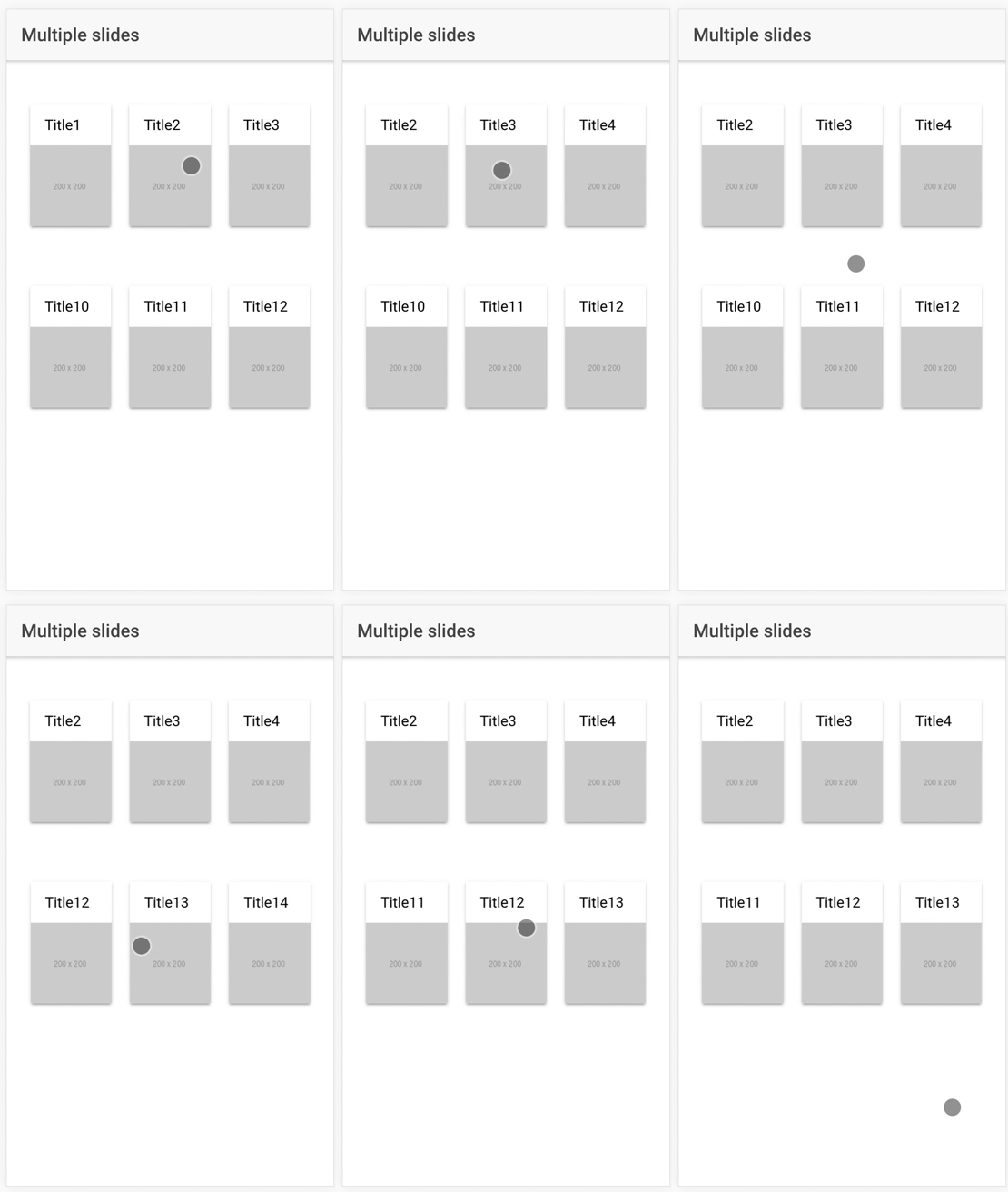
T
首先你需要安装它
npm install angular2-swiper --save然后将其导入app.module.ts文件(或您想要的模块中)
import { KSSwiperModule } from 'angular2-swiper';

// ...

@NgModule({
  declarations: [...],
  imports: [KSSwiperModule, ...],
  bootstrap: [...],
  entryComponents: [..],
  providers: [...]
})
export class AppModule { }
然后在你的页面上使用它。
组件代码:
import { Component } from '@angular/core';
import { NavController } from 'ionic-angular';

@Component({
  selector: 'page-home',
  templateUrl: 'home.html'
})
export class HomePage {

  public items_a: Array<any>;
  public items_b: Array<any>;

  public options: any;

  constructor(public navCtrl: NavController) {
    this.items_a = [
      { gameTitle: 'Title1', gameImage: 'http://via.placeholder.com/200x200' },
      { gameTitle: 'Title2', gameImage: 'http://via.placeholder.com/200x200' },
      { gameTitle: 'Title3', gameImage: 'http://via.placeholder.com/200x200' },
      { gameTitle: 'Title4', gameImage: 'http://via.placeholder.com/200x200' },
      { gameTitle: 'Title5', gameImage: 'http://via.placeholder.com/200x200' },
      { gameTitle: 'Title6', gameImage: 'http://via.placeholder.com/200x200' },
      { gameTitle: 'Title7', gameImage: 'http://via.placeholder.com/200x200' },
      { gameTitle: 'Title8', gameImage: 'http://via.placeholder.com/200x200' },
      { gameTitle: 'Title9', gameImage: 'http://via.placeholder.com/200x200' }
    ];

    this.items_b = [
      { gameTitle: 'Title10', gameImage: 'http://via.placeholder.com/200x200' },
      { gameTitle: 'Title11', gameImage: 'http://via.placeholder.com/200x200' },
      { gameTitle: 'Title12', gameImage: 'http://via.placeholder.com/200x200' },
      { gameTitle: 'Title13', gameImage: 'http://via.placeholder.com/200x200' },
      { gameTitle: 'Title14', gameImage: 'http://via.placeholder.com/200x200' },
      { gameTitle: 'Title15', gameImage: 'http://via.placeholder.com/200x200' },
      { gameTitle: 'Title16', gameImage: 'http://via.placeholder.com/200x200' },
      { gameTitle: 'Title17', gameImage: 'http://via.placeholder.com/200x200' },
      { gameTitle: 'Title18', gameImage: 'http://via.placeholder.com/200x200' }
    ];

    this.options = {
      slidesPerView: 3
    }
  }

}
查看:
<ion-header>
    <ion-navbar>
        <ion-title>
            Multiple slides
        </ion-title>
    </ion-navbar>
</ion-header>

<ion-content padding>

    <ks-swiper-container [options]="options">
        <ks-swiper-slide *ngFor="let slide of items_a">
            <ion-card class="list-card">
                <div class="cardInnerWrap">
                    <ion-item>
                        {{ slide.gameTitle }}
                    </ion-item>
                    <img src="{{ slide.gameImage }}">
                </div>
            </ion-card>
        </ks-swiper-slide>
    </ks-swiper-container>

    <ks-swiper-container [options]="options">
        <ks-swiper-slide *ngFor="let slide of items_b">
            <ion-card class="list-card">
                <div class="cardInnerWrap">
                    <ion-item>
                        {{ slide.gameTitle }}
                    </ion-item>
                    <img src="{{ slide.gameImage }}">
                </div>
            </ion-card>
        </ks-swiper-slide>
    </ks-swiper-container>

</ion-content>Stack Overflow用户
发布于 2017-10-06 18:16:12
我找到了工作解决方案这里
HTML:
<ion-header no-border>
  <ion-navbar transparent>
    <ion-title>Custom Pagination</ion-title>
  </ion-navbar>
</ion-header>
<ion-content text-center>
  <h3>Pagination numbers</h3>
  <ion-slides #sliderOne pager (ionDidChange)="onSlideChanged()">
    <ion-slide *ngFor="let slide of slides"
               [ngStyle]="{'background' : 'url(' + slide.imageUrl + ')'}">
      <h2>{{slide.title}}</h2>
    </ion-slide>
  </ion-slides>


  <h3>Pagination numbers 2</h3>
  <ion-slides #sliderTwo pager (ionDidChange)="onSlideChanged()">
    <ion-slide *ngFor="let slide of slides"
               [ngStyle]="{'background' : 'url(' + slide.imageUrl + ')'}">
      <h2>{{slide.title}}</h2>
    </ion-slide>
  </ion-slides>


  <h3>Pagination icons</h3>
  <ion-slides #sliderThree pager (ionDidChange)="onSlideChanged()">
    <ion-slide *ngFor="let slide of slides"
               [ngStyle]="{'background' : 'url(' + slide.imageUrl + ')'}">
      <h2>{{slide.title}}</h2>
    </ion-slide>
  </ion-slides>
</ion-content>
TS:
import { Component, ViewChild } from '@angular/core';
import { NavController, Slides, IonicPage } from 'ionic-angular';

@IonicPage()
@Component({
  selector: 'page-slide-custom-pagination',
  templateUrl: 'slide-custom-pagination.html'
})
export class SlideCustomPaginationPage {
  @ViewChild('sliderOne') sliderOne: Slides;
  @ViewChild('sliderTwo') sliderTwo: Slides;
  @ViewChild('sliderThree') sliderThree: Slides;

  slides = [
    {
      title: 'Dream\'s Adventure',
      imageUrl: 'assets/img/lists/wishlist-1.jpg',
      songs: 2,
      private: false
    },
    {
      title: 'For the Weekend',
      imageUrl: 'assets/img/lists/wishlist-2.jpg',
      songs: 4,
      private: false
    },
    {
      title: 'Family Time',
      imageUrl: 'assets/img/lists/wishlist-3.jpg',
      songs: 5,
      private: true
    },
    {
      title: 'My Trip',
      imageUrl: 'assets/img/lists/wishlist-4.jpg',
      songs: 12,
      private: true
    }
  ];

  constructor(public navCtrl: NavController) { }

  ngAfterViewInit() {
    this.sliderOne.paginationBulletRender = (index, className) => {
      return `<span class="custom-pagination ${className}>${index + 1}</\span>`;
    };

    this.sliderTwo.paginationBulletRender = (index, className) => {
      return `<span class="custom-pagination-2 ${className}>${index + 1}</\span>`;
    };

    this.sliderThree.paginationBulletRender = (index, className) => {
      return `<span class="custom-pagination-3 bullet-icon-${index + 1} ${className}></\span>`;
    };
  }
}页面原文内容由Stack Overflow提供。腾讯云小微IT领域专用引擎提供翻译支持
原文链接:
https://stackoverflow.com/questions/44321593
复制相关文章
相似问题
腾讯云开发者

Copyright © 2013 - 2026 Tencent Cloud. All Rights Reserved. 腾讯云 版权所有
深圳市腾讯计算机系统有限公司 ICP备案/许可证号:粤B2-20090059  粤公网安备44030502008569号
腾讯云计算(北京)有限责任公司 京ICP证150476号 | 京ICP备11018762号