
HomkeKit开发:“输入设置代码”页面仅出现半秒,跳转到页面“无法添加DeviceName,主页无法连接到此附件”
我正在学习开发HomeKit应用程序。我想给家里/房间添加一个附件。当我运行这个项目时,它能够发现附件,但不能将它添加到一个家庭或分配一个房间给附件。
根据本教程,该项目发现附件如下:
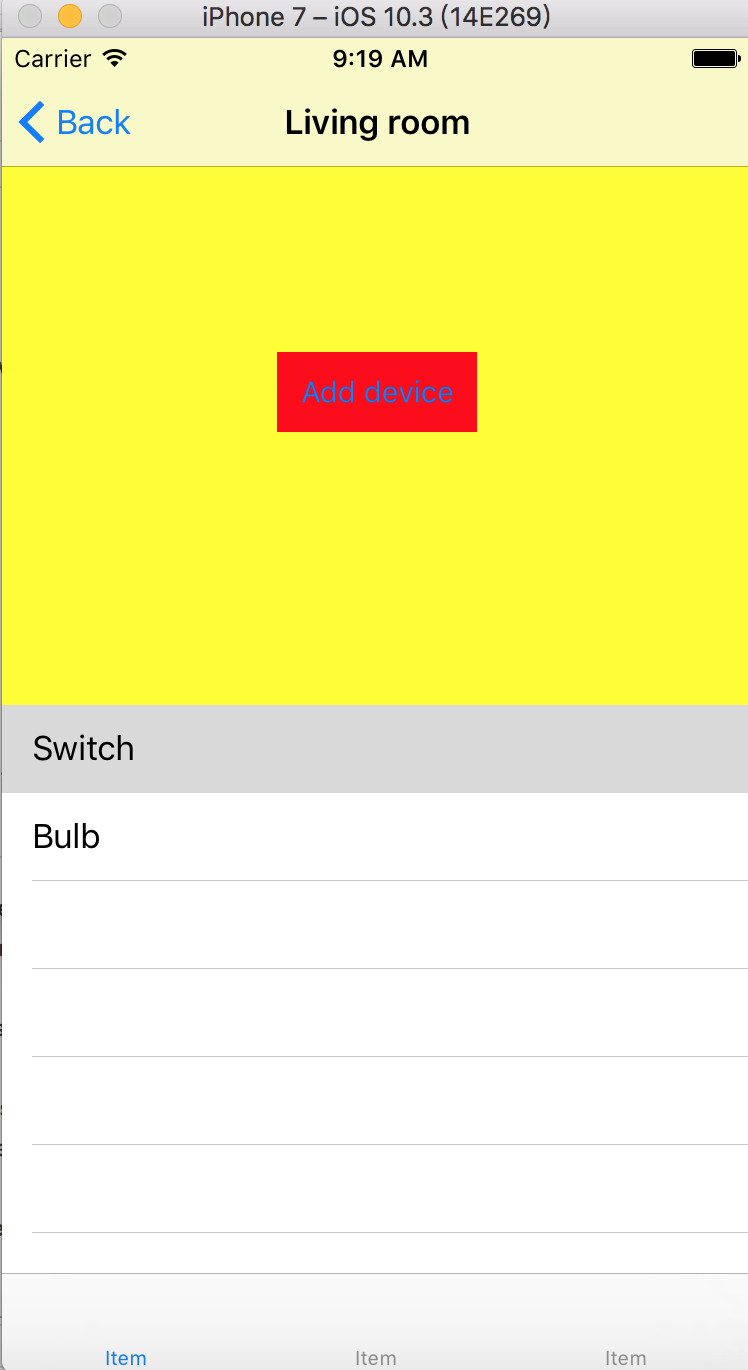
当我将附件添加到家庭/房间时,“输入设置代码”只显示半秒钟的,然后转向“无法添加XXX,Home无法中间连接该附件”,如下所示:
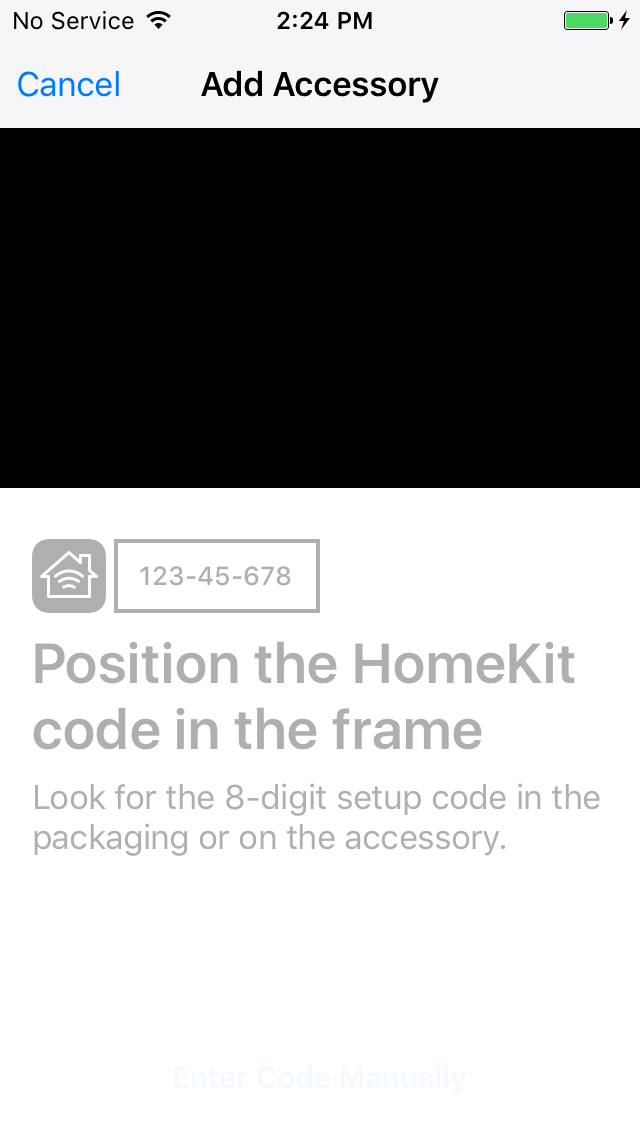
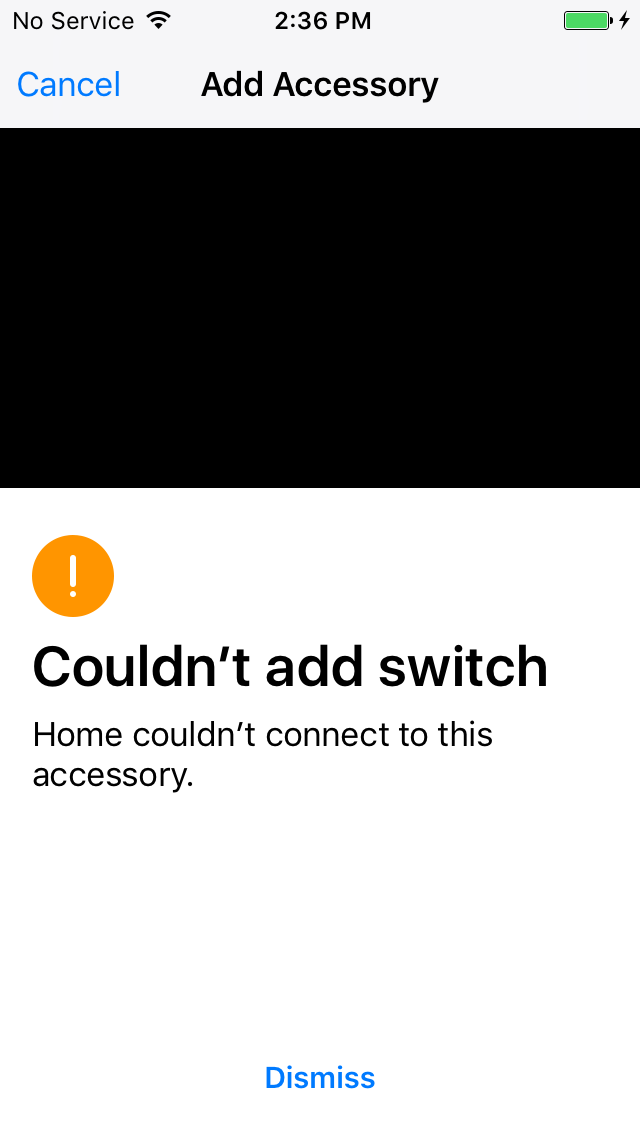
我用来为房间/家庭添加附件的部分代码如下所示:
currentRoomVC.h
#import <UIKit/UIKit.h>
#import "MyHomeKit.h"
@interface currentRoomVC : UIViewController<UIScrollViewDelegate,UITableViewDelegate,UITableViewDataSource,HMAccessoryBrowserDelegate>
@property (nonatomic,strong)HMRoom *currentRoom;
@property (nonatomic,strong)HMRoom *currentHome;

@property(nonatomic,strong) NSMutableArray *accArry;
@property(weak,nonatomic) IBOutlet UIScrollView *scroView;
@property(strong,nonatomic) IBOutlet UITableView *accTable;

@property(nonatomic,strong) HMAccessoryBrowser *browser;
@end
currentRoomVC.m
#import "currentRoomVC.h"

@interface currentRoomVC ()

@end

@implementation currentRoomVC
- (void)viewWillAppear:(BOOL)animated{
    [super viewWillAppear:YES];
    self.navigationController.navigationBar.hidden = NO;
}
- (void)viewWillDisappear:(BOOL)animated{
    [super viewWillDisappear:YES];
    self.navigationController.navigationBar.hidden = YES;
    [self.browser stopSearchingForNewAccessories];
}
- (void)viewDidLoad {
    [super viewDidLoad];
    self.view.backgroundColor = [UIColor yellowColor];
    self.navigationItem.title = self.currentRoom.name;

    self.accArry = [[NSMutableArray alloc] init];
    self.browser = [[HMAccessoryBrowser alloc]init];
    self.browser.delegate = self;

    [self configSearchBtn];
    [self cofigureTableview];


}

- (void)didReceiveMemoryWarning {
    [super didReceiveMemoryWarning];
    // Dispose of any resources that can be recreated.
}


#pragma mark -
#pragma mark accessoryBrowser


- (void) configSearchBtn{
    UIButton *addProject = [UIButton buttonWithType: UIButtonTypeRoundedRect];
    addProject.frame = CGRectMake(self.view.bounds.size.width/2-50, self.view.bounds.size.height / 4-10, 100, 40);
    [addProject setTitle:@"Add device" forState:UIControlStateNormal];
    [addProject addTarget:self action:@selector(searchDevice:) forControlEvents:UIControlEventTouchUpInside];
    addProject.backgroundColor = [UIColor redColor];
    [self.view addSubview:addProject];

}

- (void)searchDevice:(UIButton*) button
{
    NSLog(@"Start searching new devices...");
    [self.browser startSearchingForNewAccessories];
}


- (void) accessoryBrowser:(HMAccessoryBrowser *)browser didFindNewAccessory:(HMAccessory *)accessory{
    NSLog(@"Found a new device: %@", accessory.name);
    [_accArry addObject:accessory];
    NSLog(@"%lu", (unsigned long)_accArry.count);
    [self.accTable reloadData];
}

- (void) accessoryBrowser:(HMAccessoryBrowser *)browser didRemoveNewAccessory:(nonnull HMAccessory *)accessory{
    NSLog(@"Remove deveice %@", accessory.name);
}

#pragma mark -
#pragma mark tableview

-(void)cofigureTableview
{

    self.accTable = [[UITableView alloc] initWithFrame:CGRectMake(0, self.view.bounds.size.height / 2,self.view.bounds.size.width,self.view.bounds.size.height / 2) style:UITableViewStylePlain];
    self.accTable.delegate = self;
    self.accTable.dataSource = self;
    [self.view addSubview:self.accTable];

}


- (NSInteger) tableView:(UITableView *)tableView numberOfRowsInSection:(NSInteger)section{
        return _accArry.count;
}


- (UITableViewCell *)tableView:(UITableView *)tableView cellForRowAtIndexPath:(NSIndexPath *)indexPath
{
    static NSString *cellIdentifier = @"cellIdentifier";

    UITableViewCell *cell = [self.accTable dequeueReusableCellWithIdentifier:cellIdentifier];

    if(cell == nil) {
        cell = [[UITableViewCell alloc] initWithStyle:UITableViewCellStyleDefault reuseIdentifier:cellIdentifier];

    }
    HMAccessory *acc = _accArry[indexPath.row];
    cell.textLabel.text = acc.name;
    return cell;
}

- (void)tableView:(UITableView *)tableView didSelectRowAtIndexPath:(NSIndexPath *)indexPath;
{
    NSLog(@"title of cell %@", [self.accArry objectAtIndex:indexPath.row]);
    NSLog(@"current room: %@", self.currentRoom.name);
    NSLog(@"current home: %@", self.currentHome.name);

    HMAccessory *acc = _accArry[indexPath.row];
    __block HMHome *home = self.currentHome;
    __block HMRoom *room = self.currentRoom;


    [home addAccessory:acc completionHandler:^(NSError * _Nullable error) {
        if (error)
        {
            // Failed to add accessory to home
            NSLog(@"Fail to add device to home %@",error.localizedDescription);
        }
        else
        {
            if (acc.room != room) {
                // 3. If successfully, add the accessory to the room
                [home assignAccessory:acc toRoom:room completionHandler:^(NSError * _Nullable error) {
                    if (error) {
                        // Failed to add accessory to room
                        NSLog(@"Fail to assign room to room");
                    }
                    else{
                        NSLog(@"Add this device to %@", room.name);
                    }
                }];
            }
        }
    } ];


}如您所见,didSelectRowAtIndexPath函数试图捕获这两个错误,而error.localizedDescription只显示Failed to add the accessory
为什么我不能连接到附件?我哪里做错了?谢谢!!
回答 2
Stack Overflow用户
发布于 2017-06-13 20:31:05
由我自行修订
我在这里犯了个错误。在函数- (void)viewWillDisappear:(BOOL)animated中
我不应该包括[self.browser stopSearchingForNewAccessories],否则如果我离开currentRoom页面,所有的发现过程都会停止。所以正确的版本是
- (void)viewWillDisappear:(BOOL)animated{
    [super viewWillDisappear:YES];
    self.navigationController.navigationBar.hidden = YES;
}
愚蠢的我,但同时也是天才
Stack Overflow用户
发布于 2017-06-01 22:10:48
在iPhone模拟器上,转到Settings->Privacy->HomeKit并选择“重置HomeKit配置”。
如果这不起作用,请删除Xcode并从App重新安装它。
https://stackoverflow.com/questions/44290048
复制相似问题
腾讯云开发者

Copyright © 2013 - 2026 Tencent Cloud. All Rights Reserved. 腾讯云 版权所有
深圳市腾讯计算机系统有限公司 ICP备案/许可证号:粤B2-20090059  粤公网安备44030502008569号
腾讯云计算(北京)有限责任公司 京ICP证150476号 | 京ICP备11018762号