
Photoshop CC批处理TinyPNG插件
我有一个包含几个子文件夹的文件夹,其中存储了我的图像。
文件夹结构如下所示:
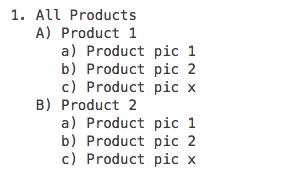
我想要创建一个批处理命令,该命令以"All“文件夹为源文件夹,使用tinyPNG Photoshop插件(https://tinypng.com/)并存储每个产品的压缩文件,例如: All Products -> product >压缩图像
这个是可能的吗?
回答 1
Stack Overflow用户
发布于 2017-06-02 11:24:52
实际上,我做了一些不同的事情:脚本现在打开一个文件夹,获取其中的所有jpeg、png和tif图像,将它们调整为带有白色画布的正方形(非常适合woocommerce和其他电子商务系统),用tinyPNG插件压缩它们,然后覆盖现有的文件,这样就不必动态创建文件夹,图片也保存在同一个文件夹中,您只需要复制所有原始图像,并让它们被覆盖。
有了脚本,就可以用您选择的尺寸(在本例中为2000x2000)将肖像模式或景观模式图像转换为正方形(通过调整图片大小和扩展画布来工作),因此在商店系统中,每个图像看起来都是相等的。在左边,您可以看到原来的,在右边,调整大小和压缩的:
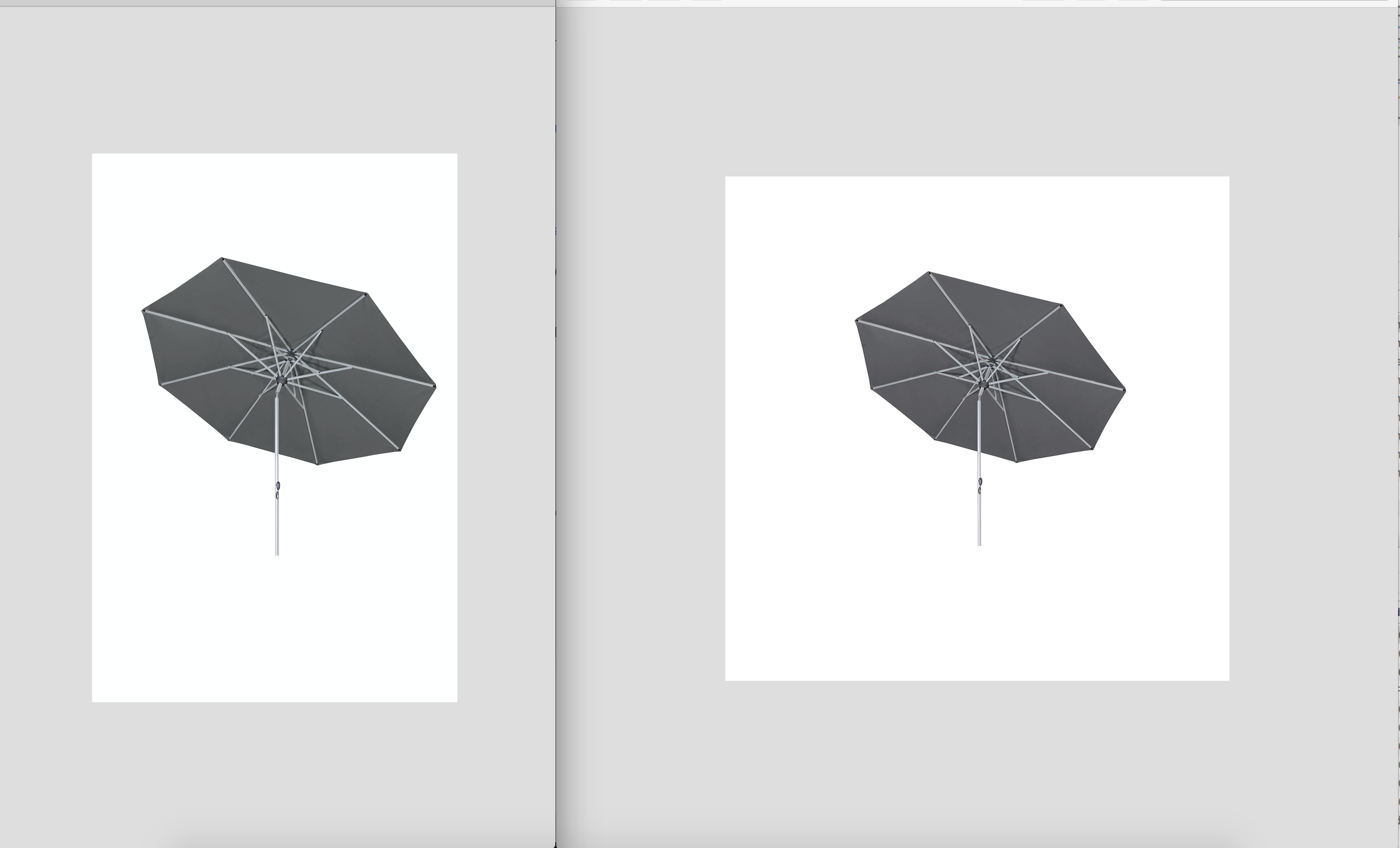
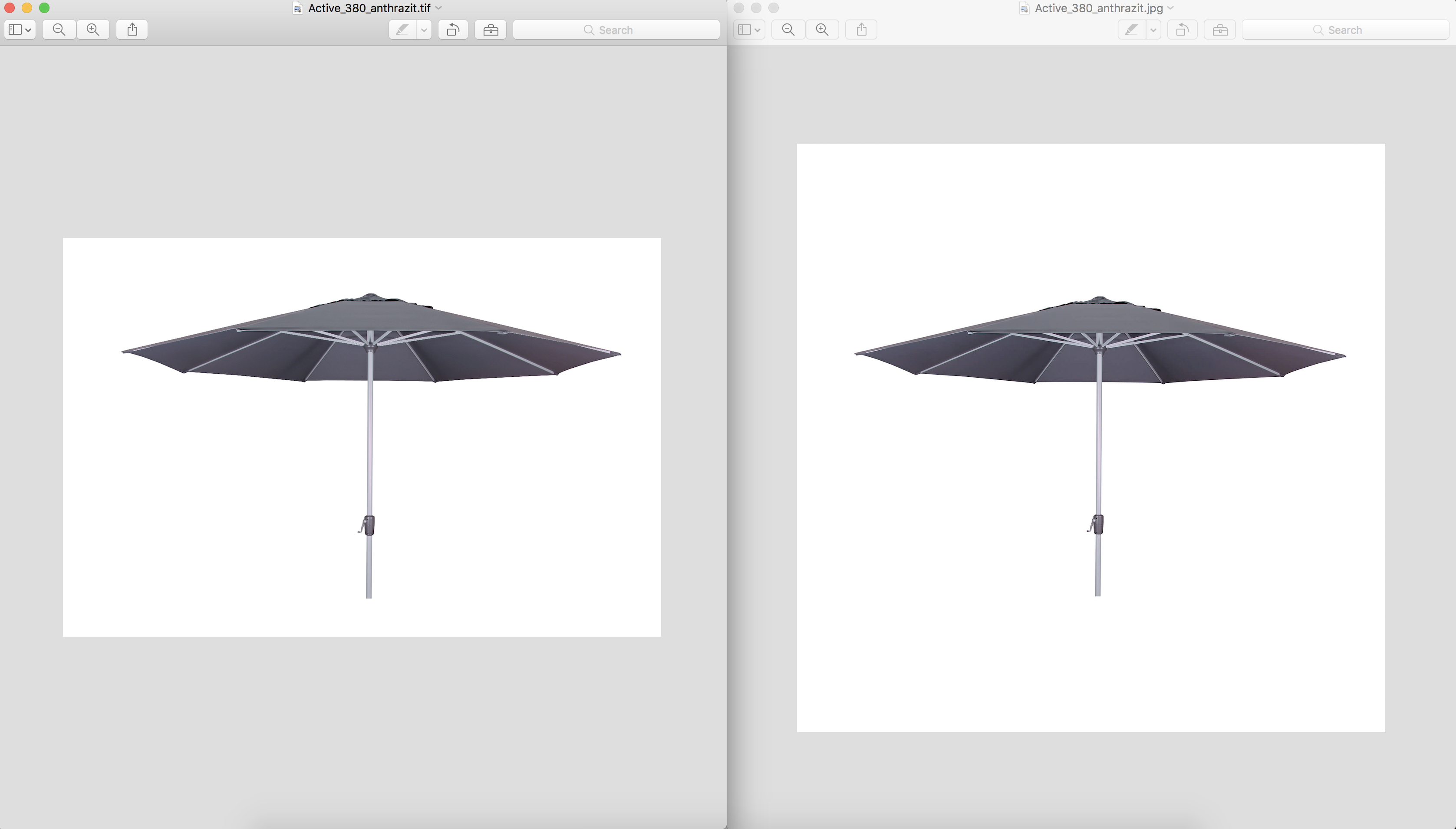
如何使用:首先需要购买tinyPNG插件或使用自己的导出逻辑(例如标准Photoshop网络导出),然后将代码保存为.jsx文件,并将其放入Photoshop ->预设->脚本文件夹中。现在,您应该在File -> Automate部分看到一个新的选项(如果没有重新启动PS)。要批量调整和压缩文件夹(甚至子文件夹)中的所有图片,您首先需要在photoshop中打开根文件夹的图片,然后按下“调整大小的图像到正方形并压缩.”按钮,将出现一个对话框,提示您选择文件夹。现在让它运行(可能需要相当长的时间与大量的图像)
现在是压缩率:
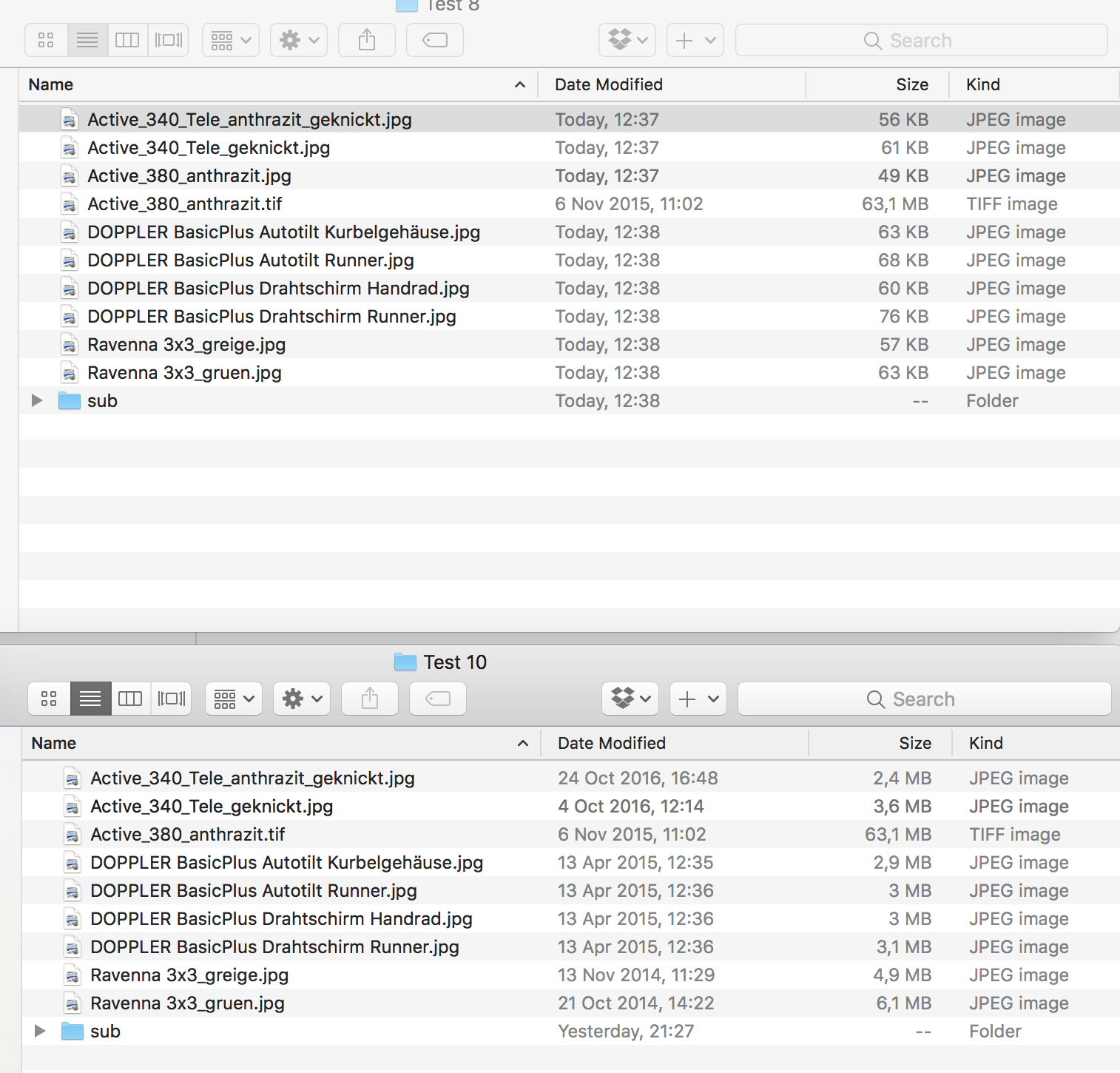
TinyPNG在压缩图像方面做得很好。
在这里,最后的脚本:
/*

// Get images from a folder recursively resize to square and compress with tinyPNG
// Copyright (c) 2017 Alex Gogl

<javascriptresource>
<menu>automate</menu>
<name>$$$/JavaScripts/ToSquareCompress/Menu=Resize images to Square and Compress...</name>
<eventid>7b078a04-ba43-4214-8eda-4026a5d2bd33</eventid>
</javascriptresource>

*/

function compressFile(file, percentage) {

    // Open the file without dialogs like Adobe Camera Raw
    var opener = new ActionDescriptor();
    opener.putPath(charIDToTypeID("null"), file);
    executeAction(charIDToTypeID("Opn "), opener, DialogModes.NO);

    // Select the opened document
    var document = app.activeDocument;

    // Change the color space to RGB if needed
    if (document.mode == DocumentMode.INDEXEDCOLOR) {
        document.changeMode(ChangeMode.RGB);
    }

    // Switch to 8 bit RGB if the image is 16 bit
    if (document.bitsPerChannel == BitsPerChannelType.SIXTEEN) {
        convertBitDepth(8);
    }

    // Choose the scale percentage
    if (percentage === undefined || percentage < 10 || percentage > 100) {
      percentage = 100;
    }

    //-----------START RESIZE LOGIC-----------
    // these are our values for the END RESULT width and height (in pixels) of our image
    var fWidth = 2000;
    var fHeight = 2000;

    // do the resizing. if height > width (portrait-mode) resize based on height. otherwise, resize based on width. if height equals width do nothing
    //ResamlpleMethod set to BICUBICSHARPER due to most images being resized to a smaller resolution
    if (document.height > document.width) {
      document.resizeImage(null,UnitValue(fHeight,"px"),null,ResampleMethod.BICUBICSHARPER);
    }
    else {
      document.resizeImage(UnitValue(fWidth,"px"),null,null,ResampleMethod.BICUBICSHARPER);
    }

    // Makes the default background white
    var white = new SolidColor();
    white.rgb.hexValue = "FFFFFF";
    app.backgroundColor = white;

    // Convert the canvas size as informed above for the END RESULT
    app.activeDocument.resizeCanvas(UnitValue(fWidth,"px"),UnitValue(fHeight,"px"));
    //-----------END RESIZE LOGIC-----------

    // Compress the document
    var tinify = new ActionDescriptor();
    tinify.putPath(charIDToTypeID("In  "), file); /* Overwrite original! */
    tinify.putUnitDouble(charIDToTypeID("Scl "), charIDToTypeID("#Prc"), percentage);
    tinify.putEnumerated(charIDToTypeID("FlTy"), charIDToTypeID("tyFT"), charIDToTypeID("tyJP")); /* Force JPEG */

    var compress = new ActionDescriptor();
    compress.putObject(charIDToTypeID("Usng"), charIDToTypeID("tinY"), tinify);
    executeAction(charIDToTypeID("Expr"), compress, DialogModes.NO);

    document.close(SaveOptions.DONOTSAVECHANGES);
}

function convertBitDepth(bitdepth) {
    var id1 = charIDToTypeID("CnvM");
    var convert = new ActionDescriptor();
    var id2 = charIDToTypeID("Dpth");
    convert.putInteger(id2, bitdepth);
    executeAction(id1, convert, DialogModes.NO);
}

function compressFolder(folder) {
    // Recursively open files in the given folder
    var children = folder.getFiles();
    for (var i = 0; i < children.length; i++) {
        var child = children[i];
        if (child instanceof Folder) {
          compressFolder(child);
        } else {
            /* Only attempt to compress PNG,JPG,TIFF files. */
            if ((child.name.slice(-5).toLowerCase() == ".jpeg")||(child.name.slice(-4).toLowerCase() == ".jpg" || ".png" || ".tif")) {
                compressFile(child);
            }
        }
    }
}

if (confirm("Warning. You are about to compress all JPEG files in the chosen folder. This cannot be undone.\n\rAre you sure you want to continue?")) {
    try {
        // Let user select a folder
        compressFolder(Folder.selectDialog("Choose a folder with JPEG/PNG/TIF images to compress with TinyJPG"));
        alert("All JPEG/PNG/TIF files compressed.");
    } catch(error) {
        alert("Error while processing: " + error);
    }
}
注意:如果你有一个图像,即物体(如太阳伞)在中间不对齐,最后的图片也不会在中间对齐,如果有人想要解决这个问题,我很乐意听。
资料来源:Photoshop JavaScript to resize image and canvas to specific (not square) sizes
https://stackoverflow.com/questions/44229516
复制相似问题
腾讯云开发者

Copyright © 2013 - 2026 Tencent Cloud. All Rights Reserved. 腾讯云 版权所有
深圳市腾讯计算机系统有限公司 ICP备案/许可证号:粤B2-20090059  粤公网安备44030502008569号
腾讯云计算(北京)有限责任公司 京ICP证150476号 | 京ICP备11018762号