
是否有与pin SliverAppBar相同的BottomBar?
是否有与pin SliverAppBar相同的BottomBar?
提问于 2017-05-23 18:57:09
我可以插入一个SliverAppBar,然后在它下面滚动一个SliverList内容。是否有等效于将列表滚动到BottomBar下?
诀窍是,我希望同时固定AppBar和BottomBar具有滚动效果。
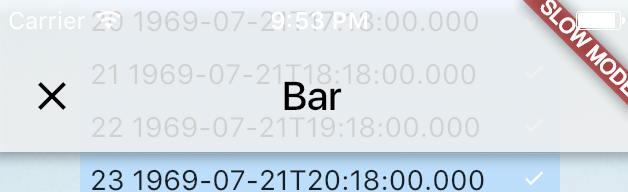
这是AppBar的呈现
这是底部的渲染
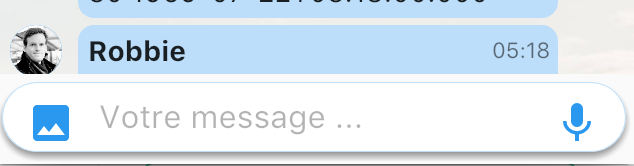
我想在文字输入下播放信息,而不是填充颜色。
这有可能吗?谢谢。
回答 1
Stack Overflow用户
回答已采纳
发布于 2017-05-23 19:52:00
底部导航条通常不会滚动。如果你想把你的BottomNavigationBar放在Scaffold的bottomNavigationBar插槽中,如果你想把它带进来或者离开你的视线,你能使用它吗?如果这不能解决你的用例,请更具体地说明你想要达到的滚动效果。
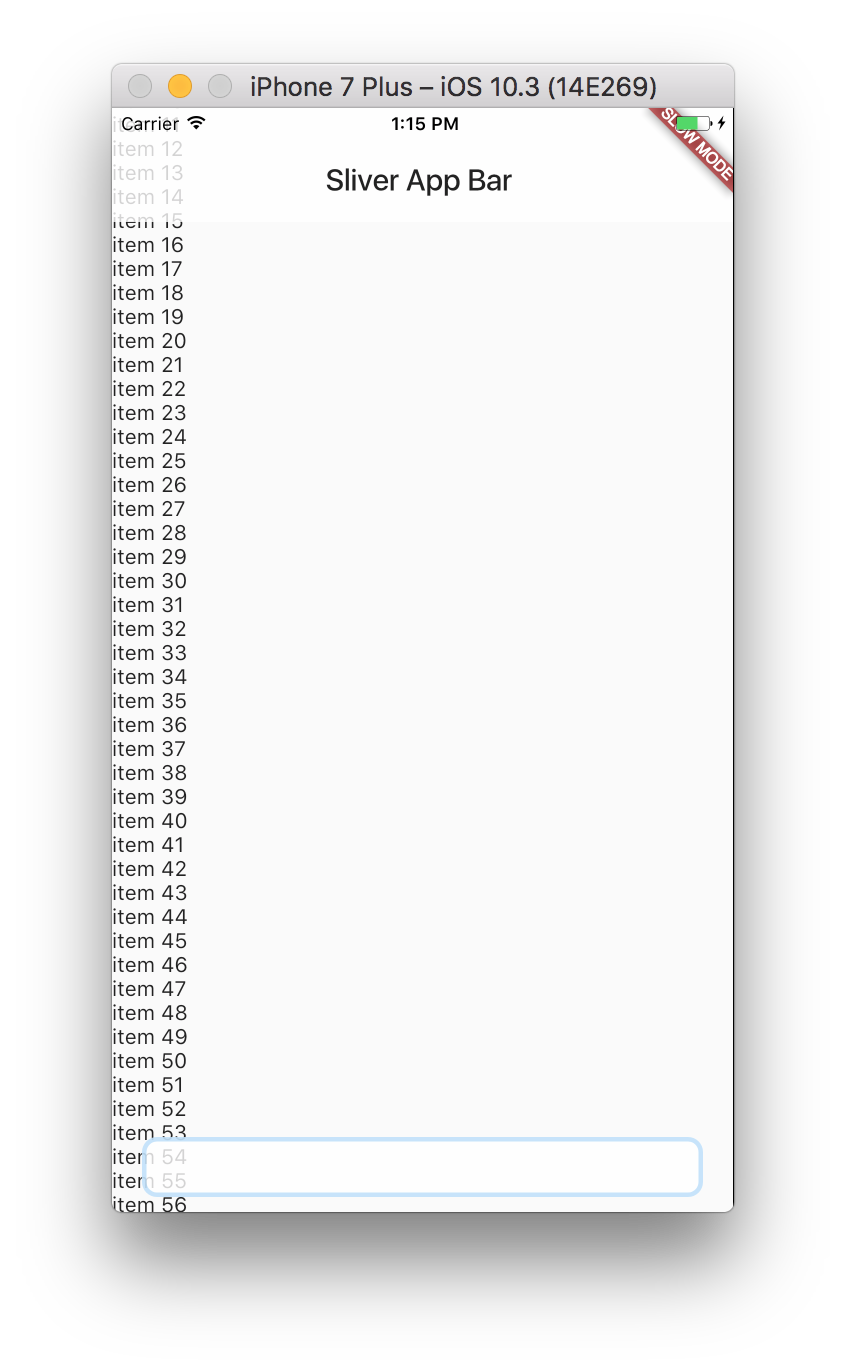
编辑:如果您只想在屏幕底部放置一个小部件并将其堆叠在列表上,则可以使用Stack。
import 'dart:collection';
import 'package:flutter/scheduler.dart';
import 'package:flutter/material.dart';

void main() {
  runApp(new MyApp());
}

class MyApp extends StatelessWidget {
  @override
  Widget build(BuildContext context) {
    return new MaterialApp(
      title: 'Flutter Demo',
      theme: new ThemeData(
        primarySwatch: Colors.blue,
        primaryColorBrightness: Brightness.light,
      ),
      home: new MyHomePage(),
    );
  }
}

class MyHomePage extends StatefulWidget {
  State createState() => new MyHomePageState();
}


class MyHomePageState extends State<MyHomePage> {
  ScrollController _scrollController = new ScrollController();

  List<Widget> _items = new List.generate(60, (index) {
    return new Text("item $index");
  });

  @override
  Widget build(BuildContext context) {
    return new Scaffold(
      body: new Stack(
        children: [
          new ListView(
            controller: _scrollController,
            children: new UnmodifiableListView(_items),
          ),
          new Positioned(
            top: 0.0,
            left: 0.0,
            right: 0.0,
            child: new AppBar(
              elevation: 0.0,
              backgroundColor: Colors.white.withOpacity(0.8),
              title: new Text('Sliver App Bar'),
            ),
          ),
          new Positioned(
            left: 0.0,
            right: 0.0,
            bottom: 0.0,
            child: new Container(
              decoration: new BoxDecoration(
                border: new Border.all(
                  width: 3.0,
                  color: Colors.blue.shade200.withOpacity(0.5)
                ),
                color: Colors.white.withOpacity(0.8),
                borderRadius: new BorderRadius.all(
                  new Radius.circular(10.0),
                ),
              ),
              height: 40.0,
              margin: const EdgeInsets.symmetric(
                horizontal: 20.0, vertical: 10.0)
            ),
          ),
        ],
      ),
    );
  }
}页面原文内容由Stack Overflow提供。腾讯云小微IT领域专用引擎提供翻译支持
原文链接:
https://stackoverflow.com/questions/44142965
复制相关文章
相似问题
腾讯云开发者

Copyright © 2013 - 2026 Tencent Cloud. All Rights Reserved. 腾讯云 版权所有
深圳市腾讯计算机系统有限公司 ICP备案/许可证号:粤B2-20090059  粤公网安备44030502008569号
腾讯云计算(北京)有限责任公司 京ICP证150476号 | 京ICP备11018762号