
WPF视频传输控制
我对自定义控件比较陌生(用代码从头开始编写控件--而不仅仅是对现有控件进行样式化)。我正在尝试复制YouTube视频控件,你知道的.
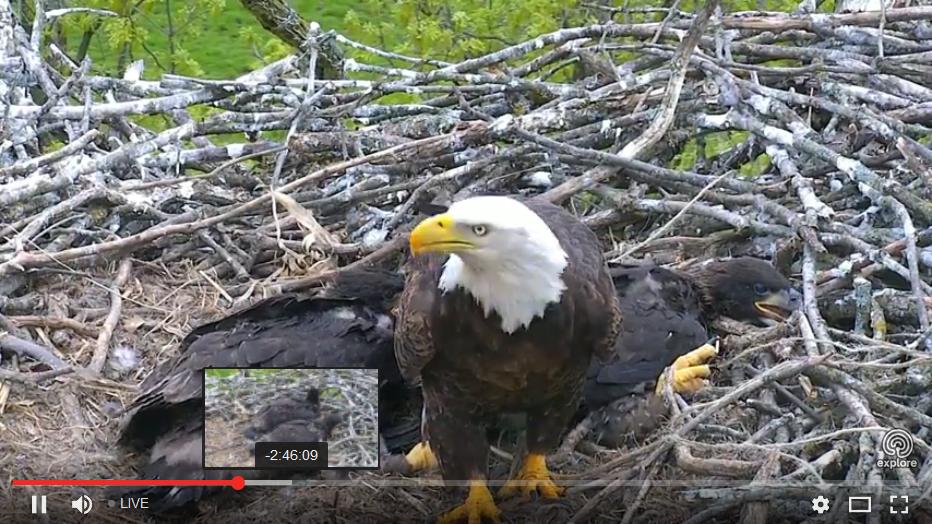
首先,我想开发“时间线”(透明的灰条,它显示视频的当前位置,并允许用户拖动到更改位置)。预览面板和所有其他的稍后会来..。
我目前的控制部分渲染和悬停动画和缩放工作非常好..。
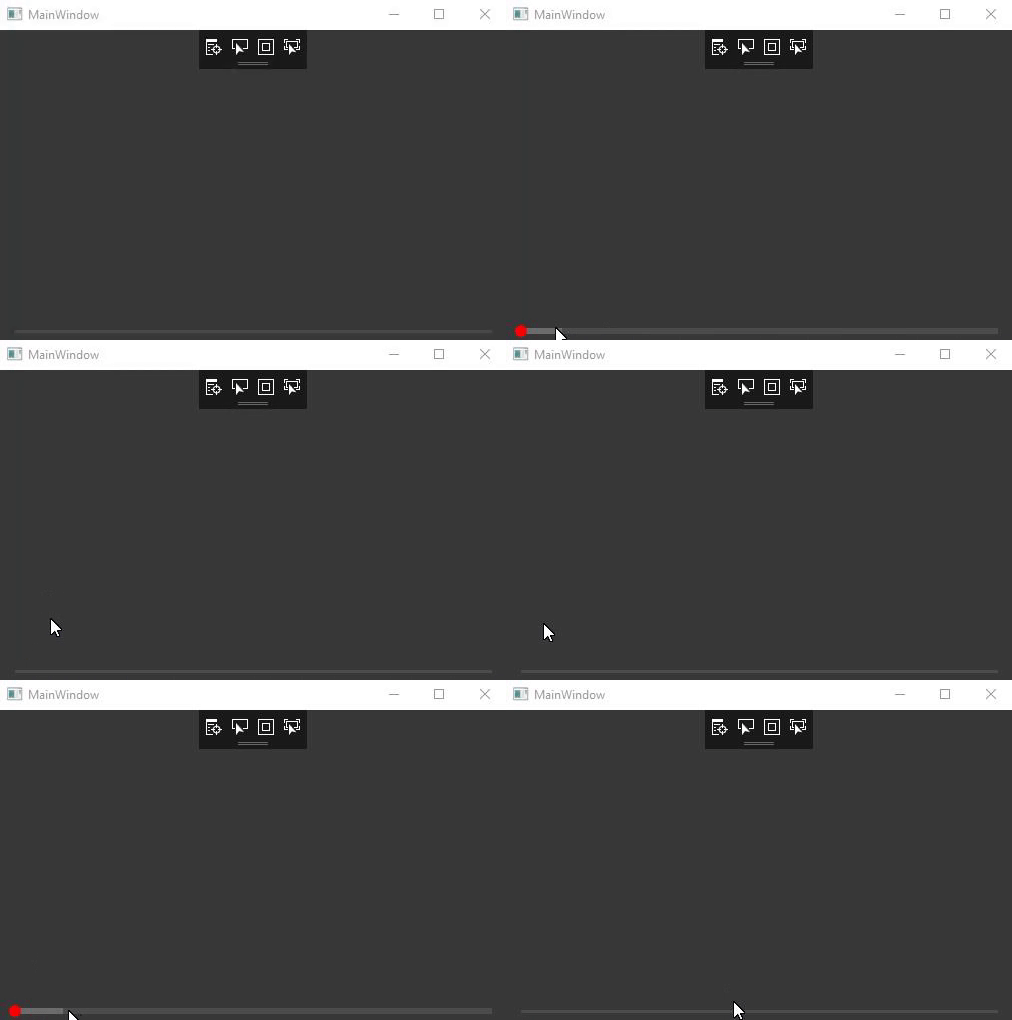
然而,我正在努力编写正确的代码,以允许我拖动“拇指”。当我试图处理我在代表我拇指的Ellipse上的左键时,包含Canvas的左事件会根据WPF文档触发,所以没有抱怨,我只是不知道如何实现我想要的,实际上,如果我已经做的是正确的方法。
守则:
[ToolboxItem(true)]
[DisplayName("VideoTimeline")]
[Description("Controls which allows the user navigate video media. In addition is can display a " +
    "waveform repesenting the audio channels for the loaded video media.")]
//[TemplatePart(Name = "PART_ThumbCanvas", Type = typeof(Canvas))]
[TemplatePart(Name = "PART_TimelineCanvas", Type = typeof(Canvas))]
[TemplatePart(Name = "PART_WaveformCanvas", Type = typeof(Canvas))]
[TemplatePart(Name = "PART_PreviewCanvas", Type = typeof(Canvas))]
[TemplatePart(Name = "PART_Thumb", Type = typeof(Ellipse))] // Is this the right thing to be doing?
public class VideoTimeline : Control
{
    private Canvas thumbCanvas;
    private Canvas timelineCanvas;
    private Canvas waveformCanvas;
    private Canvas previewCanvas;

    private Rectangle timelineOuterBox = new Rectangle();
    private Rectangle timelineProgressBox = new Rectangle();
    private Rectangle timelineSelectionBox = new Rectangle();

    private Ellipse timelineThumb = new Ellipse();
    private Path previewWindow = new Path();

    private Point mouseDownPosition;
    private Point currentMousePosition;

    private const int TIMELINE_ANIMATION_DURATION = 400;
    private const string HIGHLIGHT_FILL = "#878787";

    private double __timelineWidth;

    #region Initialization.
    static VideoTimeline()
    {
        DefaultStyleKeyProperty.OverrideMetadata(typeof(VideoTimeline),
            new FrameworkPropertyMetadata(typeof(VideoTimeline)));
    }

    public override void OnApplyTemplate()
    {
        base.OnApplyTemplate();

        //thumbCanvas = GetTemplateChild("PART_ThumbCanvas") as Canvas;
        //thumbCanvas.Background = new SolidColorBrush(Colors.Transparent);
        //thumbCanvas.Children.Add(timelineThumb);

        timelineThumb = EnforceInstance<Ellipse>("PART_Thumb");
        timelineThumb.MouseLeftButtonDown -= TimelineThumb_MouseLeftButtonDown;
        timelineThumb.MouseLeftButtonDown += TimelineThumb_MouseLeftButtonDown;

        timelineCanvas = GetTemplateChild("PART_TimelineCanvas") as Canvas;
        timelineCanvas.Background = new SolidColorBrush(Colors.Transparent);
        timelineCanvas.Children.Add(timelineOuterBox);
        timelineCanvas.Children.Add(timelineSelectionBox);
        timelineCanvas.Children.Add(timelineProgressBox);
        timelineCanvas.Children.Add(timelineThumb);

        previewCanvas = GetTemplateChild("PART_PreviewCanvas") as Canvas;
        previewCanvas.Background = new SolidColorBrush(Colors.Transparent);
        previewCanvas.Children.Add(previewWindow);


    }

    private T EnforceInstance<T>(string partName) where T : FrameworkElement, new()
    {
        return GetTemplateChild(partName) as T ?? new T();
    }

    protected override void OnTemplateChanged(ControlTemplate oldTemplate, ControlTemplate newTemplate)
    {
        base.OnTemplateChanged(oldTemplate, newTemplate);

        if (timelineCanvas != null)
            timelineCanvas.Children.Clear();

        SetDefaultMeasurements();
    }
    #endregion // Initialization.

    #region Event Overrides.
    protected override void OnRenderSizeChanged(SizeChangedInfo sizeInfo)
    {
        base.OnRenderSizeChanged(sizeInfo);
        //UpdateWaveformCacheScaling();
        SetDefaultMeasurements();
        UpdateAllRegions();
    }

    protected override void OnMouseLeftButtonDown(MouseButtonEventArgs e)
    {
        base.OnMouseLeftButtonDown(e);

        Canvas c = e.OriginalSource as Canvas;
        if (c == null)
            c = Utils.FindParent<Canvas>(e.OriginalSource as FrameworkElement);

        if (c != null)
        {
            CaptureMouse();
            mouseDownPosition = e.GetPosition(c);
            if (c.Name == "PART_TimelineCanvas")
            {
                Trace.WriteLine("OnMouseLeftDown over TimeLine");
            }
        }
    }

    protected override void OnMouseLeftButtonUp(MouseButtonEventArgs e)
    {
        base.OnMouseLeftButtonUp(e);
        ReleaseMouseCapture();

    }

    protected override void OnMouseMove(MouseEventArgs e)
    {
        base.OnMouseMove(e);
        currentMousePosition = e.GetPosition(thumbCanvas);

        if (Mouse.Captured == null)
        {
            Canvas c = e.OriginalSource as Canvas;
            if (c == null)
                c = Utils.FindParent<Canvas>(e.OriginalSource as FrameworkElement);
        }
    }
    #endregion // Event Overrides.

    #region Drawing Methods and Events.
    private void UpdateAllRegions()
    {
        UpdateTimelineCanvas();
    }

    private void UpdateTimelineCanvas()
    {
        if (timelineCanvas == null)
            return;

        SetDefaultMeasurements();

        // Bounding timeline box.
        timelineOuterBox.Fill = new SolidColorBrush(
            (Color)ColorConverter.ConvertFromString("#878787")) { Opacity = 0.25 };
        timelineOuterBox.StrokeThickness = 0.0;
        timelineOuterBox.Width = __timelineWidth;
        timelineOuterBox.Height = TimelineThickness;
        timelineOuterBox.Margin = new Thickness(TimelineExpansionFactor * TimelineThickness,
            (timelineCanvas.RenderSize.Height - TimelineThickness) / 2, 0, 0);
        timelineOuterBox.SnapsToDevicePixels = true;

        // Selection timeline box.
        timelineSelectionBox.Fill = TimelineSelectionBrush;
        timelineSelectionBox.Width = 0.0;
        timelineSelectionBox.Height = TimelineThickness;
        timelineSelectionBox.Margin = new Thickness(TimelineExpansionFactor * TimelineThickness,
            (timelineCanvas.RenderSize.Height - TimelineThickness) / 2, 0, 0);
        timelineSelectionBox.SnapsToDevicePixels = true;

        // Progress timeline box.
        timelineProgressBox.Fill = TimelineProgressBrush;
        timelineProgressBox.StrokeThickness = 0.0;
        timelineProgressBox.Width = 0.0;
        timelineProgressBox.Height = TimelineThickness;
        timelineProgressBox.Margin = new Thickness(TimelineExpansionFactor * TimelineThickness,
            (timelineCanvas.RenderSize.Height - TimelineThickness) / 2, 0, 0);
        timelineProgressBox.SnapsToDevicePixels = true;

        // Animation and selection.
        timelineCanvas.MouseEnter -= TimelineCanvas_MouseEnter;
        timelineCanvas.MouseEnter += TimelineCanvas_MouseEnter;

        timelineCanvas.MouseLeave -= TimelineCanvas_MouseLeave;
        timelineCanvas.MouseLeave += TimelineCanvas_MouseLeave;

        timelineCanvas.MouseMove -= TimelineCanvas_MouseMove;
        timelineCanvas.MouseMove += TimelineCanvas_MouseMove;

        timelineCanvas.MouseDown -= TimelineCanvas_MouseDown;
        timelineCanvas.MouseDown += TimelineCanvas_MouseDown;

        // The draggable thumb.
        timelineThumb.Fill = TimelineThumbBrush;
        //timelineThumb.Stroke = new SolidColorBrush(Colors.Black);
        //timelineThumb.StrokeThickness = 0.5;
        timelineThumb.VerticalAlignment = VerticalAlignment.Center;
        timelineThumb.Height = timelineThumb.Width = 0.0;
        timelineThumb.Margin = new Thickness(TimelineExpansionFactor * TimelineThickness,
            timelineCanvas.RenderSize.Height / 2, 0, 0);
        timelineThumb.SnapsToDevicePixels = true;

        timelineThumb.MouseLeftButtonDown -= TimelineThumb_MouseLeftButtonDown;
        timelineThumb.MouseLeftButtonDown += TimelineThumb_MouseLeftButtonDown;

        timelineThumb.MouseLeftButtonUp -= TimelineThumb_MouseLeftButtonUp;
        timelineThumb.MouseLeftButtonUp += TimelineThumb_MouseLeftButtonUp;

        // Preview window.
    }

    private void TimelineCanvas_MouseDown(object sender, MouseButtonEventArgs e)
    {
        Trace.WriteLine("POON");
    }

    private void SetDefaultMeasurements()
    {
        if (timelineCanvas != null)
            __timelineWidth = timelineCanvas.RenderSize.Width - 2 * 2 * TimelineThickness;
    }

    private void TimelineCanvas_MouseEnter(object sender, MouseEventArgs e)
    {
        timelineThumb.ResetAnimation(Ellipse.WidthProperty, Ellipse.HeightProperty);
        timelineProgressBox.ResetAnimation(Rectangle.HeightProperty, Rectangle.MarginProperty);
        timelineSelectionBox.ResetAnimation(Rectangle.HeightProperty, Rectangle.MarginProperty);
        timelineOuterBox.ResetAnimation(Rectangle.HeightProperty, Rectangle.MarginProperty);

        CircleEase easing = new CircleEase();
        easing.EasingMode = EasingMode.EaseOut;

        // Thumb animation.
        Thickness margin = new Thickness(0,
            (timelineCanvas.RenderSize.Height - 2 * TimelineExpansionFactor * TimelineThickness) / 2, 0, 0);
        EllpiseDiameterAnimation(timelineThumb, TimelineThickness * TimelineExpansionFactor * 2, margin, easing);

        // Timeline animation.
        margin = new Thickness(TimelineExpansionFactor * TimelineThickness,
            (timelineCanvas.RenderSize.Height - (TimelineThickness * TimelineExpansionFactor)) / 2, 0, 0);
        TimelineHeightAnimation(timelineProgressBox, TimelineThickness * TimelineExpansionFactor, margin, easing);
        TimelineHeightAnimation(timelineSelectionBox, TimelineThickness * TimelineExpansionFactor, margin, easing);
        TimelineHeightAnimation(timelineOuterBox, TimelineThickness * TimelineExpansionFactor, margin, easing);

        double selectionWidth = (currentMousePosition.X / RenderSize.Width) * timelineOuterBox.Width;
        timelineSelectionBox.Width = selectionWidth;

        Trace.WriteLine("MouseENTER Canvas");
    }

    private void TimelineCanvas_MouseLeave(object sender, MouseEventArgs e)
    {
        timelineThumb.ResetAnimation(Ellipse.WidthProperty, Ellipse.HeightProperty);
        timelineProgressBox.ResetAnimation(Rectangle.HeightProperty, Rectangle.MarginProperty);
        timelineSelectionBox.ResetAnimation(Rectangle.HeightProperty, Rectangle.MarginProperty);
        timelineOuterBox.ResetAnimation(Rectangle.HeightProperty, Rectangle.MarginProperty);

        CircleEase easing = new CircleEase();
        easing.EasingMode = EasingMode.EaseOut;

        // Thumb animation.
        Thickness margin = new Thickness(TimelineExpansionFactor * TimelineThickness, timelineCanvas.RenderSize.Height / 2, 0, 0);
        EllpiseDiameterAnimation(timelineThumb, 0.0, margin, easing);

        // Timeline animation.
        margin = new Thickness(TimelineExpansionFactor * TimelineThickness,
            (timelineCanvas.RenderSize.Height - TimelineThickness) / 2, 0, 0);
        TimelineHeightAnimation(timelineProgressBox, TimelineThickness, margin, easing);
        TimelineHeightAnimation(timelineSelectionBox, TimelineThickness, margin, easing);
        TimelineHeightAnimation(timelineOuterBox, TimelineThickness, margin, easing);

        if (!isDraggingThumb)
            timelineSelectionBox.Width = 0.0;

        Trace.WriteLine("MouseLeave Canvas");
    }

    private void TimelineCanvas_MouseMove(object sender, MouseEventArgs e)
    {
        Point relativePosition = e.GetPosition(timelineOuterBox);
        double selectionWidth = (relativePosition.X / timelineOuterBox.Width) * timelineOuterBox.Width;
        timelineSelectionBox.Width = selectionWidth.Clamp(0.0, timelineOuterBox.Width);

        if (isDraggingThumb)
        {
            timelineProgressBox.Width = timelineSelectionBox.Width;
            Thickness thumbMargin = new Thickness(TimelineExpansionFactor * TimelineThickness,
                (timelineCanvas.RenderSize.Height - (TimelineThickness * TimelineExpansionFactor)) / 2, 0, 0);
            timelineThumb.Margin = thumbMargin;

        }
    }

    private bool isDraggingThumb = false;

    private void TimelineThumb_MouseLeftButtonDown(object sender, MouseButtonEventArgs e)
    {
        CaptureMouse();
        isDraggingThumb = true;
        Trace.WriteLine("Dragging Thumb");
    }

    private void TimelineThumb_MouseLeftButtonUp(object sender, MouseButtonEventArgs e)
    {
        ReleaseMouseCapture();
        isDraggingThumb = false;
        Trace.WriteLine("STOPPED Dragging Thumb");
    }

    #endregion // Drawing Methods and Events.

    #region Animation Methods.
    private void EllpiseDiameterAnimation(Ellipse ellipse, double diameter, Thickness margin, IEasingFunction easing)
    {
        AnimationTimeline widthAnimation = ShapeWidthAnimation(ellipse, diameter, easing);
        AnimationTimeline heightAnimation = ShapeHeightAnimation(ellipse, diameter, easing);
        AnimationTimeline marginAnimation = ShapeMarginAnimation(ellipse, margin, easing);

        Storyboard storyboard = new Storyboard();
        storyboard.Children.Add(widthAnimation);
        storyboard.Children.Add(heightAnimation);
        storyboard.Children.Add(marginAnimation);
        storyboard.Begin(this);
    }

    private void TimelineHeightAnimation(Rectangle rectangle, double height, Thickness margin, IEasingFunction easing)
    {
        AnimationTimeline heightAnimation = ShapeHeightAnimation(rectangle, height, easing);
        AnimationTimeline marginAnimation = ShapeMarginAnimation(rectangle, margin, easing);

        Storyboard storyboard = new Storyboard();
        storyboard.Children.Add(marginAnimation);
        storyboard.Children.Add(heightAnimation);
        storyboard.Begin(this);
    }

    private AnimationTimeline ShapeMarginAnimation(Shape shape, Thickness margin, IEasingFunction easing)
    {
        ThicknessAnimation marginAnimation = new ThicknessAnimation(
            margin, TimeSpan.FromMilliseconds((TIMELINE_ANIMATION_DURATION)));

        if (easing != null)
            marginAnimation.EasingFunction = easing;

        Storyboard.SetTarget(marginAnimation, shape);
        Storyboard.SetTargetProperty(marginAnimation, new PropertyPath(Rectangle.MarginProperty));

        return marginAnimation;
    }

    private AnimationTimeline ShapeWidthAnimation(Shape shape, double width, IEasingFunction easing)
    {
        DoubleAnimation widthAnimation = new DoubleAnimation(
            width, TimeSpan.FromMilliseconds(TIMELINE_ANIMATION_DURATION));

        if (easing != null)
            widthAnimation.EasingFunction = easing;

        Storyboard.SetTarget(widthAnimation, shape);
        Storyboard.SetTargetProperty(widthAnimation, new PropertyPath(Shape.WidthProperty));

        return widthAnimation;
    }

    private AnimationTimeline ShapeHeightAnimation(Shape shape, double height, IEasingFunction easing)
    {
        DoubleAnimation heightAnimation = new DoubleAnimation(
            height, TimeSpan.FromMilliseconds(TIMELINE_ANIMATION_DURATION));

        if (easing != null)
            heightAnimation.EasingFunction = easing;

        Storyboard.SetTarget(heightAnimation, shape);
        Storyboard.SetTargetProperty(heightAnimation, new PropertyPath(Shape.HeightProperty));

        return heightAnimation;
    }
    #endregion // Animation Methods.

    // Lots of DependencyProperties here...
}
XAML风格
<ResourceDictionary xmlns="http://schemas.microsoft.com/winfx/2006/xaml/presentation"
                    xmlns:x="http://schemas.microsoft.com/winfx/2006/xaml"
                    xmlns:local="clr-namespace:MediaControlBuilder">
    <Style TargetType="{x:Type local:VideoTimeline}">
        <Setter Property="TimelineProgressBrush" Value="DarkOrange"/>
        <Setter Property="Template">
            <Setter.Value>
                <ControlTemplate TargetType="{x:Type local:VideoTimeline}">
                    <Border Background="{TemplateBinding Background}"
                       BorderBrush="{TemplateBinding BorderBrush}"
                       BorderThickness="{TemplateBinding BorderThickness}">
                        <Grid>
                            <Grid.RowDefinitions>
                                <!--<RowDefinition Height="*"/>-->
                                <!--<RowDefinition Height="15"/>-->
                                <RowDefinition Height="*"/>
                                <RowDefinition Height="20"/>
                                <!--<RowDefinition Height="*"/>-->
                            </Grid.RowDefinitions>
                            <Canvas Name="PART_PreviewCanvas"
                             Grid.Row="0"
                             ClipToBounds="True"/>
                            <Canvas Name="PART_ThumbCanvas"
                             Grid.Row="1"
                             ClipToBounds="True"/>
                            <Canvas Name="PART_TimelineCanvas"
                             Grid.Row="1"
                             ClipToBounds="True"/>
                            <Canvas Name="PART_WaveformCanvas"
                             Grid.Row="1"
                             ClipToBounds="True"/>
                        </Grid>
                    </Border>
                </ControlTemplate>
            </Setter.Value>
        </Setter>
    </Style>
</ResourceDictionary>
我的问题是:
- 我画可拉拇指的方法正确吗?
- 我怎样才能真正改变代码,让我的“拇指”拖动工作呢?
耽误您时间,实在对不起。
Ps。带有工作代码的GitHub项目是这里,所以您可以重现我遇到的问题。如果有人想帮我开发这个控件,那就太棒了!
Pps。我知道我可以覆盖一个滑块来获得“时间线”的功能,但是这只是一个更全面的控制的第一部分,因此需要从头开始编写。
回答 3
Stack Overflow用户
发布于 2017-05-19 13:16:05
我不确定,但我认为这能解决你的问题:
    private void TimelineCanvas_MouseMove(object sender, MouseEventArgs e)
    {
        Point relativePosition = e.GetPosition(timelineOuterBox);
        double selectionWidth = (relativePosition.X / timelineOuterBox.Width) * timelineOuterBox.Width;
        timelineSelectionBox.Width = selectionWidth.Clamp(0.0, timelineOuterBox.Width);

        if (isDraggingThumb)
        {
            timelineProgressBox.Width = timelineSelectionBox.Width;
            //Thickness thumbMargin = new Thickness(TimelineThickness * TimelineExpansionFactor,
            //  (timelineCanvas.RenderSize.Height - (TimelineThickness * TimelineExpansionFactor)) / 2, 0, 0);
            //timelineThumb.Margin = thumbMargin;
            Canvas.SetLeft(timelineThumb, timelineProgressBox.Width);
        }
    }

    private bool isDraggingThumb = false;

    private void TimelineThumb_MouseLeftButtonDown(object sender, MouseButtonEventArgs e)
    {
        e.Handled = true;
        //CaptureMouse();
        isDraggingThumb = true;
        Trace.WriteLine("Dragging Thumb");
    }

    private void TimelineThumb_MouseLeftButtonUp(object sender, MouseButtonEventArgs e)
    {
        e.Handled = true;
        //ReleaseMouseCapture();
        isDraggingThumb = false;
        Trace.WriteLine("STOPPED Dragging Thumb");
    }
您可以通过处理事件args来停止冒泡,这样就不会触发“离开”事件。
要改变拇指的位置,您必须设置画布的左边附加属性。
此外,您还必须重置isdraggingThumb:
    /// <summary>
    /// Invoked when an unhandled MouseLeftButtonUp routed event reaches an element in
    /// its route that is derived from this class. Implement this method to add class
    /// handling for this event.
    /// </summary>
    /// <param name="e">The MouseButtonEventArgs that contains the event data. The event
    /// data reports that the left mouse button was released.</param>
    protected override void OnMouseLeftButtonUp(MouseButtonEventArgs e)
    {
isDraggingThumb = false;Stack Overflow用户
发布于 2017-05-18 09:53:27
在创建新的自定义控件时,不应“从零开始在代码中写入控件”。更好的做法是将现有控件的新实现作为基础。在您的示例中,您希望创建一个自定义滑块控件,以便您的自定义控件可以利用现有功能(如拇指拖动逻辑和开始、结束、值属性)从Slider继承。
扩展现有控件时,从原始控件的默认模板开始,可以使用VS获得。滑块将有一个您应该特别感兴趣的元素:
<Track x:Name="PART_Track" Grid.Column="1">
    <Track.DecreaseRepeatButton>
        <RepeatButton Command="{x:Static Slider.DecreaseLarge}" Style="{StaticResource RepeatButtonTransparent}"/>
    </Track.DecreaseRepeatButton>
    <Track.IncreaseRepeatButton>
        <RepeatButton Command="{x:Static Slider.IncreaseLarge}" Style="{StaticResource RepeatButtonTransparent}"/>
    </Track.IncreaseRepeatButton>
    <Track.Thumb>
        <Thumb x:Name="Thumb" Focusable="False" Height="11" OverridesDefaultStyle="True" Template="{StaticResource SliderThumbVerticalDefault}" VerticalAlignment="Top" Width="18"/>
    </Track.Thumb>
</Track>
通过使用模板中所需的元素,您的基本控件将负责所有基本的滑块功能。从这一点开始,您可以更改基本控制功能,按您需要的方式设置滑块部件的样式,并添加任何新功能。
如果不想公开不适用于Timeline控件的Slider属性(如Minimum ),只需在模板中使用Slider控件即可。
Stack Overflow用户
发布于 2017-05-19 06:09:57
我相信你的问题集中在时间线滑块上。没有必要创建自己的。只需使用滑块控制即可。您可以重新样式,使填充红色和剩余的半透明。然后,可以将值绑定到MediaElement控件的位置,将Slider的最大值绑定到持续时间。
<Slider Value="{Binding Position.Milliseconds, ElementName=MediaPlayer}"
        Maximum="{Binding Duration.TimeSpan.Milliseconds, , ElementName=MediaPlayer}"
        Style="{StaticResource YouTubeSliderStyle}" />
当值发生变化时,可以更新MediaElement的位置。您只希望在用户更改该值时(而不是当该值因位置更新而发生更改时)进行此操作。要做到这一点,您可以监听然后鼠标向下/向上和按键/向上的事件。在这些事件期间,您可以订阅ValueChanged事件并更新位置。
private void UpdatePosition(long time)
{
    MediaPlayer.Position = TimeSpan.FromMilliseconds(time);
}更新:显示/隐藏拇指的方法。你可以用两种方式展示或隐藏拇指。第一种方法是创建一个新的滑翔机控件,并在鼠标结束时显示/隐藏拇指。
class YouTubeSlider : Slider
{
    private Thumb _thumb;

    public override void OnApplyTemplate()
    {
        base.OnApplyTemplate();

        _thumb = (Thumb)GetTemplateChild("Thumb");
        _thumb.Opacity = 0;
    }

    protected override void OnMouseEnter(MouseEventArgs e)
    {
        base.OnMouseEnter(e);
        _thumb.Opacity = 1;
    }

    protected override void OnMouseLeave(MouseEventArgs e)
    {
        base.OnMouseLeave(e);
        _thumb.Opacity = 0;
    }
}
第二种方法是在控件的样式内处理它。(为了简洁起见,有些部分已被移除)
<ControlTemplate x:Key="SliderHorizontal" TargetType="{x:Type Slider}">
    <Border x:Name="border" BorderBrush="{TemplateBinding BorderBrush}" BorderThickness="{TemplateBinding BorderThickness}" Background="{TemplateBinding Background}" SnapsToDevicePixels="True">
    <!-- Elements -->
                <Track.Thumb>
                    <Thumb x:Name="Thumb" Opacity="0" Focusable="False" Height="18" OverridesDefaultStyle="True" Template="{StaticResource SliderThumbHorizontalDefault}" VerticalAlignment="Center" Width="11"/>
                </Track.Thumb>
    <!-- closing tags -->
    </Border>
    <ControlTemplate.Triggers>
        <!-- missing triggers -->
        <Trigger Property="IsMouseOver" Value="True">
            <Setter Property="Opacity" TargetName="Thumb" Value="1"/>
        </Trigger>
    </ControlTemplate.Triggers>
</ControlTemplate>https://stackoverflow.com/questions/43989388
复制相似问题
腾讯云开发者

Copyright © 2013 - 2026 Tencent Cloud. All Rights Reserved. 腾讯云 版权所有
深圳市腾讯计算机系统有限公司 ICP备案/许可证号:粤B2-20090059  粤公网安备44030502008569号
腾讯云计算(北京)有限责任公司 京ICP证150476号 | 京ICP备11018762号