
记录行动中的空体-吐利奥
记录行动中的空体-吐利奥
提问于 2017-05-09 05:26:54
我的用例:
我的例子是,我正在制作一个用于收听播客的机器人,在这个播客中,用户将调用twilio号,bot将询问您想听哪种播客,然后记录10秒
当录制完时,它说当我们找到播客时,用户请稍候。
我想在我的web钩子中记录,这样我就可以找出来电者的心情,并从我的数据库中找到合适的播客mp3文件,然后播放给呼叫者。
我面临的问题:
我所有的钩子都是空的
我的代码:
var express = require("express");
var bodyParser = require("body-parser");
var VoiceResponse = require('twilio').twiml.VoiceResponse;

var app = express();
var port = (process.env.PORT || 4000);

app.use(bodyParser.json())

// helper to append a new "Say" verb with alice voice
function say(text, twimlRef) {
    twimlRef.say({ voice: 'alice' }, text);
}
// respond with the current TwiML content
function respond(responseRef, twimlRef) {
    responseRef.type('text/xml');
    responseRef.send(twimlRef.toString());
}

app.post("/voice", function (request, response, next) {
    console.log("request: ", request.body); //body is comming as empty object

    var phone = request.body.From;
    var input = request.body.RecordingUrl;
    var twiml = new VoiceResponse();
    console.log("phone, input: ", phone, input);

    say('What type of podcast would you like to listen. Press any key to finish.', twiml);
    twiml.record({
        method: 'POST',
        action: '/voice/transcribe',
        transcribeCallback: '/voice/transcribe',
        maxLength: 10
    });

    respond(response, twiml);
});

app.post("/voice/transcribe", function (request, response, next) {
    console.log("request: ", request.body); //body is comming as empty object

    var phone = request.body.From;
    var input = request.body.RecordingUrl;
    var twiml = new VoiceResponse();

    var transcript = request.body.TranscriptionText;
    console.log("transcribe text: ", transcript);

    //here i will do some magic(Ai) to detect user mood and find an
    //appropriate mp3 file from my database and send to twilio

    var mp3Url = 'https://api.twilio.com/cowbell.mp3'

    say('start playing.', twiml);
    twiml.play(mp3Url);

    respond(response, twiml);
});

app.listen(port, function () {
    console.log('app is running on port', port);
});邮递员的API测试:
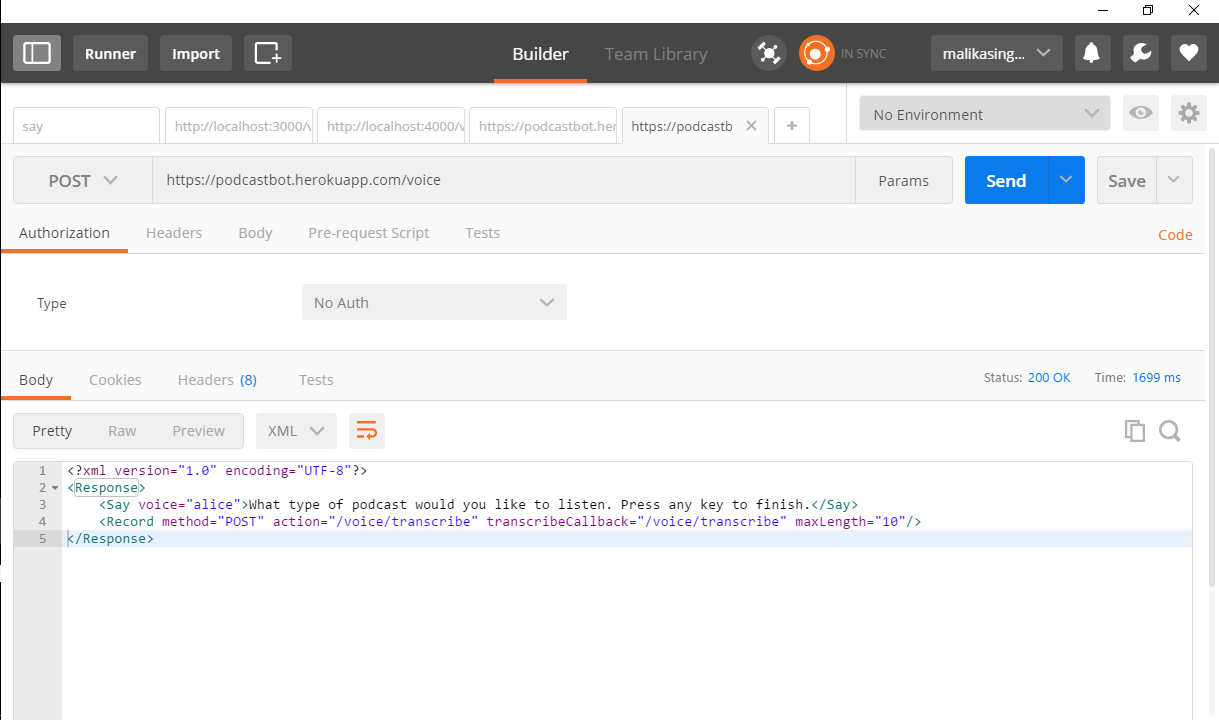
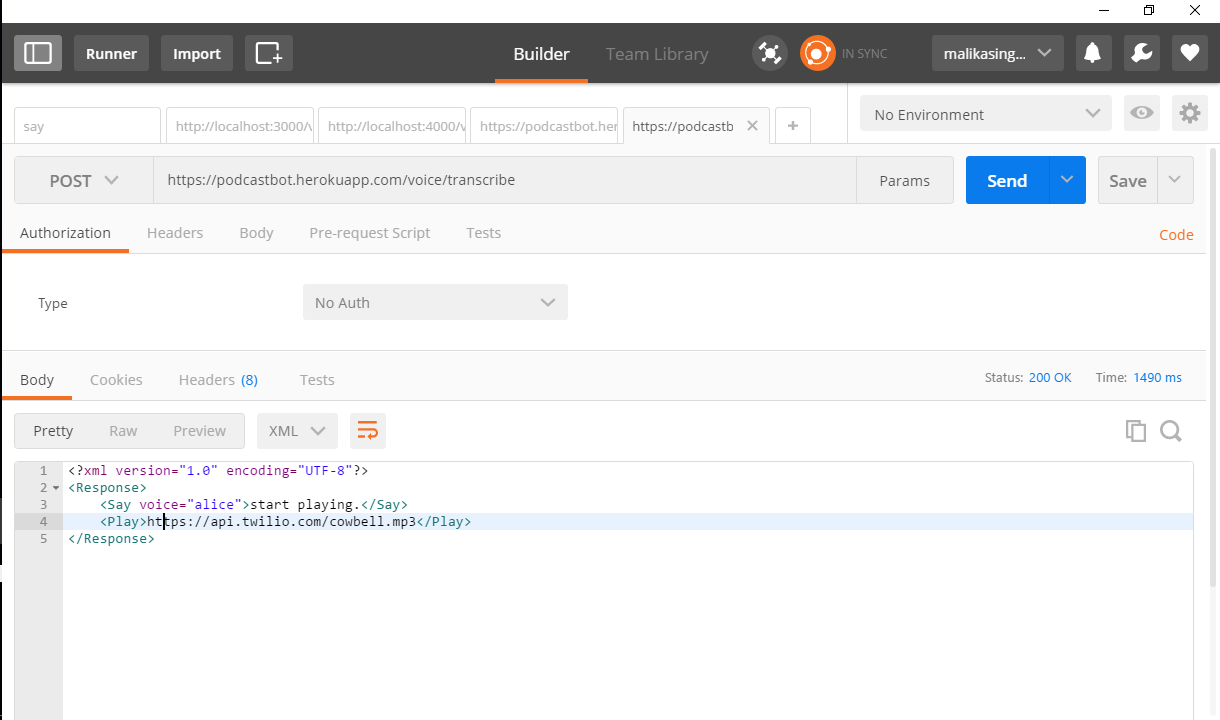
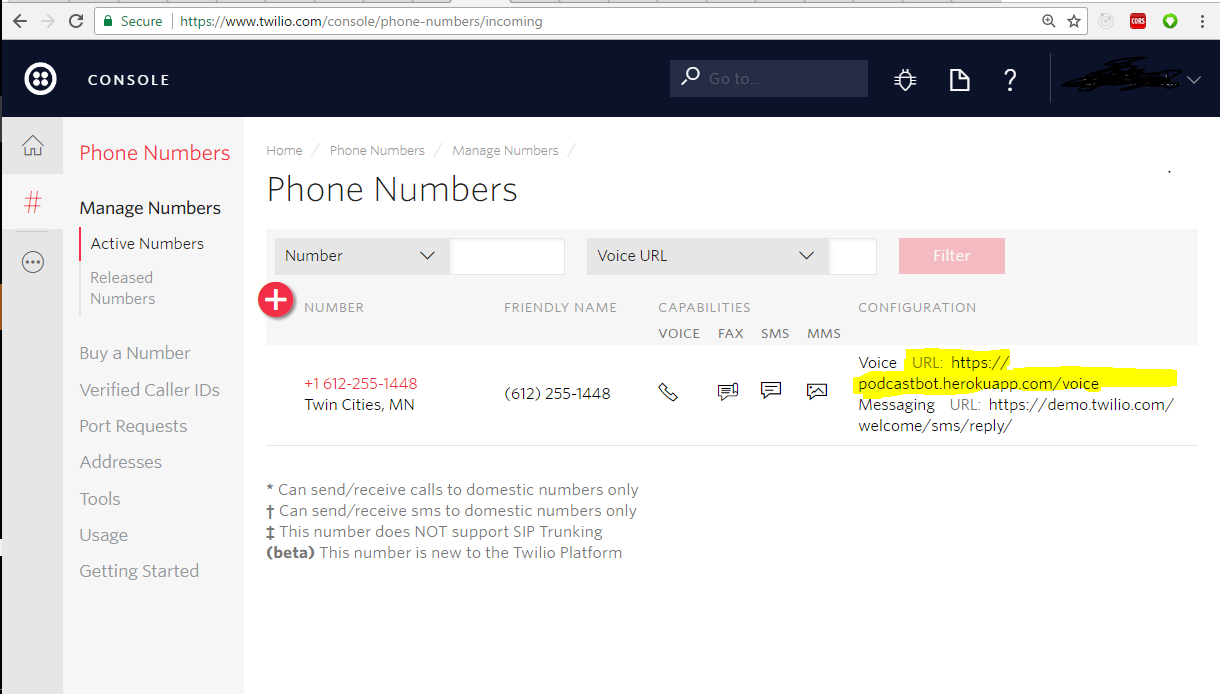
在twilio:上添加了url作为web钩子
Heroku日志:
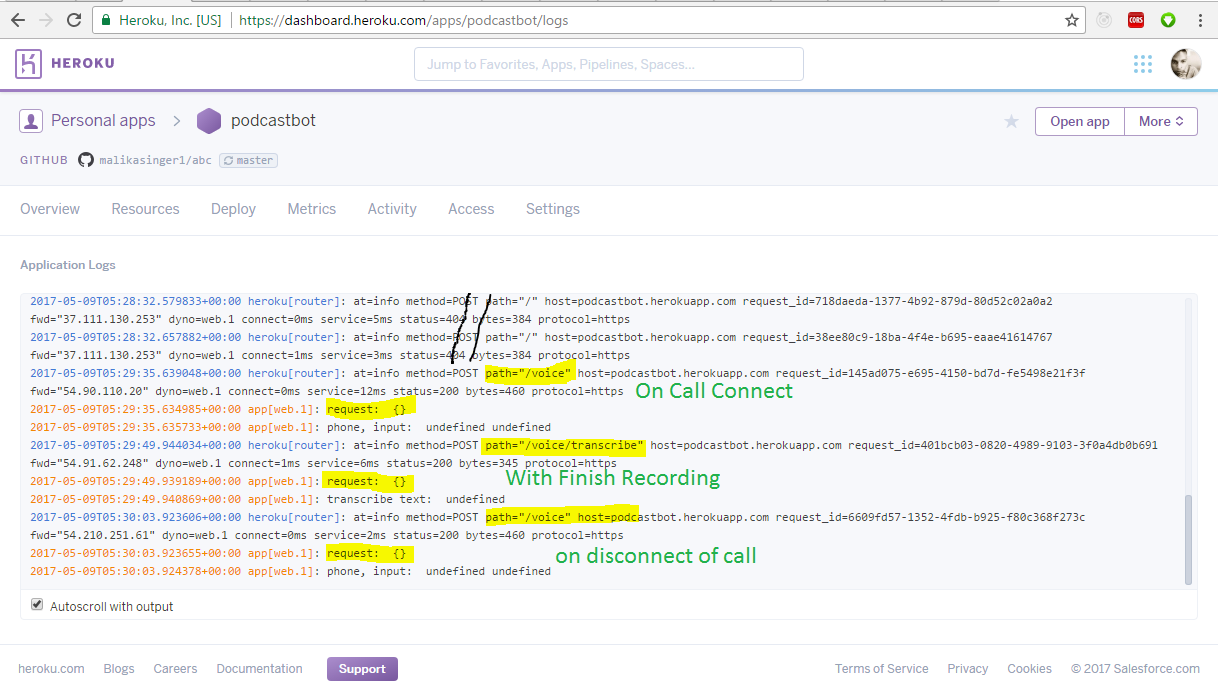
回答 1
Stack Overflow用户
回答已采纳
发布于 2017-05-19 16:25:15
两位开发人员在这里传道。
您正在使用body-parser,这是很好的。但是,您正在使用JSON解析器。Twilio以application/www-x-form-urlencoded格式进行请求,因此您应该更改:
app.use(bodyParser.json())至
app.use(bodyParser.urlencoded({ extended: false }))然后,您应该将解析的主体视为request.body对象的一部分。
另外,transcribeCallback被异步地发送到调用。因此,响应该请求返回TwiML根本不会影响调用。当你得到转录结果时,你需要修改飞行中的呼叫,将其重定向到某个新的TwiML。使用Node.js更新调用如下所示的一个例子
const accountSid = 'your_account_sid';
const authToken = 'your_auth_token';
const client = require('twilio')(accountSid, authToken);

client.calls('CAe1644a7eed5088b159577c5802d8be38')
  .update({
    url: 'http://demo.twilio.com/docs/voice.xml',
    method: 'POST',
  })
.then((call) => console.log(call.to));页面原文内容由Stack Overflow提供。腾讯云小微IT领域专用引擎提供翻译支持
原文链接:
https://stackoverflow.com/questions/43861788
复制相关文章
相似问题
腾讯云开发者

Copyright © 2013 - 2026 Tencent Cloud. All Rights Reserved. 腾讯云 版权所有
深圳市腾讯计算机系统有限公司 ICP备案/许可证号:粤B2-20090059  粤公网安备44030502008569号
腾讯云计算(北京)有限责任公司 京ICP证150476号 | 京ICP备11018762号