
刚启动后不会启动
刚启动后不会启动
提问于 2017-05-08 21:27:29
我使用nginx和gunicorn运行一个Debian web服务器,运行django应用程序。我已经启动了一切并运行得很好,但是在重新启动服务器之后,我得到了502错误的网关错误。我追踪到这个问题是因为在重启后,火鸟一直处于不活跃状态。如果启动服务,问题就会修复,直到我再次重新启动服务器为止。
启动服务:
systemctl start gunicorn.service重新启动后,这里是我的服务状态:
{username}@instance-3:~$ sudo systemctl status gunicorn
● gunicorn.service - gunicorn daemon
Loaded: loaded (/etc/systemd/system/gunicorn.service; enabled)
Active: inactive (dead)
my /etc/systemd/system/gunicorn.service文件的内容:
[Unit]
Description=gunicorn daemon
After=network.target

[Service]
User={username}
Group={username}
WorkingDirectory=/home/{username}/web/{projname}
ExecStart=/usr/local/bin/gunicorn {projname}.wsgi:application
Restart=on-failure

[Install]
WantedBy=multi.user.target
有什么办法能弄明白为什么在重启后,金刚角的服务还没有开始?
编辑:
问题是gunicorn.conf在chdir和exec中有一个与工作目录不同的dir吗?
{username}@instance-3:~$ cat /etc/init/gunicorn.conf
cription "Gunicorn application server handling {projname}"

start on runlevel [2345]
stop on runlevel [!2345]

respawn
setuid {username}
setgid {username}
chdir /home/data-reporting/draco_reporting

exec {projname}/bin/gunicorn --workers 3 --bind unix:/home/{username}/data-reporting/{projname}/{projname}.sock {projname}.wsgi:application回答 2
Stack Overflow用户
回答已采纳
发布于 2017-05-09 05:47:59
您的gunicorn.service文件中有一个小错误。改为:
WantedBy=multi-user.target此外,您可能希望更改为:
Restart=alwaysStack Overflow用户
发布于 2022-08-28 07:43:25
我做了个老派的crontab,问题解决了。
crontab -e然后
@reboot sudo systemctl restart nginx && sudo systemctl restart gunicorn.service
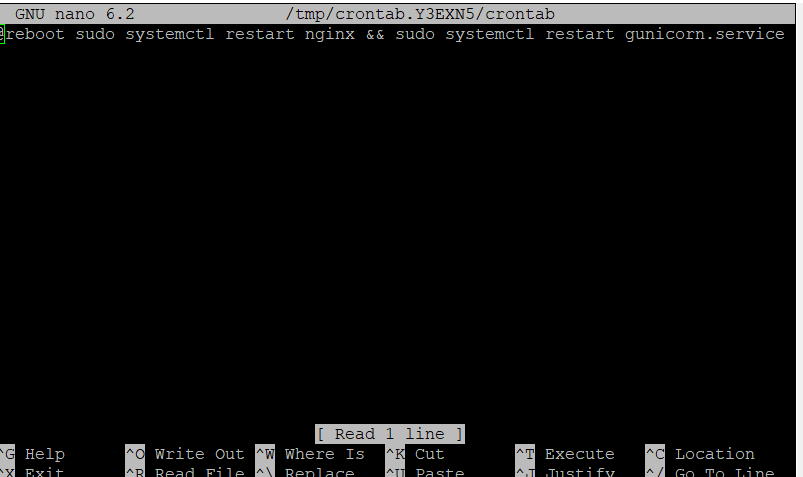
只需保存crontab就行了。
页面原文内容由Stack Overflow提供。腾讯云小微IT领域专用引擎提供翻译支持
原文链接:
https://stackoverflow.com/questions/43857549
复制相关文章
相似问题
腾讯云开发者

Copyright © 2013 - 2026 Tencent Cloud. All Rights Reserved. 腾讯云 版权所有
深圳市腾讯计算机系统有限公司 ICP备案/许可证号:粤B2-20090059  粤公网安备44030502008569号
腾讯云计算(北京)有限责任公司 京ICP证150476号 | 京ICP备11018762号