
使用PIL/枕头将覆盖层(带有文本)粘贴在基本图像的顶部
我有一个特定的图像。我想要创建一个黑带作为一个覆盖在这个图像,与文字写在该条。下面是,我的意思是一个直观的例子。
我正在使用Python来完成这个任务(在Django项目中),下面是我到目前为止所写的内容:
from PIL import Image, ImageFont, ImageDraw

img_width, img_height = img.size #getting the base image's size
if img.mode != 'RGB':
    img = img.convert("RGB")
strip = Image.new('RGB', (img_width, 20)) #creating the black strip
draw = ImageDraw.Draw(strip)
font = ImageFont.truetype("/usr/share/fonts/truetype/freefont/FreeSansBold.ttf", 16)
draw.text((img_width/2,10),"foo bar",(255,255,255),font=font) #drawing text on the black strip
offset = (img_width/2,img_height/2)
img.paste(strip,offset) #pasting black strip on the base image
# and from here on, I save the image, create thumbnails, etc.
这根本没用。如图所示,图像显示时没有任何文本或黑带,就像它原来的样子。
请注意,如果我直接尝试在图像上写入(无黑带),它将完美地工作。此外,图像处理本身也很完美(例如,在图像上不写任何东西的情况下)。
有人能帮我指出这个问题吗?位置(或偏移)有什么问题吗?我pasting错了吗?RGB转换是罪魁祸首吗?还是完全是别的什么?举个说明性的例子就好了。顺便说一句,性能也很重要,我正尽我所能做到这一点。
如果这很重要,下面是我以后处理图像文件的方法:
from django.core.files.uploadedfile import InMemoryUploadedFile

img.thumbnail((300, 300))
thumbnailString = StringIO.StringIO()
img.save(thumbnailString, 'JPEG', optimize=True)
newFile = InMemoryUploadedFile(thumbnailString, None, 'temp.jpg','image/jpeg', thumbnailString.len, None)
# and then the image file is saved in a database object, to be served later回答 1
Stack Overflow用户
发布于 2017-05-01 16:52:36
问题在于offset。文档 Image.paste说:
如果使用二元组,则将其视为左上角。
所以使用(img_width/2, img_height/2),你可以在大图片的中间用左上角粘贴条子。在这里,它将"foo bar“粘贴到示例图片上:
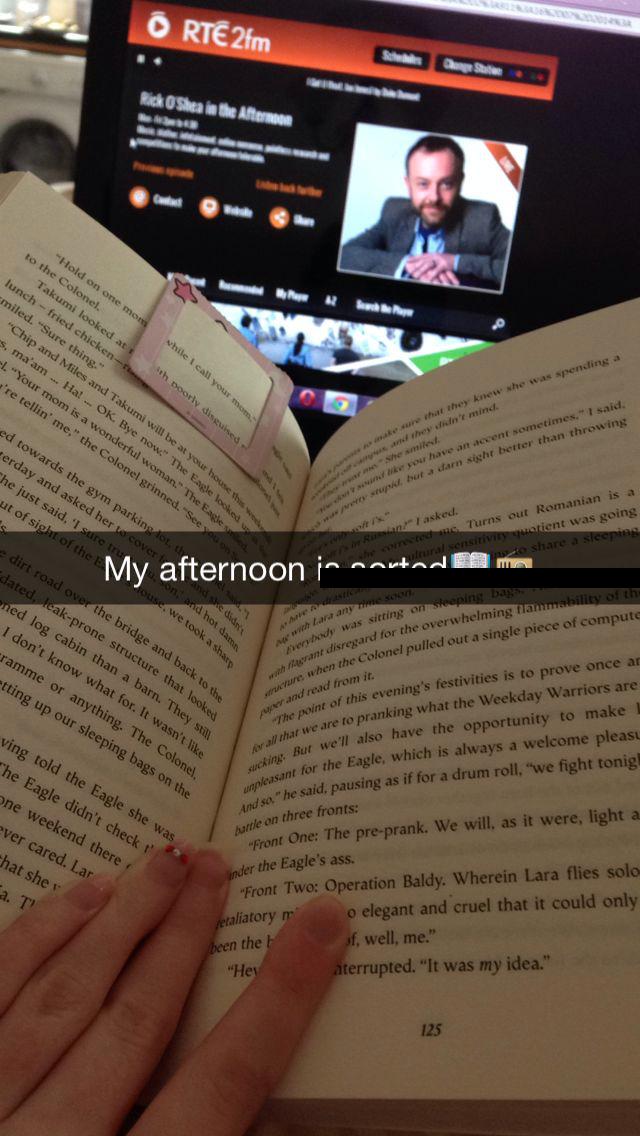
如果您将其更改为offset = (0, img_height/2),它会将其粘贴到一半处,但从左侧粘贴。下面是粘贴到正确位置的"foo bar“:
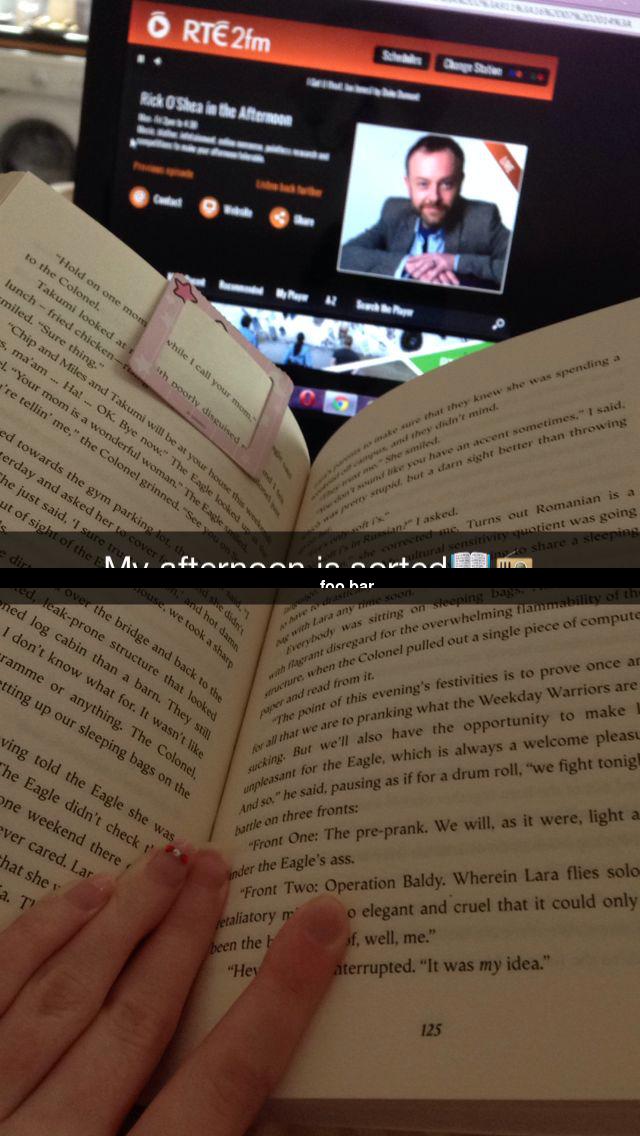
这条可能需要再高一点(可以从给定字体大小的文本中计算出高度),并且文本可以是中心的,但我认为这些事情已经在Stack溢出或枕头文档的其他地方得到了回答。
https://stackoverflow.com/questions/43703018
复制相似问题
腾讯云开发者

Copyright © 2013 - 2026 Tencent Cloud. All Rights Reserved. 腾讯云 版权所有
深圳市腾讯计算机系统有限公司 ICP备案/许可证号:粤B2-20090059  粤公网安备44030502008569号
腾讯云计算(北京)有限责任公司 京ICP证150476号 | 京ICP备11018762号