
谷歌MyMaps到
谷歌MyMaps到
提问于 2017-04-28 02:16:38
我正在尝试使用谷歌MyMaps重新创建以下地图,使用Google
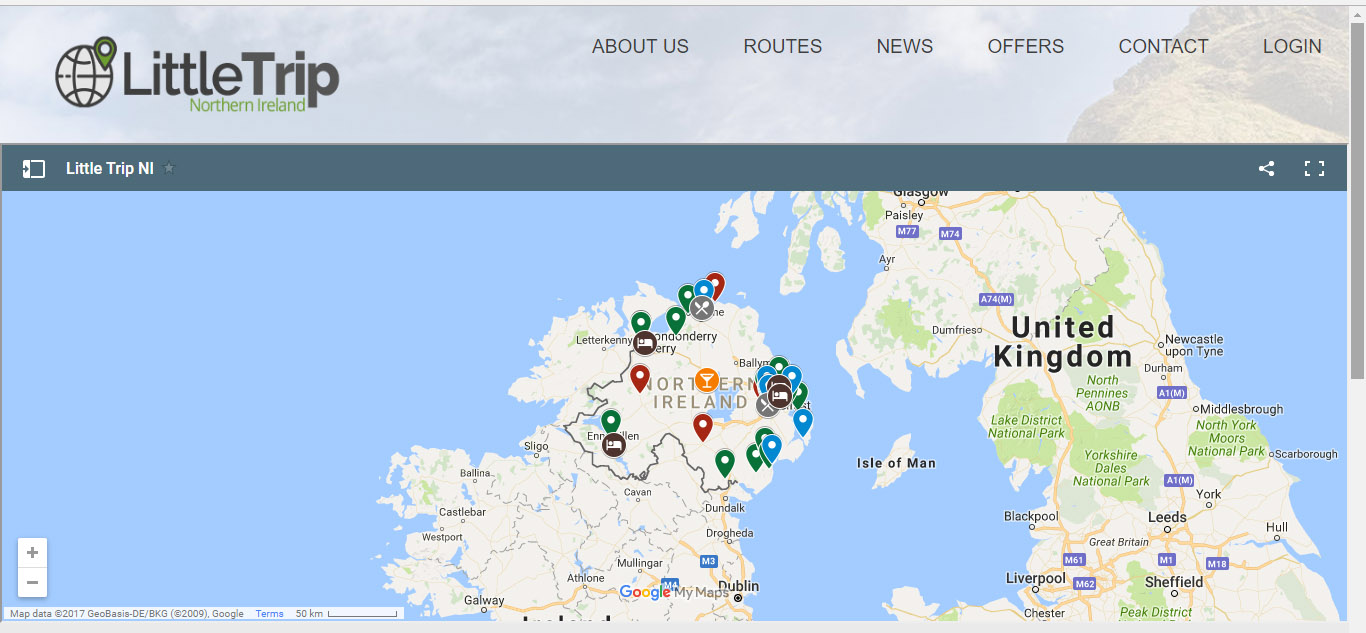
有人知道最好的方法吗?现在有下面的代码,但看起来不太好
<!DOCTYPE html>
<html>

<head>
  <meta charset="utf-8">
  <title>Search for up to 200 places with Radar Search</title>
  <style>
    #map {
      height: 100%;
    }
    /* Optional: Makes the sample page fill the window. */

    html,
    body {
      height: 100%;
      margin: 0;
      padding: 0;
    }
  </style>
  <script>
    var map;
    var infoWindow;
    var service;

    function initMap() {
      map = new google.maps.Map(document.getElementById('map'), {
        center: {
          lat: 54.607868,
          lng: -5.926437
        },
        zoom: 10,
        styles: [{
          stylers: [{
            visibility: 'simplified'
          }]
        }, {
          elementType: 'labels',
          stylers: [{
            visibility: 'off'
          }]
        }]
      });

      infoWindow = new google.maps.InfoWindow();
      service = new google.maps.places.PlacesService(map);

      // The idle event is a debounced event, so we can query & listen without
      // throwing too many requests at the server.
      map.addListener('idle', performSearch);
    }


    function performSearch() {
      var request = {
        bounds: map.getBounds(),
        keyword: 'best view'
      };
      service.radarSearch(request, callback);
    }

    function callback(results, status) {
      if (status !== google.maps.places.PlacesServiceStatus.OK) {
        console.error(status);
        return;
      }
      for (var i = 0, result; result = results[i]; i++) {
        addMarker(result);
      }
    }

    function addMarker(place) {
      var marker = new google.maps.Marker({
        map: map,
        position: place.geometry.location,
        icon: {
          url: 'https://developers.google.com/maps/documentation/javascript/images/circle.png',
          anchor: new google.maps.Point(10, 10),
          scaledSize: new google.maps.Size(10, 17)
        }
      });

      google.maps.event.addListener(marker, 'click', function() {
        service.getDetails(place, function(result, status) {
          if (status !== google.maps.places.PlacesServiceStatus.OK) {
            console.error(status);
            return;
          }
          infoWindow.setContent(result.name);
          infoWindow.open(map, marker);
        });
      });
    }
  </script>
</head>

<body>
  <div id="map"></div>
  <script src="https://maps.googleapis.com/maps/api/js?key=AIzaSyCIcOfMnc85XkuJmotWkLL4mthAHqlUuWA&callback=initMap&libraries=places,visualization" async defer></script>
</body>

</html>
回答 1
Stack Overflow用户
发布于 2019-06-01 19:06:06
使用保存的谷歌我的地图,并分享它从你的谷歌驱动器
页面原文内容由Stack Overflow提供。腾讯云小微IT领域专用引擎提供翻译支持
原文链接:
https://stackoverflow.com/questions/43670881
复制相关文章
相似问题
腾讯云开发者

Copyright © 2013 - 2026 Tencent Cloud. All Rights Reserved. 腾讯云 版权所有
深圳市腾讯计算机系统有限公司 ICP备案/许可证号:粤B2-20090059  粤公网安备44030502008569号
腾讯云计算(北京)有限责任公司 京ICP证150476号 | 京ICP备11018762号