
Emacs:如何更改命令"helm-grep-do-git-grep“的匹配颜色?
Emacs:如何更改命令"helm-grep-do-git-grep“的匹配颜色?
提问于 2017-04-15 11:09:54
Windows 7,Emacs 25.1,Helm软件包
我的helm-grep-do-git-grep命令截图:
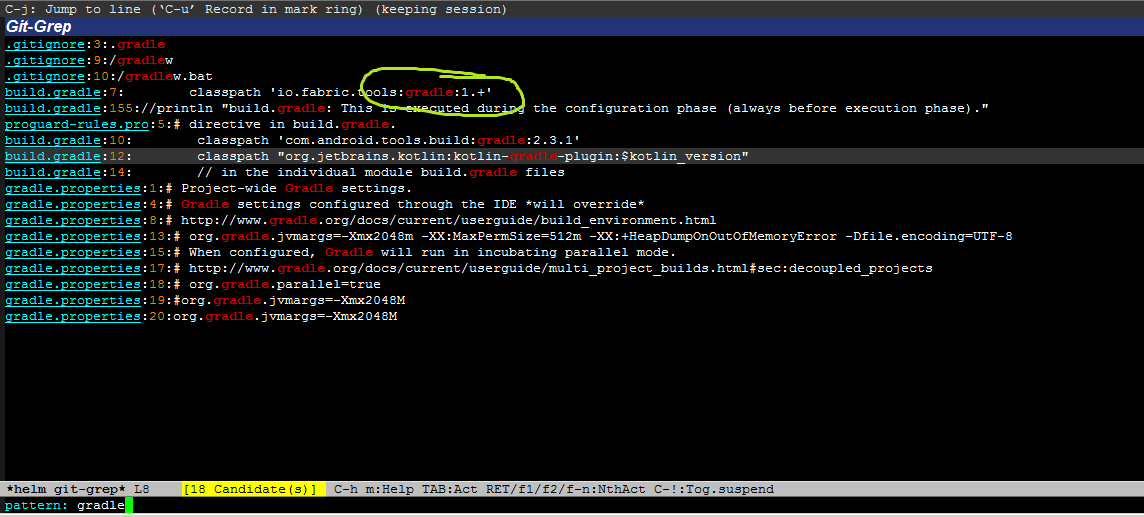
我想改变匹配文本的颜色(暗红色)到另一个(例如绿色)。
我试图在helm-grep-face,中找到,但没有找到。
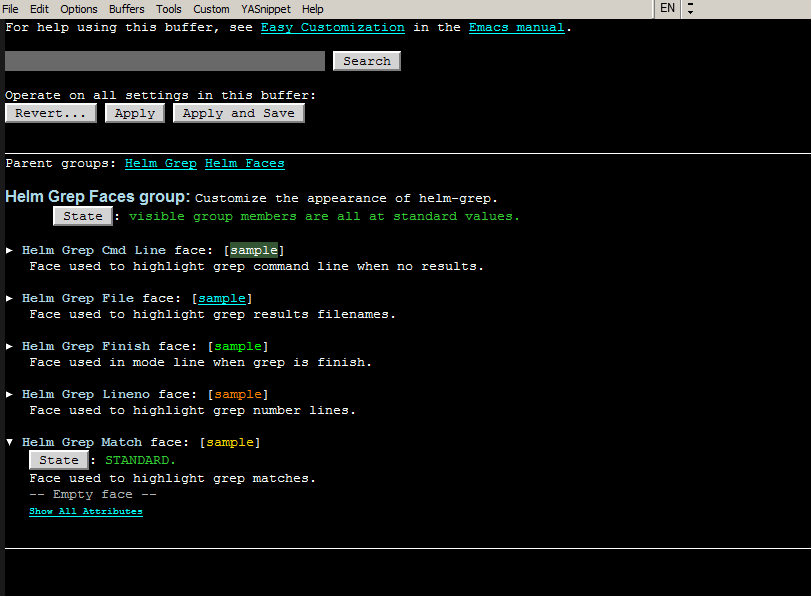
那我怎么能改变这张脸的颜色呢?
回答 2
Stack Overflow用户
回答已采纳
发布于 2017-04-19 09:49:16
我找到了解决办法。我更改“d:\Programs\ .gitconfig”。
增加一节:
[color "grep"]
  match = black yellow
现在匹配的文本颜色有前景颜色=黑色,而烘焙颜色=黄色。
Stack Overflow用户
发布于 2017-04-15 16:22:05
根据您正在使用的内容,您要查找以下任一项:
(defface helm-git-grep-match
  '((default (:inherit helm-match)))
  "Face used to highlight git-grep(1) matches."
:group 'helm-git-grep-faces)
或
(defface helm-grep-match
  '((((background light)) :foreground "#b00000")
    (((background dark))  :foreground "gold1"))
  "Face used to highlight grep matches."
:group 'helm-grep-faces)因此,您可以通过调用M-x customize-group helm-grep-faces (或helm-git-grep-faces)来更改颜色。
页面原文内容由Stack Overflow提供。腾讯云小微IT领域专用引擎提供翻译支持
原文链接:
https://stackoverflow.com/questions/43425309
复制相关文章
相似问题
腾讯云开发者

Copyright © 2013 - 2026 Tencent Cloud. All Rights Reserved. 腾讯云 版权所有
深圳市腾讯计算机系统有限公司 ICP备案/许可证号:粤B2-20090059  粤公网安备44030502008569号
腾讯云计算(北京)有限责任公司 京ICP证150476号 | 京ICP备11018762号