
在iPhone 4-5上只填充一个单元格的集合视图
在iPhone 4-5上只填充一个单元格的集合视图
提问于 2017-03-20 07:27:27
我的视图控制器中有一个集合视图。
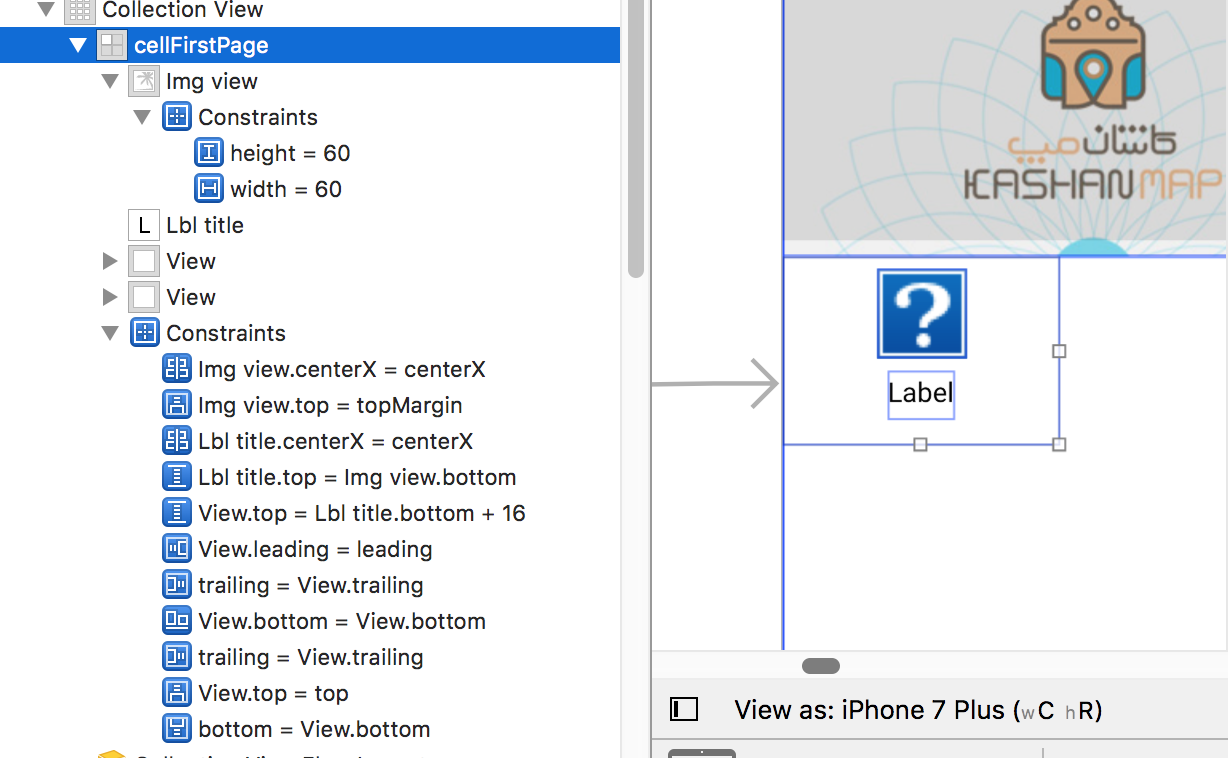
但它在iPhone 6-7及以上运行良好。但在iPhone 4和5中只显示了一个单元!
iPhone 5:

iPhone 6:

回答 2
Stack Overflow用户
回答已采纳
发布于 2017-03-20 07:42:08
它在4.7英寸及以上的iPhones屏幕上工作良好,因为它们的is宽度足够显示两个单元格(具有它们的默认宽度)。
您应该做的是确定单元格的大小,实现:
集合视图(方法来自视图代理流布局协议。如下所示:
// don't forget to conform to UICollectionViewDelegateFlowLayout protocol:
class ViewController: UIViewController, UICollectionViewDelegateFlowLayout {
    //...

    func collectionView(_ collectionView: UICollectionView, layout collectionViewLayout: UICollectionViewLayout, sizeForItemAt indexPath: IndexPath) -> CGSize {
        let screenWidth = UIScreen.main.bounds.width

        // if you want to let the cell to be a square,
        // you should let the height equals to the width
        // or you can -of course- set the deired height
        return CGSize(width: screenWidth / 2, height: screenWidth / 2)
    }

    // ...
}
通过实现这一点,无论设备屏幕的大小如何,单元格宽度都将是屏幕的一半。
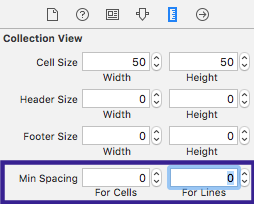
注意:确保集合视图的最小空间为零:
此外,检查这个问答可能对您的情况很有用。
希望这能帮上忙。
Stack Overflow用户
发布于 2017-03-20 07:41:11
为每个屏幕设置CollectionViewCell大小动态。你可以试试这样的..。
-(CGSize)collectionView:(UICollectionView *)collectionView layout:(UICollectionViewLayout *)collectionViewLayout sizeForItemAtIndexPath:(NSIndexPath *)indexPath{
    return CGSizeMake(_myCollection.frame.size.width/2-13, _myCollection.frame.size.width/2-13);
}页面原文内容由Stack Overflow提供。腾讯云小微IT领域专用引擎提供翻译支持
原文链接:
https://stackoverflow.com/questions/42897985
复制相关文章
相似问题
腾讯云开发者

Copyright © 2013 - 2026 Tencent Cloud. All Rights Reserved. 腾讯云 版权所有
深圳市腾讯计算机系统有限公司 ICP备案/许可证号:粤B2-20090059  粤公网安备44030502008569号
腾讯云计算(北京)有限责任公司 京ICP证150476号 | 京ICP备11018762号