
从教程中制作简单的HomeKit应用程序并获得附加HMAccessory的错误
我正在学习本教程:
http://www.xmcgraw.com/learn-how-to-create-an-ios-app-using-homekit/
文章中有一个指向GitHub的链接,其中包含了代码。
我正在尝试一个简单的HomeKit应用程序的启动和运行,以打开和关闭一个灯。我已经阅读了苹果开始使用HomeKit的指南。我确实有一个付费的苹果开发者会员资格,而配置配置文件允许我构建这个应用程序并在我的iPhone上运行它(6s和iOS 10.2)。我正在使用Xcode 8.2.1,我让HomeKit附件模拟器工作,我可以看到我创建的模拟灯光,因为我可以将它们打印到控制台,它们都以名称显示。
问题是,我不能将它们添加到附件数组中,并将它们作为单元格添加到表视图中。我已经检查并重新检查了我的单元格上的重用标识符"accessoryId“是否与我在代码中使用的内容相匹配。
func tableView(tableView: UITableView, cellForRowAtIndexPath indexPath: NSIndexPath) -> UITableViewCell {
    if let cell = tableView.dequeueReusableCell(withIdentifier: "accessoryId")  as UITableViewCell? {
        tableView.register(UITableViewCell.self, forCellReuseIdentifier: "accessoryId")
        let accessory = accessories[indexPath.row] as HMAccessory
        cell.textLabel?.text = accessory.name
        return cell
    }
    return UITableViewCell()
}
关于同样的错误,我已经看过许多其他的问题了,而这些修复似乎都没有帮助。
当accessories.append(附件)被注释掉时,打印函数将正确地记录从模拟器中找到的附件的所有名称。
func accessoryBrowser(_ browser: HMAccessoryBrowser, didFindNewAccessory accessory: HMAccessory) {
    print(accessory.name)

    accessories.append(accessory)
    tableView.reloadData()
}
但是当我取消对accessories.append(附件)的评论时,我会得到这个错误
UITableView...无法从其数据源获取单元格“
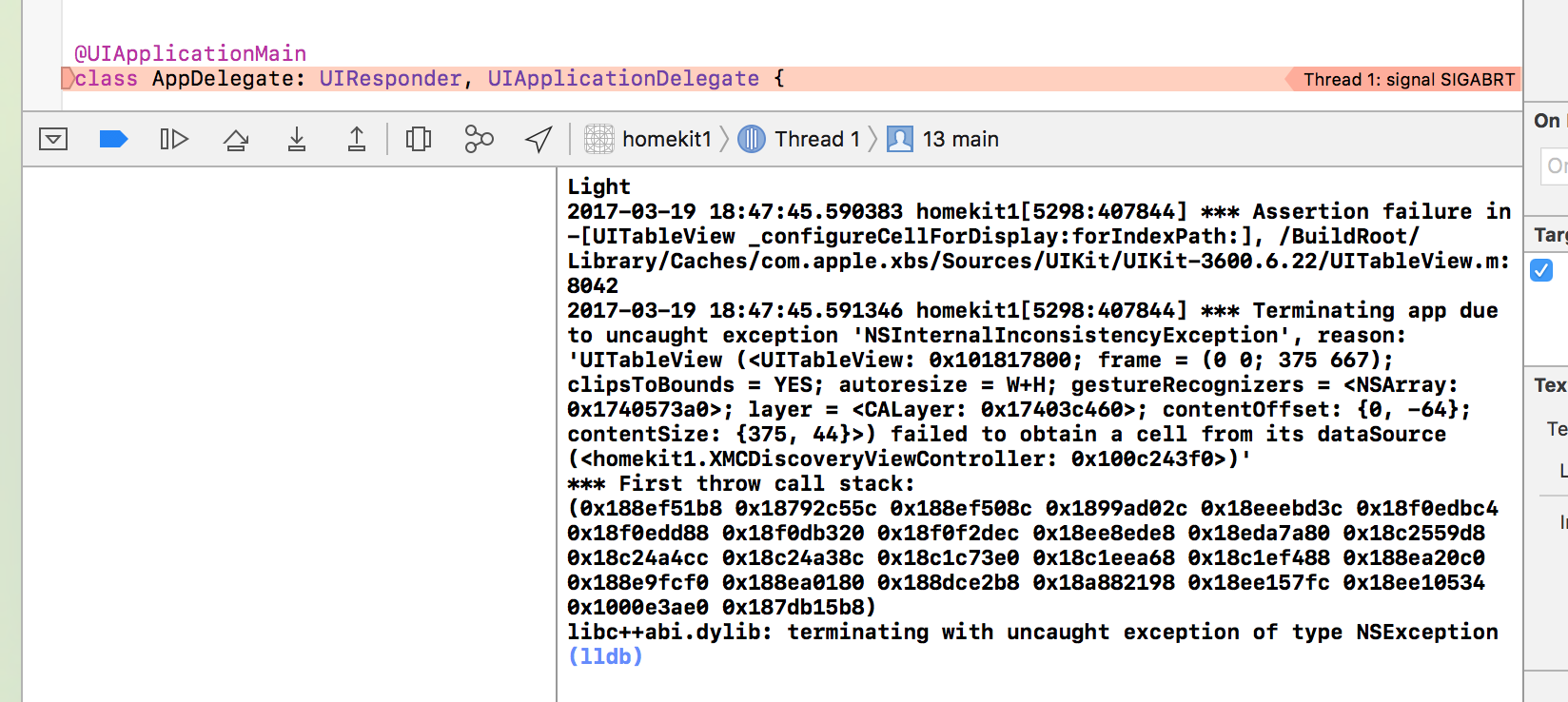
我该怎么解决呢?
回答 1
Stack Overflow用户
发布于 2017-03-20 01:25:54
这句话对我来说毫无意义:
tableView.register(UITableViewCell.self, forCellReuseIdentifier: "accessoryId")您将在cellForRowAtIndexPath中注册表的单元格,每次调用它时都会注册。试着把它放到viewDidLoad中。但我认为如果你使用故事板的话,你根本不需要这么做。
这是Swift 3中的语法(您的问题标题显示您正在使用它):
func tableView(_ tableView: UITableView, cellForRowAt indexPath: IndexPath) -> UITableViewCell {
    if let cell = tableView.dequeueReusableCell(withIdentifier: "accessoryId") {
    // OR for Custom Cell:
    // if let cell = tableView.dequeueReusableCell(withIdentifier: "accessoryId") as? CustomTableViewCell {
        return cell
    }
    return UITableViewCell()
}https://stackoverflow.com/questions/42893908
复制相似问题
腾讯云开发者

Copyright © 2013 - 2026 Tencent Cloud. All Rights Reserved. 腾讯云 版权所有
深圳市腾讯计算机系统有限公司 ICP备案/许可证号:粤B2-20090059  粤公网安备44030502008569号
腾讯云计算(北京)有限责任公司 京ICP证150476号 | 京ICP备11018762号