
如何在eclipse中运行带bower的maven webapp?
如何在eclipse中运行带bower的maven webapp?
提问于 2017-03-17 09:55:12
我正在尝试在我的maven webapp中集成bower,这里是我的pom.xml和bower.json,但是我没有下载依赖项。这里是我的pom.xml和bower.json files.And,还有一个问题,我需要nodejs或npm帮助下载依赖项吗?
bower.json:
{
"name": "Bower1",
"version": "1.0.0",

"description": "javaee7-angular JavaScript dependencies.",
"private": true,
"dependencies": {
    "angular": "1.2.0",
    "jquery": "1.9.1",
    "angular-bootstrap": "0.10.0",
    "angular-grid": "2.0.7"
}
}
pom.xml:
<dependencies>
    <dependency>
        <groupId>junit</groupId>
        <artifactId>junit</artifactId>
        <version>3.8.1</version>
        <scope>test</scope>
    </dependency>
</dependencies>
<build>

    <finalName>Bower1</finalName>
    <plugins>
        <plugin>
            <groupId>org.codehaus.mojo</groupId>
            <artifactId>exec-maven-plugin</artifactId>
            <executions>
                <execution>
                    <phase>generate-sources</phase>
                    <goals>
                        <goal>exec</goal>
                    </goals>
                </execution>

            </executions>
            <configuration>
                <executable>bower</executable>
                <arguments>
                    <argument>install</argument>
                </arguments>
                <workingDirectory>${basedir}/src/main/webapp</workingDirectory>
            </configuration>
        </plugin>
    </plugins>

</build>
回答 2
Stack Overflow用户
回答已采纳
发布于 2017-03-25 09:39:50
一步一步地在maven eclipse项目中运行bower:
1.在本地系统中安装npm。
2.在maven pom.xml <build></build>标记中添加以下插件
<plugins>
        <plugin>
            <groupId>com.github.eirslett</groupId>
            <artifactId>frontend-maven-plugin</artifactId>
            <version>0.0.20</version>
            <executions>
                <execution>
                    <id>bower install</id>
                    <goals>
                        <goal>bower</goal>
                    </goals>
                    <configuration>
                        <arguments>install</arguments>
                    </configuration>
                </execution>
            </executions>

        </plugin>

</plugins>3.在bower.json根文件夹中添加以下webapp文件
 {
"name": "BowerTest",
"version": "1.0.0",
"private": true,
"dependencies": {
    "angular": "1.2.0",
    "jquery": "1.9.1",
    "bootstrap":"3.3.7",
    "css":""
}}- 如果要添加任何依赖项,请在
dependencies中添加依赖项,如上面的bower.json文件所示。 - 然后右键单击您的项目,单击
bower install,在此安装之后,将在根路径中创建一个类似于bower_components的文件夹,您可以在那里找到您的依赖项,然后将该依赖项引用到视图层中。
Stack Overflow用户
发布于 2017-03-17 10:48:35
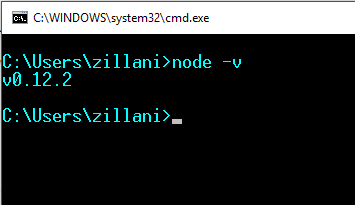
页面原文内容由Stack Overflow提供。腾讯云小微IT领域专用引擎提供翻译支持
原文链接:
https://stackoverflow.com/questions/42854311
复制相关文章
相似问题
腾讯云开发者

Copyright © 2013 - 2026 Tencent Cloud. All Rights Reserved. 腾讯云 版权所有
深圳市腾讯计算机系统有限公司 ICP备案/许可证号:粤B2-20090059  粤公网安备44030502008569号
腾讯云计算(北京)有限责任公司 京ICP证150476号 | 京ICP备11018762号