
iOS UITabBarItem图像selectedImage和图像显示不正确
iOS UITabBarItem图像selectedImage和图像显示不正确
提问于 2017-03-03 02:31:28
Xcode: 8.2.1
- (instancetype)init {
    if (self = [super init]) {
        self.title = self.localStringModel.tab_title_market;
        self.tabBarItem.image = [UIImage imageName:@"unselected"];
        self.tabBarItem.selectedImage =[UIImage imageName:@"selected"];
    }
    return self;
}
描述:当我取消选择的tabBarItem,unselectedIamge,汽车灯不能显示。
图片:
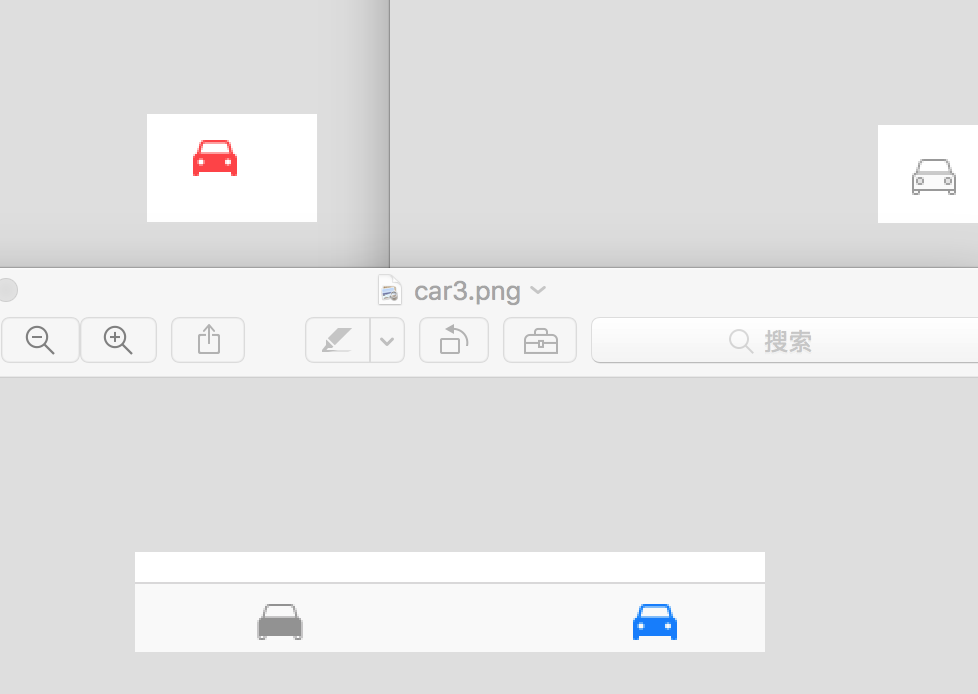
它已经困扰了我很长时间,我尝试使用UIImageRenderingModeAlwaysOriginal,但不工作,顺便说一下,我的图像资源是'pdf',谁能帮助我吗?
回答 3
Stack Overflow用户
回答已采纳
发布于 2017-03-03 10:26:10
目标C
@interface BaseClassVC (){
    UITabBarController *tabBarController;
}
@end
@implementation  BaseClassVC
- (void)viewDidLoad {
    [super viewDidLoad];
    [self setTabBarItemAction];
}
-(void)setTabBarItemAction{


    UIStoryboard *storyBoard = [UIStoryboard storyboardWithName:@"Home" bundle:[NSBundle mainBundle]];
    //    UITabBarController *tabBarController = (UITabBarController *)[storyBoard instantiateViewControllerWithIdentifier:@"Hometab"];
    tabBarController = (UITabBarController *)[storyBoard instantiateViewControllerWithIdentifier:@"Hometab"];


    // Assign tab bar item with titles
    UITabBar *tabBar = tabBarController.tabBar;
    UITabBarItem *tabBarItem1 = [tabBar.items objectAtIndex:0];
    UITabBarItem *tabBarItem2 = [tabBar.items objectAtIndex:1];
    UITabBarItem *tabBarItem3 = [tabBar.items objectAtIndex:2];
    UITabBarItem *tabBarItem4 = [tabBar.items objectAtIndex:3];
    UITabBarItem *tabBarItem5 ;///= [tabBar.items objectAtIndex:4];


    tabBarItem1.title = @"Home";
    tabBarItem2.title =  @"My cards";
    tabBarItem3.title = @"Withdraw Locations";
    tabBarItem4.title = @"Taxi";

    tabBarItem5.title = @"More..";

    tabBarItem3.badgeValue = @"0";
    tabBarItem4.badgeValue = @"0";


    [tabBarItem1 setImage:[[UIImage imageNamed:@"icn_tab_home_Normal"] imageWithRenderingMode:UIImageRenderingModeAlwaysOriginal]];
    [tabBarItem1 setSelectedImage:[[UIImage imageNamed:@"icn_tab_home_Selected"] imageWithRenderingMode:UIImageRenderingModeAlwaysOriginal]];

    [tabBarItem2 setImage:[[UIImage imageNamed:@"icn_nearby_deals_tab"] imageWithRenderingMode:UIImageRenderingModeAlwaysOriginal]];
    [tabBarItem2 setSelectedImage:[[UIImage imageNamed:@"icn_nearby_deals_tab_Selected"] imageWithRenderingMode:UIImageRenderingModeAlwaysOriginal]];


    [tabBarItem3 setImage:[[UIImage imageNamed:@"icn_tab_ATM_Normal"] imageWithRenderingMode:UIImageRenderingModeAlwaysOriginal]];
    [tabBarItem3 setSelectedImage:[[UIImage imageNamed:@"icn_tab_ATM_Selected"] imageWithRenderingMode:UIImageRenderingModeAlwaysOriginal]];

    [tabBarItem4 setImage:[[UIImage imageNamed:@"icn_tab_Taxi_Normal"] imageWithRenderingMode:UIImageRenderingModeAlwaysOriginal]];
    [tabBarItem4 setSelectedImage:[[UIImage imageNamed:@"icn_tab_Taxi_Selected"] imageWithRenderingMode:UIImageRenderingModeAlwaysOriginal]];

    [tabBarItem5 setImage:[[UIImage imageNamed:@"icn_tab_more_Normal"] imageWithRenderingMode:UIImageRenderingModeAlwaysOriginal]];
    [tabBarItem5 setSelectedImage:[[UIImage imageNamed:@"icn_tab_more_Normal"] imageWithRenderingMode:UIImageRenderingModeAlwaysOriginal]];


    tabBarController.tabBar.translucent = false;

    [[UITabBarItem appearance] setTitleTextAttributes:[NSDictionary dictionaryWithObjectsAndKeys: TABBAR_NORMAL_TEXT_COLOURS, NSForegroundColorAttributeName,
                                                       nil] forState:UIControlStateNormal];
    [[UITabBarItem appearance] setTitleTextAttributes:[NSDictionary dictionaryWithObjectsAndKeys:
                                                       TABBAR_SELECTED_TEXT_COLOURS, NSForegroundColorAttributeName,
                                                       nil] forState:UIControlStateSelected];


    [[UITabBar appearance] setBarTintColor:ThemeColor];
    UIImage *whiteBackground = [Utility imageWithColor:TABBAR_SELECTED_COLOURS];
    [[UITabBar appearance] setSelectionIndicatorImage:whiteBackground];
    tabBarController.tabBar.translucent = false;


    /*
     [[UITabBarItem appearance] setTitleTextAttributes:[NSDictionary dictionaryWithObjectsAndKeys:
     [UIColor whiteColor], NSForegroundColorAttributeName,
     nil] forState:UIControlStateNormal];
     UIColor *titleHighlightedColor = [UIColor colorWithRed:153/255.0 green:192/255.0 blue:48/255.0 alpha:1.0];
     [[UITabBarItem appearance] setTitleTextAttributes:[NSDictionary dictionaryWithObjectsAndKeys:
     titleHighlightedColor, NSForegroundColorAttributeName,
     nil] forState:UIControlStateHighlighted];
     */


    [self.navigationController showViewController:tabBarController sender:nil];
    //  [self presentViewController:tabBarController animated:YES completion:nil];


}
Swift 2.3
    override func viewDidLoad() {
        super.viewDidLoad()
            methodTabBarController()

}


extension BaseClassVC {

    func methodTabBarController() -> Void{
        let storyboard = UIStoryboard(name: "HomePage", bundle: NSBundle.mainBundle())
        let tabBarController:UITabBarController = (storyboard.instantiateViewControllerWithIdentifier("idTabBarHometab") as? UITabBarController)!
        methodCustomtabBar(tabBarController)
        // presentViewController(tabBarController, animated: true, completion: nil)

        self.navigationController!.showViewController(tabBarController, sender: nil)

        // self.navigationController?.pushViewController(tabBarController, animated: true)

    }

    func methodCustomtabBar(tabBarController: UITabBarController) -> Void{

        // Assign tab bar item with titles
        let tabBar: UITabBar = tabBarController.tabBar
        let tabBarItem1: UITabBarItem = tabBar.items![0] as UITabBarItem
        let tabBarItem2: UITabBarItem = tabBar.items![1] as UITabBarItem
        let tabBarItem3: UITabBarItem = tabBar.items![2] as UITabBarItem
        let tabBarItem4: UITabBarItem = tabBar.items![3] as UITabBarItem

        tabBarItem1.title = "Home"
        tabBarItem2.title = "Nearby ATM"
        tabBarItem3.title = "Near By Shops"
        tabBarItem4.title = "Taxi"

        tabBarItem2.badgeValue = "0"
        tabBarItem3.badgeValue = "0"
        tabBarItem4.badgeValue = "0"

        tabBarItem1.image = UIImage(named: "icn_tab_home_Normal")!.imageWithRenderingMode(UIImageRenderingMode.AlwaysOriginal)
        tabBarItem1.selectedImage = UIImage(named: "icn_tab_home_Selected")!.imageWithRenderingMode(UIImageRenderingMode.AlwaysOriginal)

        tabBarItem2.image = UIImage(named: "icn_tab_withdrawl_location_Normal")!.imageWithRenderingMode(UIImageRenderingMode.AlwaysOriginal)
        tabBarItem2.selectedImage = UIImage(named: "icn_tab_withdrawl_location_Selected")!.imageWithRenderingMode(UIImageRenderingMode.AlwaysOriginal)

        tabBarItem3.image = UIImage(named: "icn_tab_nearbyshop_Normal")!.imageWithRenderingMode(UIImageRenderingMode.AlwaysOriginal)
        tabBarItem3.selectedImage = UIImage(named: "icn_tab_nearbyshop_Selected")!.imageWithRenderingMode(UIImageRenderingMode.AlwaysOriginal)


        tabBarItem4.image = UIImage(named: "icn_tab_Taxi_Normal")!.imageWithRenderingMode(UIImageRenderingMode.AlwaysOriginal)
        tabBarItem4.selectedImage = UIImage(named: "icn_tab_Taxi_Selected")!.imageWithRenderingMode(UIImageRenderingMode.AlwaysOriginal)


        // Sets the default color of the icon of the selected UITabBarItem and Title
        // UITabBar.appearance().tintColor = UIColor.redColor()

        // Sets the default color of the background of the UITabBar
        UITabBar.appearance().barTintColor = ThemeColor

        // Sets the background color of the selected UITabBarItem (using and plain colored UIImage with the width = 1/5 of the tabBar (if you have 5 items) and the height of the tabBar)
        // UITabBar.appearance().selectionIndicatorImage = UIImage().makeImageWithColorAndSize(UIColor.blueColor(), size: CGSizeMake(tabBar.frame.width/5, tabBar.frame.height))

        /*
         UITabBar.appearance().selectionIndicatorImage = UIImage().makeImageWithColorAndSize(UIColor.blueColor(), size: CGSizeMake(tabBar.frame.width/5, tabBar.frame.height))

         // Uses the original colors for your images, so they aren't not rendered as grey automatically.
         for item in self.tabBar.items as! [UITabBarItem] {
         if let image = item.image {
         item.image = image.imageWithRenderingMode(.AlwaysOriginal)
         }
         }
         }
         */


        UITabBarItem.appearance().setTitleTextAttributes([NSForegroundColorAttributeName: ColorConstant.TABBARITEMS.setTitleTextNormal], forState:.Normal)
        UITabBarItem.appearance().setTitleTextAttributes([NSForegroundColorAttributeName:  ColorConstant.TABBARITEMS.setTitleTextSelected], forState:.Selected)


    }


}
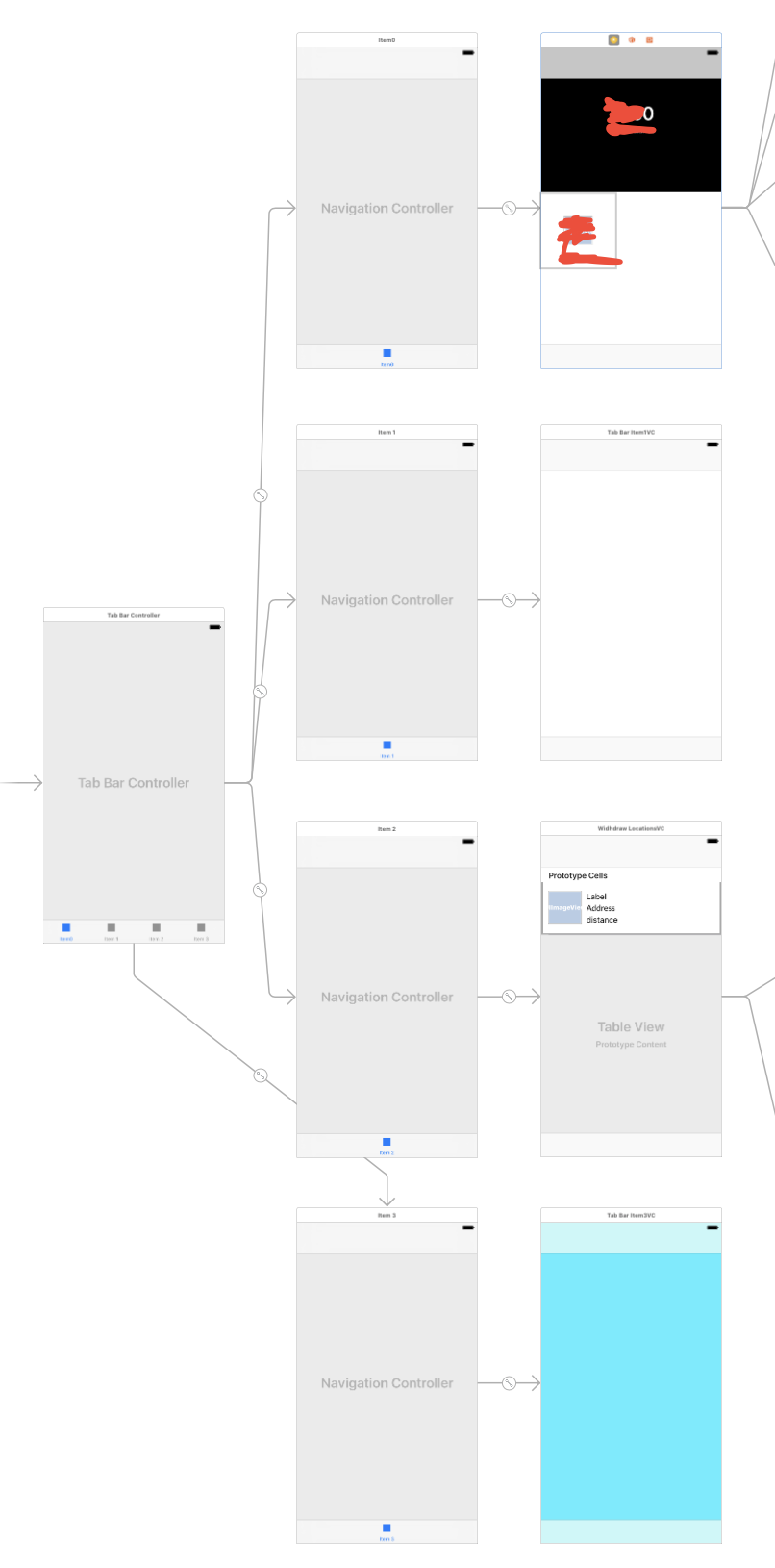
Stack Overflow用户
发布于 2017-03-03 08:51:48
我认为问题是你未选择的图像在灯光中有坚实的白色。尝试用透明填充它们,alpha = 0.0。用于绘图的总是图像的alpha通道。
Stack Overflow用户
发布于 2017-03-03 10:19:47
拜托,调查一下这个。Change tab bar item selected color in a storyboard
它会解决你的问题。
对tintColor使用unSelectedItemTintColor属性,对UITabBar使用unSelectedItemTintColor属性。
页面原文内容由Stack Overflow提供。腾讯云小微IT领域专用引擎提供翻译支持
原文链接:
https://stackoverflow.com/questions/42569589
复制相关文章
相似问题
腾讯云开发者

Copyright © 2013 - 2026 Tencent Cloud. All Rights Reserved. 腾讯云 版权所有
深圳市腾讯计算机系统有限公司 ICP备案/许可证号:粤B2-20090059  粤公网安备44030502008569号
腾讯云计算(北京)有限责任公司 京ICP证150476号 | 京ICP备11018762号