
在Visual上调试F#代码时,未处理异常的位置不正确
在Visual上调试F#代码时,未处理异常的位置不正确
提问于 2017-02-22 04:41:02
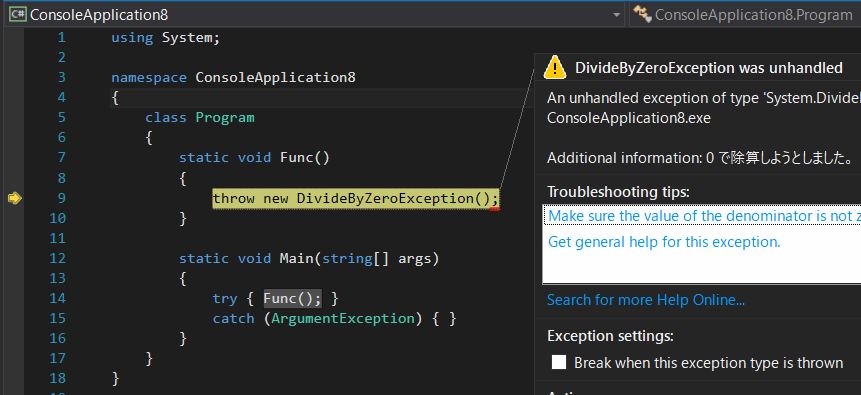
调试C#代码时,Visual将显示未处理异常的原始位置。
例如,在调试以下代码时,Visual将在第9行抛出未处理的DivideByZeroException。
using System;

namespace ConsoleApplication8
{
    class Program
    {
        static void Func()
        {
            throw new DivideByZeroException(); // line 9
        }

        static void Main(string[] args)
        {
            try { Func(); }
            catch (ArgumentException) { }
        }
    }
}
我想在F#中做同样的事情。下面是我将上述代码翻译成F#的代码。
open System

let f() = raise (new DivideByZeroException()) // line 3

[<EntryPoint>]
let main argv =
    try
        f()
    with :? ArgumentException -> () // line 9
    0
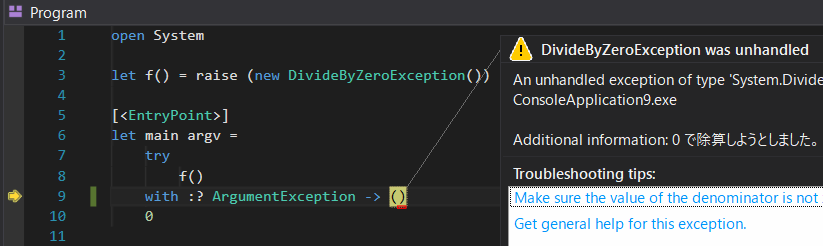
当我在Visual上调试此代码时,它会中断未处理的异常并指向第9行,我希望它指向第3行。
我试过Microsoft.FSharp.Core.Operators.reraise,但它并没有改变结果。
编辑
C#调试屏幕捕获
F#调试屏幕捕获
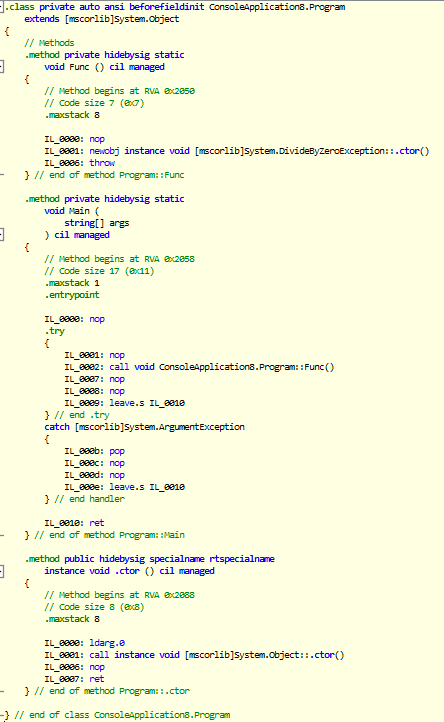
为C#生成的IL
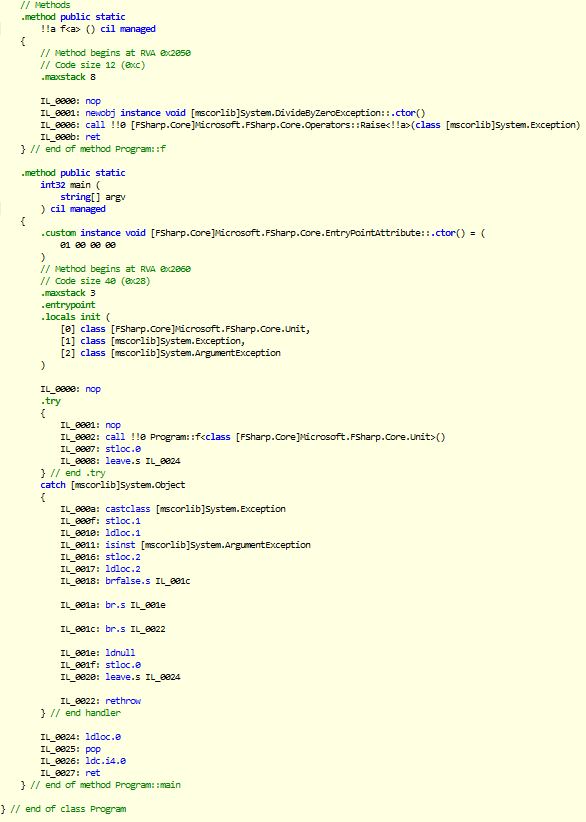
为F#生成的IL
回答 2
Stack Overflow用户
回答已采纳
发布于 2017-02-22 08:46:02
问题是,当您在对f()的调用中添加try/with语句时,抛出的异常被传播到代码的'main‘块中的那个点。
为了处理函数f()中的异常,如您的C#示例所示,请将try/with移动到f(),如下所示:
let f() =
 try
   raise (System.DivideByZeroException()) // exception is handled here
   with | InnerError(str) -> printfn "Error1 %s" str

[<EntryPoint>]
let main argv =
    f()
0Stack Overflow用户
发布于 2017-07-03 14:27:31
我看到了同样的问题和提出了一个问题。解决方法是将--generate-filter-blocks添加到项目属性的"Build“页面中的”其他标志“中。
页面原文内容由Stack Overflow提供。腾讯云小微IT领域专用引擎提供翻译支持
原文链接:
https://stackoverflow.com/questions/42382857
复制相关文章
相似问题
腾讯云开发者

Copyright © 2013 - 2026 Tencent Cloud. All Rights Reserved. 腾讯云 版权所有
深圳市腾讯计算机系统有限公司 ICP备案/许可证号:粤B2-20090059  粤公网安备44030502008569号
腾讯云计算(北京)有限责任公司 京ICP证150476号 | 京ICP备11018762号