
我想使效果类似于调整顶部视图的联系人应用程序?
我想使效果类似于调整顶部视图的联系人应用程序?
提问于 2017-01-30 12:23:53
本机联系人应用程序有有趣的效果-当用户试图滚动时,滚动视图推顶视图与阿凡达,只有在顶部视图是在“小模式”,它是向上滚动。
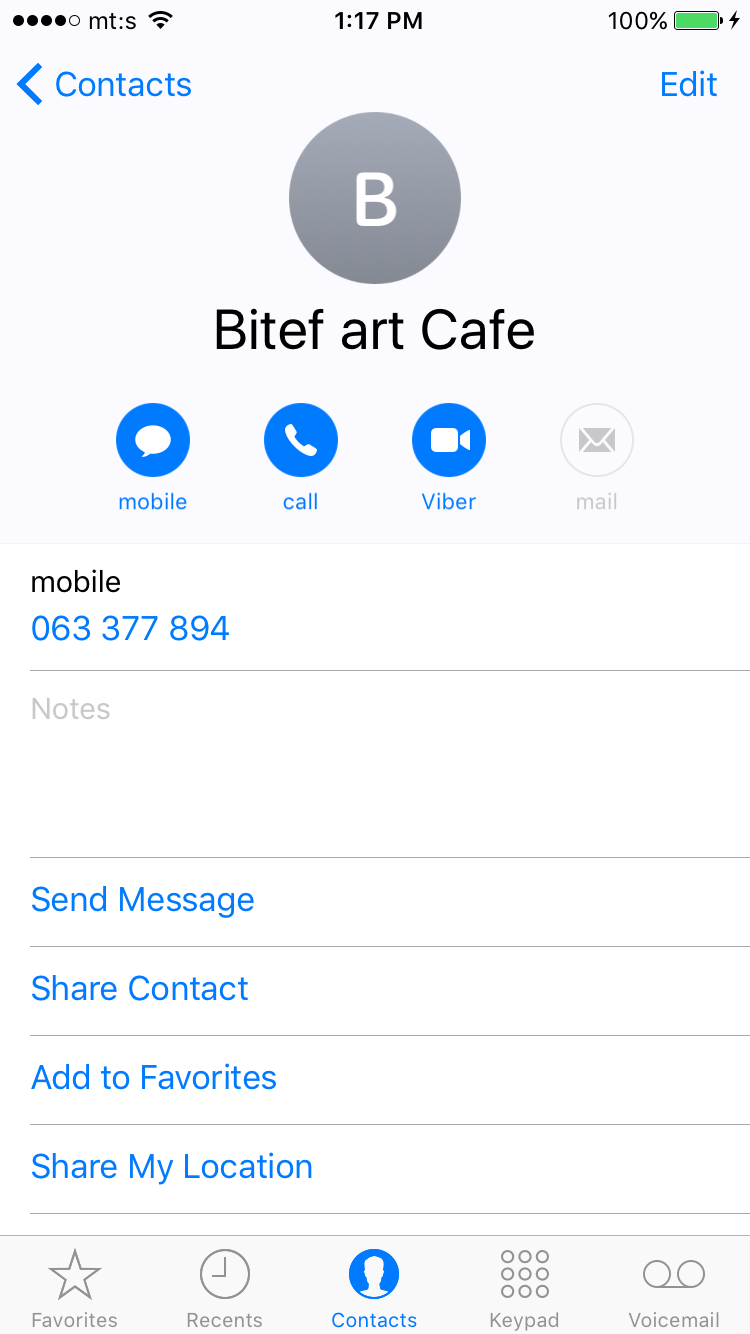
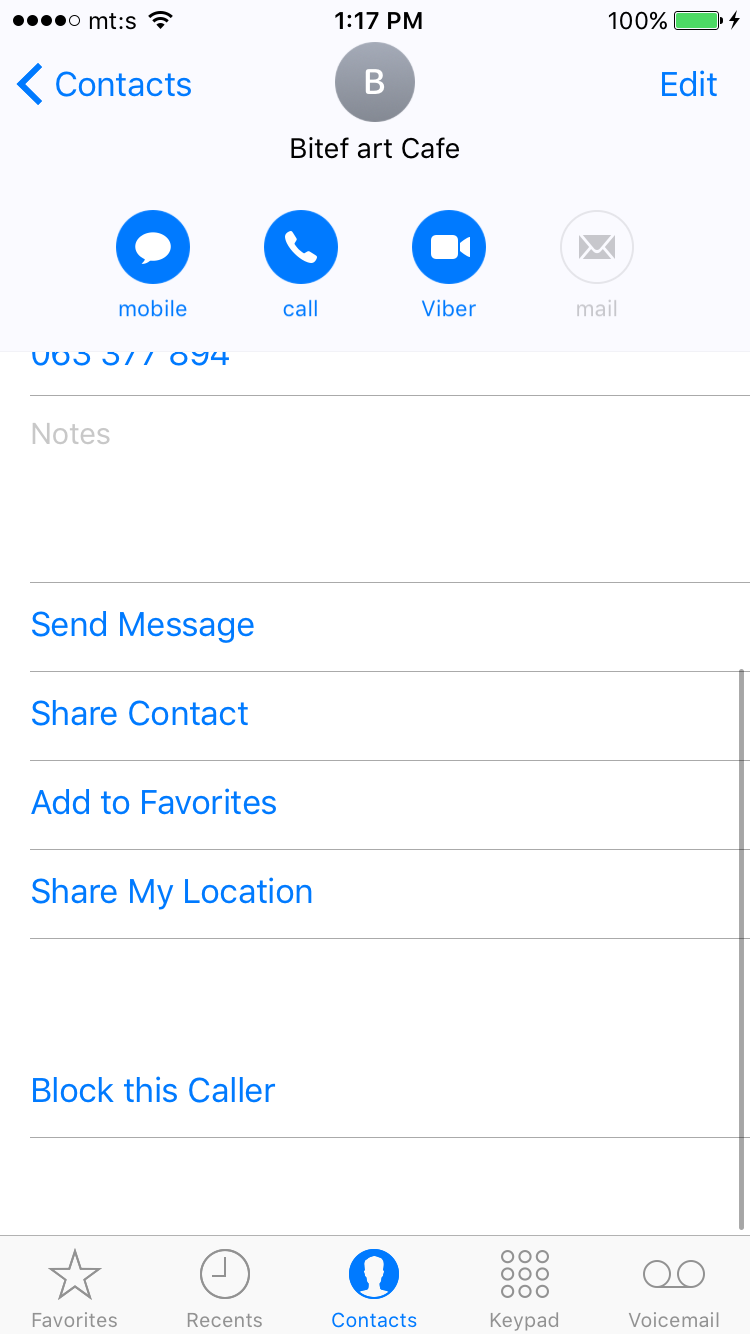
通过didScroll方法,我能够调整滚动视图的大小。但问题是,内容偏移也在变化,而我推动顶部竞争。在本机联系人中,仅当顶部视图处于“小模式”时,内容偏移量才会发生更改。
有什么建议吗,他们是怎么做的?
回答 1
Stack Overflow用户
回答已采纳
发布于 2018-05-24 11:39:27
慷慨的答案是好的,但它仍然给出了这个问题的一些不稳定的解决方案。如果你想和本地人完全一样,这就是你的解决方案。我最近玩了很多收集意见,并获得了更多的经验。我发现的一件事是,使用自定义布局可以很容易地解决这个问题:
class CustomCollectionViewFlowLayout: UICollectionViewFlowLayout {

    let minHeightForHeader: CGFloat = 50
    let offsetFromTop: CGFloat = 20

    override func layoutAttributesForSupplementaryView(ofKind elementKind: String, at indexPath: IndexPath) -> UICollectionViewLayoutAttributes? {

        // get current attributes
        let attributes = super.layoutAttributesForSupplementaryView(ofKind: elementKind, at: indexPath)

        // get first section
        if let attributes = attributes, elementKind == UICollectionElementKindSectionHeader && indexPath.section == 0 {
            if let collectionView = collectionView {

                // now check for content offset
                var frame = attributes.frame
                let yOffset = collectionView.contentOffset.y
                if yOffset >= -offsetFromTop {
                    let calculatedHeight = frame.size.height - (yOffset + offsetFromTop)
                    let maxValue = minHeightForHeader > calculatedHeight ? minHeightForHeader : calculatedHeight
                    frame.size.height = maxValue
                    attributes.frame = frame
                }
                else {
                    frame.origin.y = offsetFromTop + yOffset
                    attributes.frame = frame
                }
            }
            return attributes
        }

        // default return
        return attributes
    }

    override func shouldInvalidateLayout(forBoundsChange newBounds: CGRect) -> Bool {
        return true
    }
}
只需将默认布局替换为此自定义类,并在安装方法中的某个位置添加该行即可。
flowLayout.sectionHeadersPinToVisibleBounds = true瞧!
编辑:只是另一个可选的裁剪部分的方法,当您滚动到特定的部分时,滚动可能会继续或返回:
override func targetContentOffset(forProposedContentOffset proposedContentOffset: CGPoint, withScrollingVelocity velocity: CGPoint) -> CGPoint {

        if let collectionView = collectionView {
            let yOffset = collectionView.contentOffset.y
            if yOffset + offsetFromTop >= maxHeightForHeader / 2 &&  yOffset + offsetFromTop < maxHeightForHeader && !(velocity.y < 0) || velocity.y > 0{
                return CGPoint.init(x: 0, y: maxHeightForHeader - minHeightForHeader - offsetFromTop)
            }
            if yOffset + offsetFromTop < maxHeightForHeader / 2 &&  yOffset + offsetFromTop > 0 || velocity.y < 0 {
                return CGPoint.init(x: 0, y: -offsetFromTop)
            }
        }
        return proposedContentOffset
}页面原文内容由Stack Overflow提供。腾讯云小微IT领域专用引擎提供翻译支持
原文链接:
https://stackoverflow.com/questions/41935874
复制相关文章
相似问题
腾讯云开发者

Copyright © 2013 - 2026 Tencent Cloud. All Rights Reserved. 腾讯云 版权所有
深圳市腾讯计算机系统有限公司 ICP备案/许可证号:粤B2-20090059  粤公网安备44030502008569号
腾讯云计算(北京)有限责任公司 京ICP证150476号 | 京ICP备11018762号