
无法使UITableViewAutomaticDimension正常工作
我有一个相当标准的UITableView,它通过自定义单元格填充。这个细胞现在只是一个图像和标签。我不能,为了我的命,让它自己调整尺寸。
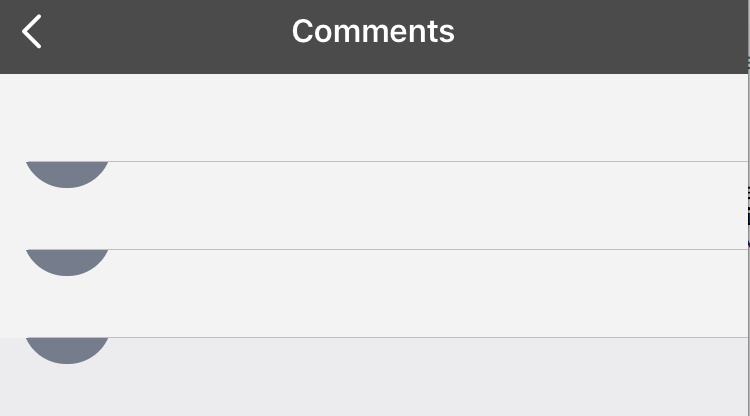
当我包括UITableViewAutomaticDimension时,除了不正确的布局之外,我也失去了填充数据的能力。
如果没有UITableViewAutomaticDimension,数据就会正确显示。
I am使用SnapKit来处理约束,使用Meteor/SwiftDDP来处理数据,但是项目中似乎有另一个UITableView工作正常
ViewController
class CommentViewController: UIViewController, UITableViewDelegate, UITableViewDataSource {
    var commentTable:UITableView!
    var comments:MeteorCollection<Comment>!

    init() {
        super.init(nibName: nil, bundle: nil)
    }

    required init?(coder aDecoder: NSCoder) {
        fatalError("init(coder:) has not been implemented")
    }

    override func viewDidLoad() {
        super.viewDidLoad()
        comments = MeteorCollection<Comment>(name: "comments")

        createView()

        Meteor.subscribe("postsComments", params: [["postId": self.source!.id!]]) {}
    }

    func createView() {
        let contentTableView = UITableView(frame: content.frame)
        content.addSubview(contentTableView)
        contentTableView.backgroundColor = UIColor.clearColor()
        self.commentTable = contentTableView
        contentTableView.delegate = self
        contentTableView.dataSource = self

        contentTableView.snp_makeConstraints { (make) -> Void in
          make.top.equalTo(content)
          make.left.equalTo(content)
          make.right.equalTo(content)
          make.height.equalTo(content).inset(65)
        }

        contentTableView.rowHeight = UITableViewAutomaticDimension
        contentTableView.estimatedRowHeight = 350

    }
}
CommentTableViewDelegate.swift
import UIKit

extension CommentViewController {
    func numberOfSectionsInTableView(tableView: UITableView) -> Int {
        return 1
    }
    func tableView(tableView: UITableView, numberOfRowsInSection section: Int) -> Int {
        return self.comments.count
    }

    func tableView(tableView: UITableView, cellForRowAtIndexPath indexPath: NSIndexPath) -> UITableViewCell {
        let cell = tableView.dequeueReusableCellWithIdentifier(CommentTableViewCell.reuseIdentifier, forIndexPath: indexPath) as UITableViewCell

        cell.setNeedsUpdateConstraints()
        cell.updateConstraintsIfNeeded()
        if let card = cell as? CommentTableViewCell {
            let item = self.comments.sorted[indexPath.row]
            card.populate(item)
        }

        return CommentTableViewCell()
    }

    func reloadTableView() {
        self.commentTable.reloadData()
    }
}当不使用使用UITableViewAutomaticDimension时,我的乱七八糟的示例
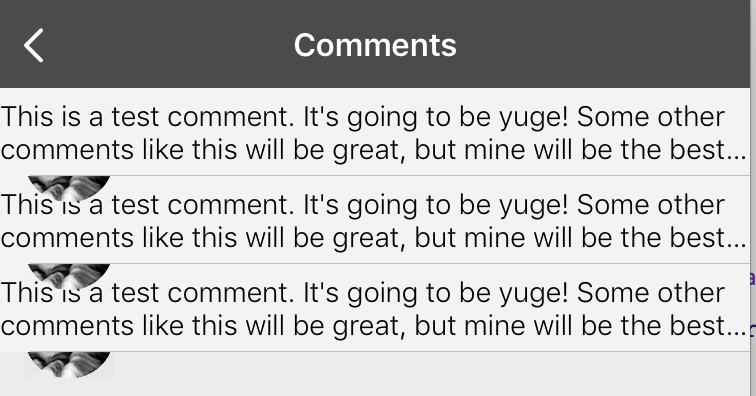
使用UITableViewAutomaticDimension时我乱七八糟的一个例子
回答 2
Stack Overflow用户
发布于 2017-02-01 11:18:02
这可能是由于单元格内的不适当约束所致。请在表格视图单元格中适当添加约束,并从故事板的属性检查器部分设置UILable的以下两个属性:
- 行到0
- 换行换词
也可以通过代码设置这些属性:
 self.lblxyz.numberOfLines = 0
 self.lblxyz.lineBreakMode = .byWordWrapping
注意-不要固定UILable的高度。
希望它能帮助你..。:)
Stack Overflow用户
发布于 2017-01-26 19:59:38
我不确定它是否有效,但是,我最近遇到了同样的问题,我通过更改estimatedRowHeight修复了它。
你能试一次吗?
contentTableView.estimatedRowHeight = 350to,contentTableView.estimatedRowHeight = 160
https://stackoverflow.com/questions/41880728
复制相似问题
腾讯云开发者

Copyright © 2013 - 2026 Tencent Cloud. All Rights Reserved. 腾讯云 版权所有
深圳市腾讯计算机系统有限公司 ICP备案/许可证号:粤B2-20090059  粤公网安备44030502008569号
腾讯云计算(北京)有限责任公司 京ICP证150476号 | 京ICP备11018762号