
动画与SwingUtilities.invokeLater
动画与SwingUtilities.invokeLater
提问于 2017-01-24 00:35:55
我想使用SwingUtilities.invokeLater方法,以便我的程序的所有Swing组件都由事件分派线程更新,因为它是一个很好的实践。
但是,如果我将main方法的所有代码包装在SwingUtilities.invokeLater(new Runnable { public void run() { /* code */ }});中,窗口就会冻结(这是正常的,因为我的代码有一个动画循环,需要几秒钟才能完成)。我应该把那个SwingUtilities.invokeLater方法放在哪里?
程序代码(没有SwingUtilities.invokeLater方法)
import java.awt.Color;
import java.awt.Dimension;
import java.awt.geom.Rectangle2D;
import java.awt.Graphics;
import java.awt.Graphics2D;
import java.awt.image.BufferedImage;
import javax.swing.JFrame;
import javax.swing.JPanel;

public class Test {

  public static void main(String[] args) {
    int width = 854;
    int height = 480;
    String title = "Test";
    BufferedImage bufferedImage = new BufferedImage(width, height, BufferedImage.TYPE_INT_RGB);
    JFrame frame = new JFrame();
    JPanel panel = new JPanel() {
      protected void paintComponent(Graphics graphics) {
        super.paintComponent(graphics);
        Graphics2D graphics2D = (Graphics2D) graphics;
        graphics2D.drawImage(bufferedImage, 0, 0, null);
      }
    };
    frame.add(panel);
    frame.getContentPane().setPreferredSize(new Dimension(width, height));
    frame.pack();
    frame.setTitle(title);
    frame.setLocationRelativeTo(null);
    frame.setDefaultCloseOperation(JFrame.EXIT_ON_CLOSE);
    frame.setVisible(true);
    int size = height/3;
    int x = -size;

    while (x <= width) {
      Graphics2D graphics2D = (Graphics2D) bufferedImage.getGraphics();
      graphics2D.setColor(Color.RED);
      graphics2D.fill(new Rectangle2D.Double(x, 0, size, size));
      graphics2D.setColor(Color.GREEN);
      graphics2D.fill(new Rectangle2D.Double(x, size, size, size));
      graphics2D.setColor(Color.BLUE);
      graphics2D.fill(new Rectangle2D.Double(x, 2 * size, size, size));
      graphics2D.dispose();
      panel.repaint();
      ++x;

      try {
        Thread.sleep(10);
      } catch (InterruptedException exception) {
        exception.printStackTrace();
      }
    }

    frame.dispose();
  }
}
程序截图
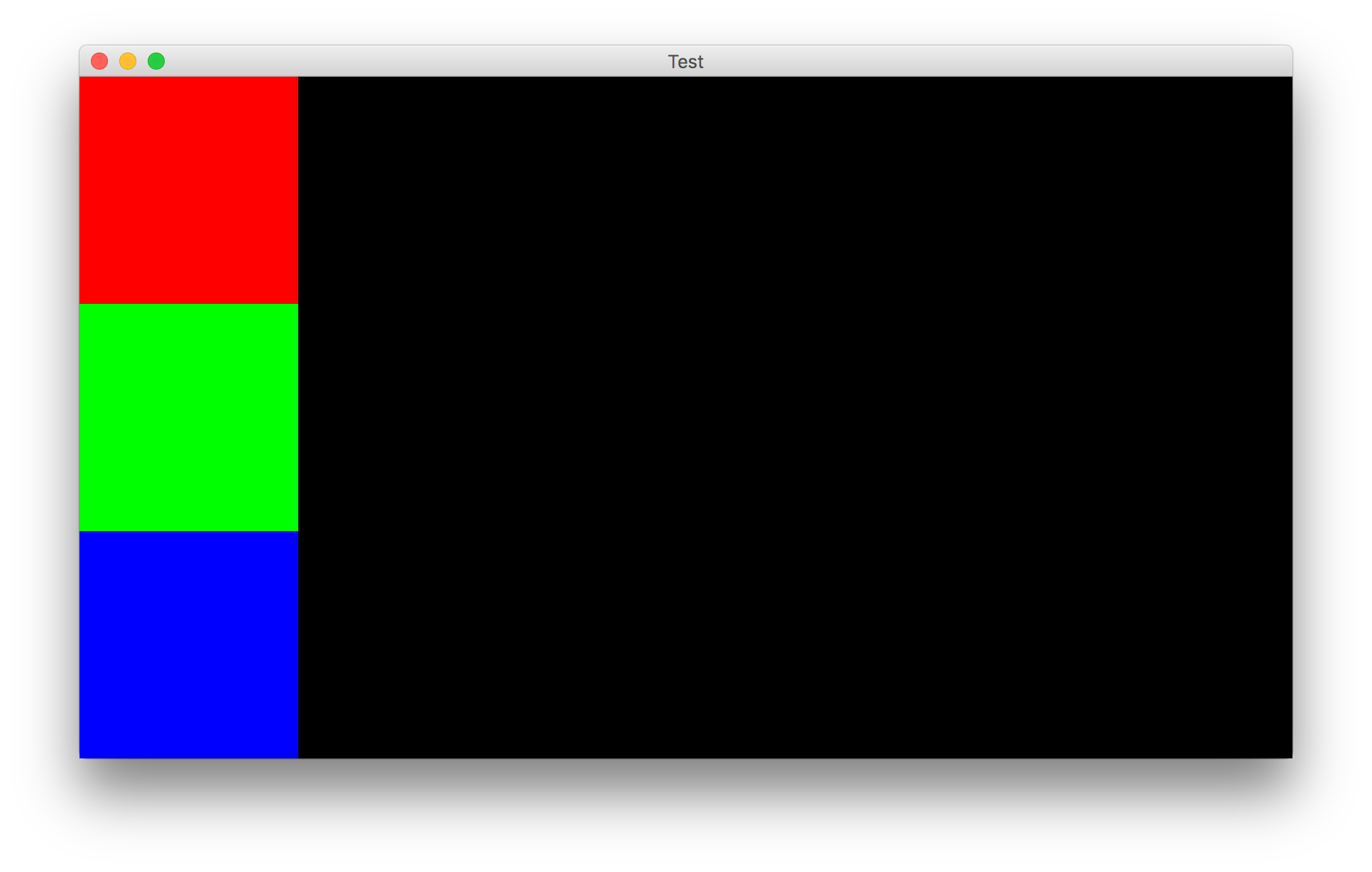
这是一个动画,其中三种颜色的条是逐渐延伸到右边的窗口边缘。
回答 1
Stack Overflow用户
回答已采纳
发布于 2017-01-24 01:15:02
下面是自包含的代码(发布后很好,即BTW)更新为使用@MadProgrammer建议的Timer。为了访问x变量,它被移动到为计时器定义的动作监听器中。为了从动作侦听器中访问Timer,将其移到了类属性。后者意味着更容易将大部分代码移动到对象实例的构造函数中。
import java.awt.*;
import java.awt.event.*;
import java.awt.geom.Rectangle2D;
import java.awt.image.BufferedImage;
import javax.swing.*;

public class Test {

    Timer timer;

    Test() {
        int width = 854;
        int height = 480;
        String title = "Test";
        BufferedImage bufferedImage = new BufferedImage(
                width, height, BufferedImage.TYPE_INT_RGB);
        JFrame frame = new JFrame();
        JPanel panel = new JPanel() {
            @Override
            protected void paintComponent(Graphics graphics) {
                super.paintComponent(graphics);
                Graphics2D graphics2D = (Graphics2D) graphics;
                // when you have an ImageObserver, may as well use it
                //graphics2D.drawImage(bufferedImage, 0, 0, null);
                graphics2D.drawImage(bufferedImage, 0, 0, this);
            }

            @Override
            public Dimension getPreferredSize() {
                return new Dimension(width,height);
            }
        };
        frame.add(panel);
        frame.pack();
        frame.setTitle(title);
        frame.setLocationRelativeTo(null);
        frame.setDefaultCloseOperation(JFrame.EXIT_ON_CLOSE);
        frame.setVisible(true);
        int size = height / 3;

        ActionListener animationListener = new ActionListener() {

            int x = -size;

            @Override
            public void actionPerformed(ActionEvent e) {
                if (x <= width) {
                    Graphics2D graphics2D = (Graphics2D) bufferedImage.getGraphics();
                    graphics2D.setColor(Color.RED);
                    graphics2D.fill(new Rectangle2D.Double(x, 0, size, size));
                    graphics2D.setColor(Color.GREEN);
                    graphics2D.fill(new Rectangle2D.Double(x, size, size, size));
                    graphics2D.setColor(Color.BLUE);
                    graphics2D.fill(new Rectangle2D.Double(x, 2 * size, size, size));
                    graphics2D.dispose();
                    panel.repaint();
                    ++x;
                } else {
                    timer.stop();
                    frame.dispose();
                }
            }
        };
        timer = new Timer(10, animationListener);
        timer.start();
    }

    public static void main(String[] args) {
        Runnable r = () -> {
            new Test();
        };
        SwingUtilities.invokeLater(r);
    }
}页面原文内容由Stack Overflow提供。腾讯云小微IT领域专用引擎提供翻译支持
原文链接:
https://stackoverflow.com/questions/41818129
复制相关文章
相似问题
腾讯云开发者

Copyright © 2013 - 2026 Tencent Cloud. All Rights Reserved. 腾讯云 版权所有
深圳市腾讯计算机系统有限公司 ICP备案/许可证号:粤B2-20090059  粤公网安备44030502008569号
腾讯云计算(北京)有限责任公司 京ICP证150476号 | 京ICP备11018762号