
安卓,更改应用程序: SwitchCompat的主题值
安卓,更改应用程序: SwitchCompat的主题值
提问于 2017-01-23 10:21:47
我想将应用程序:主题属性值的SwitchCompat更改为其他东西(@style/switchColorStyleBlue)。我怎样才能以编程的方式做到这一点?(应用程序:主题基本上改变了切换的颜色)
<android.support.v7.widget.SwitchCompat
android:id="@+id/switch"
android:layout_width="wrap_content"
android:layout_height="wrap_content"
app:theme="@style/switchColorStylePink"/>
我尝试过这个代码,但它没有显示出适当的结果:
    SwitchCompat switchCompat = new SwitchCompat(this);
    switchCompat.setId(i);
    switchCompat.setSwitchTextAppearance(getApplicationContext(), R.style.switchColorStylePink);
    switchCompat.setChecked(false);
    containerRelativeLayout.addView(switchCompat);
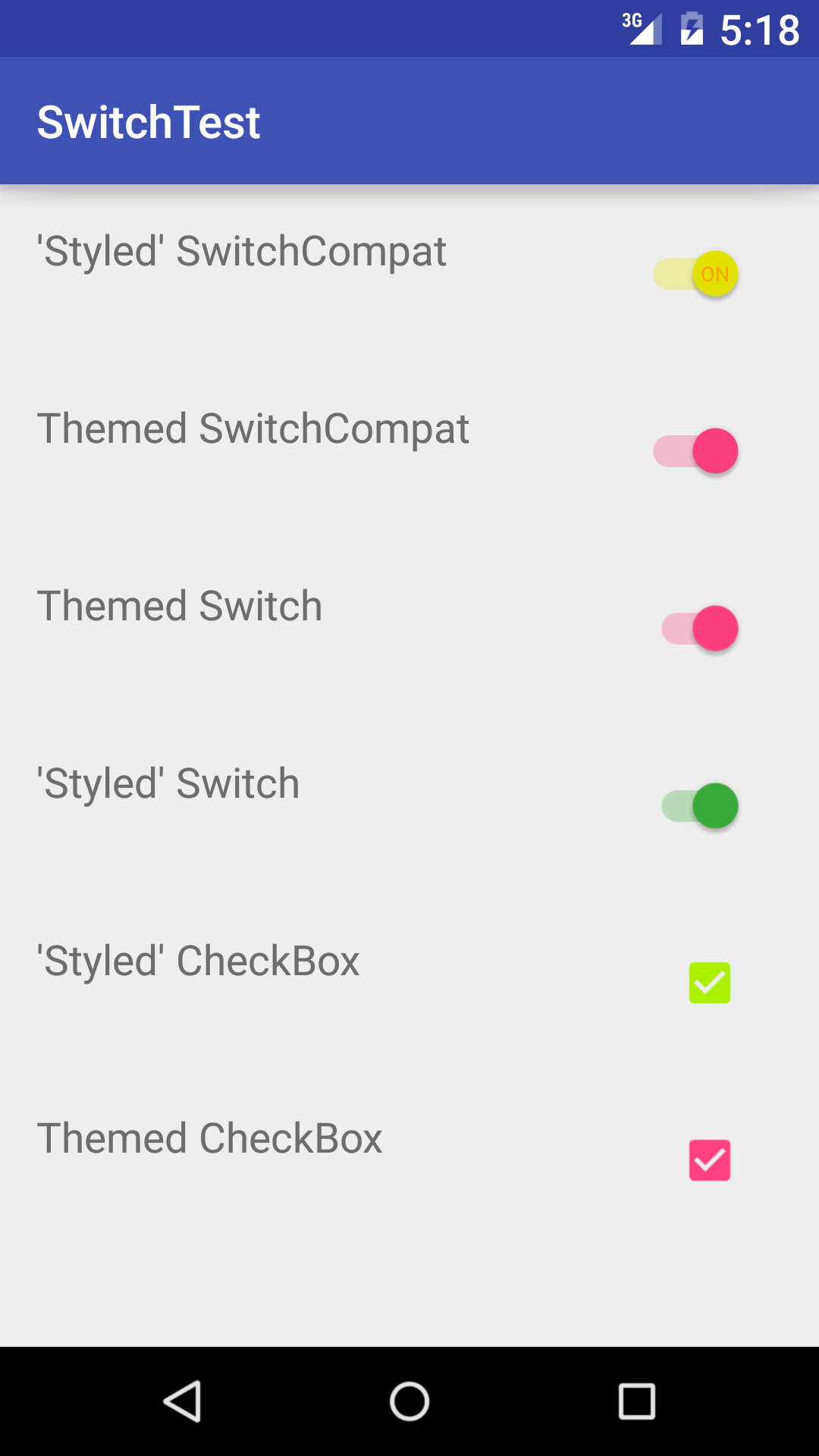
我想要的是将主题(开关的颜色)从粉红色更改为蓝色,或者反之亦然。
回答 2
Stack Overflow用户
回答已采纳
发布于 2017-01-23 11:38:58
试试这个..。我已经测试过了,它运行得很好
public class MainActivity extends AppCompatActivity {

    int[][] states = new int[][] {
            new int[] {-android.R.attr.state_checked},
            new int[] {android.R.attr.state_checked},
    };

    int[] thumbColors = new int[] {
            Color.BLACK,
            Color.RED,
    };

    int[] trackColors = new int[] {
            Color.GREEN,
            Color.BLUE,
    };

    @Override
    protected void onCreate(@Nullable Bundle savedInstanceState) {
        super.onCreate(savedInstanceState);
        setContentView(R.layout.activity_main);

        SwitchCompat switchCompat = (SwitchCompat) findViewById(R.id.switch);
        DrawableCompat.setTintList(DrawableCompat.wrap(switchCompat.getThumbDrawable()), new ColorStateList(states, thumbColors));
        DrawableCompat.setTintList(DrawableCompat.wrap(switchCompat.getTrackDrawable()), new ColorStateList(states, trackColors));
    }
}
您只需要根据需要更新"trackColors“和"thumbColor”。
Stack Overflow用户
发布于 2017-01-23 10:48:53
你可以试试switchCompat.setSwitchTypeface(typeface, R.style.switchColorStyleBlue);
页面原文内容由Stack Overflow提供。腾讯云小微IT领域专用引擎提供翻译支持
原文链接:
https://stackoverflow.com/questions/41803979
复制相关文章
相似问题
腾讯云开发者

Copyright © 2013 - 2026 Tencent Cloud. All Rights Reserved. 腾讯云 版权所有
深圳市腾讯计算机系统有限公司 ICP备案/许可证号:粤B2-20090059  粤公网安备44030502008569号
腾讯云计算(北京)有限责任公司 京ICP证150476号 | 京ICP备11018762号