
当我点击电源点上的按钮时,如何给形状着色?
当我点击电源点上的按钮时,如何给形状着色?
提问于 2017-01-17 12:26:11
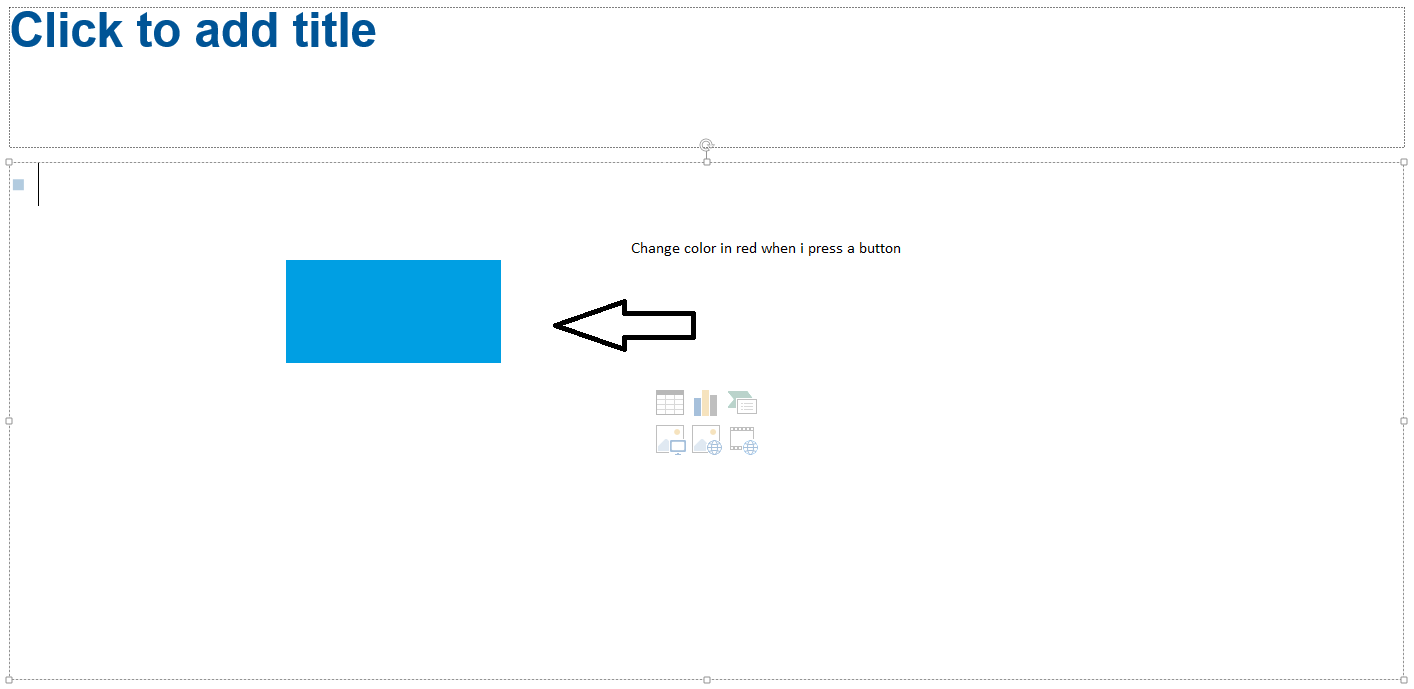
我想更改选定形状的颜色。如果我点击一个形状,我点击一个按钮,我想改变颜色红色,就像在图片,但当我按下按钮。
如何创建一个按钮,我放置条件,以改变所选的颜色形状?
我试图通过按另一个形状来改变颜色,但这不是我想要的。
非常感谢
回答 1
Stack Overflow用户
发布于 2017-01-17 13:13:20
好的,首先,因为您试图更改选定形状的颜色,这意味着您处于正常(编辑)视图,而不是幻灯片放映。其次,只有在幻灯片显示模式下,才能单击具有运行宏操作的ActiveX按钮或形状。因此,在普通视图中,“按钮”的唯一选项是使用Office的带状扩展功能。您需要将按钮的XML添加到PowerPoint文件的PowerPoint中,并创建一个相关的宏以使其运行。例如,使用CustomUI编辑器将此XML添加到文件中。
// Fluent UI customisation to add a single button to the PowerPoint ribbon //
// Written by Jamie Garroch of YOUpresent Ltd. http://youpresent.co.uk //
<customUI xmlns="http://schemas.microsoft.com/office/2009/07/customui">
  <ribbon>
    <tabs>
      <tab id="tabMyTab" label="My Tab">
        <group id="grpMyGroup" label="My Group">
          <button id="btnMyButton" label="My Button" onAction="MyMacro"/>
        </group>
      </tab>
    </tabs>
  </ribbon>
</customUI>
...then关闭CustomUI编辑器中的文件并在PowerPoint中重新打开。然后添加宏:
' PowerPoint macro to change the fill colour of a single selected shape
' Written by Jamie Garroch of YOUpresent Ltd. http://youpresent.co.uk
Public Sub MyMacro(control As IRibbonControl)
  With ActiveWindow.Selection
    If .Type = ppSelectionShapes Then
      If .ShapeRange.Count = 1 Then
        If .ShapeRange.Type = msoAutoShape Then
          .ShapeRange.Fill.ForeColor.RGB = RGB(255, 0, 0)
         End If
      End If
    End If
  End With
End Sub现在,当您在自定义选项卡My Button中单击My Tab时,如果幻灯片上有一个选定的AutoShape类型,则填充颜色将更改为红色。
页面原文内容由Stack Overflow提供。腾讯云小微IT领域专用引擎提供翻译支持
原文链接:
https://stackoverflow.com/questions/41697134
复制相关文章
相似问题
腾讯云开发者

Copyright © 2013 - 2026 Tencent Cloud. All Rights Reserved. 腾讯云 版权所有
深圳市腾讯计算机系统有限公司 ICP备案/许可证号:粤B2-20090059  粤公网安备44030502008569号
腾讯云计算(北京)有限责任公司 京ICP证150476号 | 京ICP备11018762号