
是否有一种方法来设置折叠符号中的亚英文版只读?
是否有一种方法来设置折叠符号中的亚英文版只读?
提问于 2017-01-04 09:56:46
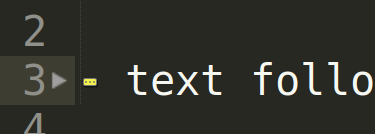
如果我删除亚文本中的折叠符号,整个折叠文本就会被删除吗?我更希望折叠符号在你删除它之前展开(就像在vim中)。
回答 2
Stack Overflow用户
回答已采纳
发布于 2017-01-04 22:38:54
如果我理解你想要有这种行为,它会自动展开,如果你在折叠后面并按下后退空间。这很容易存档(在3125+版本中),您只需添加上下文和命令即可。
通过工具>> Developer >>新建插件创建插件.粘贴和保存:
import sublime
import sublime_plugin


class UnfoldBeforeCommand(sublime_plugin.TextCommand):
    def run(self, edit):
        view = self.view
        for sel in view.sel():
            # fold the position before the selection
            view.unfold(sublime.Region(sel.b - 1))


class IsBehindFoldContext(sublime_plugin.EventListener):
    def on_query_context(self, view, key, operator, operand, match_all):
        if key != "is_behind_fold":
            return

        quantor = all if match_all else any

        result = quantor(
            view.is_folded(sel) and view.is_folded(sublime.Region(sel.b - 1))
            for sel in view.sel()
        )

        if operator == sublime.OP_EQUAL:
            result = result == operand
        elif operator == sublime.OP_NOT_EQUAL:
            result = result != operand
        else:
            raise Exception("Operator type not supported")

        return result
将此添加到您的密钥映射中:
{
    "keys": ["backspace"],
    "command": "unfold_before",
    "context":
    [
        { "key": "selection_empty" },
        { "key": "is_behind_fold", "operator": "equal", "operand": true }
    ]
}
现在你应该没事了。
Stack Overflow用户
发布于 2017-01-04 10:02:53
只要打开折叠,任何定制的折叠都会消失。对于自定义折叠,我指的是插入CTRL + SHIFT + ]的折叠。
页面原文内容由Stack Overflow提供。腾讯云小微IT领域专用引擎提供翻译支持
原文链接:
https://stackoverflow.com/questions/41460907
复制相关文章
相似问题
腾讯云开发者

Copyright © 2013 - 2026 Tencent Cloud. All Rights Reserved. 腾讯云 版权所有
深圳市腾讯计算机系统有限公司 ICP备案/许可证号:粤B2-20090059  粤公网安备44030502008569号
腾讯云计算(北京)有限责任公司 京ICP证150476号 | 京ICP备11018762号