
在覆盆子上用Webiopi开发网页
我是个新手,是网络开发的新手,我被各种各样的语言淹没了。我对所发生的事情有了基本的理解,但我仍然不知道自己被困在哪里了。
我有一个连接到我的覆盆子Pi的DS18B20,我能够在终端中获取温度。我也成功地运行了WebIOPi,并且能够在设备下的默认网页中看到温度。因此,我希望创建我自己的网页,在未来的其他选择中也能做到同样的事情。我掌握了一些关于WebIOPi的教程,还有4个文件。HTML、JavaScript文件、CSS文件和Python。在我的理解中,JavaScript文件包含逻辑和其他东西的链接,比如可点击的按钮和背景等等。我弄糊涂了。最后但并非最不重要的是,Python文件运行包含传感器模型和库的代码。我用我的传感器序列号配置了Webiopi文件,如这里提到的:http://webiopi.trouch.com/OneWireTemp.html。我正在松散地尝试遵循这个教程,在这个教程中,我获得了大部分代码:Devices.html。
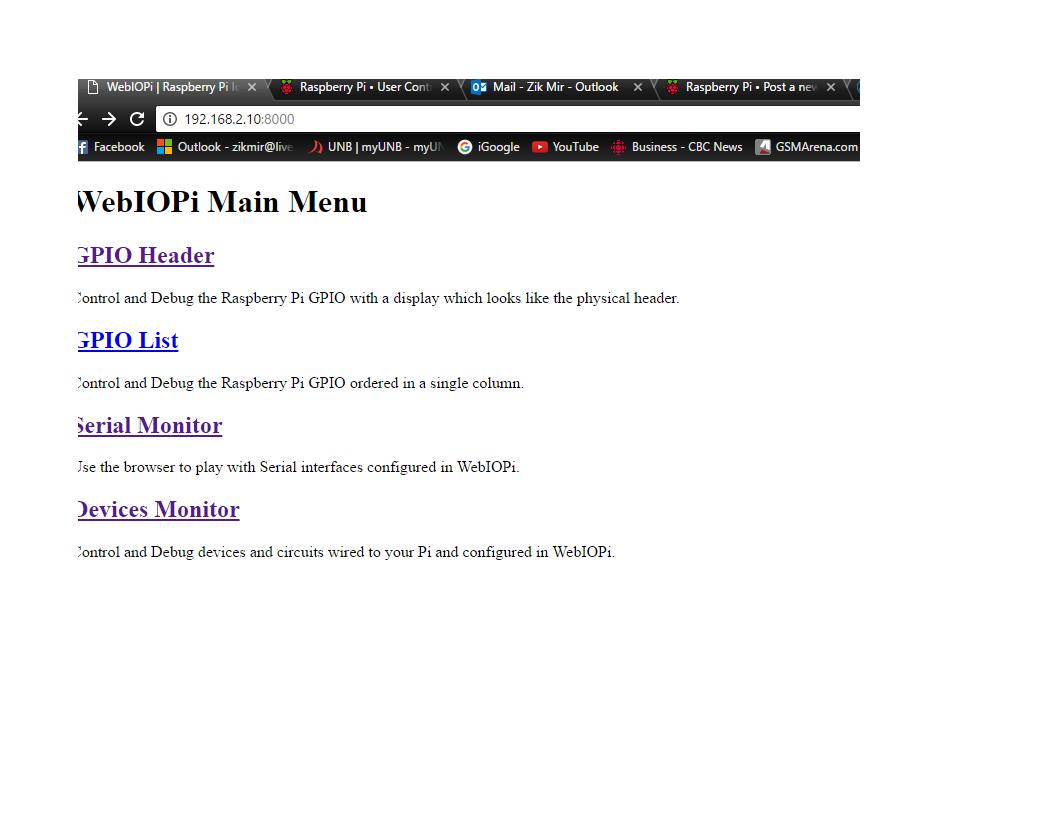
现在,当我从浏览器登录到网页时,背景显示是正确的,但没有其他内容。没有显示温度的盒子或按钮。图片附呈。我希望在照片上有个按钮。
如有任何指导或帮助,将不胜感激!
index.html
<!DOCTYPE html PUBLIC "-//W3C//DTD HTML 4.01 transitional//EN" "http://www.w3.org/TR/html4/loose.dtd">
<html>
<head>
<meta http-equiv="Content-Type" content="text/html; charset=UTF-8">
<title>WebIOPi | UNB Temperature</title>
<script type="text/javascript" src="/webiopi.js"></script>
<script type="text/javascript">
<script type="text/javascript" src="/scripts/bacon.js"></script>
<link rel="stylesheet" type="text/css" href="/styles/bacon.css">


<script type="text/javascript">
// declare few global variables
var tmp;

webiopi().ready(init);

// defines function passed to webiopi().ready()
function init() {
    // setup helpers to remotely control devices
    tmp = new Temperature("tmp");
    // automatically refresh UI each seconds
    setInterval(updateUI, 1000);
}

// function called through setInterval
function updateUI() {
    // call Temperature.getCelsius REST API
    // result is asynchronously displayed using the callback
    tmp.getCelsius(temperatureCallback);

}

// callback function used to display the temperature
function temperatureCallback(sensorName, data) {
    // jQuery functions
    $("#bt_heater").text(data + "°C");
}
bacon.js
<!DOCTYPE html PUBLIC "-//W3C//DTD HTML 4.01 Transitional//EN" "http://www.w3.org/TR/html4/loose.dtd">
<html>
<body>
<div align="center">
<button id="bt_mode" onclick="toggleMode()"/><br>
    <button id="bt_heater" onclick="toggleHeater()"/>
</div>
</body>
</html>
bacon.css
body {
background-color:#000000;
background-image:url('/img/wall.jpg');
background-repeat: no-repeat;
background-attachment: fixed;
background-position: center;
background-size: cover;

}
script.py
import webiopi
GPIO = webiopi.GPIO
AUTO = True
def loop():
if (AUTO):
    tmpwebiopi.deviceInstance("tmp")
    celsius = tmp.getCelsius()
    print ("Temperature: %f" % celsius)
    webiopi.sleep(1)

回答 2
Stack Overflow用户
发布于 2017-01-03 08:41:13
我不知道你的具体情况,但在我看来,这里似乎没有什么可看的。你把事情搞得一团糟。
澄清事情
- HTML包含网站的逻辑结构。
- CSS包含外观(设计)
- JavaScript和-Logic文件包含(UI)-Logic
这是相当粗糙,可能会偏离,但它应该足以作为一个开始,并应适用于这里。
代码中的明显错误
- HTML文件不完整。它不应该停在
script-section的中间,应该有定义要显示的按钮的标记。目前没有,因此没有什么可看的(只有HTMl正文,它是自动添加的,并且由于背景颜色是为它显示的主体定义的)。 - JavaScript文件实际上并不包含JavaScript,而是很可能不正确的JavaScript。
- 目前,所有的JavaScript都位于HTML文件的脚本部分。这是好的,只要你只是试图解决它,但使单独的JS文件在目前没有用。
总而言之,HTML文件应该更像这样。
<!DOCTYPE html PUBLIC "-//W3C//DTD HTML 4.01 transitional//EN" "http://www.w3.org/TR/html4/loose.dtd">
<html>
<head>
<meta http-equiv="Content-Type" content="text/html; charset=UTF-8">
<title>WebIOPi | UNB Temperature</title>
<script type="text/javascript" src="/webiopi.js"></script>
<script type="text/javascript">
<script type="text/javascript" src="/scripts/bacon.js"></script>
<link rel="stylesheet" type="text/css" href="/styles/bacon.css">


<script type="text/javascript">
// declare few global variables
var tmp;

webiopi().ready(init);

// defines function passed to webiopi().ready()
function init() {
    // setup helpers to remotely control devices
    tmp = new Temperature("tmp");
    // automatically refresh UI each seconds
    setInterval(updateUI, 1000);
}

// function called through setInterval
function updateUI() {
    // call Temperature.getCelsius REST API
    // result is asynchronously displayed using the callback
    tmp.getCelsius(temperatureCallback);

}

// callback function used to display the temperature
function temperatureCallback(sensorName, data) {
    // jQuery functions
    $("#bt_heater").text(data + "°C");
}
</script></head>
<body>
<div align="center">
<button id="bt_mode" onclick="toggleMode()"/><br>
    <button id="bt_heater" onclick="toggleHeater()"/>
</div>
</body>
</html>Stack Overflow用户
发布于 2017-01-03 17:55:35
我的当前代码正在工作,但有一些小的样式问题。
.html
<!DOCTYPE html PUBLIC "-//W3C//DTD HTML 4.01 Transitional//EN" "http://www.w3.org/TR/html4/loose.dtd">
<html>
<head>
<meta http-equiv="Content-Type" content="text/html; charset=UTF-8">
<title>WebIOPi | UNB Temperature</title>
<script type="text/javascript" src="/webiopi.js"></script>
<link rel="stylesheet" type="text/css" href="/styles/bacon.css">


<script type="text/javascript">

// declare few global variables
var tmp;

webiopi().ready(init);

// defines function passed to webiopi().ready()
function init() {
    // setup helpers to remotely control devices
    tmp = new Temperature("tmp");
    // automatically refresh UI each seconds
    setInterval(updateUI, 1000);
}

// function called through setInterval
function updateUI() {
    // call Temperature.getCelsius REST API
    // result is asynchronously displayed using the callback
    tmp.getCelsius(temperatureCallback);

}

// callback function used to display the temperature
function temperatureCallback(sensorName, data) {
    // jQuery functions
    $("#temp_disp").text(data + "°C");
}
 </script></head>
 <body>
 <div align="center">

    <button id="temp_disp" />
</div>
</body>
</html>
.CSS
body {
background-color:#000000;
background-image:url('/img/wall.jpg');
background-repeat: no-repeat;
background-attachment: fixed;
background-position: center;
background-size: cover;

}
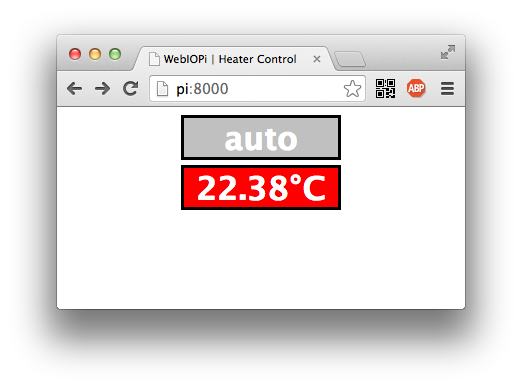
网页的当前视图!

https://stackoverflow.com/questions/41438876
复制相似问题
腾讯云开发者

Copyright © 2013 - 2026 Tencent Cloud. All Rights Reserved. 腾讯云 版权所有
深圳市腾讯计算机系统有限公司 ICP备案/许可证号:粤B2-20090059  粤公网安备44030502008569号
腾讯云计算(北京)有限责任公司 京ICP证150476号 | 京ICP备11018762号