
去安卓工作室的书签吗?
去安卓工作室的书签吗?
提问于 2016-12-23 21:57:27
我知道我可以使用F11在Android (我有2.2.2)中切换(设置和清除)书签。但是,是否有类似的简单方法来只使用到下一个书签呢?我找到的找到下一个书签的唯一方法是隐藏在导航菜单中-导航>书签>下一个书签。有什么方法可以给它分配函数键吗?
回答 5
Stack Overflow用户
回答已采纳
发布于 2016-12-24 06:39:49
没有进入下一个书签的默认快捷方式。虽然您可以在首选项中设置一个。
要做到这一点,请转到Preferences > Keymap,然后在主菜单>导航>Bookmark下,您可以为各种操作设置所需的键盘快捷方式。(还可以在“首选项搜索栏”窗口中搜索bookmark关键字,以便直接导航。)
希望这能有所帮助!
Stack Overflow用户
发布于 2020-06-22 03:52:32
在Mac和Android 4上,您可以执行以下操作
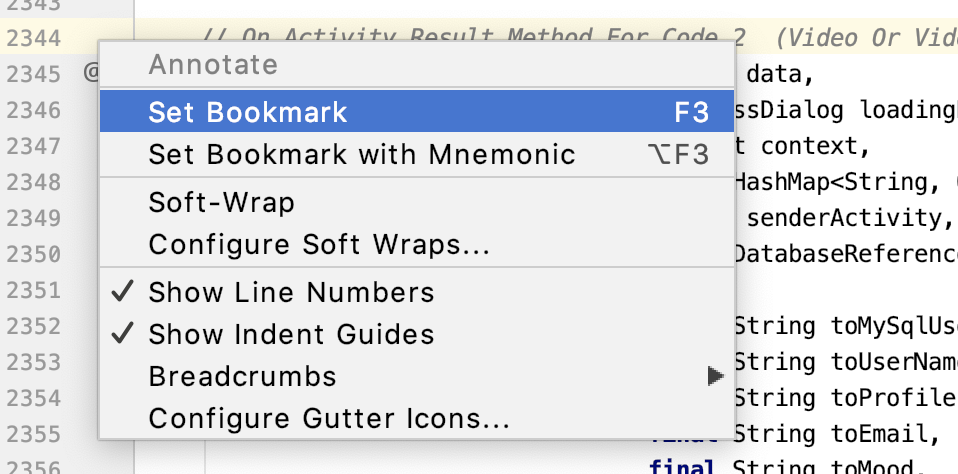
设置书签
Right click on the line counter pane and set bookmark
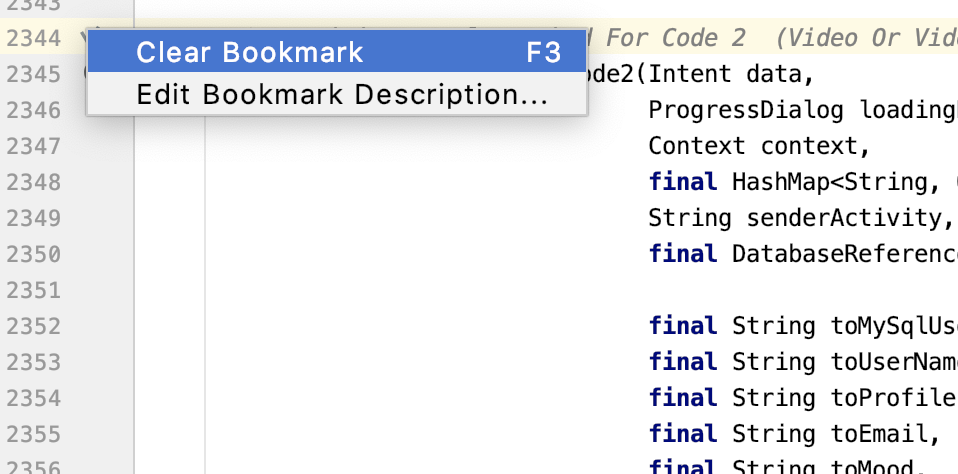
清除书签
Right click on the line counter pane and clear the bookmark
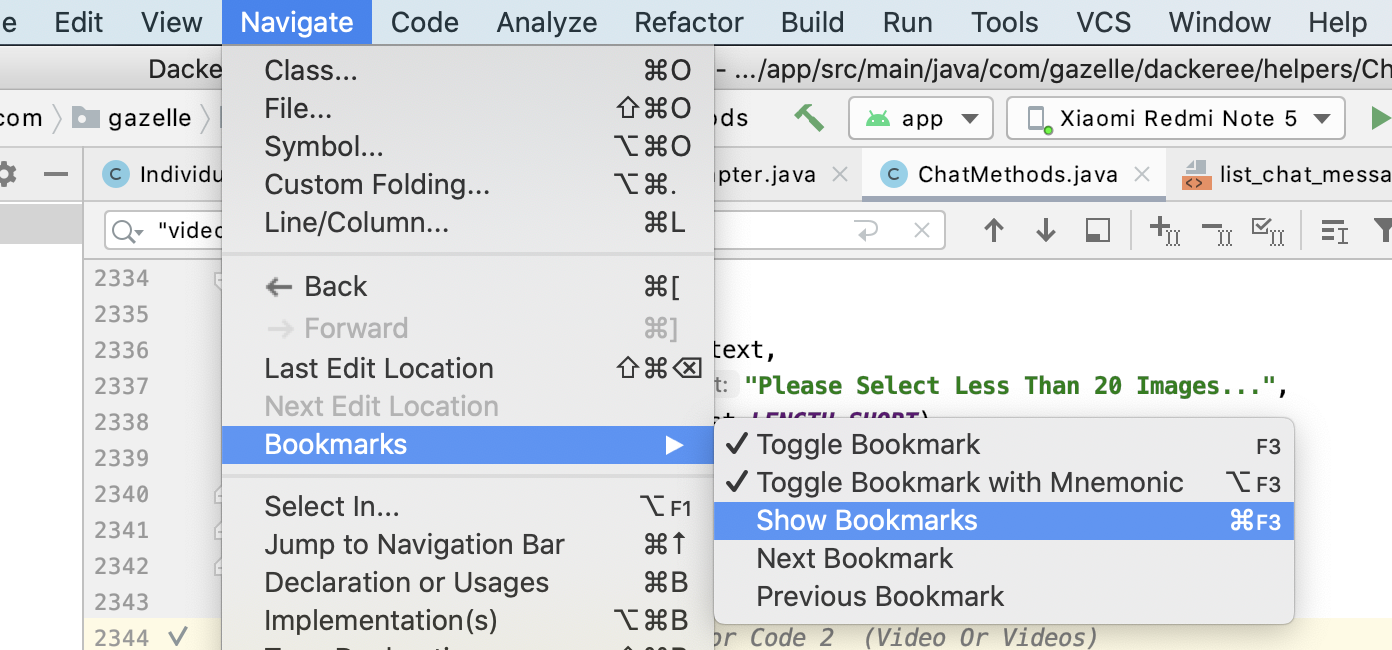
导航到书签
Go to Navigate -> Bookmarks -> Show Bookmarks
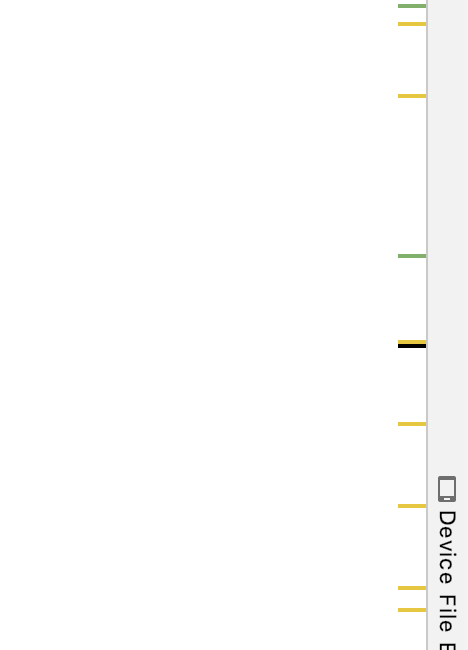
导航到书签(另一种方式)
On the right side you will see a black horizontal line marker for the bookmark you can click on that to jump to the bookmark
Stack Overflow用户
发布于 2019-08-11 08:30:48
步骤1: Shift + F11
第二步: Alt +向上/向下
就这样。
页面原文内容由Stack Overflow提供。腾讯云小微IT领域专用引擎提供翻译支持
原文链接:
https://stackoverflow.com/questions/41308270
复制相关文章
相似问题
腾讯云开发者

Copyright © 2013 - 2026 Tencent Cloud. All Rights Reserved. 腾讯云 版权所有
深圳市腾讯计算机系统有限公司 ICP备案/许可证号:粤B2-20090059  粤公网安备44030502008569号
腾讯云计算(北京)有限责任公司 京ICP证150476号 | 京ICP备11018762号