
创建散列表按钮
我有一个字符串,如下所示:#romantic #TLVLove #tagsforlikes #funday #telavivcity #summervacation (当然,这个字符串是动态的,并且将一直被更改)。
我想把它呈现如下:
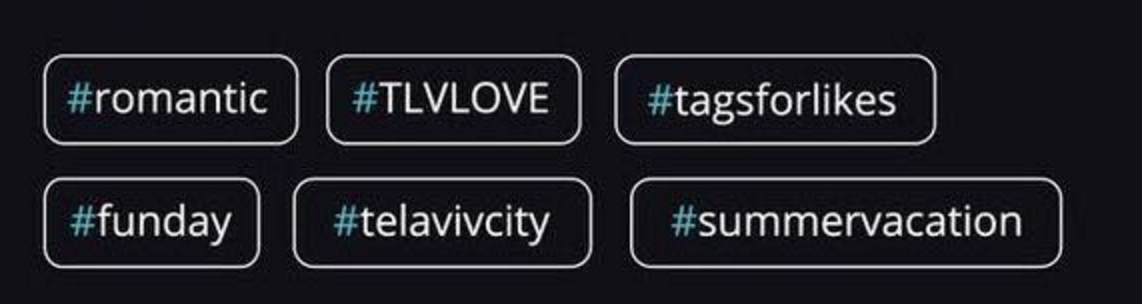
(在每个UIButton之间有一个空格的每个标记都有单独的按钮)。
我知道如何将字符串分离到其他字符串(在每个空空间之后),并创建一个带有该标题的UIButton,但如何知道按钮的大小以及不会离开屏幕的位置(原点)(如果没有足够的空间,则该行应该换行)。
回答 2
Stack Overflow用户
发布于 2016-12-21 13:54:43
您可以使用UICollectionView自调整单元格来完成它,您需要做的是
First
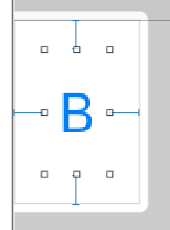
取一个UICollectionView并在该UICollectionViewCell中接受一个按钮,并从左、右、下和左四个方面设置UIButton的约束。
第二
现在,在设置约束之后,您可以在viewDidLoad中定义UICollectionView的UICollectionViewFlowLayout的estimatedItemSize,如下所示
override func viewDidLoad() {
    super.viewDidLoad()

    let collectionViewFlowLayout = collectionView.collectionViewLayout as! UICollectionViewFlowLayout
    collectionViewFlowLayout.estimatedItemSize = CGSize(width: 34, height: 50)

}collectionView是IBOutlet of my UICollectionView
第三代
对于按钮的名称,我使用了一个静态数组,您可以从数据中将其视为动态的
let arrButtons = ["#B1","#ButtonButton2","#Bu3","#Buttontton11","#Buttodasfdsafasdn1","#Bu3","#Buttofn1","#Buttodasfdsafasdntodn11"]第四
之后,只需实现UICollectionView的数据源方法即可
func collectionView(_ collectionView: UICollectionView, cellForItemAt indexPath: IndexPath) -> UICollectionViewCell {

    let cell = collectionView.dequeueReusableCell(withReuseIdentifier: "Cell", for: indexPath as IndexPath) as! RPCollectionViewCell

    cell.btn.setTitle(arrButtons[indexPath.row], for: .normal)

    return cell
}

func collectionView(_ collectionView: UICollectionView, numberOfItemsInSection section: Int) -> Int {

    return arrButtons.count

}
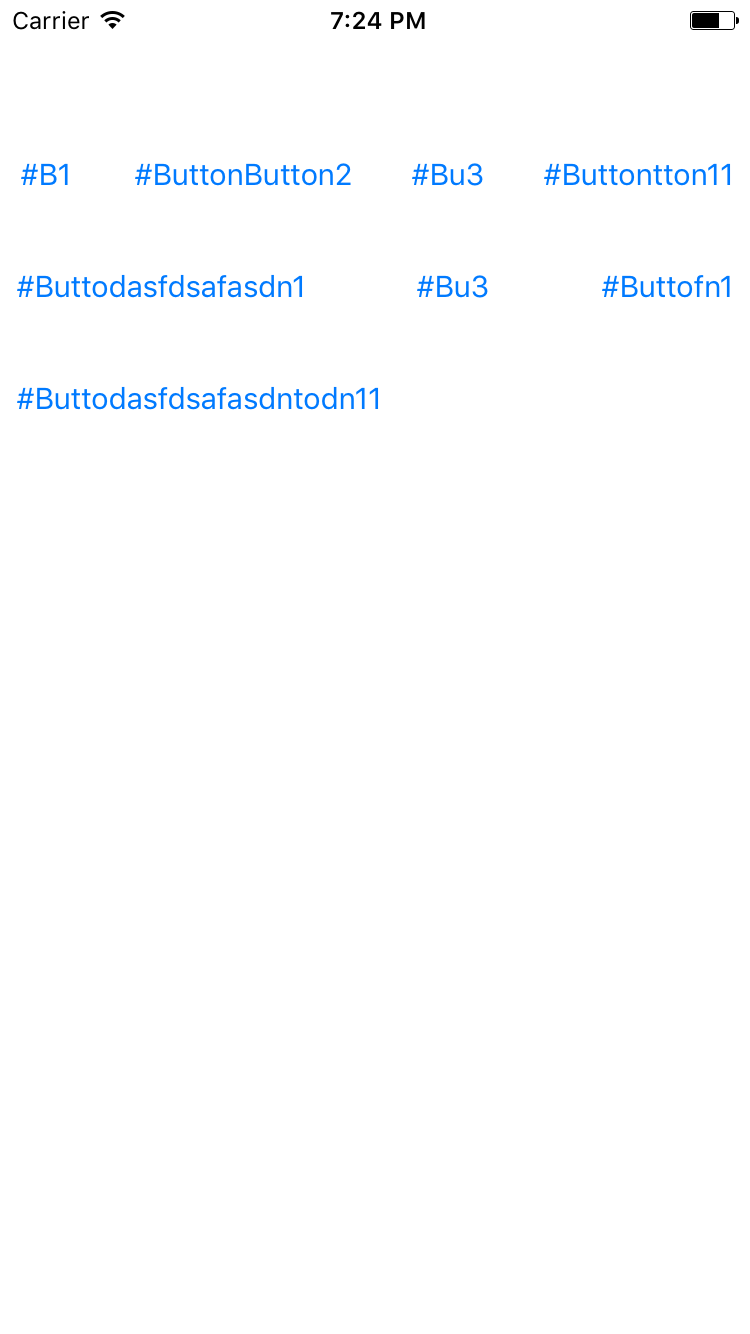
结果是
Stack Overflow用户
发布于 2016-12-21 14:02:44
let arrayOfStrings = hashTagString.componentSeparatedBy(" ");// This will give you an array of strings separated by space token.现在,要么通过CollectionView创建按钮,在UIView上动态分配按钮,要么使用您想要绘制的任何方法。如果你仍然感到困惑,请参考Rajat先生的答案,不要像这样给数组分配硬编码的值,
let arrButtons = ["#B1","#ButtonButton2","#Bu3","#Buttontton11","#Buttodasfdsafasdn1","#Bu3","#Buttofn1","#Buttodasfdsafasdntodn11"];只需使用我正在创建的arrayOfString,方法是将字符串拆分为数组。
如果您想在按钮上绘制圆角边框,只需在return cell之前添加这两行
cell.layer.cornerRadius = 4;
cell.layer.maskToBound = true
cell.layer.borderColor = UIColor.redColor()
cell.layer.borderWidth = 1https://stackoverflow.com/questions/41263592
复制相似问题
腾讯云开发者

Copyright © 2013 - 2026 Tencent Cloud. All Rights Reserved. 腾讯云 版权所有
深圳市腾讯计算机系统有限公司 ICP备案/许可证号:粤B2-20090059  粤公网安备44030502008569号
腾讯云计算(北京)有限责任公司 京ICP证150476号 | 京ICP备11018762号