
应用程序间音频技术:使效果节点和仪表节点独立
我正在编写一个主机应用程序,它使用Core的新iOS 7 Inter音频技术。在应用程序间音频示例的帮助下,我成功地获得了仪器应用程序和效果应用程序。
问题是效应节点是依赖于仪器节点的。我想使效果节点和仪表节点独立于。
我试试看。
if (desc.componentType == kAudioUnitType_RemoteEffect) {
//            if ([self isRemoteInstrumentConnected]) {
                if (!_engineStarted)                                    // Check if session is active
                    [self checkStartOrStopEngine];

                if ([self isGraphStarted])                              // Check if graph is running and or is created, if so, stop it
                    [self checkStartStopGraph];

                if ([self checkGraphInitialized ])                      // Check if graph has been inititialized if so, uninitialize it.
                    Check(AUGraphUninitialize(hostGraph));

                Check (AUGraphAddNode (hostGraph, &desc, &effectNode)); // Add remote instrument

                //Disconnect previous chain
               // Check(AUGraphDisconnectNodeInput(hostGraph, mixerNode, remoteBus));

                //Connect the effect node to the mixer on the remoteBus
                Check(AUGraphConnectNodeInput (hostGraph, effectNode, 0, mixerNode, remoteBus));

                //Connect the remote instrument node to the effect node on bus 0
                Check(AUGraphConnectNodeInput (hostGraph, instrumentNode, 0, effectNode, 0));

                //Grab audio units from the graph
                Check(AUGraphNodeInfo(hostGraph, effectNode, 0, &effect));
                currentUnit = &effect;
            }

if (currentUnit) {
            Check (AudioUnitSetProperty (*currentUnit,                  // Set stereo format
                                         kAudioUnitProperty_StreamFormat,
                                         kAudioUnitScope_Output,
                                         playerBus,
                                         &stereoStreamFormat,
                                         sizeof (stereoStreamFormat)));
            UInt32 maxFrames = 4096;
            Check(AudioUnitSetProperty(*currentUnit,
                                       kAudioUnitProperty_MaximumFramesPerSlice,
                                       kAudioUnitScope_Global, playerBus,
                                       &maxFrames,
                                       sizeof(maxFrames)));

            [self addAudioUnitPropertyListeners:*currentUnit];          // Add property listeners to audio unit
            Check(AUGraphInitialize (hostGraph));                       // Initialize the graph

            [self checkStartStopGraph];                                 //Start the graph
        }

        [_connectedNodes addObject:rau];
但我的申请在这条线上崩溃了--
Check(AUGraphInitialize (hostGraph));我所犯的错误
ConnectAudioUnit错误失败 -10860初始化失败,错误 -10860错误-10860来自AUGraphInitialize (hostGraph)
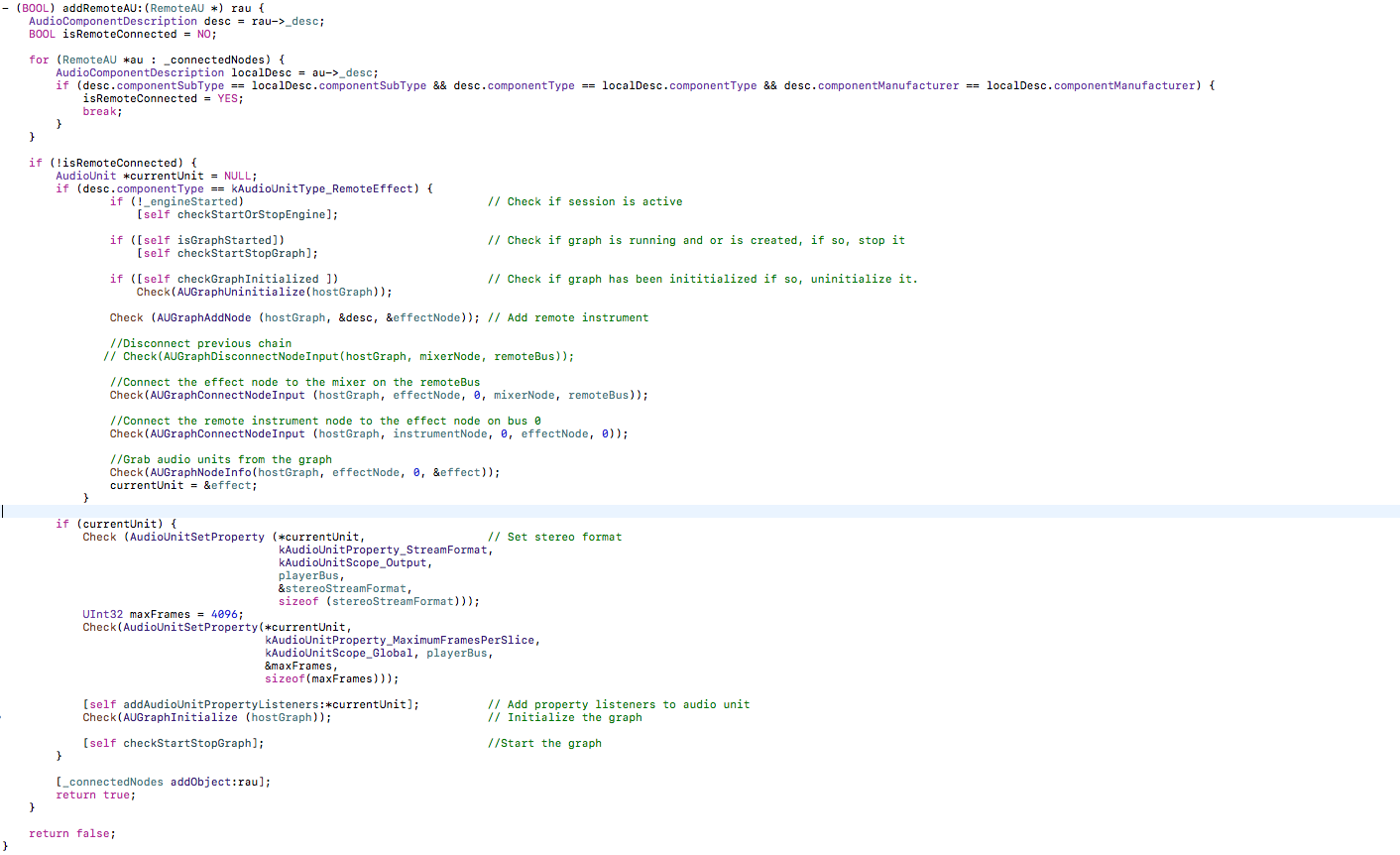
注:为了更好地理解,我还附上了代码部分的屏幕截图。
编辑1 :-
- (void)createGraph {
    // 1
    NewAUGraph(&hostGraph);

    // 2
    AudioComponentDescription iOUnitDescription;
    iOUnitDescription.componentType =
    kAudioUnitType_Output;
    iOUnitDescription.componentSubType =
    kAudioUnitSubType_RemoteIO;
    iOUnitDescription.componentManufacturer =
    kAudioUnitManufacturer_Apple;
    iOUnitDescription.componentFlags = 0;
    iOUnitDescription.componentFlagsMask = 0;
    AUGraphAddNode(hostGraph, &iOUnitDescription, &outNode);

    // 3
    AUGraphOpen(hostGraph);

    // 4
    Check(AUGraphNodeInfo(hostGraph, outNode, 0, &outputUnit));
    // 5
    AudioStreamBasicDescription format;
    format.mChannelsPerFrame = 2;
    format.mSampleRate =
    [[AVAudioSession sharedInstance] sampleRate];
    format.mFormatID = kAudioFormatLinearPCM;
    format.mFormatFlags =
    kAudioFormatFlagsNativeFloatPacked |
    kAudioFormatFlagIsNonInterleaved;
    format.mBytesPerFrame = sizeof(Float32);
    format.mBytesPerPacket = sizeof(Float32);
    format.mBitsPerChannel = 32;
    format.mFramesPerPacket = 1;

    AudioUnitSetProperty(mixerUnit,
                         kAudioUnitProperty_StreamFormat,
                         kAudioUnitScope_Output,
                         1,
                         &format,
                         sizeof(format));

    AudioUnitSetProperty(mixerUnit,
                         kAudioUnitProperty_StreamFormat,
                         kAudioUnitScope_Input,
                         0,
                         &format,
                         sizeof(format));
    CAShow(hostGraph);
}回答 1
Stack Overflow用户
发布于 2016-12-24 15:32:05
因此,您所看到的错误,如苹果文档,是由于The specified node cannot be found。
看起来你已经把你链接的苹果示例应用程序删除了一点,试图删除一个节点,但我不认为这很简单。该示例的文档清楚地说明了这两个节点是依赖的。仅仅更改remotes方法的添加是不够的,因为主机仍然试图同时创建这两种方法,如您所看到的错误所示。
从示例项目中的这个文件中,您只显示了对addRemoteAU所做的更改,但也需要对createGraph进行更改,因为这是用节点初始化hostGraph的地方。如果您只用一个节点初始化图,那么在addRemoteAU中,您应该停止看到由于一个节点未被找到而导致的错误,因为此时的图不会期望有两个节点(现在它是从创建节点开始)。
https://stackoverflow.com/questions/41256725
复制相似问题
腾讯云开发者

Copyright © 2013 - 2026 Tencent Cloud. All Rights Reserved. 腾讯云 版权所有
深圳市腾讯计算机系统有限公司 ICP备案/许可证号:粤B2-20090059  粤公网安备44030502008569号
腾讯云计算(北京)有限责任公司 京ICP证150476号 | 京ICP备11018762号