
不能用CheckListBox监视AutoIt
不能用CheckListBox监视AutoIt
提问于 2016-12-14 09:08:18
我不能在带有CheckListBox的窗口框架中监视AutoIt对象(我认为是Delphi)。它看不到这片区域的任何东西。我需要从该地区获得项目列表,并可能选择一个项目。
我正在使用python和robotframework。
我还尝试使用ControlListView:
self.get_autoit().ControlListView("Setup - XXXXX", "Select the XXXX", "[CLASS:TNewCheckListBox; INSTANCE:1]", "GetText")但它会抛出:
com_error: (-2147352561, 'Parameter not optional.', None, None)这个错误似乎是pywinauto的一个问题。
无论如何,我无法从这个烦人的对象中获得项目列表。
自动间谍的结果出现在截图中:
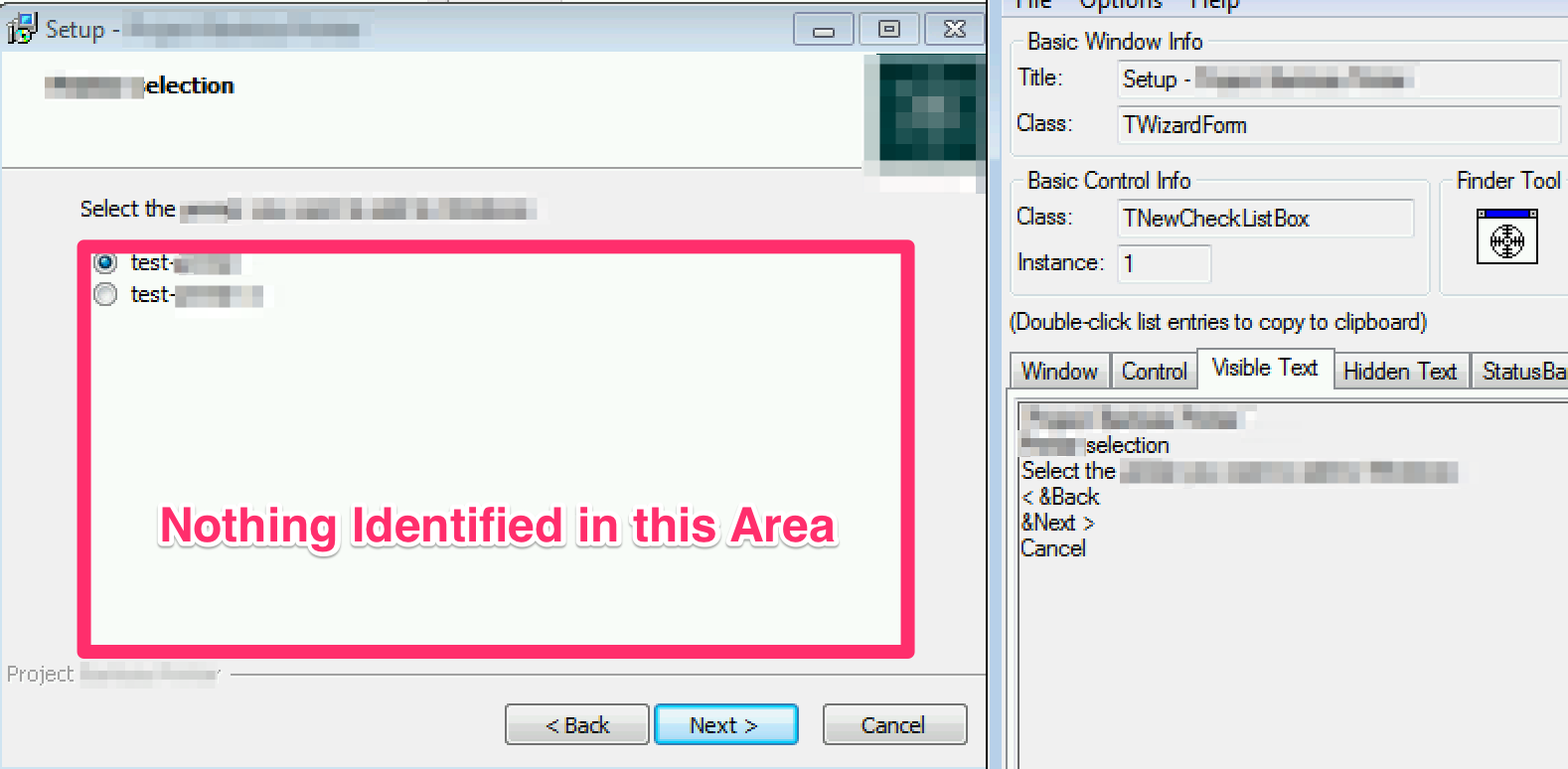
有谁能提出一个好的方法来访问这个不明区域的物品清单吗?
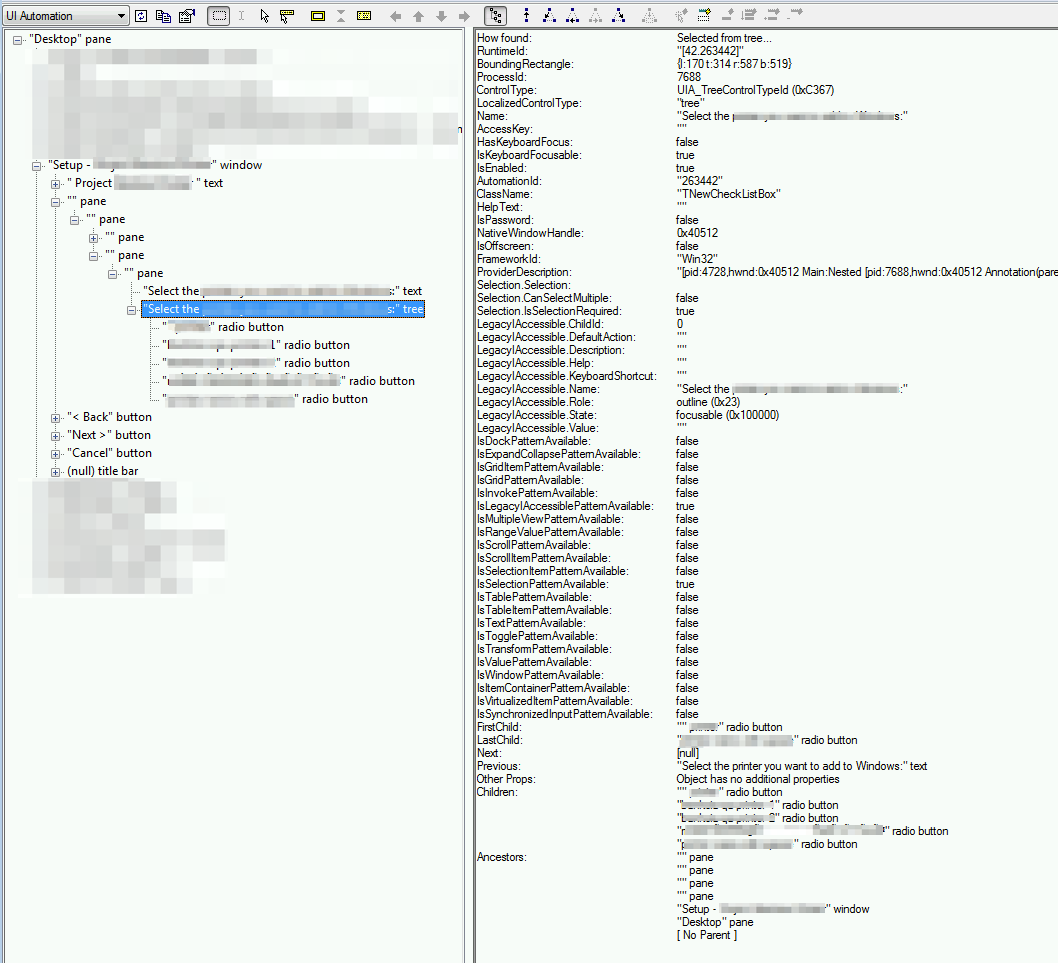
我可以从inspect.exe中看到内部项目:
回答 1
Stack Overflow用户
回答已采纳
发布于 2016-12-29 08:01:32
请参阅Vasily在评论中的详细答复。不过,概括地说:
在最初的问题中,我试图使用pyautoit从CheckListBox获取项目列表,因为它不起作用。因此,正如Vasily所建议的那样,我在UIA模式下使用了pywinauto (另一种自动化工具),下面对我起了作用:
self.Wizard = Application(backend="uia").connect(title = self.installerTitle) #connect the application
self.Wizard.InstallerDialog.TreeView.wait('visible', timeout=150) #wait for tree view to load
        items = self.Wizard.InstallerDialog.TreeView.children() #get the children of tree view
        for item in items:  #iterate through items, radio button in this case
            if item.window_text() == "item_name_to_select":
                item.click_input() #click radio button if the text is what we are looking for
                return
print "no item found with name: item_name_to_select"最有用的技巧是在pywinauto中使用print_control_identifiers()方法来获得控件的标识符。此外,inspect.exe in uia模式有助于识别对象。
页面原文内容由Stack Overflow提供。腾讯云小微IT领域专用引擎提供翻译支持
原文链接:
https://stackoverflow.com/questions/41138624
复制相关文章
相似问题
腾讯云开发者

Copyright © 2013 - 2026 Tencent Cloud. All Rights Reserved. 腾讯云 版权所有
深圳市腾讯计算机系统有限公司 ICP备案/许可证号:粤B2-20090059  粤公网安备44030502008569号
腾讯云计算(北京)有限责任公司 京ICP证150476号 | 京ICP备11018762号