
aruco::检测标记没有找到标记的真正边缘。
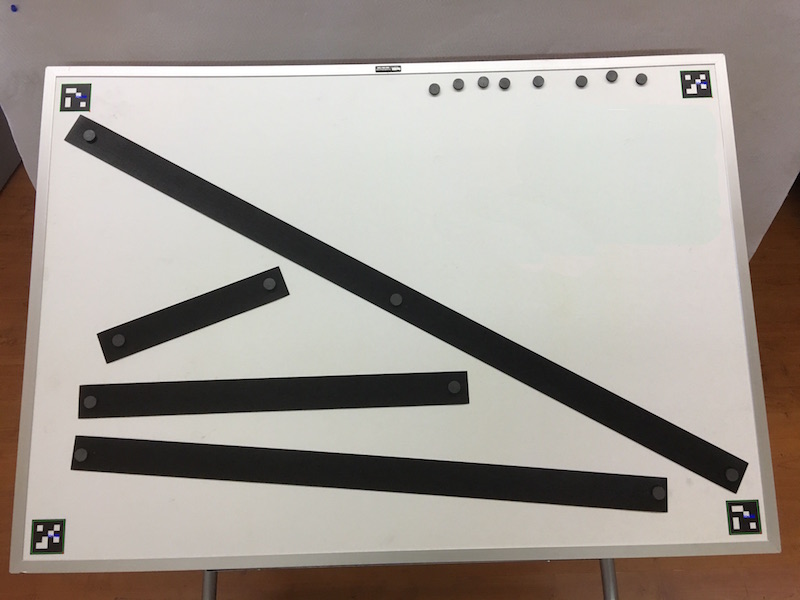
我使用ArUco标记来纠正透视图并计算图像中的大小。在这张图像中,我知道标记的外部边缘之间的精确距离,并使用它来计算黑色矩形的大小。
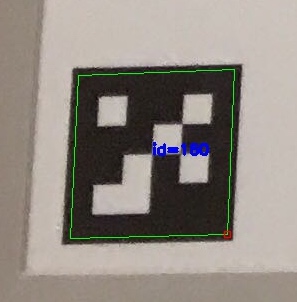
我的问题是,aruco::detectMarkers并不总是识别标记的真正边缘(如细节图像所示)。当我根据标记的角校正透视图时,它会造成失真,影响图像中对象的大小计算。
有没有办法提高aruco::detectMarkers的边缘检测精度?
这是一张缩小了的整个董事会的照片:
下面是显示边缘检测不准确的左下角标记的详细信息:
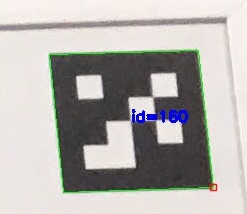
下面是右上角标记的详细信息,显示相同标记ID的准确边缘检测:
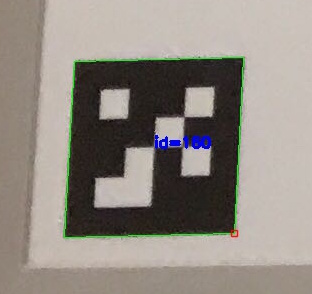
在这张缩小的图像中很难看到,但左上角的标记是准确的,右下角的标记是不准确的。
我的函数调用detectMarkers
bool findMarkers(const Mat image, Point2d outerMarkerCoordinates[], Point2d innerMarkerCoordinates[], Size2d *boardSize) {
    Ptr<aruco::Dictionary> theDictionary = aruco::getPredefinedDictionary(aruco::DICT_4X4_1000);
    vector<vector<Point2f> > markers;
    vector<int> ids;

    aruco::detectMarkers(image, theDictionary, markers, ids);

    aruco::drawDetectedMarkers(image, markers, ids);

    return true; //There's actually more code here that makes sure there are four markers.
}回答 1
Stack Overflow用户
发布于 2016-12-09 18:13:30
对 argument到detectMarkers的检查显示了一个名为doCornerRefinement的参数。它的描述是“做或不做亚像素细化”。因为我看到的误差大于一个像素,所以我认为这不适用于我的情况。无论如何,我尝试了一下,并对cornerRefinementWinSize值进行了实验,发现它确实解决了我的问题。现在我在想,ArUco意义上的“像素”是标记中的一个方块的大小,而不是图像像素的大小。
对detectMarkers的修改调用
bool findMarkers(const Mat image, Point2d outerMarkerCoordinates[], Point2d innerMarkerCoordinates[], Size2d *boardSize) {
    Ptr<aruco::Dictionary> theDictionary = aruco::getPredefinedDictionary(aruco::DICT_4X4_1000);
    vector<vector<Point2f> > markers;
    vector<int> ids;
    Ptr<aruco::DetectorParameters> detectorParameters = new aruco::DetectorParameters;

    detectorParameters->doCornerRefinement = true;
    detectorParameters->cornerRefinementWinSize = 11;

    aruco::detectMarkers(image, theDictionary, markers, ids, detectorParameters);

    aruco::drawDetectedMarkers(image, markers, ids);

    return true; //There's actually more code here that makes sure there are four markers.
}
成功!
https://stackoverflow.com/questions/41051858
复制相似问题
腾讯云开发者

Copyright © 2013 - 2026 Tencent Cloud. All Rights Reserved. 腾讯云 版权所有
深圳市腾讯计算机系统有限公司 ICP备案/许可证号:粤B2-20090059  粤公网安备44030502008569号
腾讯云计算(北京)有限责任公司 京ICP证150476号 | 京ICP备11018762号